Desk Decorating Ideas for a Spooky Office Cubicle

Create a spooky office cubicle with Halloween desk decor ideas that keep your workspace usable, tidy, and mindful of workplace safety.
How to start a conversation well and naturally is something that everyone wants to know. Therefore, this article will summarize for you good ways to start a conversation , suitable for almost all situations.
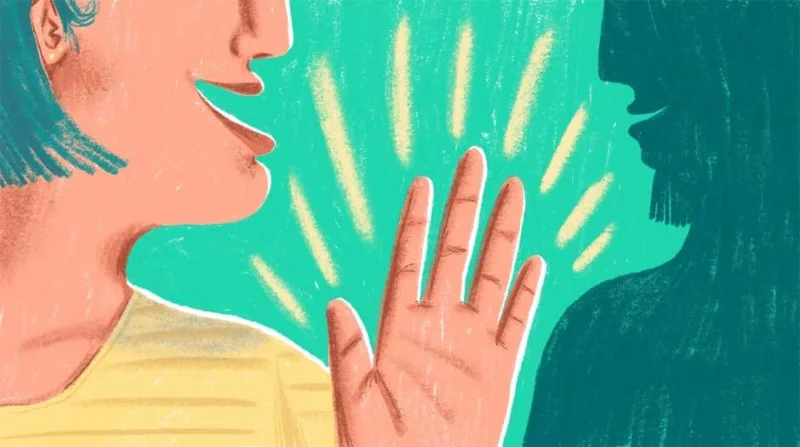
Communication is a necessary skill in modern society. However, not everyone has good communication skills. Most people have to go through training and experience. If you work in marketing and advertising, this skill is even more important.
Communicating with people you know is easy, but with strangers, it’s not so easy. However, you’re not the only one who finds it difficult to communicate with strangers. Many people are willing to stand still and wait for someone to talk to them first.
Don’t let yourself fall into this passive position. In fact, there are many ways to start a conversation easily with someone you meet for the first time or someone who is new to the office. This is an essential life skill if you want to develop yourself in modern society.
Here are some tips to help you start a conversation with others. At first, it may be difficult to follow them for those who are a bit shy. But keep trying! You can practice by standing in front of a mirror and imagining a possible meeting situation in real life and practicing starting a conversation. Just keep practicing, over time, you will find that it is not so difficult to get acquainted with strangers anymore.
"What's the weather like today?", "Did you see the football game last night?" ... are boring , uninteresting conversation starters . It's best to avoid these clichéd questions.
So how do you start?
First of all, one principle to remember is that every conversation happens in different times, circumstances, people, and environmental factors. Therefore, you cannot apply the same pattern to all of these situations.
Second, depending on the subject, purpose and situation, start the conversation interestingly. For example, you can ask about their work, projects, hobbies or choose a unique way to start the conversation like telling a funny story...
Everyone has different opinions and thoughts!

For people you don't know much about, such as strangers, start with topics like food, music, sports... with a few questions like "What would this dish be like if you added salt?", "Do you find this horror movie impressive?" or "I find this song very meaningful, what about you?".....
However, do not ask questions related to politics and religion unless you know them well.
Asking someone for advice or suggestions on how to dress, use cosmetics, choose electronics... is an ideal way to start a conversation. For example, "Your tie is so beautiful, where did you buy it?" or "You have beautiful skin, can you tell me your secret?"....
However, ask questions that are easy to answer.
For example, if you know the other person is an IT employee, you can ask them about how to install software, remove viruses, delete files... but avoid making too "high-level" requests. You are trying to start a conversation with them, so choose a gentle way so that both of you feel comfortable and confident about the answer.
No matter where you are, there are plenty of things around you that you can pick up as a topic to start a conversation with a stranger. For example, if you are waiting for the bus, you can start a conversation by saying something like "The bus seems to be taking longer than usual today, doesn't it?" or "Where are you getting off at? I might be on the same route as you." ...

If you know a little about a person's life, work, or if they're a well-known, influential person, you can ask them something like, "Oh, Mary said you're starting a dance class. Is it going well?"
If you only ask closed-ended “yes” or “no” questions, you will not be surprised by the answers you get. Therefore, if you want to start an interesting story and maintain the conversation, use open-ended questions. This way, you will get more information and somewhat guess the way the other person thinks.
For example, "What do you think of this dish? I find it quite appealing!".
See also: 4 tips to help you ask smart questions
This is a great conversation starter, but try to tie it to a specific situation to avoid asking too random questions. For example, “I know this movie sounds so futuristic, but what if the Sun disappeared?”
People love to talk about things that are important to them. If you know your boss loves to travel, has pets, or loves children, start a conversation with these topics. You’ll probably get an hour of conversation.
Suggestions for the best topics to start a natural conversation:
10. Introduce yourself
Of course, this conversation starter may not work in every situation, but if you are not sure how to start a good conversation, try this simple, direct approach. Be brave and walk up to the stranger you want to talk to, extend your hand and say “Hello, I am new here, my name is… Nice to meet you. Would you mind…” With this polite and natural way of opening a conversation, most people will be willing to help you. Who knows, you might even make a new friend.
Whether you are attending a work collaboration event or a friends' party, always remember that to successfully apply all the above tips you need to be brave, less anxious and always keep your spirit as comfortable as possible.
A confident person is always attractive to others. Don’t be afraid to start a conversation with someone different from you. Just smile and say hello, and you will easily start a conversation, then slowly open up the stories that both of you want to share. This is extremely simple, so don’t worry or think too much!
Create a spooky office cubicle with Halloween desk decor ideas that keep your workspace usable, tidy, and mindful of workplace safety.
Plan a recognizable Halloween 2026 look with pop culture costumes inspired by Spider-Man, Supergirl, Toy Story 5, Moana, Mario, and Wednesday.
Sort leftover Halloween candy safely, share or repurpose sealed treats, and choose food use or compost for pumpkins based on their condition.
Compare workplace Halloween costume choices by respect, dress code, mobility, and safety—and learn when a subtle accessory or a policy check is the better option.
Find a couples costume that fits your style, budget, and comfort level, from Addams Family classics to original inside-joke duos.
Need a last-minute high school Halloween costume? Compare 10 easy closet-based ideas by prep time, comfort, school-day practicality, and simple safety checks.
Use a simple 2026 Halloween decorating timeline for indoor décor, outdoor displays, and fresh pumpkins, with practical adjustments for weather and events.
Mix five vivid, approachable Halloween cocktails with measured recipes, simple prep tips, and an alcohol-free option for your party guests.
Find 15 office-friendly Halloween costume ideas for 2026, with practical checks for dress codes, respectful themes, comfort, and workplace safety.
Plan a fun elementary school Halloween party with easy crafts, games, inclusive treats, costume tips, and a sample 75-minute classroom schedule.








