Kawaii Halloween Decor Without Gore or Jump Scares

Create a gentle Halloween look with pastel colors, friendly ghosts, easy no-carve accents, and practical safety tips for your home.
With Meta’s new smart glasses becoming more fashionable and useful than ever, now could be the time for smart glasses to go mainstream. If they do, millions of users will be able to enjoy technology that was previously only seen in James Bond movies. But there’s a risk: You could be doxxed in seconds.
1. Disclosing personally identifiable information
How would you feel if a complete stranger could take a picture of you as they walked by and instantly know information about you? As a couple of Harvard students demonstrated in September 2024, this is not a fantasy but a reality.
The students turned Meta’s smart glasses into an instant doxxing machine. To do so, they live-streamed video captured with the glasses to Instagram. A computer program then scanned the stream and identified the people who had been photographed using AI facial recognition technology. Those identified faces were then run through public databases to find everything from addresses to phone numbers and social media accounts.
To be fair, you don’t need smart glasses to know someone’s personal information; however, they are an ideal tool for doing so. What makes smart glasses effective is that they are camouflaged and always on your face. It’s never been easier to snap a photo of a stranger in a split second without being detected.
2. Weak built-in security features
When Meta boasts about the privacy features of its smart glasses, it’s mostly referring to features controlled by the wearer, not unsuspecting bystanders who are being filmed. Meta allows users to control how much information is collected, who can use the glasses via verification, and other security features. But when it comes to protecting the privacy of anyone not wearing the glasses, Meta only offers one feature: an LED light that lights up when recording.
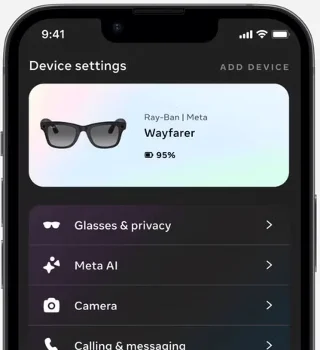
This little flashing light is supposed to alert people around you that the glasses are recording their surroundings. There are two problems with this feature. First, people may not even notice that the glasses are recording. But more importantly, there are plenty of how-to videos and articles out there about covering the LED light. If covered, it will prevent you from recording. However, sneaky users around the world have found various ways to circumvent this privacy feature.
3. Violating the privacy of others
With smart glasses, taking pictures of people you come across has never been easier. With the click of a button, the wearer of smart glasses can record and take a picture of anyone they come across. To be fair, mobile phone users can do the same. The difference is how easy it is to record and how undetectable it is. With a phone or camera, you are more easily detected. It has never been easier to hide and film people against their will with these glasses.
Even if you value the privacy of those around you, many users have reported that the touchpad controls are too sensitive and that the Meta glasses take photos even when the user doesn't want them to, such as when they remove or adjust their glasses.
4. Meta has suffered a series of hacks
Meta collects and stores an incredible amount of data. Despite collecting so much sensitive data, the company has not done a good job of protecting it. Data breaches occur every year, including in 2021, when 533 million users' information was leaked. Meta has not proven itself to be a good protector of customer data. Before using Meta's smart glasses, you need to ask yourself whether you would trust Meta with even more sensitive data, knowing that it is vulnerable to hacking.
There’s no doubt that Ray-Ban Meta smart glasses are cooler than ever, but the more they’re used, the more people are losing their privacy. Luckily, you can protect yourself from this privacy breach by removing your personal information from publicly available storage sites.
Create a gentle Halloween look with pastel colors, friendly ghosts, easy no-carve accents, and practical safety tips for your home.
Create a spooky office cubicle with Halloween desk decor ideas that keep your workspace usable, tidy, and mindful of workplace safety.
Plan a recognizable Halloween 2026 look with pop culture costumes inspired by Spider-Man, Supergirl, Toy Story 5, Moana, Mario, and Wednesday.
Sort leftover Halloween candy safely, share or repurpose sealed treats, and choose food use or compost for pumpkins based on their condition.
Compare workplace Halloween costume choices by respect, dress code, mobility, and safety—and learn when a subtle accessory or a policy check is the better option.
Find a couples costume that fits your style, budget, and comfort level, from Addams Family classics to original inside-joke duos.
Need a last-minute high school Halloween costume? Compare 10 easy closet-based ideas by prep time, comfort, school-day practicality, and simple safety checks.
Use a simple 2026 Halloween decorating timeline for indoor décor, outdoor displays, and fresh pumpkins, with practical adjustments for weather and events.
Mix five vivid, approachable Halloween cocktails with measured recipes, simple prep tips, and an alcohol-free option for your party guests.
Find 15 office-friendly Halloween costume ideas for 2026, with practical checks for dress codes, respectful themes, comfort, and workplace safety.








