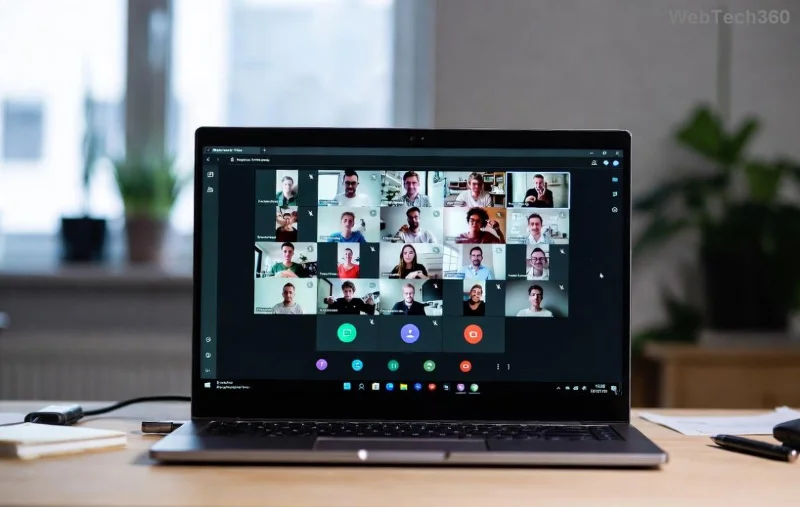

Step-by-Step: Downloading Microsoft Teams Videos Recorded by Others

Ever sat through an important Microsoft Teams meeting only to realize you can't easily save the recording? 😩 Don't worry! Whether it's a training session, webinar, or team update recorded by someone else, downloading Microsoft Teams videos recorded by others is simpler than you think. This guide delivers precise, up-to-date steps to grab those files legally and quickly—keeping your workflow smooth and stress-free. Let's dive in! ✅

Why Download Microsoft Teams Recorded Videos?

  • Offline access for travel or spotty internet.
  • Archiving key insights without relying on shared links.
  • Editing or repurposing content for reports and presentations.

Pro tip: Always ensure you have permission from the recorder to avoid policy issues. Now, onto the steps!

Prerequisites Before Downloading Microsoft Teams Videos

  1. Teams Access: Be signed into Microsoft Teams (desktop app, web, or mobile) with view permissions.
  2. Link or Channel Access: Get the meeting invite, chat link, or channel where the recording lives.
  3. Browser Ready: Use Chrome, Edge, or Firefox for best results.
Microsoft Teams meeting recording interface

Step-by-Step: Downloading Microsoft Teams Videos Recorded by Others

Step 1: Locate the Recording in Teams 🎯

Open Microsoft Teams and navigate to the chat, channel, or meeting recap where the video was shared.

  1. Go to the Teams Calendar or Chat tab.
  2. Find the meeting event—recordings auto-appear in the recap if you're invited.
  3. Click the recording thumbnail labeled "Recording" or "Stream."

⚠️ If it's a channel meeting, check the Files tab in the channel.

Step 2: Open in Microsoft Stream or Browser Player 📱

Recordings are hosted on Microsoft Stream (now integrated into Teams) or OneDrive/SharePoint.

  1. Click Play on the video.
  2. Select the three dots (...) menu > Open in Stream or Download if available.
  3. For non-owners: Copy the video link and paste into a browser at stream.microsoft.com.

This unlocks full controls for downloading Microsoft Teams videos!

Stream video download options in Microsoft Teams

Step 3: Download the Video File 💾

  1. In Stream: Click Download (cloud icon) > Choose quality (up to 1080p).
  2. From OneDrive: If shared via Files, right-click > Download.
  3. Teams Desktop: More options (...) > Save as or Download.

Your file saves as MP4—perfect for any device! 🎉

Final download confirmation for Teams recording

Alternative Methods for Tricky Scenarios

Method 1: OneDrive/SharePoint Direct Access

For channel recordings:

StepAction
1Channel > Files tab > Locate .mp4
2Right-click > Download
3Sync to local via OneDrive app

Method 2: Request from Owner (Safest Bet) 👥

Ask the recorder to:

  • Share a direct download link.
  • Upload to OneDrive and grant edit access.

Method 3: Browser Developer Tools (Advanced Users Only) 🔧

⚠️ Use ethically:

  1. Play video in browser.
  2. F12 > Network tab > Filter "mp4" > Right-click largest file > Save as.

Verify permissions first!

Troubleshooting Common Issues 🚧

  • No Download Button? Check permissions—contact admin or owner. Microsoft Support has details.
  • Low Quality? Select highest resolution in Stream settings.
  • Mobile? Use Teams app > Long-press video > Save to device.
  • Error 403? Recording expired—request re-share.

Pro Tips to Master Teams Video Downloads

  • Enable auto-download in Teams settings for future ease.
  • Use tools like HandBrake to compress large files post-download.
  • Organize saves in folders: "Teams_Recordings_YYYY-MM."
  • For bulk: Export via Power Automate flows (enterprise feature).

That's it! You've now unlocked the power of downloading Microsoft Teams videos recorded by others like a pro. Save time, stay productive, and never miss a key moment again. Got questions? Drop them in the comments—we're here to help! 👏

Stay tuned for more Teams hacks to supercharge your collaboration game.

Leave a Comment

How to Set Up Microsoft Teams for School and Education

How to Set Up Microsoft Teams for School and Education

Discover how to set up Microsoft Teams for school and education effortlessly. Get free access, create classes, assignments, and meetings with our ultimate guide for teachers and students. Boost learning today!

How to Use Microsoft Teams Whiteboard in 2026

How to Use Microsoft Teams Whiteboard in 2026

Discover how to use Microsoft Teams Whiteboard in 2026 with this complete guide. Learn access methods, AI-powered features, step-by-step tutorials, and pro tips for seamless collaboration in virtual meetings. Boost productivity today!

Troubleshooting Microsoft Teams Bị lỗi (General Errors)

Troubleshooting Microsoft Teams Bị lỗi (General Errors)

Stuck with Microsoft Teams errors? Get step-by-step fixes for crashes, sign-in failures, audio glitches, and more. Proven solutions to resolve general Teams issues fast and frustration-free.

Troubleshooting Microsoft Teams Wiki Not Loading Error

Troubleshooting Microsoft Teams Wiki Not Loading Error

Stuck with Microsoft Teams Wiki not loading error? This ultimate troubleshooting guide delivers quick, step-by-step solutions to fix the issue fast and restore seamless collaboration.

Where to Find the Microsoft Teams Installation Folder on Your PC

Where to Find the Microsoft Teams Installation Folder on Your PC

Struggling to locate the Microsoft Teams Installation Folder on your PC? This step-by-step guide reveals exact paths for new and classic Teams, per-user & per-machine installs. Save time troubleshooting!

Troubleshooting Microsoft Teams Proxy Error Settings Fix

Troubleshooting Microsoft Teams Proxy Error Settings Fix

Struggling with Microsoft Teams Proxy Error? Discover proven Troubleshooting Microsoft Teams "Proxy Error" Settings Fix steps. Clear cache, adjust proxy settings, and get back to seamless calls in minutes with our expert guide.

Solving Microsoft Teams OneDrive Error File Sync

Solving Microsoft Teams OneDrive Error File Sync

Tired of Microsoft Teams OneDrive Error blocking file sync? Follow our step-by-step guide to solve Microsoft Teams "OneDrive Error" File Sync issues quickly. Proven fixes for smooth collaboration in Teams channels. Get your files syncing error-free today!

How to Fix Microsoft Teams Workflows and Power Automate Errors

How to Fix Microsoft Teams Workflows and Power Automate Errors

Tired of Microsoft Teams workflows and Power Automate errors halting your productivity? Get step-by-step solutions to common issues like authentication failures, timeouts, and flow errors. Fix them in minutes and automate effortlessly!

Troubleshooting Microsoft Teams Download Error on Macbook

Troubleshooting Microsoft Teams Download Error on Macbook

Facing Microsoft Teams "Download Error" on MacBook? Discover proven troubleshooting steps to resolve download failures quickly, from cache clears to reinstalls, and get back to smooth teamwork.

Troubleshooting Microsoft Teams Where is Teams Folder Error

Troubleshooting Microsoft Teams Where is Teams Folder Error

Tired of the frustrating Microsoft Teams "Where is Teams" Folder Error? Discover proven, step-by-step troubleshooting fixes to resolve it quickly and restore smooth teamwork. Latest methods included!

How to Fix Microsoft Teams JavaScript Error on Desktop App

How to Fix Microsoft Teams JavaScript Error on Desktop App

Frustrated by Microsoft Teams JavaScript Error on desktop app? Discover proven steps to fix it fast: clear cache, update, reset, and reinstall. Get back to seamless collaboration in minutes!

How to Fix Microsoft Teams Guest Login Error

How to Fix Microsoft Teams Guest Login Error

Struggling with Microsoft Teams "Guest Login" Error? Discover step-by-step fixes, from quick cache clears to admin settings, to resolve guest access issues fast and collaborate seamlessly. Updated with the latest tips!

How to Fix Microsoft Teams For PC Download Error

How to Fix Microsoft Teams For PC Download Error

Tired of the Microsoft Teams "For PC" download error blocking your work? Follow our proven, step-by-step guide to resolve it quickly and get Teams running smoothly on your PC today.

Solving Microsoft Teams Windows 7 Login Error

Solving Microsoft Teams Windows 7 Login Error

Struggling with Microsoft Teams "Windows 7" login error? Discover step-by-step fixes for this frustrating issue on Windows 10/11. Clear cache, edit registry, and more – get back to seamless collaboration today!

How to Fix Microsoft Teams Error Code 0x80070005 (2026 Guide)

How to Fix Microsoft Teams Error Code 0x80070005 (2026 Guide)

Tired of Microsoft Teams Error Code 0x80070005 blocking your meetings? Follow this 2026 guide with step-by-step fixes for access denied issues. Get Teams running smoothly in minutes!






