Last checked: November 5, 2026, 4:26 a.m. in Sydney, Australian Eastern Daylight Time (AEDT, UTC+11:00); November 4, 2026, 17:26 UTC. This is the information-check time, not the time the problem started or ended.
Telstra says the MessageBank issue behind a burst of delayed missed-call and voicemail notifications on Wednesday, November 4, 2026, has been fixed. Some Australian customers reported unexpected texts about calls that did not appear in their recent call history or that contacts said they had not made. Telstra attributed the disruption to its voicemail system and said ordinary voice calls, mobile data and Triple Zero (000) calls were not affected by this particular incident.
If you received several missed-call messages at once, check the number and any voicemail before returning the call. A text alert is not the same as a fresh incoming call, and there is no need to reset your phone solely because a delayed notification appeared.
Destaques
Telstra said its November 4 MessageBank notification issue was resolved; some missed-call and voicemail alerts arrived late and in batches.
Check the Phone app's call history, SMS inbox and voicemail separately: they may not contain matching entries.
For Telstra MessageBank in Australia, dial 101; iPhone Live Voicemail may store messages on the device instead.
If calls still do not ring or connect, review notification settings and coverage, then check Telstra's official outage checker.
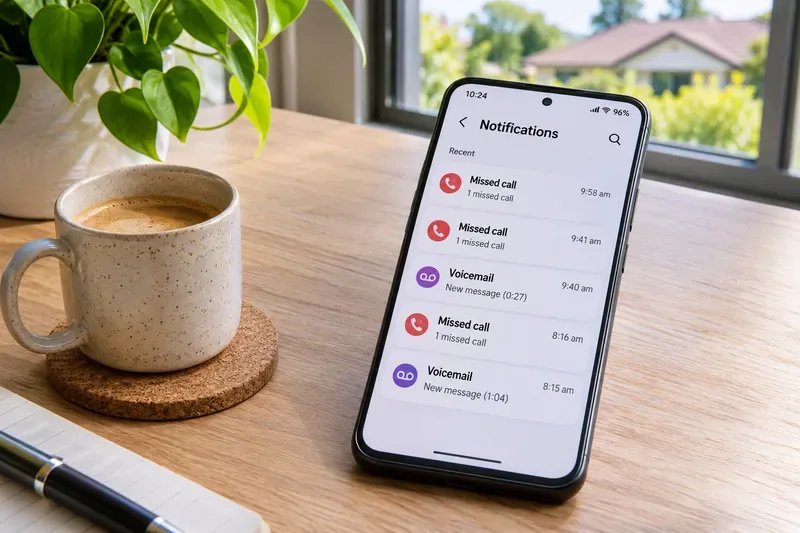
Illustrative image of missed-call and voicemail notifications on a smartphone. It is not a screenshot of Telstra's November 4 incident.
What happened to Telstra missed-call notifications on November 4?
Customers in Australia reported a cluster of SMS alerts about missed calls and voicemail, sometimes without a matching ring or recent incoming call. In a statement reported by ABC News on November 4, Telstra confirmed an earlier issue involving MessageBank and said it had been fixed. The company warned that delayed notifications could continue arriving together and apologized for the confusion.
That confirmation is specific to the MessageBank notification problem. It does not establish that every strange SMS was genuine, that all missed calls were fabricated, or that every Australian mobile service had an outage. Telstra did not provide a verified customer count or a precise technical root cause in the statement reviewed for this article.
Why did missed-call texts arrive when the phone never rang?
Delayed delivery is the confirmed explanation for the November 4 burst. A voicemail or missed-call notification can be generated by a network service independently of the device's recent-call screen. If delivery is delayed, an old alert may turn up after the related event, and the notification timestamp may reflect when the SMS was received rather than when a call occurred.
Telstra also offers different services that are easy to confuse. MessageBank answers unanswered or busy calls and stores voicemail. Its optional hang-up message can send an SMS when a caller disconnects without leaving voicemail. Message2Txt converts a short recorded message into SMS when that service is enabled. On compatible iPhones, Apple's Live Voicemail can instead save a message directly on the phone, so that message will not be available through the network's 101 mailbox.
These distinctions help explain why an SMS, a voicemail badge and a call-log entry do not always line up. They do not, by themselves, prove which particular notification a customer received on November 4 was legitimate.
Will the alerts continue, and what should customers expect next?
Telstra's statement said the MessageBank problem was fixed, but delayed notifications might still arrive in a batch. A further cluster of old alerts is therefore possible without proving a new outage. If new calls cannot reach you now, or notifications keep appearing with no explanation, treat that as a separate issue requiring a fresh check. There is no verified timetable or quantified estimate for additional delayed messages in the information reviewed.
For location-specific service disruptions, use Telstra's official outage checker and search by suburb, postcode or address as applicable. A fixed national notification issue should not be used to dismiss a genuine coverage problem at your location.
How do I check missed calls and voicemail on my Telstra phone?
Step 1: Compare the SMS with your call history
Open the Phone app. On iPhone, check Calls or Recents, depending on your iOS layout. On most Android phones, open Recents or Call history.
Look for the number and the original call time. Check whether the entry is an incoming missed call rather than an outgoing or blocked call.
If the message names someone you know but the log has no corresponding call, ask that person through an existing, trusted contact method rather than assuming the SMS is correct.
For unfamiliar or overseas numbers, do not call back automatically. A missed-call message can also be used as a scam lure.
Step 2: Check the right voicemail service
If you use Telstra MessageBank, dial 101 from your Telstra mobile while in Australia to listen to messages. For supported Upfront Plans, open My Telstra > Services > your service > Menu > Manage your MessageBank to review the service setting. Do not switch the service off merely to clear a notification; that changes how unanswered calls are handled.
On an iPhone with Live Voicemail, open the Phone app and check Voicemail for messages stored on the handset. Telstra says this feature is enabled by default on iPhones running iOS 18 or later, and Live Voicemail messages are not retrieved via 101. For help with these differences, use Telstra's voicemail setup instructions.
How do I fix missing call notifications on iPhone or Android?
If you use an iPhone
Go to Settings > Notifications > Phone and make sure alerts are allowed. Also check the notification settings for Messages if SMS alerts themselves are silent.
Review Settings > Focus. Do Not Disturb, Sleep or another Focus can silence calls or alerts according to its configured exceptions. See Apple's Focus guidance.
Check silent mode, ringtone volume and any blocked numbers. Restart the phone if calling behavior remains inconsistent.
If you use an Android phone
Open Settings > Apps > Phone > Notifications, or the equivalent path on your device, and confirm that missed-call notifications are enabled.
Swipe down to Quick Settings and check Do Not Disturb or other notification modes. Device makers may use different menu names; Google's Android instructions describe the standard controls.
Check call blocking, spam filtering, the phone's volume and its default Phone app. Restart before attempting more disruptive changes.
If calls still do not ring or connect
Check that Airplane Mode is off, your Telstra SIM or eSIM line is enabled, and the phone shows usable signal.
Try an ordinary test call from someone you trust and check whether it rings, reaches voicemail or fails. Only do this when safe and convenient.
Check the Telstra outages page for your area and install any available phone software update.
Use My Telstra > Help > Get help with an issue or Telstra's mobile troubleshooting guide. A network-settings reset is a later step because it can remove saved Wi-Fi, VPN and network preferences.
Could the missed-call text be a scam?
The November 4 incident was attributed to MessageBank, not a confirmed attack on customers' phones. Even so, an unexpected text that includes a link, asks for a password or payment, or urges you to dial an unfamiliar premium-rate or international number should be treated with caution. Verify the sender through a known number or official app. Telstra says suspicious SMS messages can be reported using your phone's spam-reporting option or, on compatible devices, forwarded to 7226 (SCAM); see Telstra's scam guidance.
FAQ
Was Telstra down on November 4, 2026?
Telstra confirmed a MessageBank notification issue that caused delayed missed-call and voicemail alerts. It said the issue was fixed and did not affect regular voice calls, mobile data or Triple Zero calls. That is different from a confirmed general mobile-network outage.
Why is there a Telstra missed-call SMS but nothing in my call log?
The text may be delayed, may relate to a voicemail or hang-up notification, or may require checking with the supposed caller. Compare the call details and check MessageBank or Live Voicemail before deciding whether to call back.
What number do I call for Telstra voicemail in Australia?
For Telstra MessageBank, dial 101 on your Telstra mobile. Apple's Live Voicemail is separate, and its messages are normally found in the iPhone Phone app instead.