Pop Culture Costume Ideas That Will Dominate Halloween 2026

Plan a recognizable Halloween 2026 look with pop culture costumes inspired by Spider-Man, Supergirl, Toy Story 5, Moana, Mario, and Wednesday.
The Monsters in this DTCL season 12 lineup somewhat remind people of the Cultists of season 4 or Zombies of season 5. The activation milestone for the Monsters to appear is the same as the previous summoning clans. When the generals are below 20% health, the monster will appear.
Monsters will appear even with equipment on them, and are strong based on the star level of the Freak champions. But Freak champions do not receive any power boosts. So you will need some suggestions to get started with Freak champions below.
Guide to build Weird Truth Arena
Early game
The beginning of the game is always the easy part for every team, there are even teams where you can choose other races to start with and then switch to the main team later, as long as you get a winning streak.
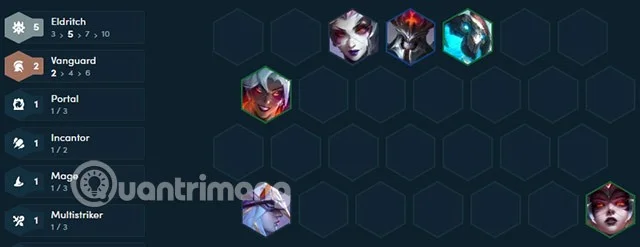
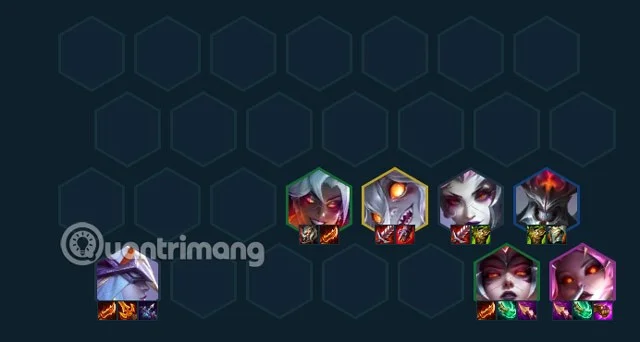
Just start with 3 Freaks to get Golem, have Shyvana combined with Elise as tank, and let Akali and Ashe be the main force in this phase.
Mid game
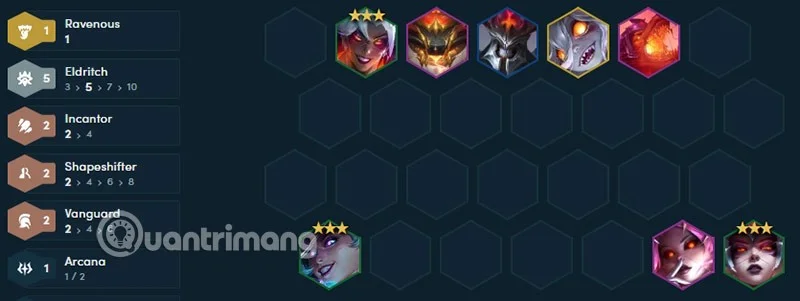
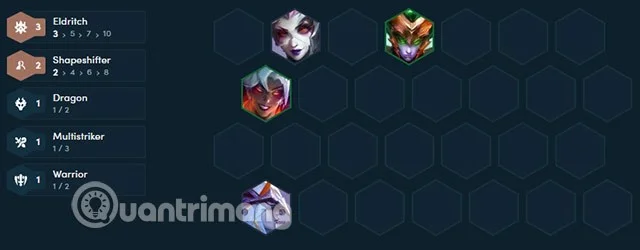
This is the time when you should level up to 5 Monsters, you will get Rock Monsters with better power and support. Syndra will start to be added during this mid-game period, and if you have money, you should slowroll Syndra to 3 stars at level 6. At the same time, you can also roll Nilah to 3 stars to double the damage to win streak in mid-game.
End Game
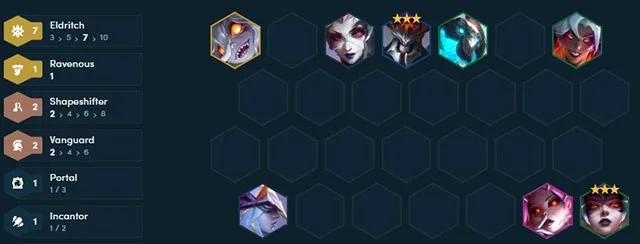
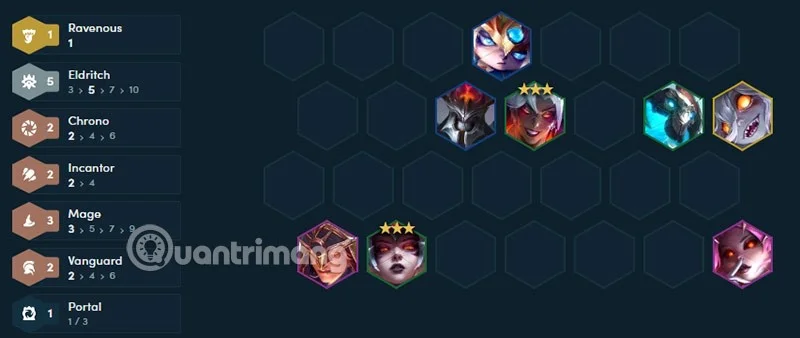
In the late game, Nami and Briar will be the main damage dealers. If you want a simple comp, just go for 7 Freaks and add a high-cost unit to boost your faction, or add damage, resistance, or other crowd control effects.
When you get to 5 Freaks, you don't need to get enough Freaks by the end. You can remove any Freaks that you think are redundant or don't have enough stars and replace them with other higher-priced ones. If you choose Slowroll early in the game, you will have 1-2 low-cost 3-gold champions and combine them with high-cost Freaks at the end of the game. These champions will mainly activate the main champion's system to deal damage to the team.
Most of the Freak's direction will be magic damage like Syndra, Nami, Karma and if Nilah and Briar are chosen, they will be support items like Hand of Justice, Bloodthirster, Titan's Power, Sterak's Claw, Rageblade... instead of focusing on physical damage items.
Items for TFT Weird Generals, DTCL Weird Items
Ashe will tend to focus on items like Last Whisper, Hurricane, Rageblade, Giant Slayer, Infinity Edge, Sterak's Claw, Deathblade. Syndra and Nami's items will include magical items like Jeweled Gauntlet, Spear of Shojin, Blue Charm, Archangel's Staff, Deathcap...
For tank items, you should focus on Mordekaiser and Elise. Elise can get other items like Blood Sword, Archangel's Staff, and Witch's Hat to increase damage. As for Briar and Nilah, those are the items mentioned above.
Bizarre
When your team is down to 20% health, an Ancient God awakens. Each star of the Strange increases the Ancient God's Health and Ability Power.
As mentioned above, the Monsters only rely on the power of the summoned generals and monsters. The Monster generals themselves do not benefit from the Monster buff, so you will have to roll and combine items for them to have an easier win streak.
Plan a recognizable Halloween 2026 look with pop culture costumes inspired by Spider-Man, Supergirl, Toy Story 5, Moana, Mario, and Wednesday.
Sort leftover Halloween candy safely, share or repurpose sealed treats, and choose food use or compost for pumpkins based on their condition.
Compare workplace Halloween costume choices by respect, dress code, mobility, and safety—and learn when a subtle accessory or a policy check is the better option.
Find a couples costume that fits your style, budget, and comfort level, from Addams Family classics to original inside-joke duos.
Need a last-minute high school Halloween costume? Compare 10 easy closet-based ideas by prep time, comfort, school-day practicality, and simple safety checks.
Use a simple 2026 Halloween decorating timeline for indoor décor, outdoor displays, and fresh pumpkins, with practical adjustments for weather and events.
Mix five vivid, approachable Halloween cocktails with measured recipes, simple prep tips, and an alcohol-free option for your party guests.
Find 15 office-friendly Halloween costume ideas for 2026, with practical checks for dress codes, respectful themes, comfort, and workplace safety.
Plan a fun elementary school Halloween party with easy crafts, games, inclusive treats, costume tips, and a sample 75-minute classroom schedule.
Compare realistic side hustles for 2026 by startup cost, fees, flexibility, and income control, with current tax and scam guidance from official sources.








