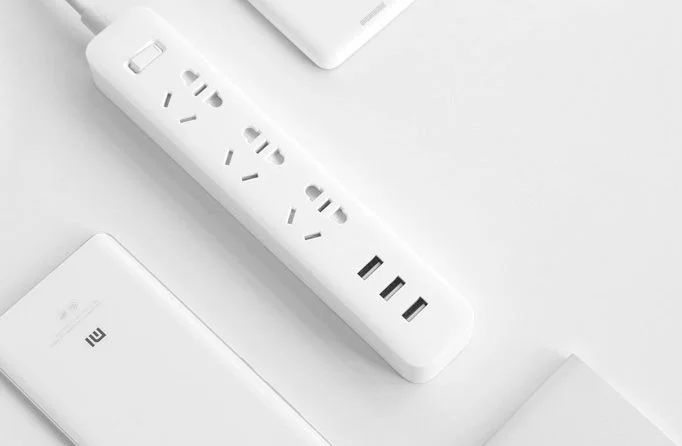
The best USB power outlets today

Since the smart mobile phones and electronic devices have developed strongly in the market, many other convenient devices have also developed strongly, including the USB power outlet.

With this socket, even if you forget your phone charger at home, you don't need to worry because the charging cord can still be plugged directly into the socket, providing a convenient experience when using it.

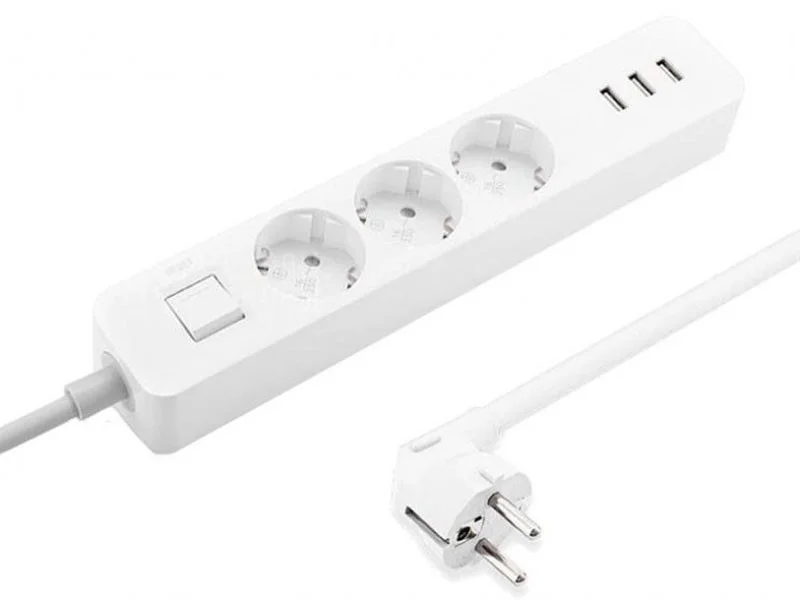
Xiaomi Mi Power Strip NRB4030GL USB Power Socket
The best USB power outlets today

Specifications

  • Cord length: 1.4m
  • Shell material: High quality plastic
  • Number of sockets: 3 power sockets and 3 USB ports
  • Warranty: 12 months
  • Brand: China
  • Made in: China

Advantage

  • Xiaomi Mi Power Strip NRB4030GL USB power outlet has a compact design, elegant color, suitable for any space.
  • Xiaomi Mi NRB4030GL has a control chip that helps protect the circuit, prevent fire and explosion and electrical overload.
  • The socket has anti-slip pads underneath, helping to fix it on any flat surface.
  • Xiaomi NRB4030GL has a load capacity of up to 3680W, so you don't need to worry too much about power overload.

Xiaomi NRB4014CN USB Power Socket

The best USB power outlets today

Specifications

  • Number of power outlets: 3 USB ports, 3 AC outlets
  • Shell material: High quality plastic
  • Warranty: 12 months
  • Brand: China
  • Made in: China

Advantage

  • Xiaomi NRB4014CN USB socket has a compact size, can be easily carried when traveling or going far away.
  • This product has 3 clean USB ports, supports 2A fast charging technology to help shorten charging time for electronic devices.
  • Flexible socket design, suitable for all types of plugs and pins: from 2 to 3 pins and from flat to round pins.
  • This power outlet has a smart cover, which helps to limit dust and ensures safety for children.
  • Xiaomi NRB4014CN USB power socket is equipped with a modern control chip. When there is an overload of voltage or abnormal current, the socket will automatically cut off the power.

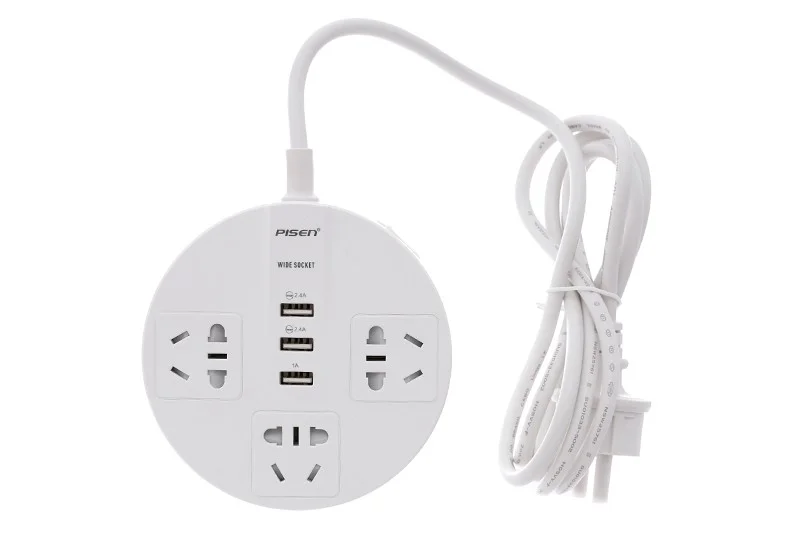
Pisen KY-33 3-hole 3 USB power socket 1.8m
The best USB power outlets today

Specifications

  • Input voltage: 250V - 10A
  • Maximum power (W): 2500 W
  • Number of sockets: 3
  • Built-in USB ports: 2 USB ports/5V - 2.4 A, 1 USB port/5V - 1 A
  • Socket material: PC plastic
  • Size: Length 12 cm - Width 12 cm - Height 3 cm
  • Weight: 250g
  • Brand: Pisen.

Advantage

  • Pisen socket integrates 3 USB ports with maximum current of 5V-2.4A to charge phones, backup batteries or tablets.
  • When the current exceeds 10A, the power outlet will automatically cut off.
  • The power outlet cover is made of PC plastic, heat resistant, up to 750 degrees.
  • With sophisticated design, the power outlet fits precisely with the jack.
  • The power outlet has an on/off switch next to it, you can turn it off when not in use and it is safer for families with children.

Leave a Comment

How to Record a Microsoft Teams Meeting: Step-by-Step

How to Record a Microsoft Teams Meeting: Step-by-Step

Master how to record a Microsoft Teams meeting with this simple step-by-step guide. Capture every detail effortlessly—perfect for work, training, or reviews. Updated for the latest features.

Troubleshooting Microsoft Teams OneDrive Error Syncing

Troubleshooting Microsoft Teams OneDrive Error Syncing

Struggling with Microsoft Teams 'OneDrive Error' syncing issues? Discover proven, step-by-step troubleshooting tips to resolve OneDrive sync errors in Teams quickly and restore seamless collaboration. Updated with the latest fixes.

Solving Microsoft Teams Password Error Recovery

Solving Microsoft Teams Password Error Recovery

Tired of Microsoft Teams password error blocking your work? Master solving Microsoft Teams "Password Error" recovery with proven, step-by-step fixes. Regain access fast and frustration-free!

Troubleshooting Microsoft Teams Installation Errors on Windows 11

Troubleshooting Microsoft Teams Installation Errors on Windows 11

Struggling with Microsoft Teams installation errors on Windows 11? Get step-by-step fixes for common issues like 0x80070005, 80070422, and more. Quick, effective troubleshooting to get you back to collaborating seamlessly.

Troubleshooting Microsoft Teams Screen Error Black Screen

Troubleshooting Microsoft Teams Screen Error Black Screen

Tired of Microsoft Teams "Screen Error" black screen ruining your meetings? Discover proven, step-by-step troubleshooting fixes for Teams black screen issues, screen sharing errors, and more. Get back to seamless collaboration fast!

The Most Essential Vitamins for Women Over 50

The Most Essential Vitamins for Women Over 50

As you age, many of your bodys organs can weaken, but it doesnt have to be that way if you take care of yourself. Here are the most essential vitamins for women over 50.

How to Fix Microsoft Teams Update Error Loop

How to Fix Microsoft Teams Update Error Loop

Frustrated with the endless Microsoft Teams Update Error loop? Discover step-by-step fixes to resolve stuck updates, clear cache, reinstall, and more. Get back to seamless collaboration fast!

How to Fix Microsoft Teams Download Error on Phone

How to Fix Microsoft Teams Download Error on Phone

Encountering Microsoft Teams "Download Error" on your phone? Get instant fixes for Android & iOS. Clear cache, update apps, and more—back to chatting in minutes without frustration!

Solving Microsoft Teams VOIP Connection Error

Solving Microsoft Teams VOIP Connection Error

Struggling with Microsoft Teams VOIP connection error? Discover step-by-step fixes to solve Microsoft Teams VOIP connection error instantly. Network tweaks, cache clears, and more for seamless video calls.

Solving Microsoft Teams Unexpected Error on Startup

Solving Microsoft Teams Unexpected Error on Startup

Tired of the frustrating Microsoft Teams 'Unexpected Error' on startup? Discover step-by-step fixes, from clearing cache to advanced resets, to get Teams running smoothly again. Quick, reliable solutions for Windows and Mac users.

How to Fix Microsoft Teams Download Error Unexpected

How to Fix Microsoft Teams Download Error Unexpected

Tired of Microsoft Teams "Download Error" Unexpected blocking your workflow? Follow our expert, step-by-step guide with quick fixes and advanced tips to resolve it instantly. No reinstall needed!

Causes of oil heater noise, oil leakage and no heating when in use

Causes of oil heater noise, oil leakage and no heating when in use

Oil heaters make noise, leak oil, and do not heat up. These are all problems that arise when using a heater. So what are the causes of these problems? Read our article below!

How to Assign Participants to Breakout Rooms in Microsoft Teams

How to Assign Participants to Breakout Rooms in Microsoft Teams

Master how to assign participants to breakout rooms in Microsoft Teams with this step-by-step guide. Boost meeting engagement, automate assignments, and troubleshoot like a pro for seamless virtual collaboration.

How to Fix Microsoft Teams Giá Error Pricing Update

How to Fix Microsoft Teams Giá Error Pricing Update

Struggling with Microsoft Teams "Price Error" after the latest pricing update? Discover step-by-step fixes to resolve it quickly, restore seamless collaboration, and avoid subscription headaches. Updated with the newest solutions.

Solving Microsoft Teams Background Error Transparency

Solving Microsoft Teams Background Error Transparency

Struggling with Microsoft Teams Background Error Transparency? Discover proven step-by-step fixes for blurry, glitchy virtual backgrounds. Restore perfect transparency in Teams meetings effortlessly. Updated with the latest solutions.