Leftover Halloween Candy and Pumpkins: What to Do Next

Sort leftover Halloween candy safely, share or repurpose sealed treats, and choose food use or compost for pumpkins based on their condition.
Printers need ink. Of course, these cartridges are not infinite, they will eventually run out of ink and need to be refilled over time. Sounds simple enough, right? But it’s not.
You may not know it, but major printer manufacturers like HP and Canon have been embroiled in controversy and even major scandals over allegations of blocking the use of third-party ink cartridges.
For example, in 2016, HP was accused of blocking printers using non-HP ink cartridges by displaying a pre-programmed error. Although the company later reversed its stance after public pressure, the incident had many negative consequences for the industry.
Similarly, in 2021, Canon was sued alleging that its multifunction printers would also disable scanning when the ink cartridge ran low and were replaced with a non-Canon cartridge.
Using non-genuine third-party accessories hasn't been an issue for Brother in the past, but recent reports suggest things are getting worse.
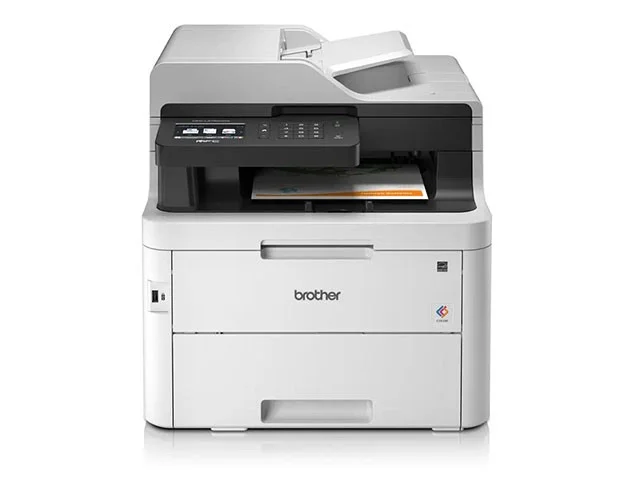
Some complaints from users on Reddit say that the W1.56 firmware update appears to have “broken” the automatic color registration feature on the MFC-L3750CDW color laser printer. A Brother customer service representative even confirmed that “the printer will not function without genuine ink.” In addition to limiting compatibility, Brother also removed features like automatic color registration for users who opt for third-party ink.
Several other users have reported similar experiences. However, Brother has denied these allegations, stating that this is “misinformation” and that they do not “intentionally degrade print quality based on the use of genuine or non-genuine Brother cartridges.”
In a statement to Ars Technica, Brother said:
We are aware of recent misinformation suggesting that a Brother firmware update may have restricted the use of third-party ink cartridges. Please be assured that firmware updates do not block the use of third-party ink in Brother printers.
Brother printers do not intentionally reduce print quality based on the use of genuine or non-genuine Brother cartridges. However, Brother cannot guarantee print quality when using third-party cartridges compatible with Brother printers.
We are actively addressing the source of this misinformation to ensure accurate information is provided to customers.
Brother makes the fairly reasonable point that it can't guarantee the quality of third-party, non-Brother accessories. It also doesn't rule out the possibility that the firmware is actually causing ink compatibility issues. In that case, the company would have to investigate firmware quality control before releasing it.
Brother printers have long been praised for their ability to work with a wide range of cartridges, which has helped them stand out from brands like HP and Canon. However, this “scandal” will certainly put that reputation to the test.
Sort leftover Halloween candy safely, share or repurpose sealed treats, and choose food use or compost for pumpkins based on their condition.
Compare workplace Halloween costume choices by respect, dress code, mobility, and safety—and learn when a subtle accessory or a policy check is the better option.
Find a couples costume that fits your style, budget, and comfort level, from Addams Family classics to original inside-joke duos.
Need a last-minute high school Halloween costume? Compare 10 easy closet-based ideas by prep time, comfort, school-day practicality, and simple safety checks.
Use a simple 2026 Halloween decorating timeline for indoor décor, outdoor displays, and fresh pumpkins, with practical adjustments for weather and events.
Mix five vivid, approachable Halloween cocktails with measured recipes, simple prep tips, and an alcohol-free option for your party guests.
Find 15 office-friendly Halloween costume ideas for 2026, with practical checks for dress codes, respectful themes, comfort, and workplace safety.
Plan a fun elementary school Halloween party with easy crafts, games, inclusive treats, costume tips, and a sample 75-minute classroom schedule.
Compare realistic side hustles for 2026 by startup cost, fees, flexibility, and income control, with current tax and scam guidance from official sources.
Upgrade your home office ergonomics with current OSHA and NIOSH guidance on chair fit, monitor height, laptop setup, lighting, and movement.








