Leftover Halloween Candy and Pumpkins: What to Do Next

Sort leftover Halloween candy safely, share or repurpose sealed treats, and choose food use or compost for pumpkins based on their condition.
The logos of famous household brands are so ingrained in our brains that it's hard to believe that any detail about them can go unnoticed. However, there are many secret messages in company logos, and once you find them, you'll be surprised. The Coke logo is one example.
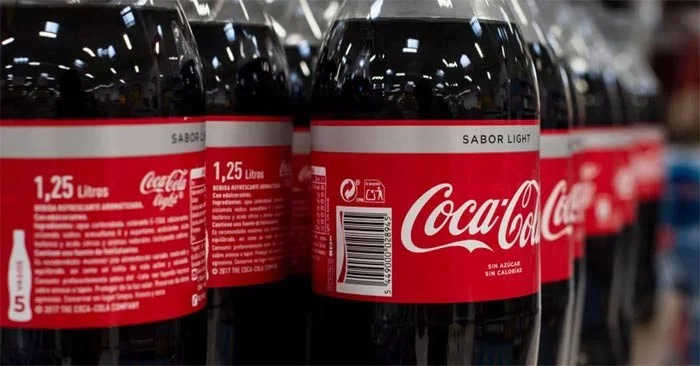
By now, everyone knows that the Coca-Cola font is iconic in its own right. But if you look a little closer, it contains something dear to the heart of the company—a nod to fun.
Curious? Here are the secrets behind the Coke logo, along with an expert's take on what makes it so memorable.
The hidden message behind the Coke logo
Many believe that the ribbon-like extension of the first “C” in Coca-Cola is actually a smile. This, in theory, fits with Coca-Cola’s overarching message that the classic carbonated beverage brings happiness to all who drink it. And Coke’s past slogans have included “Drink Coke and Smile,” “Unlock Happiness,” and “Taste the Feeling.”
“The Coca-Cola logo has become an American icon steeped in nostalgia and flavor,” says Reilly Newman, co-founder of California-based branding studio Motif Brands and co-author of Brandy: 101 Sips of Wisdom for Attaining a Successful Brand. “The distinctive look of the wordmark makes the brand’s logo feel authentic and fresh. It flows with the imagery as the typography shapes each letter.” So what’s the hidden message? “The ribbons feel abstractly liquid, while there are clear curves in the shapes that, yes, feel like smiles,” says Newman.
Newman also notes that the logo's upward flow and angle help consumers' brains register more positive emotions, gliding from left to right across the entire line.

History of the Coke logo
As you may know, John S. Pemberton, a pharmacist, invented Coca-Cola in 1886. According to the Coca-Cola website, his bookkeeper, F.M. Robinson, is credited with creating the first version of the Coke logo. Robinson suggested the name and wrote the now famous trademark “Coca‑Cola” in Spencerian script, which was common at the time. While the logo has changed over the centuries, you can still see its origins in the current version.
Just four years after its inception in 1890, the Coca-Cola logo got a little more dramatic, as more swirls were added to accentuate the logo. This is when the logo became closer in style to the Coke logo we know today. But it's actually the 1969 logo update that really brings out the undeniable appeal of the "Arden Square" logo. This is when Coca-Cola started using a white font within a red square box, with a white ribbon underneath.
Who created the Coke logo?
While Robinson is credited with creating the first Coca-Cola logo, Louis Madarasz, a Texas calligrapher, claimed that he actually designed the logo. Robinson denied this in a 1914 trial, claiming that he and a gentleman named Frank Ridge created it. Unfortunately, Madarasz passed away in 1910 and never got a chance to tell his side of the story.
Sort leftover Halloween candy safely, share or repurpose sealed treats, and choose food use or compost for pumpkins based on their condition.
Compare workplace Halloween costume choices by respect, dress code, mobility, and safety—and learn when a subtle accessory or a policy check is the better option.
Find a couples costume that fits your style, budget, and comfort level, from Addams Family classics to original inside-joke duos.
Need a last-minute high school Halloween costume? Compare 10 easy closet-based ideas by prep time, comfort, school-day practicality, and simple safety checks.
Use a simple 2026 Halloween decorating timeline for indoor décor, outdoor displays, and fresh pumpkins, with practical adjustments for weather and events.
Mix five vivid, approachable Halloween cocktails with measured recipes, simple prep tips, and an alcohol-free option for your party guests.
Find 15 office-friendly Halloween costume ideas for 2026, with practical checks for dress codes, respectful themes, comfort, and workplace safety.
Plan a fun elementary school Halloween party with easy crafts, games, inclusive treats, costume tips, and a sample 75-minute classroom schedule.
Compare realistic side hustles for 2026 by startup cost, fees, flexibility, and income control, with current tax and scam guidance from official sources.
Upgrade your home office ergonomics with current OSHA and NIOSH guidance on chair fit, monitor height, laptop setup, lighting, and movement.








