The language change will be quite complicated if you switch from Andriod to iPhone . The following article is the solution for you to change the language yourself according to your personal preference, not just the familiar Vietnamese language pack.
1. Benefits of changing language:
- More suitable and convenient for their use on the device.
- Easy to use phone with the right language.
2. How to change language:
Quick start Guide:
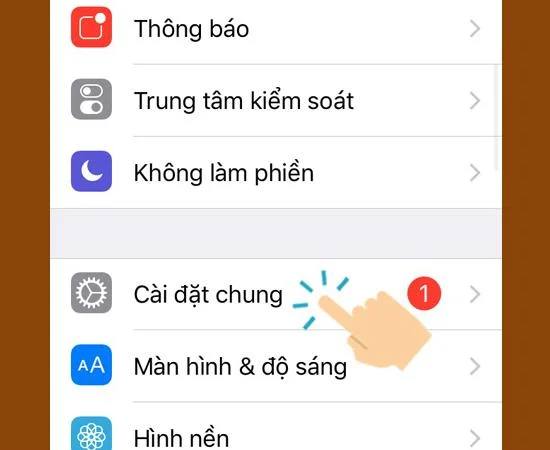
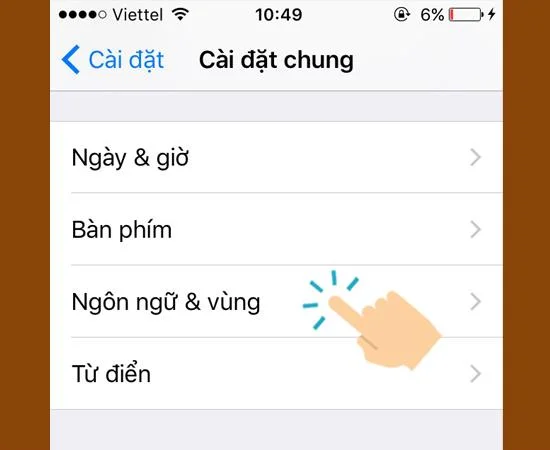
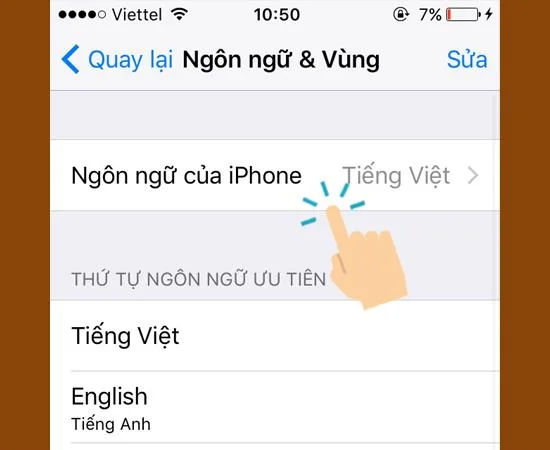
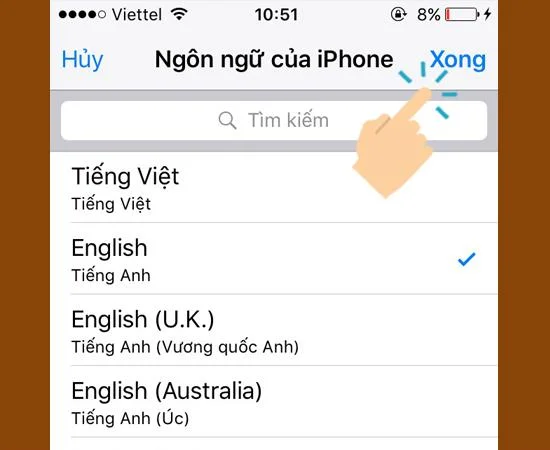
Go to Settings -> General - > Language & Region - > Language of iPhone - > Select language and press Done -> Confirm.
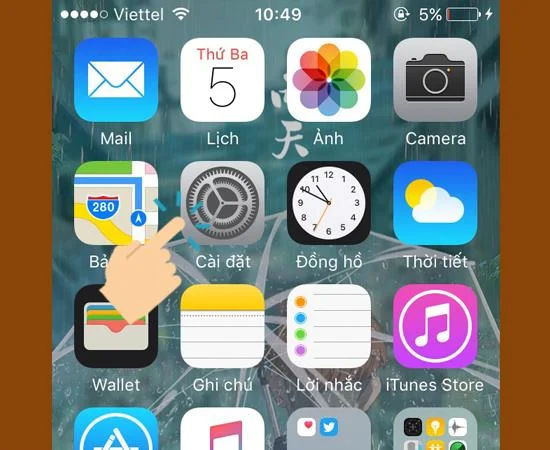
- Step 1: First go to Settings.
- Step 2: Next go to General Settings.
![The simplest 6 steps to language settings for iPhone]()
- Step 3: Then go to Language & Region.
![The simplest 6 steps to language settings for iPhone]()
- Step 4: In the Language of the iPhone.
![The simplest 6 steps to language settings for iPhone]()
- Step 5: Here you select the language you want, then click Done.
![The simplest 6 steps to language settings for iPhone]()
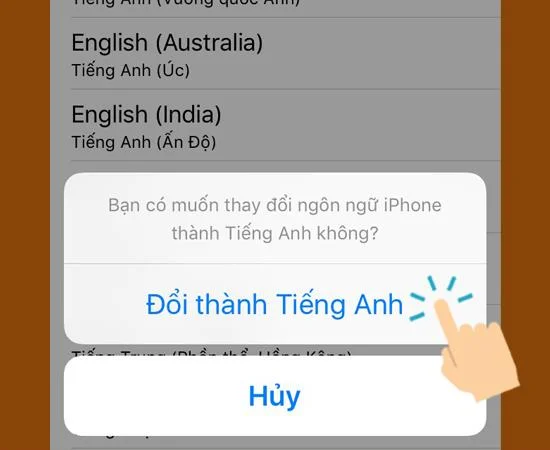
- Step 6: Finally confirm to make sure you want to change the language.
![The simplest 6 steps to language settings for iPhone]()
Good luck!
Maybe you are interested:
- On the Night Shift on iPad
- How to power off iPad?
- How to put iPhone iPad in DFU mode