Pop Culture Costume Ideas That Will Dominate Halloween 2026

Plan a recognizable Halloween 2026 look with pop culture costumes inspired by Spider-Man, Supergirl, Toy Story 5, Moana, Mario, and Wednesday.
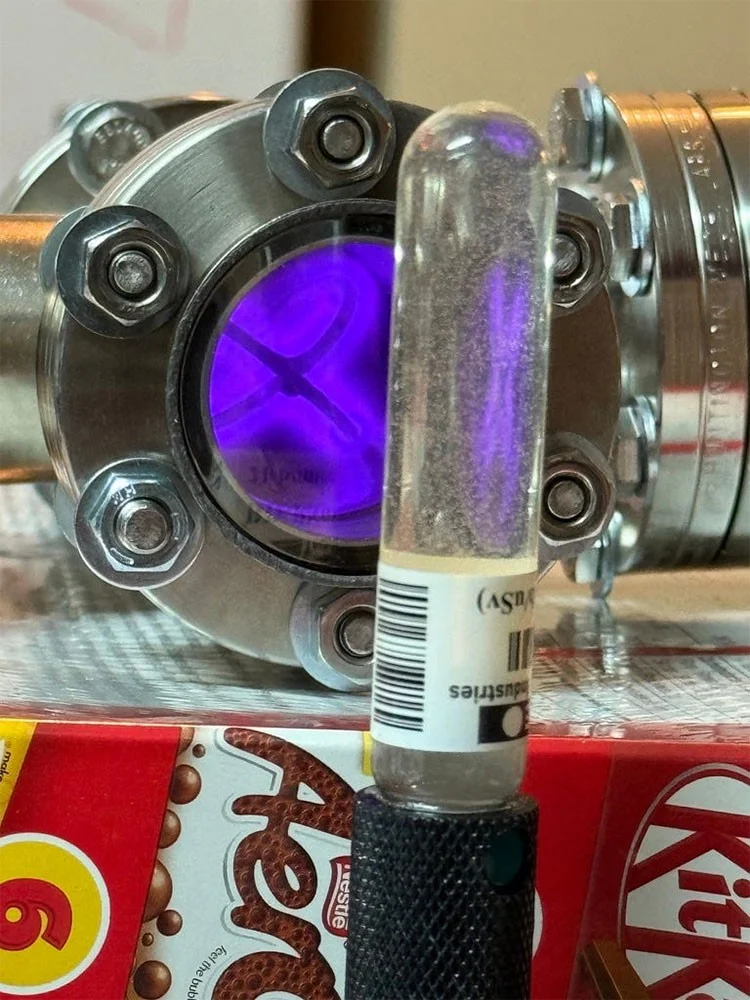
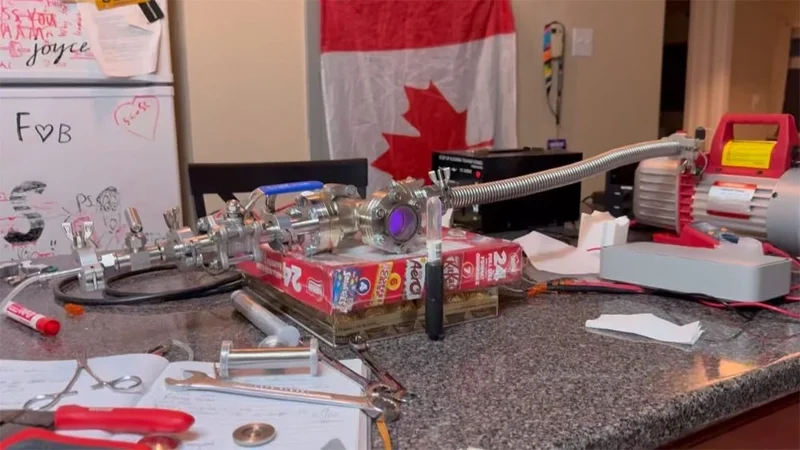
A Canadian man named Hudzah achieved nuclear fusion at home for a total cost of just $3,000 with the help of Claude AI - a chatbot developed by Amazon. He live-streamed the interesting feat on the social media platform X and immediately attracted a lot of attention.
In his experiment, Hudzah used mostly readily available materials like hydrogen and deuterium oxide, also known as heavy water. Meanwhile, the Claude AI chatbot helped him sift through documentation and debugging instructions for the project, with OpenAI’s o1 pro algorithm helping him sort through confusion over wiring and assembly. The ultimate goal of the project is to build a fusion reactor to detect neutrons.
Hudzah shared that the most technically challenging part of the project was building a reactor chamber capable of maintaining extremely low air pressures, which can only be measured in the single or low double digits militorr (mTorr). As a result, the two most expensive components of the setup included equipment to generate a voltage of 30 kilovolts (kV) and a vacuum of 5 to 15 mTorr.
Initially, Hudzah estimated that the cost of materials would be around $15,000. However, public instructions compiled by Claude AI have resulted in significant cost savings. For example, Hudzah used a $120 two-stage vacuum pump and a $60 electrostatic capacitor purchased on Aliexpress to build his complex device.
The third complex ingredient to purchase is a form of hydrogen gas called deuterium. Hudzah notes that purchasing this gas requires “specific credentials and is only sold in quantities of 500L or more,” but he came up with an idea: instead of buying 500L of gas, he bought a kid’s fuel cell car, extracted a proton exchange membrane (PEM) from it, and used it to convert easily available deuterium oxide (D2O, or heavy water) into deuterium.
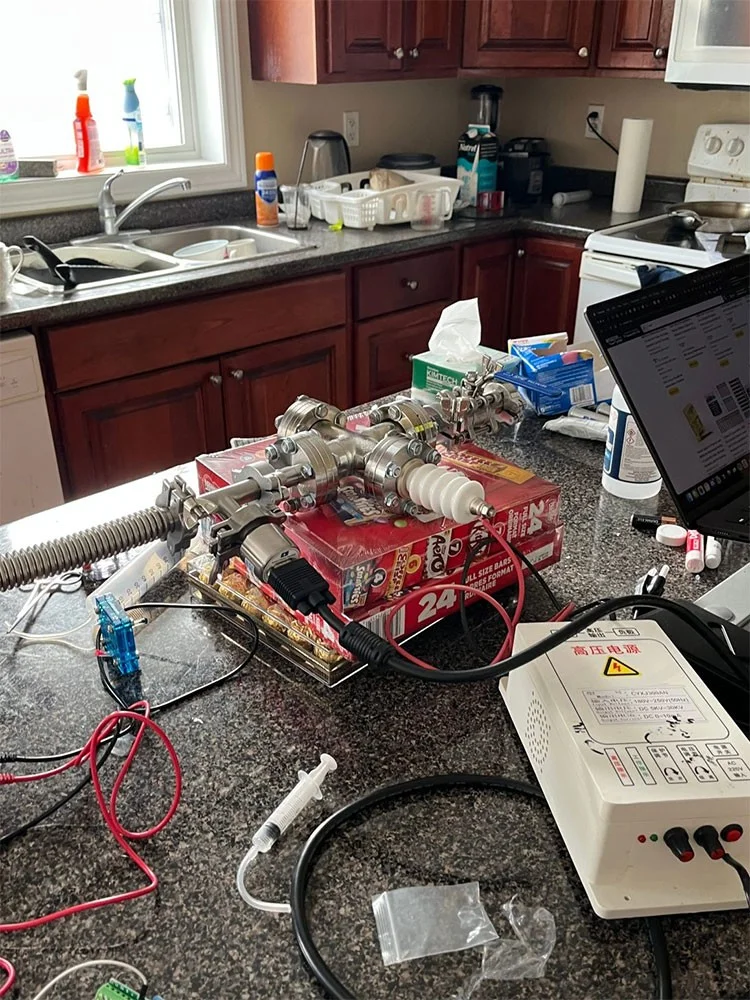
After securing all the components, Hudzah and a friend got to work. They spent the first 6 hours assembling the components and ensuring the vacuum chamber could reach 3 mTorr. Another friend joined them in the next 6 hours, and they spent the next 12 hours locating a step-up transformer, debugging it, dealing with a burned-out vacuum sensor, and a host of other odd jobs. Throughout the process, an AI chatbot helped them debug and process information.
Finally, over the next three hours, the team achieved nuclear fusion at home. Hudzah shared that since there was no lead shield to protect him, he “turned on the system, opened the needle valve to let the deuterium flow in, and ran to another room to observe remotely.” In theory, the neutrons and X-rays emitted from this device are carcinogenic and you must use lead shielding to protect yourself.
Plan a recognizable Halloween 2026 look with pop culture costumes inspired by Spider-Man, Supergirl, Toy Story 5, Moana, Mario, and Wednesday.
Sort leftover Halloween candy safely, share or repurpose sealed treats, and choose food use or compost for pumpkins based on their condition.
Compare workplace Halloween costume choices by respect, dress code, mobility, and safety—and learn when a subtle accessory or a policy check is the better option.
Find a couples costume that fits your style, budget, and comfort level, from Addams Family classics to original inside-joke duos.
Need a last-minute high school Halloween costume? Compare 10 easy closet-based ideas by prep time, comfort, school-day practicality, and simple safety checks.
Use a simple 2026 Halloween decorating timeline for indoor décor, outdoor displays, and fresh pumpkins, with practical adjustments for weather and events.
Mix five vivid, approachable Halloween cocktails with measured recipes, simple prep tips, and an alcohol-free option for your party guests.
Find 15 office-friendly Halloween costume ideas for 2026, with practical checks for dress codes, respectful themes, comfort, and workplace safety.
Plan a fun elementary school Halloween party with easy crafts, games, inclusive treats, costume tips, and a sample 75-minute classroom schedule.
Compare realistic side hustles for 2026 by startup cost, fees, flexibility, and income control, with current tax and scam guidance from official sources.








