Desk Decorating Ideas for a Spooky Office Cubicle

Create a spooky office cubicle with Halloween desk decor ideas that keep your workspace usable, tidy, and mindful of workplace safety.
TikTok has announced a new set of safety rules to protect young users on its platform. In the coming weeks, users under the age of 13 will no longer be able to register accounts on the TikTok app. The company will enforce the change by restricting users from creating additional accounts with different birthdays or birth dates, using advanced technology to detect and review accounts suspected of being created by users under the age limit.
In particular, the new set of guidelines restricts users under 18 from using beauty filters available on the platform, which is a feature particularly loved by TikTok users.
So with the new policy, users will have to be over 13 years old to register for a TikTok account, and over 18 years old to use the platform's face-changing filters.
Specifically, teens under 18 won't be able to use filters that alter their appearance, such as enlarging their eyes, smoothing their skin, or improving their skin tone. The restriction won't apply to filters designed for comedic purposes, like animal ear effects, but will primarily target beauty filters like "Bold Glamour," which dramatically alters a user's face by slimming their facial structure, brightening their skin, and adding longer eyelashes.
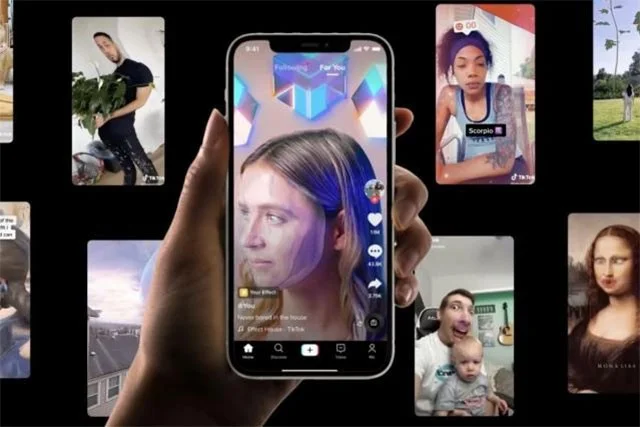
The restrictions follow a study conducted by TikTok in partnership with UK-based online safety nonprofit Internet Matters that examined the potential harms caused by effects and filters to young people. The report concluded that “beauty filters contribute to a distorted worldview in which perfect images are normalized,” causing significant social pressure that impacts the mental health of young people on the platform.
Some teens say they no longer feel confident in their real faces after using filters. Many cosmetic experts worry about the younger generation if they can’t tell their real beauty from a fake image, especially when such images can easily spread online in this day and age.
The above changes have been announced in the European market. It is unclear whether they will apply to other regions around the world.
Create a spooky office cubicle with Halloween desk decor ideas that keep your workspace usable, tidy, and mindful of workplace safety.
Plan a recognizable Halloween 2026 look with pop culture costumes inspired by Spider-Man, Supergirl, Toy Story 5, Moana, Mario, and Wednesday.
Sort leftover Halloween candy safely, share or repurpose sealed treats, and choose food use or compost for pumpkins based on their condition.
Compare workplace Halloween costume choices by respect, dress code, mobility, and safety—and learn when a subtle accessory or a policy check is the better option.
Find a couples costume that fits your style, budget, and comfort level, from Addams Family classics to original inside-joke duos.
Need a last-minute high school Halloween costume? Compare 10 easy closet-based ideas by prep time, comfort, school-day practicality, and simple safety checks.
Use a simple 2026 Halloween decorating timeline for indoor décor, outdoor displays, and fresh pumpkins, with practical adjustments for weather and events.
Mix five vivid, approachable Halloween cocktails with measured recipes, simple prep tips, and an alcohol-free option for your party guests.
Find 15 office-friendly Halloween costume ideas for 2026, with practical checks for dress codes, respectful themes, comfort, and workplace safety.
Plan a fun elementary school Halloween party with easy crafts, games, inclusive treats, costume tips, and a sample 75-minute classroom schedule.








