Troubleshooting Microsoft Teams Shared Folder Access Denied

Encountering a frustrating Microsoft Teams shared folder access denied error? You're not alone—this common issue disrupts teamwork, file sharing, and daily productivity. But don't worry! This guide delivers straightforward, actionable solutions to get you back on track fast. We'll cover root causes and step-by-step fixes, ensuring you resolve it without tech headaches. Let's dive in and reclaim your files! 👉

Why Does Microsoft Teams Shared Folder Access Denied Happen?

Teams relies on SharePoint for shared folders in channels. When access is denied, it's often due to mismatched permissions, sync glitches, or account quirks. Key culprits include:

  • Insufficient permissions: You lack "Edit" or "View" rights on the SharePoint site.
  • Cache or sync issues: Outdated OneDrive/Teams cache blocks access.
  • Guest or external user restrictions: Organizational policies limit outsiders.
  • License mismatches: Free vs. paid account limitations.
  • Browser/app conflicts: Corrupted sessions or outdated software.

Understanding these sets the stage for quick wins. Ready to troubleshoot? Follow these prioritized steps—most users fix it in under 10 minutes! ⭐
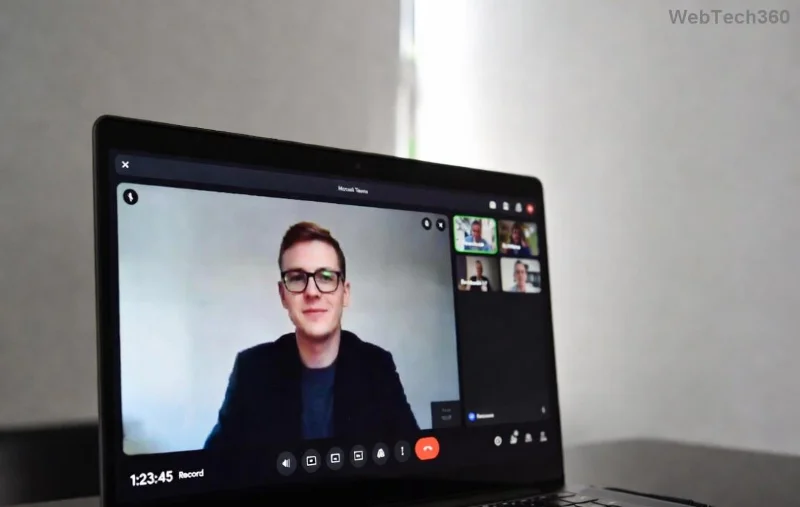
Microsoft Teams shared folder access denied error screenshot

Step-by-Step Troubleshooting Microsoft Teams Shared Folder Access Denied

Start with the simplest fixes and escalate as needed. Test access after each step.

1️⃣ Verify and Request Permissions (Quickest Fix!)

The #1 cause? Permissions. Channel files live in SharePoint—check there first.

  1. Open Teams > Go to the channel > Files tab.
  2. Click Open in SharePoint (top-right).
  3. In SharePoint, click Share or Manage access.
  4. Ask the channel owner to grant you Edit or Contribute permissions.

Pro Tip: Owners can add you via SharePoint site settings > Site permissions > Invite people. This resolves 60% of cases instantly! ✅

2️⃣ Clear Teams and Browser Cache

Stale data loves causing denials. Wipe it clean:

  1. In Teams desktop: Settings > General > Clear cache (restart app).
  2. Browser: Ctrl+Shift+Del > Clear cache/cookies for teams.microsoft.com.
  3. OneDrive: Right-click OneDrive icon > Settings > Pause syncing > Resume.

Reopen Teams—access often restores magically. 😊

Clearing cache in Microsoft Teams settings

3️⃣ Sign Out, Sign In, and Check Account Status

Session glitches? Refresh your login:

  1. Teams: Profile icon > Sign out > Close > Relaunch > Sign in.
  2. Verify license: Go to Microsoft 365 Admin Center > Users > Your account > Licenses.
  3. For guests: Ensure guest access is enabled in Teams admin center.

4️⃣ Sync Folders via OneDrive

Teams folders sync through OneDrive—force a resync:

  1. Open OneDrive > Sync the Teams folder.
  2. If denied: Right-click folder in File Explorer > Always keep on this device.
  3. Check for conflicts: OneDrive settings > Office tab > File versioning.

5️⃣ Advanced Fixes for Stubborn Errors

If basics fail:

  • Update Teams/OneDrive: Download latest from official site.
  • Disable VPN/Proxy: They interfere with auth.
  • Check SharePoint directly: teams.microsoft.com > Files > Open in app.
  • Admin-only: Review Microsoft Teams files troubleshooting.
Successfully accessing shared folder in Teams after fix

Quick Reference: Microsoft Teams Shared Folder Access Denied Error Codes & Fixes

Error Message Likely Cause Fix
Access Denied Permissions Step 1
You need permission Guest restrictions Step 3
Sync pending Cache/Sync Step 2 or 4

This table is your cheat sheet—bookmark it for future wins! 📌

Prevent Future Teams Shared Folder Access Denied Issues

  • Owners: Set channel permissions to "Members can edit."
  • Regularly clear cache monthly.
  • Use Teams Planner for access requests.
  • Monitor via Microsoft 365 admin reports.

Still stuck? Drop a comment below—we're here to help. You've got this—your Teams workflow will be smoother than ever! 🎉 For official updates, check Microsoft Support.

Leave a Comment

How to Fix Microsoft Teams Media Error for Videos

How to Fix Microsoft Teams Media Error for Videos

Tired of Microsoft Teams "Media Error" ruining your video shares? Follow our step-by-step guide with the latest fixes to get videos playing smoothly again – no restarts needed!

Troubleshooting Microsoft Teams Code Error Redemption

Troubleshooting Microsoft Teams Code Error Redemption

Tired of Microsoft Teams "Code Error" blocking your redemption? Get proven, step-by-step Troubleshooting Microsoft Teams "Code Error" Redemption solutions. Clear cache, update, and redeem successfully—fast and easy!

How to Fix Microsoft Teams Error QSP During Installation

How to Fix Microsoft Teams Error QSP During Installation

Stuck with Microsoft Teams "Error QSP" during installation? Follow our step-by-step guide with quick fixes to resolve the issue fast. Updated for the latest Teams versions—no tech skills needed!

Troubleshooting Microsoft Teams Offline Error Status

Troubleshooting Microsoft Teams Offline Error Status

Encountering Microsoft Teams "Offline Error" status? Discover proven, step-by-step troubleshooting tips to resolve it fast and get back to seamless collaboration. Updated with the latest fixes.

How to Fix Microsoft Teams Test Call Error 2026

How to Fix Microsoft Teams Test Call Error 2026

Tired of Microsoft Teams Test Call Error 2026 ruining your meetings? Discover simple, effective fixes to restore audio instantly. Step-by-step guide with expert tips for seamless Teams calls.

Solving Microsoft Teams Error 4vt9f Microphone Not Detected

Solving Microsoft Teams Error 4vt9f Microphone Not Detected

Struggling with Microsoft Teams Error 4vt9f Microphone Not Detected? Discover step-by-step fixes, from quick checks to advanced troubleshooting. Get your mic working instantly for seamless calls!

How to Fix Microsoft Teams Error I Profiles

How to Fix Microsoft Teams Error I Profiles

Frustrated by Microsoft Teams "Error I" Profiles? Follow our proven, step-by-step guide to fix it fast. Clear cache, update, reset profiles & more for seamless teamwork. Works on latest versions!

Troubleshooting Microsoft Teams Error 7ita9

Troubleshooting Microsoft Teams Error 7ita9

Struggling with Microsoft Teams Error 7ita9? Discover proven, step-by-step troubleshooting solutions for connection failures, sign-in issues, and more. Fix it quickly and resume seamless teamwork today!

How to Fix Microsoft Teams Proxy Error Settings

How to Fix Microsoft Teams Proxy Error Settings

Tired of Microsoft Teams Proxy Error blocking your meetings? Discover proven steps to fix proxy settings fast. Get seamless Teams experience with our ultimate guide. Works on Windows, Mac & latest versions!

How to Change Microsoft Teams Recording Location

How to Change Microsoft Teams Recording Location

Discover the ultimate guide on how to change Microsoft Teams recording location. Step-by-step instructions to move recordings from OneDrive or SharePoint to your desired folder, perfect for users and admins.

How to Fix Microsoft Teams Error A Startup

How to Fix Microsoft Teams Error A Startup

Struggling with Microsoft Teams "Error A" Startup? Discover step-by-step fixes, from cache clearing to reinstalls, to resolve this frustrating issue quickly and get back to seamless collaboration. Updated with the latest tips.

Solving Microsoft Teams Meeting Web App Login Problems

Solving Microsoft Teams Meeting Web App Login Problems

Struggling with Microsoft Teams meeting web app login problems? Get proven, step-by-step solutions to clear cache, fix browser glitches, and resolve account errors for seamless access. Works on latest browsers!

Where are Microsoft Teams Recordings Saved in 2026?

Where are Microsoft Teams Recordings Saved in 2026?

Unlock the exact locations where Microsoft Teams recordings are saved in 2026. Master OneDrive and SharePoint storage, easy access tips, and pro management strategies for seamless collaboration.

How to Fix Microsoft Teams Room Error on Surface Hub

How to Fix Microsoft Teams Room Error on Surface Hub

Struggling with Microsoft Teams "Room Error" on Surface Hub? Discover proven, step-by-step solutions to fix it fast—no tech expertise needed. Get seamless meetings back in minutes with our ultimate guide.

How to Fix Microsoft Teams Error E Installation

How to Fix Microsoft Teams Error E Installation

Stuck with Microsoft Teams Error E during installation? Discover proven, step-by-step fixes for Microsoft Teams "Error E" installation issues. Get back to seamless collaboration in minutes—no tech expertise needed!









