Desk Decorating Ideas for a Spooky Office Cubicle

Create a spooky office cubicle with Halloween desk decor ideas that keep your workspace usable, tidy, and mindful of workplace safety.
Handbags, like shoes, can have a significant impact on your appearance. Some can make you look more attractive, while others are best avoided at all costs because they can make you look sloppy.
Bags to Avoid for a Clean Look
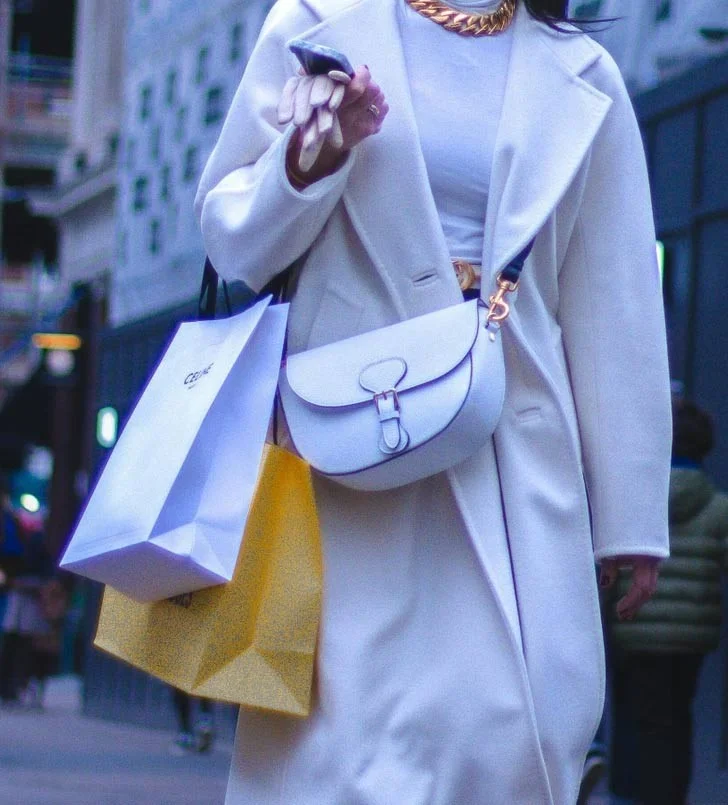
Handbags can be made of just about anything these days. If they are made of high quality, they look classy. But everyday handbags made of fabric or plastic can detract from the beauty and sophistication of your overall outfit. To avoid looking like you just got home from gardening, choose bags made of natural or high-quality synthetic leather, and forget about fabric bags or “funny”, cute bags that are not age appropriate.
Not everyone can afford a designer bag that costs several thousand dollars. And there is nothing to be ashamed of. But unfortunately, not all fashionistas realize that the most important thing in these accessories is not the name of a famous designer, but the quality of the product. So they chase copies of the most famous models.
Making a good copy of a branded item is quite difficult. Many counterfeiters don’t even try to do it. So the copy is usually only a slight resemblance to the original and is of quite low quality. It’s a better choice to buy a good bag, even if it’s not a famous design. Going for a logo and buying a low-quality bag won’t make you look good, it will just look shabby.
Accessories are just an addition to the bag, so don’t draw all the attention to them. So, don’t choose a bag with a large contrasting strap or clasp. After all, even a shiny, unfamiliar chain or zipper on a bag can make a trendy item look cheap, making you look sloppy when you wear it.
And while it may not seem like there's anything special about a good zipper or rivet, their quality often affects the overall look of the bag.
Too many different “design features” only make the bag look chaotic and, well, cheap. Experts do not recommend buying such bags, even if they are expensive products of famous brands. The less decorative details, the better.
Round and bulky bags can make you look bigger than you actually are. They also don’t go well with many outfits. At the same time, geometric shapes – square or rectangular – are always more flattering, often giving the wearer a modern and sophisticated look. Plus, they’re very comfortable.
Create a spooky office cubicle with Halloween desk decor ideas that keep your workspace usable, tidy, and mindful of workplace safety.
Plan a recognizable Halloween 2026 look with pop culture costumes inspired by Spider-Man, Supergirl, Toy Story 5, Moana, Mario, and Wednesday.
Sort leftover Halloween candy safely, share or repurpose sealed treats, and choose food use or compost for pumpkins based on their condition.
Compare workplace Halloween costume choices by respect, dress code, mobility, and safety—and learn when a subtle accessory or a policy check is the better option.
Find a couples costume that fits your style, budget, and comfort level, from Addams Family classics to original inside-joke duos.
Need a last-minute high school Halloween costume? Compare 10 easy closet-based ideas by prep time, comfort, school-day practicality, and simple safety checks.
Use a simple 2026 Halloween decorating timeline for indoor décor, outdoor displays, and fresh pumpkins, with practical adjustments for weather and events.
Mix five vivid, approachable Halloween cocktails with measured recipes, simple prep tips, and an alcohol-free option for your party guests.
Find 15 office-friendly Halloween costume ideas for 2026, with practical checks for dress codes, respectful themes, comfort, and workplace safety.
Plan a fun elementary school Halloween party with easy crafts, games, inclusive treats, costume tips, and a sample 75-minute classroom schedule.








