Desk Decorating Ideas for a Spooky Office Cubicle

Create a spooky office cubicle with Halloween desk decor ideas that keep your workspace usable, tidy, and mindful of workplace safety.
Dream League Soccer is rapidly gaining popularity as one of the leading football management games on mobile platforms. Its captivating team management style, exhilarating matches, and stunning graphics provide players with an irresistible football experience. In this guide, we will delve into the latest updates on how to customize players—from selecting outfits to setting club logos.
Download Dream League Soccer for iOS
Download Dream League Soccer for Android
Download Dream League Soccer for Windows Phone
The character customization feature in Dream League Soccer, known as Kit, offers a plethora of options for personalizing player appearances—ranging from jerseys and shoes to socks and team logos. Players can either choose from available Kits, create custom designs, or even import external Kit data to achieve their desired look.
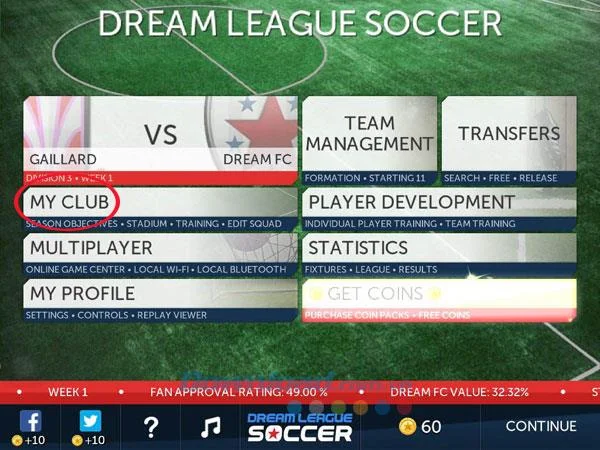
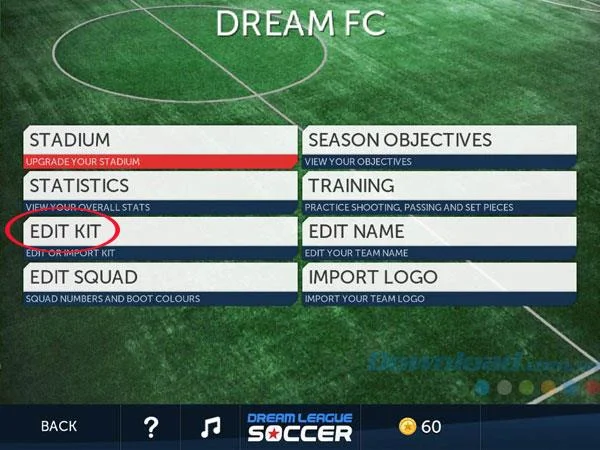
From the main menu of Dream League Soccer, navigate to My Club. Here, you can manage various aspects, including stadium upgrades, team statistics, and customization options. For this guide, we will focus solely on the Kit customization feature.
In the My Club screen, select Edit Kit to modify or import a new Kit.
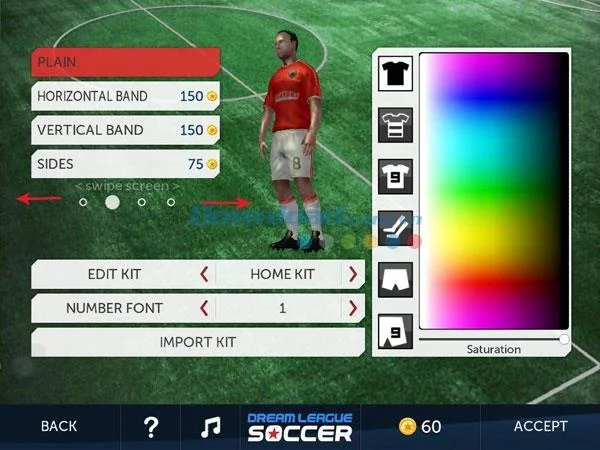
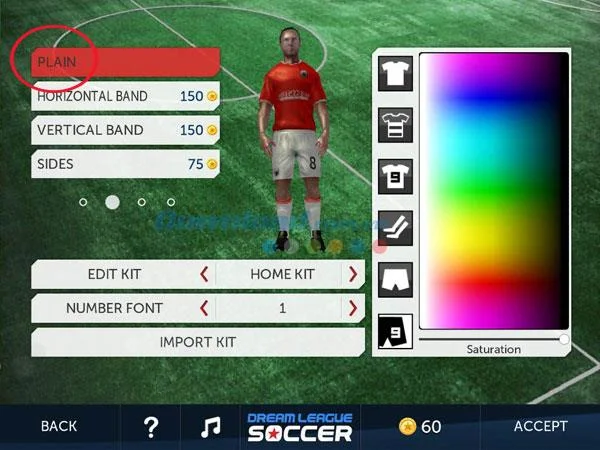
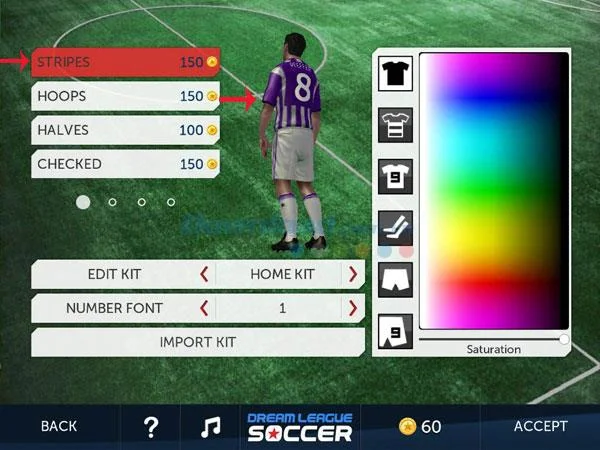
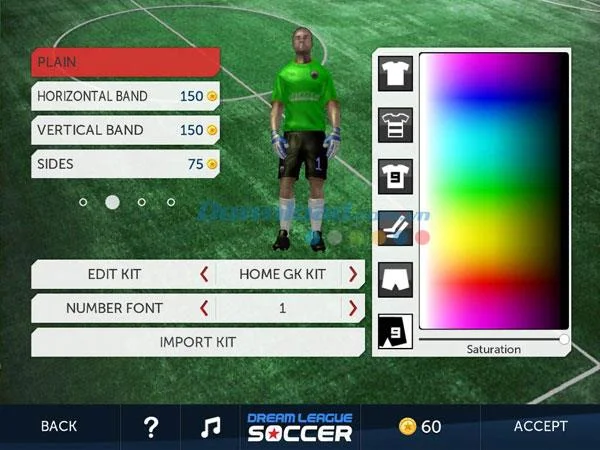
The Edit Kit screen provides numerous options to change player outfits. The top left corner displays customization options based on available kits, which can be purchased using in-game gold. Note that only Plain outfits are free, while upgrades for patterned shirts require gold.
Example customization costs include:
| Outfit Type | Cost (Gold) |
|---|---|
| Plain Shirt | Free |
| Horizontal Striped Shirt | 150 |
| Vertical Striped Shirt | 150 |
| Striped Shirt | 75 |
Choose the outfit that fits within your budget and style preferences.
The right side of the Edit Kit screen features a color palette for selecting and adjusting the saturation of shirts, pants, and socks. Utilize the slider to find the best shade for your players’ outfits. Remember that higher saturation results in more vibrant colors.
Within the customization options, players can choose from four standard kits: HOME KIT, AWAY KIT, HOME GK KIT, and AWAY GK KIT. Each kit corresponds to a complete set including jersey, pants, socks, and shoes.
To own any of the standard kits, select the desired kit and follow the prompts for purchasing or getting coins. To import external Kits, click on Import Kit and follow the manual steps.
For inspiration, here are some "hot" Kit links for renowned clubs that can be imported:
| Club Name | Kit Links |
|---|---|
| FC Barcelona | Home Kit, Away Kit |
| Real Madrid | Home Kit, Away Kit |
| Arsenal | Home Kit, Away Kit |
| Manchester United | Home Kit, Away Kit |
Wishing you joyful gaming experiences as you customize your team to match your style!
Create a spooky office cubicle with Halloween desk decor ideas that keep your workspace usable, tidy, and mindful of workplace safety.
Plan a recognizable Halloween 2026 look with pop culture costumes inspired by Spider-Man, Supergirl, Toy Story 5, Moana, Mario, and Wednesday.
Sort leftover Halloween candy safely, share or repurpose sealed treats, and choose food use or compost for pumpkins based on their condition.
Compare workplace Halloween costume choices by respect, dress code, mobility, and safety—and learn when a subtle accessory or a policy check is the better option.
Find a couples costume that fits your style, budget, and comfort level, from Addams Family classics to original inside-joke duos.
Need a last-minute high school Halloween costume? Compare 10 easy closet-based ideas by prep time, comfort, school-day practicality, and simple safety checks.
Use a simple 2026 Halloween decorating timeline for indoor décor, outdoor displays, and fresh pumpkins, with practical adjustments for weather and events.
Mix five vivid, approachable Halloween cocktails with measured recipes, simple prep tips, and an alcohol-free option for your party guests.
Find 15 office-friendly Halloween costume ideas for 2026, with practical checks for dress codes, respectful themes, comfort, and workplace safety.
Plan a fun elementary school Halloween party with easy crafts, games, inclusive treats, costume tips, and a sample 75-minute classroom schedule.








