Pop Culture Costume Ideas That Will Dominate Halloween 2026

Plan a recognizable Halloween 2026 look with pop culture costumes inspired by Spider-Man, Supergirl, Toy Story 5, Moana, Mario, and Wednesday.
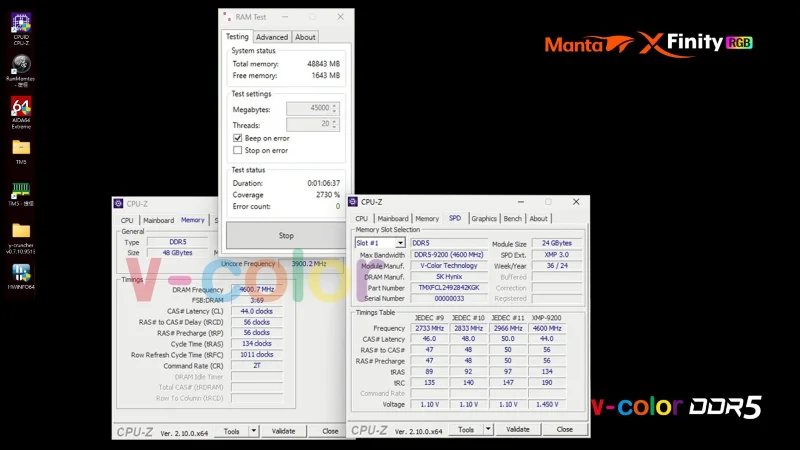
V-Color has officially become the first memory manufacturer to launch a commercial RGB DDR5 O CUDIMM (Overclocked CUDIMM) RAM product capable of reaching transfer speeds of up to 9200MT/s (MT/s). This groundbreaking innovation is expected to bring significant improvements in the performance of next-generation desktop systems.
World's First Overclocked RGB O CUDIMM DDR5 Memory
V-Color's DDR5 Clocked Unbuffered Dual Inline Memory Module (CUDIMM) technology provides dynamic adjustment of clock frequency and voltage based on workload and system conditions in real time. This advanced capability delivers faster data transfer speeds, lower power consumption, and improved stability, making it a game-changing technology in the industry.
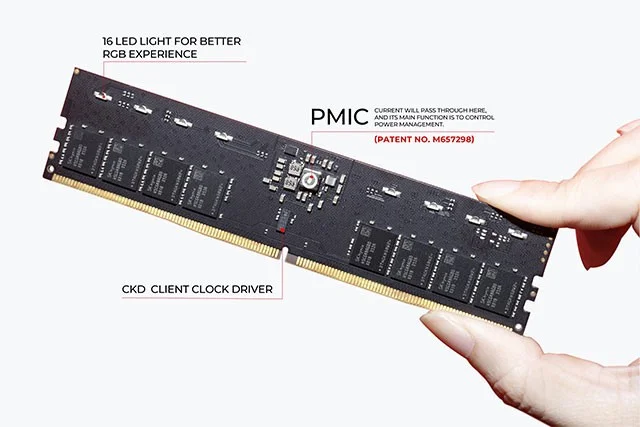
The V-Color RGB O CUDIMM memory modules are available in 32GB (2x16GB) and 48GB (2x24GB) capacities, with standard speeds starting at 6400MT/s and reaching overclocked speeds of over 9200MT/s.
Designed for gamers, content creators, and professionals who demand top performance, these modules ensure that you can easily push your system to its limits. The integration of XMP profiles also simplifies overclocking, unlocking your system's full potential with ease.
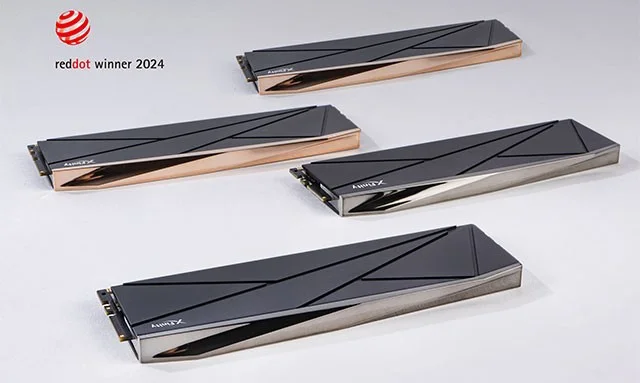
V-Color's CUDIMM DDR5 memory modules feature a brand new, newly patented heatsink technology that takes heat dissipation to the next level. In addition, V-Color's patented light guide coating technology enhances aesthetics regardless of whether or not RGB effects are present.
To address the challenges of high-performance computing, v-color has developed an advanced heatsink with an innovative internal backplate design. This custom mold is designed to fit each memory chip more efficiently, providing better cooling performance. The original flat heatsink design, using a 3M double-sided thermal conductivity of 0.9 W/mK, has been tested to maintain a temperature of approximately 86 degrees Celsius continuously for long periods of time.
The new heatsink features two 0.8mm thick cubes integrated directly into the die. This design allows the heatsink to adhere tightly to the memory chip, enhancing cooling performance. Instead of traditional double-sided tape, V-Color uses a 0.2mm high-performance thermal pad with a thermal conductivity of 2.5 W/mK. During assembly, the pad is compressed to 0.1mm, significantly improving thermal management.
Testing of this advanced cooling solution showed a temperature reduction of about 2~5%. Such results are almost on par with the thermal performance of bare memory strips, which are known for their superior cooling capabilities due to the lack of any coating.
The price of the product has not been disclosed yet!
Plan a recognizable Halloween 2026 look with pop culture costumes inspired by Spider-Man, Supergirl, Toy Story 5, Moana, Mario, and Wednesday.
Sort leftover Halloween candy safely, share or repurpose sealed treats, and choose food use or compost for pumpkins based on their condition.
Compare workplace Halloween costume choices by respect, dress code, mobility, and safety—and learn when a subtle accessory or a policy check is the better option.
Find a couples costume that fits your style, budget, and comfort level, from Addams Family classics to original inside-joke duos.
Need a last-minute high school Halloween costume? Compare 10 easy closet-based ideas by prep time, comfort, school-day practicality, and simple safety checks.
Use a simple 2026 Halloween decorating timeline for indoor décor, outdoor displays, and fresh pumpkins, with practical adjustments for weather and events.
Mix five vivid, approachable Halloween cocktails with measured recipes, simple prep tips, and an alcohol-free option for your party guests.
Find 15 office-friendly Halloween costume ideas for 2026, with practical checks for dress codes, respectful themes, comfort, and workplace safety.
Plan a fun elementary school Halloween party with easy crafts, games, inclusive treats, costume tips, and a sample 75-minute classroom schedule.
Compare realistic side hustles for 2026 by startup cost, fees, flexibility, and income control, with current tax and scam guidance from official sources.








