Desk Decorating Ideas for a Spooky Office Cubicle

Create a spooky office cubicle with Halloween desk decor ideas that keep your workspace usable, tidy, and mindful of workplace safety.
You can hide the power cord, coaxial cable and or any other electrical wire in your home . Here is the simplest way to tidy up the electrical wires in your home .
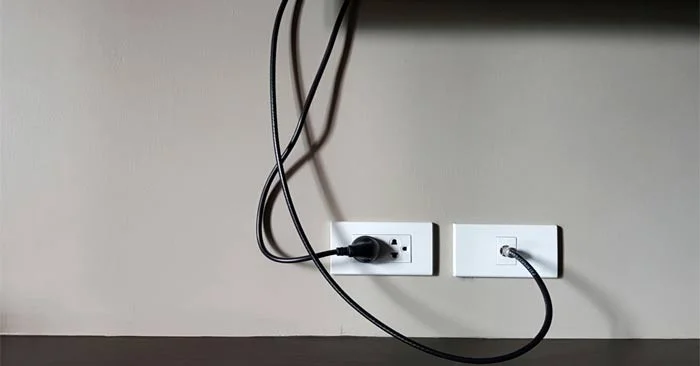
Despite the popularity of wireless devices, dealing with wires and cables in the home is still a pain point for most people. You can hide wires and cables inside the walls of your own home, but if you rent or simply don't want to drill or open up your walls, that's not ideal. In fact, there are much easier ways to hide them.
How to hide or tidy up electrical wiring in the house
One of the easiest ways to hide electrical cords is to clip them behind conveniently placed furniture. Sticky clips will stick to the legs and backs of tables and pedestals, securing all those cords in place. If you're clever, you can make those cords "invisible" without touching the wall, and you can remove the clips at any time if you change your layout or move to a new location.
You can also take advantage of a key piece of furniture: your sofa or ottoman. Install a shallow shelf behind the sofa (close to the top of the back of the sofa) or buy a narrow console table that fits behind the sofa, allowing you to hook cords underneath to hide them perfectly. Plus, it adds a little extra storage to your home.
If your cables only bother you when they get tangled up in one place (like when they have to go out onto the floor to connect to your TV or computer), cable management is a decorative way to solve this problem. No more fumbling around with them. You can find them in a variety of styles. All of which help you hide your cable clutter from view without having to do any of the work yourself.
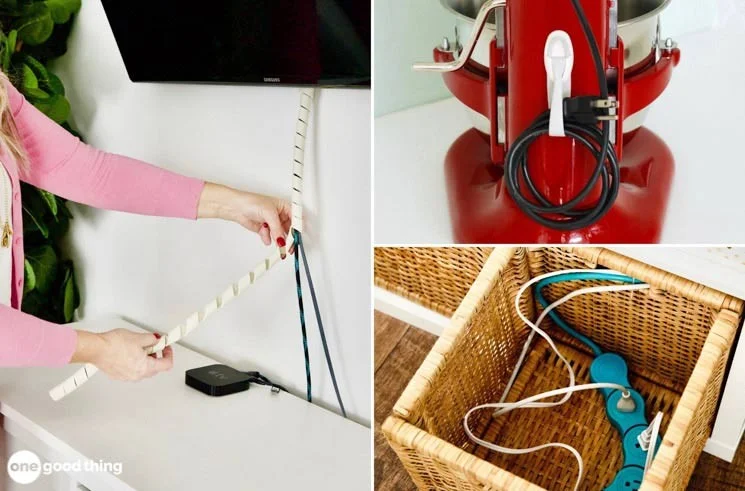
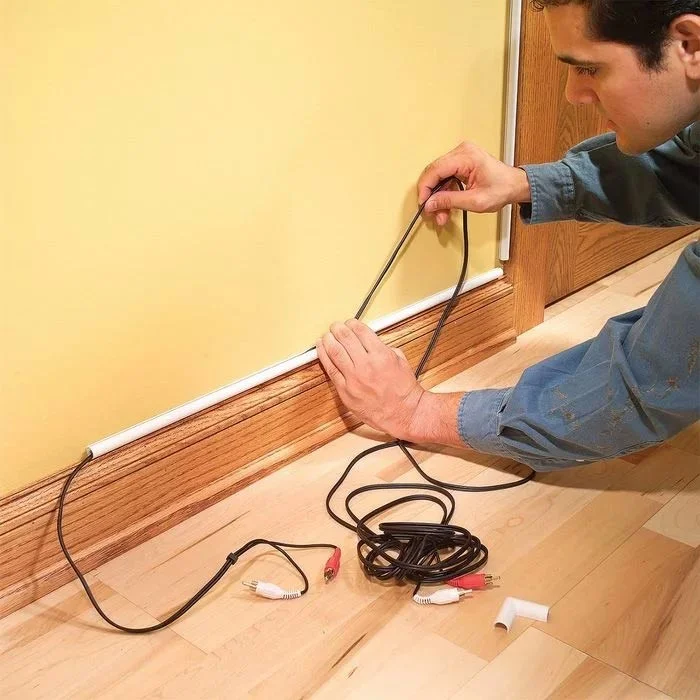
If you need to run wires a long distance in a room, cable covers can be useful. This way, you don't need to drill holes in the wall to hide the wires, just paint the covers to blend in with the background; once painted, these cable covers will not be noticeable.
If you already have baseboards in the room, you can have quarter-circle grooves built right into the existing trim to create a seamless design.
A slightly more complicated solution to tidying up your home's wiring is to add wall panels to hide cables and wires:
Wainscoting: A classic style, installing wainscoting isn’t too difficult as long as you’re patient when measuring and cutting. It doesn’t require opening up the wall, but it does require some drilling, nailing, and sawing skills. The key here is to push your wainscoting out about an inch from the wall to allow room for the wires to run behind it, then cover it with some molding to cover the gap.
Decorative Paneling: You can also add a decorative wall by using a paneling behind your TV or desk. Push it out about an inch from the wall and run electrical wires behind it for a clean, seamless design that adds interest to the room. Paneling can mimic wood, tile, stone, or simply be a pop of color in a neutral room.
Ultimately, the easiest, cheapest, and least invasive way to hide wires in your home is to run them behind things you already have. For example, a row of books or potted plants can camouflage a few bundles of wires. Anything that can be placed on a shelf in a streamlined way can hide some electrical cables without drilling or rearranging furniture.
Create a spooky office cubicle with Halloween desk decor ideas that keep your workspace usable, tidy, and mindful of workplace safety.
Plan a recognizable Halloween 2026 look with pop culture costumes inspired by Spider-Man, Supergirl, Toy Story 5, Moana, Mario, and Wednesday.
Sort leftover Halloween candy safely, share or repurpose sealed treats, and choose food use or compost for pumpkins based on their condition.
Compare workplace Halloween costume choices by respect, dress code, mobility, and safety—and learn when a subtle accessory or a policy check is the better option.
Find a couples costume that fits your style, budget, and comfort level, from Addams Family classics to original inside-joke duos.
Need a last-minute high school Halloween costume? Compare 10 easy closet-based ideas by prep time, comfort, school-day practicality, and simple safety checks.
Use a simple 2026 Halloween decorating timeline for indoor décor, outdoor displays, and fresh pumpkins, with practical adjustments for weather and events.
Mix five vivid, approachable Halloween cocktails with measured recipes, simple prep tips, and an alcohol-free option for your party guests.
Find 15 office-friendly Halloween costume ideas for 2026, with practical checks for dress codes, respectful themes, comfort, and workplace safety.
Plan a fun elementary school Halloween party with easy crafts, games, inclusive treats, costume tips, and a sample 75-minute classroom schedule.








