Desk Decorating Ideas for a Spooky Office Cubicle

Create a spooky office cubicle with Halloween desk decor ideas that keep your workspace usable, tidy, and mindful of workplace safety.
If you pay attention, you will see that after the printer name code, there are often the letters dn, n, d, dw or dne. For example, HP printers have the following lines: HP M404n; HP M404dn; HP M404dw; HP M402 line has HP M402d, HP M402dne. Printer lines may have the same numeric code but the last letter symbol is different and will have different functions. So, what do the symbols dn, d, n, dw, dne on the printer mean? Read the article below for the answer.
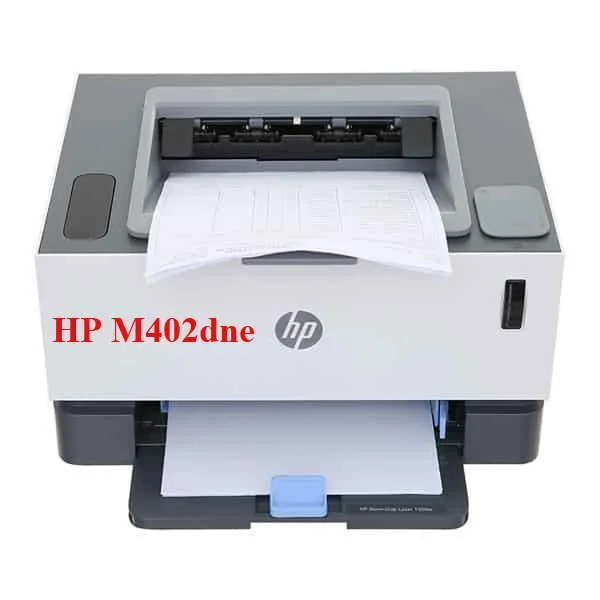
These symbols that come after each machine code are to serve different needs of the user.
Code “d”
“d”: stands for Duplex. Printers with the code “d” have an automatic duplex printing function that saves time when printing 2-sided documents.
Code “n”
“n”: Abbreviation for Network. Printers with the code “n” have the function of connecting to LAN. This printer is suitable for offices with many computers that need to connect to the printer.
Code “dw”
“dw”: The word “w” stands for Wifi. Printers with the code “dw” have both 2-sided printing and wifi connectivity.
Code “dn” : Printer has double-sided printing function and can connect to LAN.
Code “dne”
“e” stands for HP ePrint. Printers marked “e” can print from mobile phones via HP’s printing app even when the printer is not connected to wifi. Printers marked “dne” can print on both sides, connect to LAN and print via mobile apps.
Hopefully through the above article you have been able to distinguish the functions of printers through the letters behind their code numbers.
Create a spooky office cubicle with Halloween desk decor ideas that keep your workspace usable, tidy, and mindful of workplace safety.
Plan a recognizable Halloween 2026 look with pop culture costumes inspired by Spider-Man, Supergirl, Toy Story 5, Moana, Mario, and Wednesday.
Sort leftover Halloween candy safely, share or repurpose sealed treats, and choose food use or compost for pumpkins based on their condition.
Compare workplace Halloween costume choices by respect, dress code, mobility, and safety—and learn when a subtle accessory or a policy check is the better option.
Find a couples costume that fits your style, budget, and comfort level, from Addams Family classics to original inside-joke duos.
Need a last-minute high school Halloween costume? Compare 10 easy closet-based ideas by prep time, comfort, school-day practicality, and simple safety checks.
Use a simple 2026 Halloween decorating timeline for indoor décor, outdoor displays, and fresh pumpkins, with practical adjustments for weather and events.
Mix five vivid, approachable Halloween cocktails with measured recipes, simple prep tips, and an alcohol-free option for your party guests.
Find 15 office-friendly Halloween costume ideas for 2026, with practical checks for dress codes, respectful themes, comfort, and workplace safety.
Plan a fun elementary school Halloween party with easy crafts, games, inclusive treats, costume tips, and a sample 75-minute classroom schedule.








