Desk Decorating Ideas for a Spooky Office Cubicle

Create a spooky office cubicle with Halloween desk decor ideas that keep your workspace usable, tidy, and mindful of workplace safety.
Imagine being able to text Beyoncé and get an instant response from her. That's what it feels like to use Character AI. Here's a quick rundown of what Character AI is and some of its best features.
What is Character AI?
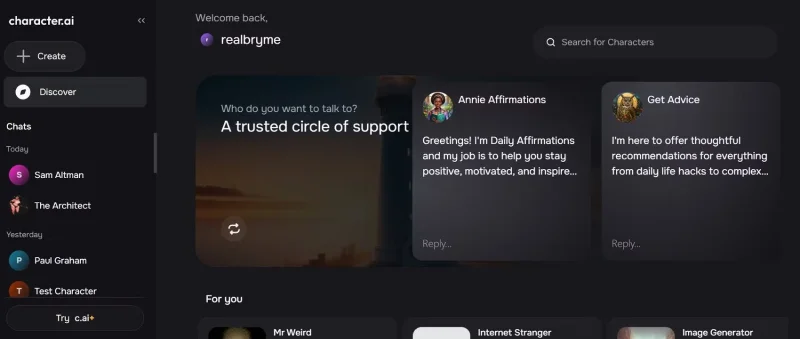
Character AI is an artificial intelligence platform that allows users to interact and engage in conversations with virtual characters from various fields such as fiction, gaming, and entertainment. It provides instant and personalized responses to text messages, giving users the feeling of interacting with their favorite characters in real life.
Character AI also allows users to create and train their own characters. The platform currently has millions of user-created characters, ranging from fictional characters like Iron Man and Wonder Woman to historical figures like Genghis Khan and Sun Tzu. The platform also has a variety of useful chatbots. Decision Helper, Brainstormer, and Trip Planner are some of the notable chatbots you can use.
Character AI is free to use. However, it has a Plus plan that comes with benefits like priority access, faster response times, early access to new features, access to the Character AI Plus community, and more. The Plus plan costs $9.99/month.
5 Character AI Features Worth Trying
Character AI has a lot of features that you will find interesting.
1. Character Voices
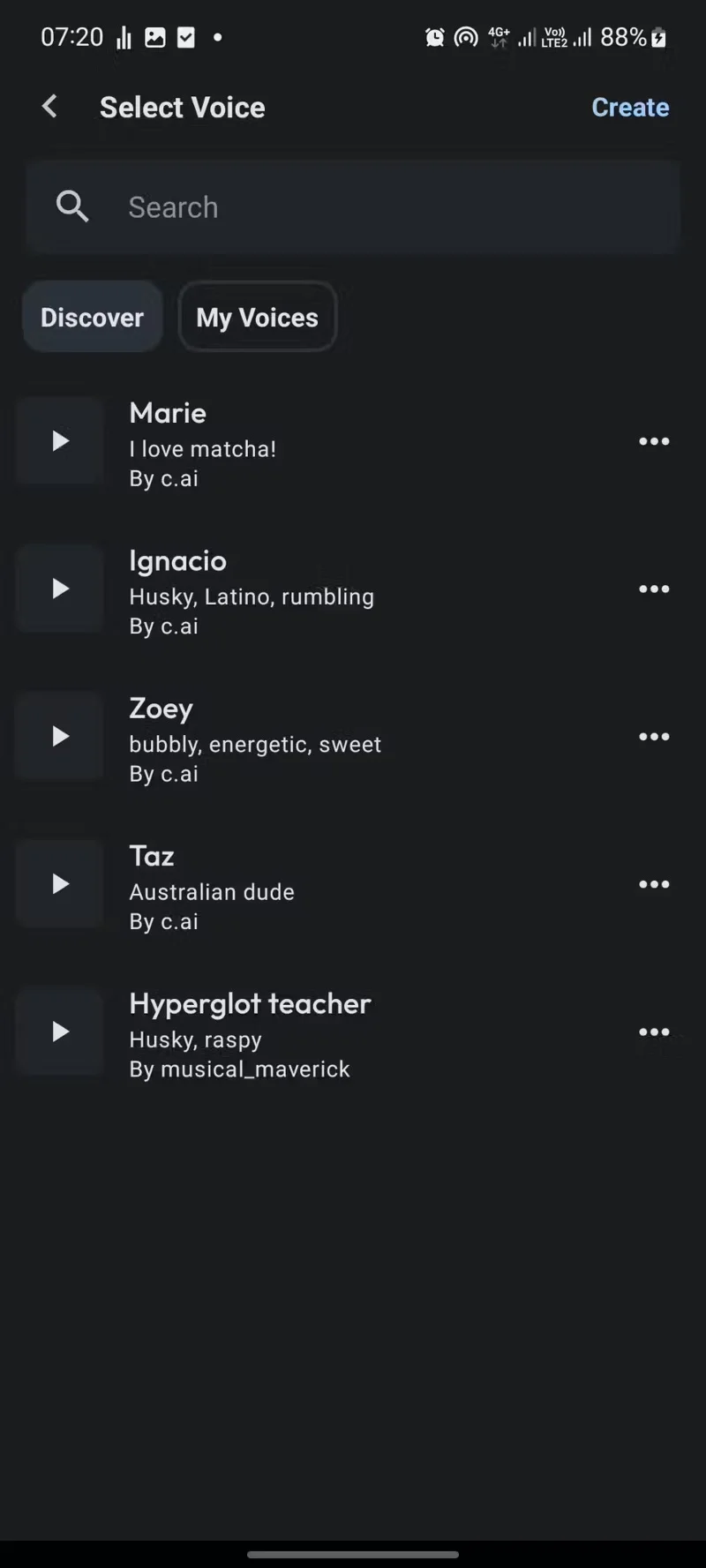
Talking to “Abraham Lincoln” and getting responses from the character himself is awesome enough. But getting those responses in Abraham Lincoln’s own voice is even more amazing. In addition to text responses, Character AI also allows you to give the character a voice of your choice. You can choose from a variety of pre-made voices or record your own voice that you want to replicate.
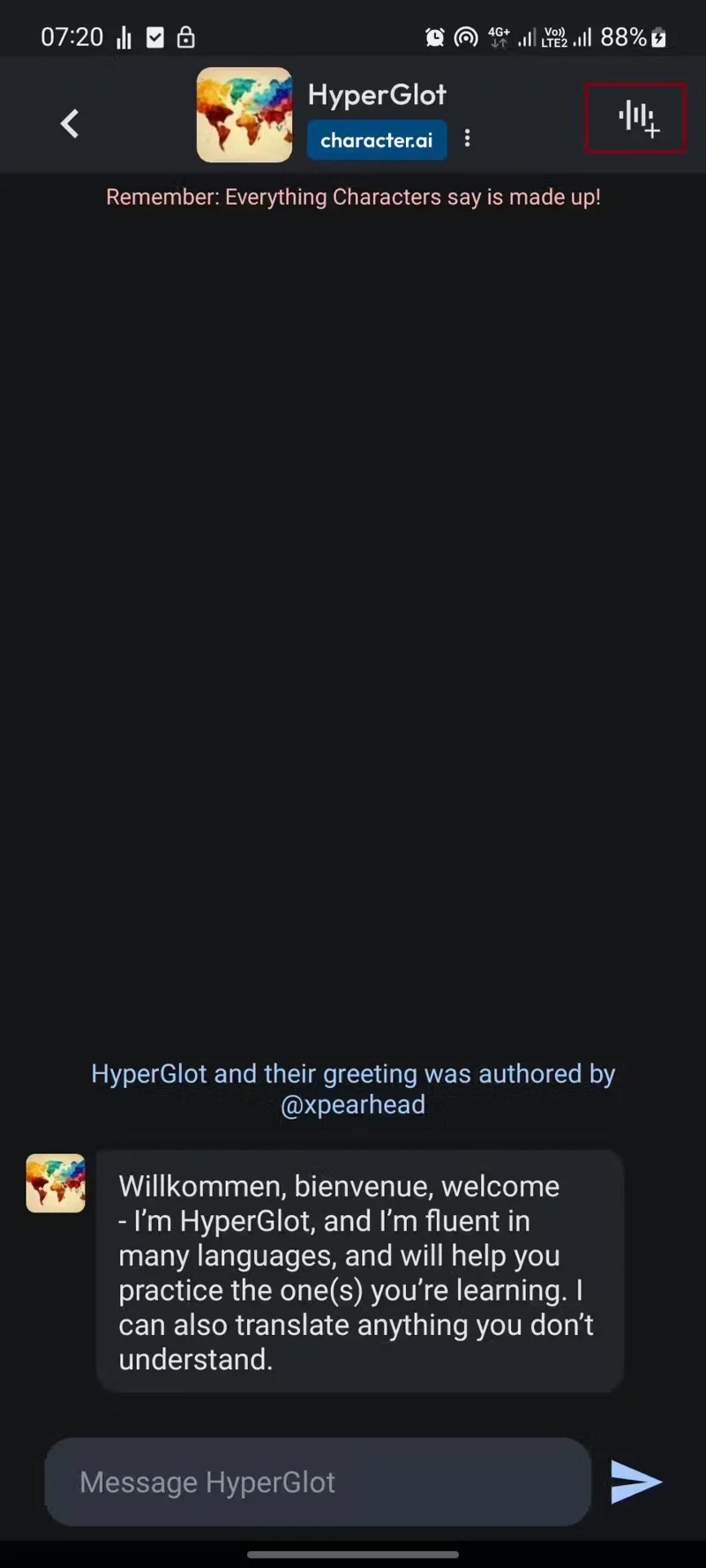
To give your character a voice, tap the waveform icon in the upper right of the chat page, then select or record the desired voice.
Character voice acting would make the Character AI experience much more enjoyable, especially when chatting with educational characters like HyperGlot, which helps learn new languages.
Character AI is available on web and mobile apps, but the voice feature is only available on the mobile app version.
2. Voice Cloning
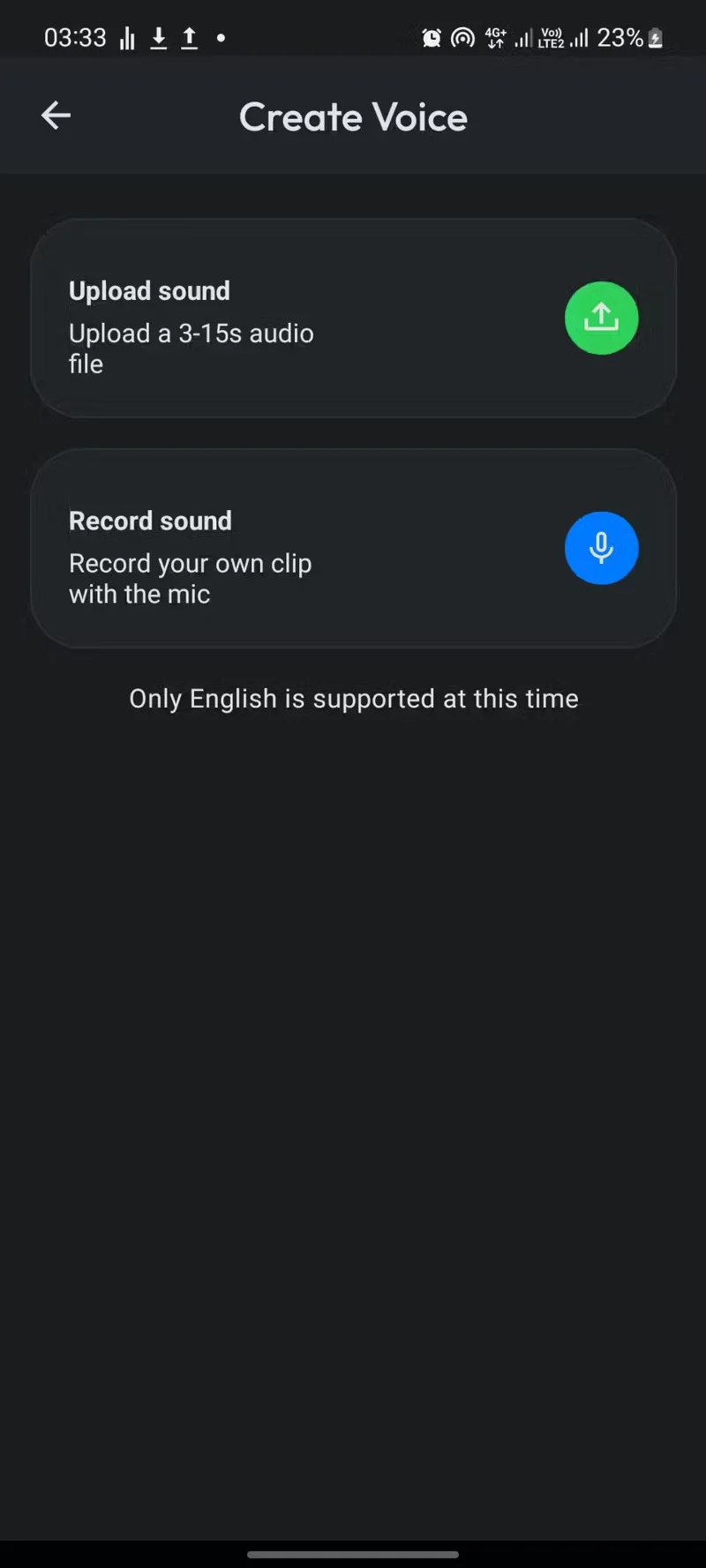
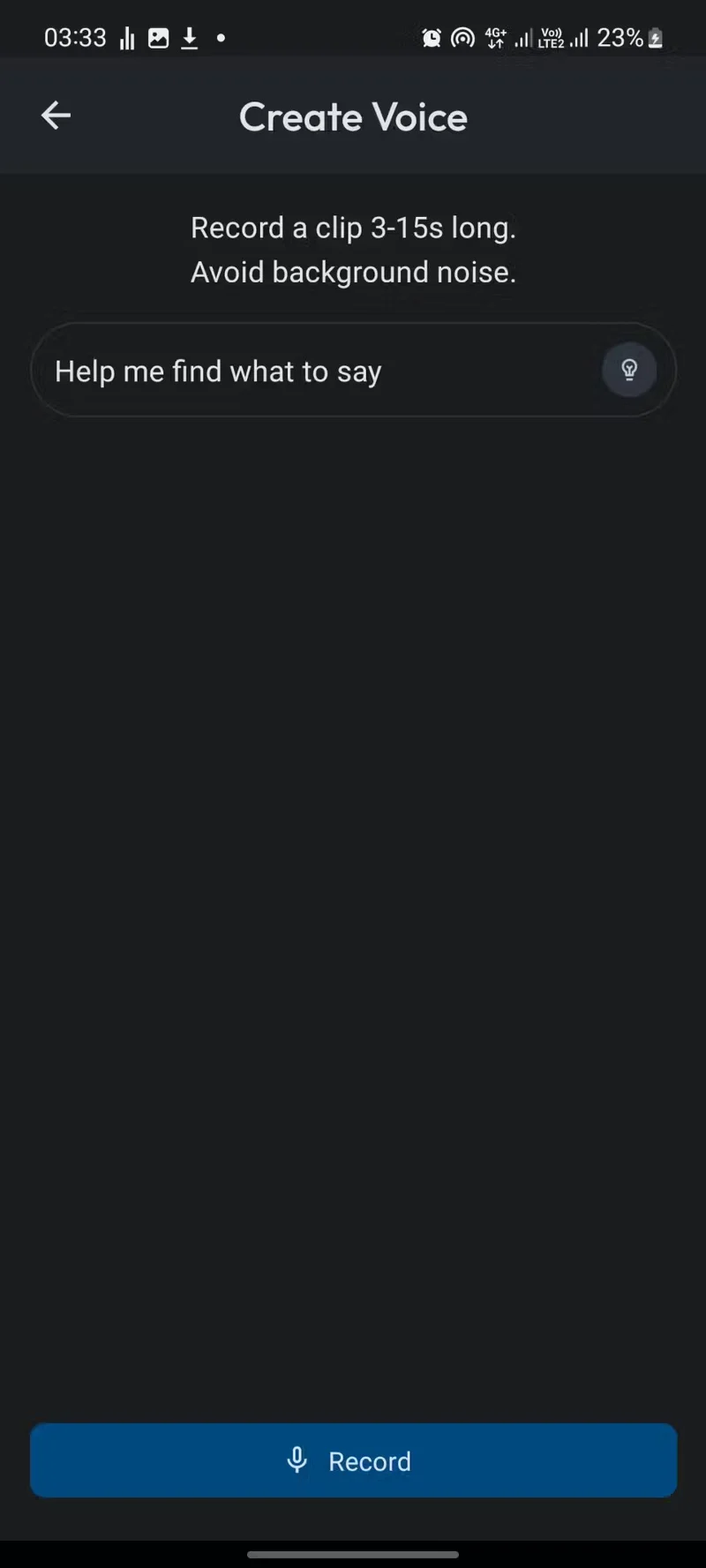
You can clone your voice in Character AI in just four taps (or three if you don’t count the occasional permission pop-up). Honestly, there aren’t many voice cloning utilities available in the app at the time of writing, but it’s easy to see how this feature could become valuable.
You can now use your cloned voice as the voice for characters to respond to you, or leave it public for other users to use for free.
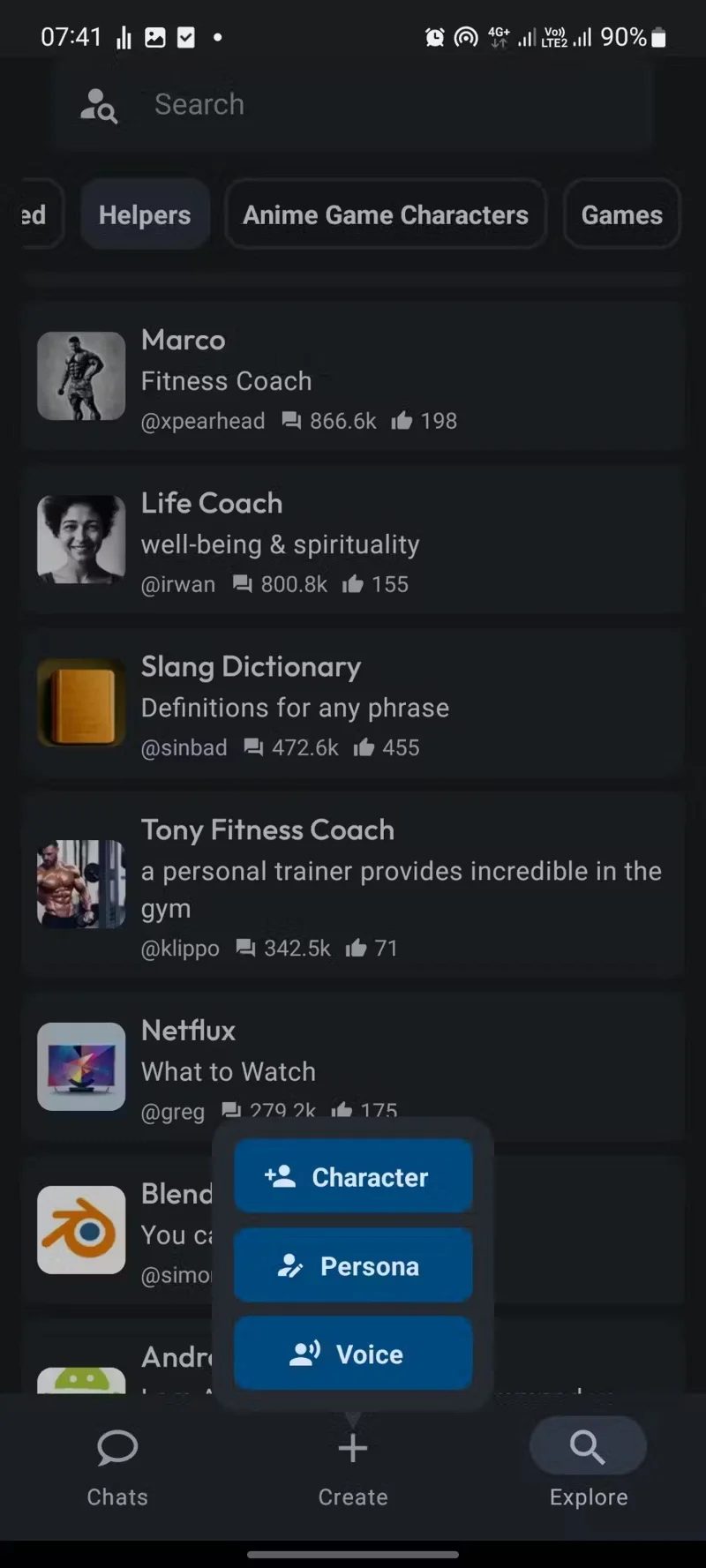
You can create a copy of your voice by tapping Create and selecting Voice.
Like the Character Voices feature, Voice Cloning is only available on the Character AI app.
3. Create a character
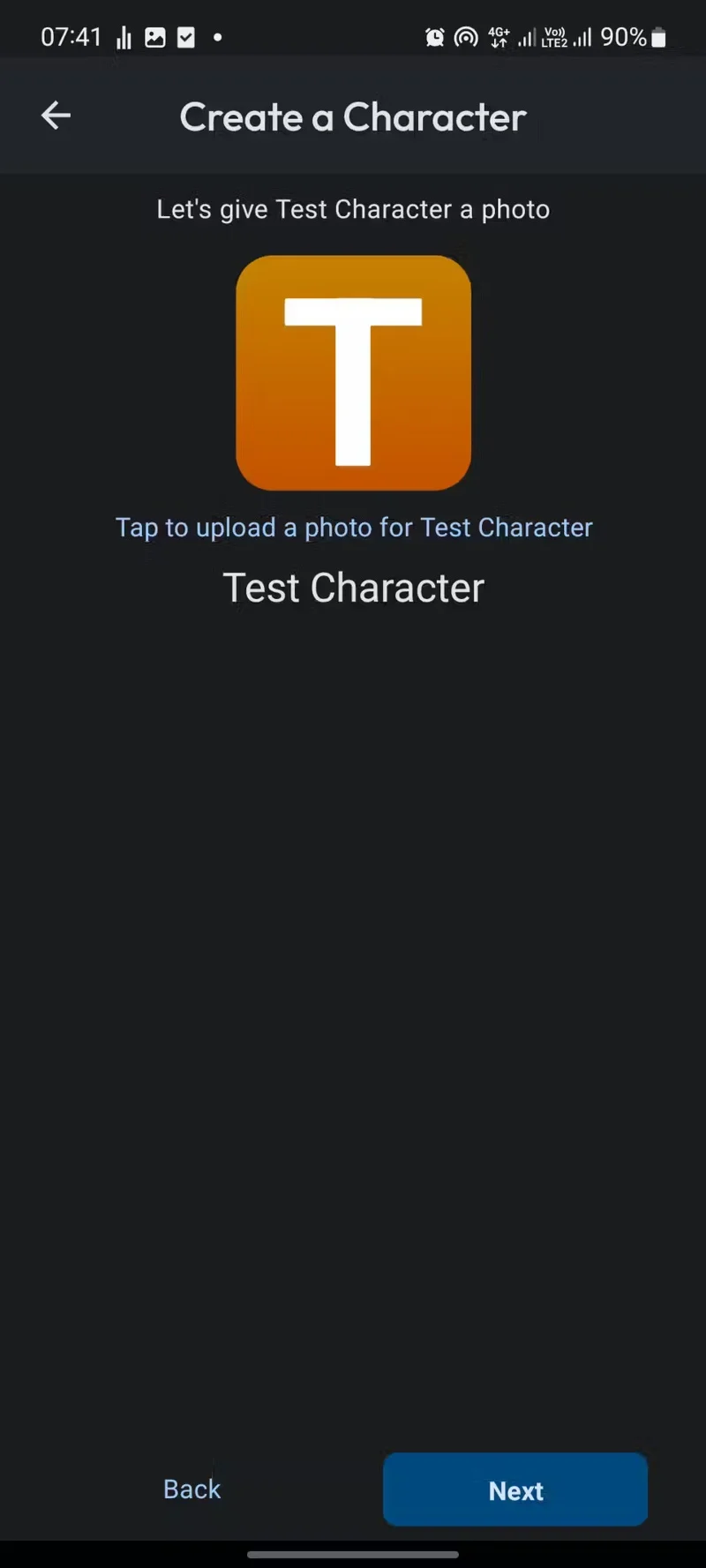
Character AI lets you contribute to making the platform even better by creating your own characters. You can base characters on anything from anime characters to historical figures and more.
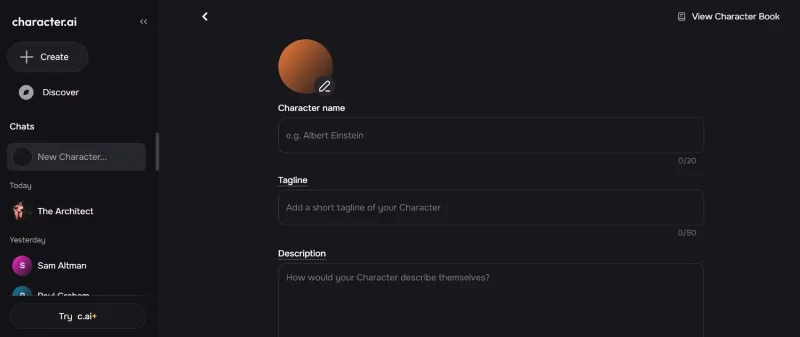
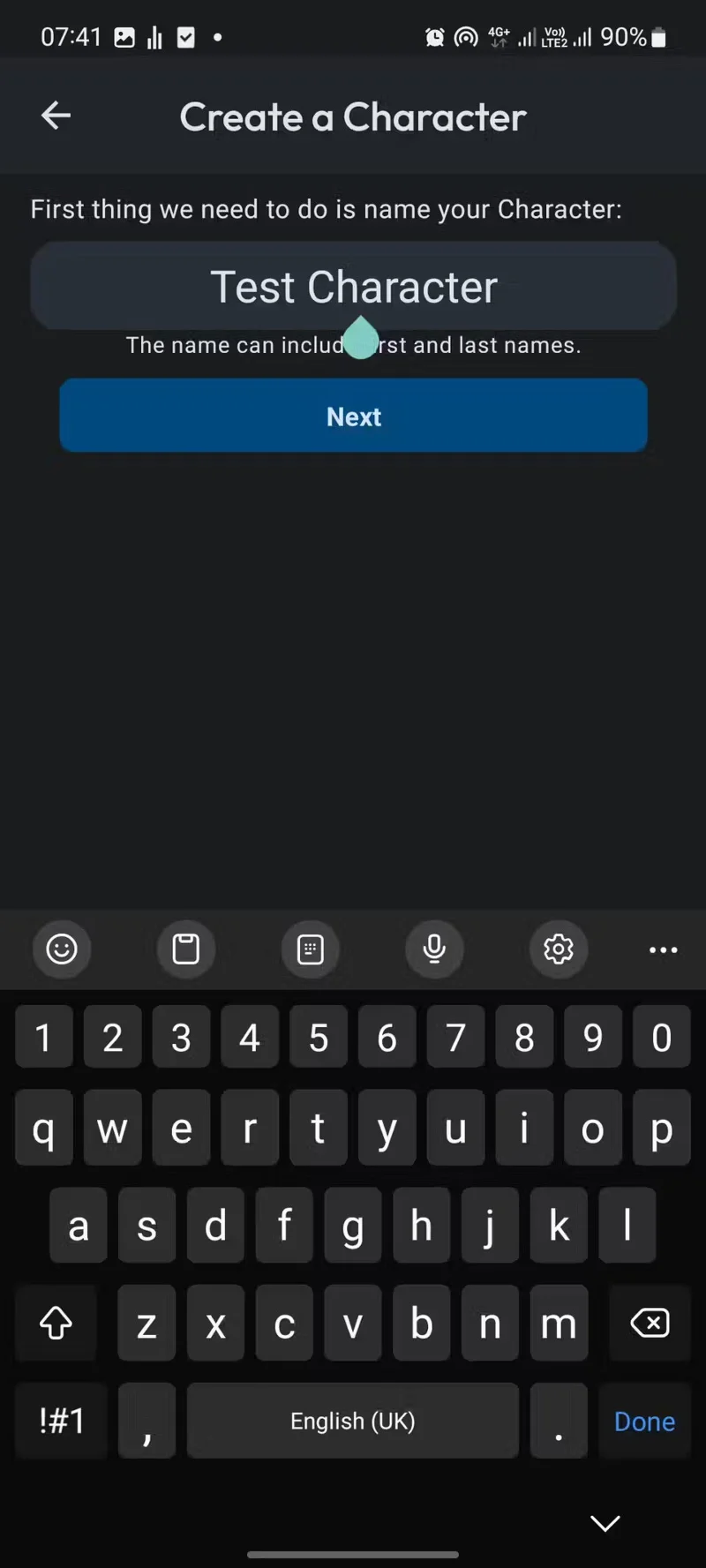
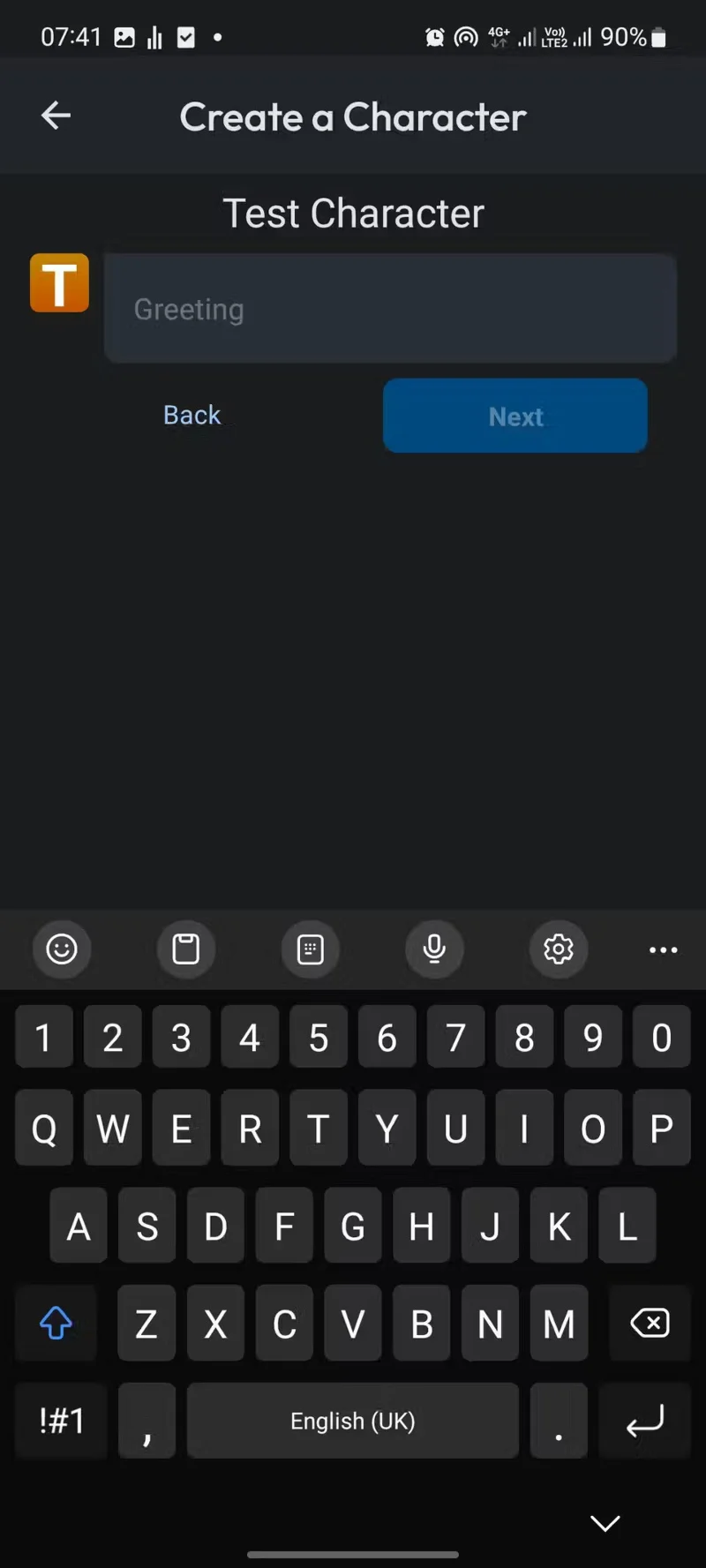
Creating a character is simple. Click the Create button on the home page, select Character , and customize it to your liking.
You can set your character to Public, Unlisted, or Private. You can also add a definition to give your character a personality that differentiates it from others on the platform.
4. Create your own personality
Social media platforms collect a lot of data because they want to predict what each user will like and create unique experiences for everyone. That's how social media algorithms work.
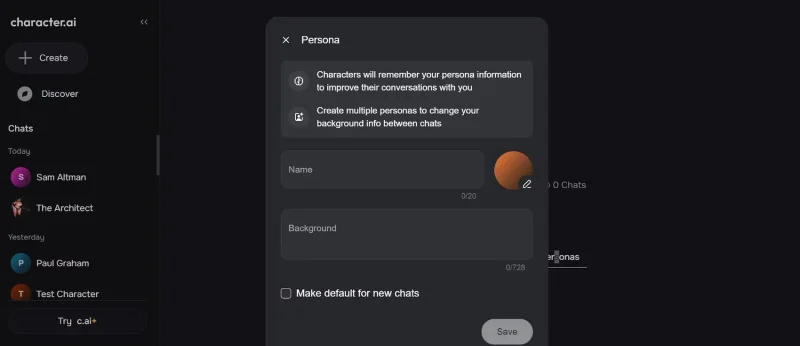
However, Character AI takes a different approach to solving the problem of personalized user experience by allowing users to create a persona. A persona is a description of who you are, what you like and dislike, and how you want AI to respond to you.
Character AI gives users the ability to create their own personas instead of secretly collecting user data to predict what new content they want to see. You can create user personas on ChatGPT. However, the process is not nearly as simple as on Character AI.
5. Rooms
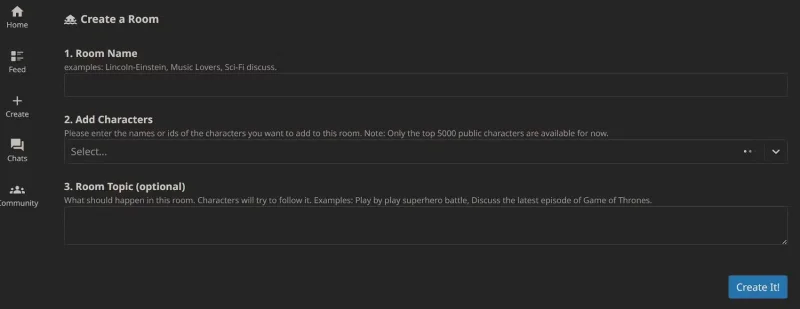
Sometimes the best way to learn is to listen to experts discuss a topic without getting involved. Character AI's Rooms feature recreates this. It lets you add multiple characters to Rooms and then give them a topic to discuss.
Characters can chat or debate about complex topics while you act as the moderator. You can further guide their “conversation” by asking specific questions during the chat. Imagine listening to a conversation between Albert Einstein and Elon Musk (or anyone else). Interesting, right?
The Rooms feature is currently missing from the latest version of Character AI. However, it is still accessible on previous versions of the app and on the old website from the profile menu on the web.
Create a spooky office cubicle with Halloween desk decor ideas that keep your workspace usable, tidy, and mindful of workplace safety.
Plan a recognizable Halloween 2026 look with pop culture costumes inspired by Spider-Man, Supergirl, Toy Story 5, Moana, Mario, and Wednesday.
Sort leftover Halloween candy safely, share or repurpose sealed treats, and choose food use or compost for pumpkins based on their condition.
Compare workplace Halloween costume choices by respect, dress code, mobility, and safety—and learn when a subtle accessory or a policy check is the better option.
Find a couples costume that fits your style, budget, and comfort level, from Addams Family classics to original inside-joke duos.
Need a last-minute high school Halloween costume? Compare 10 easy closet-based ideas by prep time, comfort, school-day practicality, and simple safety checks.
Use a simple 2026 Halloween decorating timeline for indoor décor, outdoor displays, and fresh pumpkins, with practical adjustments for weather and events.
Mix five vivid, approachable Halloween cocktails with measured recipes, simple prep tips, and an alcohol-free option for your party guests.
Find 15 office-friendly Halloween costume ideas for 2026, with practical checks for dress codes, respectful themes, comfort, and workplace safety.
Plan a fun elementary school Halloween party with easy crafts, games, inclusive treats, costume tips, and a sample 75-minute classroom schedule.








