Desk Decorating Ideas for a Spooky Office Cubicle

Create a spooky office cubicle with Halloween desk decor ideas that keep your workspace usable, tidy, and mindful of workplace safety.
IPS screen on TV is advanced technology, bringing realistic feeling to viewers.
What is IPS display?
IPS (In Plane Switching) on TV is a screen technology used on LCD TVs, allowing liquid crystals to be arranged horizontally parallel to the two polarizing glass layers above and below instead of at right angles. This is different from conventional VA screens where liquid crystals are arranged vertically. With this technology, the amount of scattered light will be minimized, providing a wide viewing angle and good color reproduction.
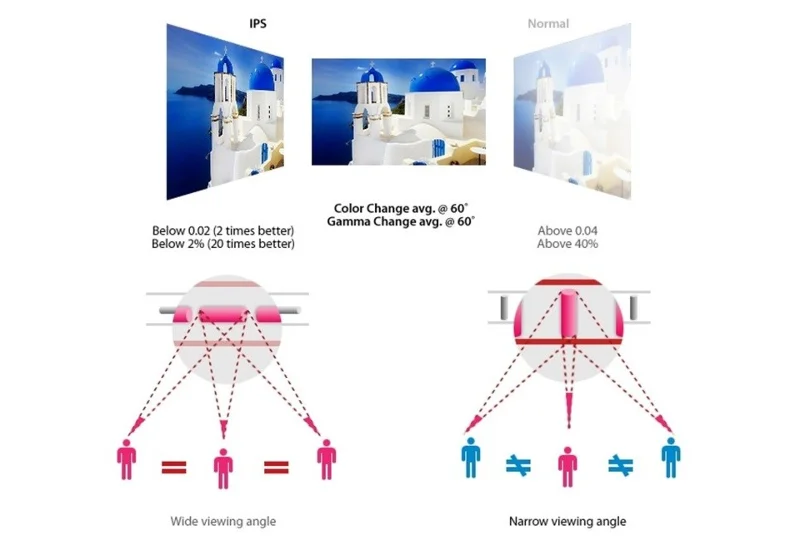
Images on the IPS screen will be displayed with extremely wide viewing angles, high contrast and no color change when viewed at different angles.
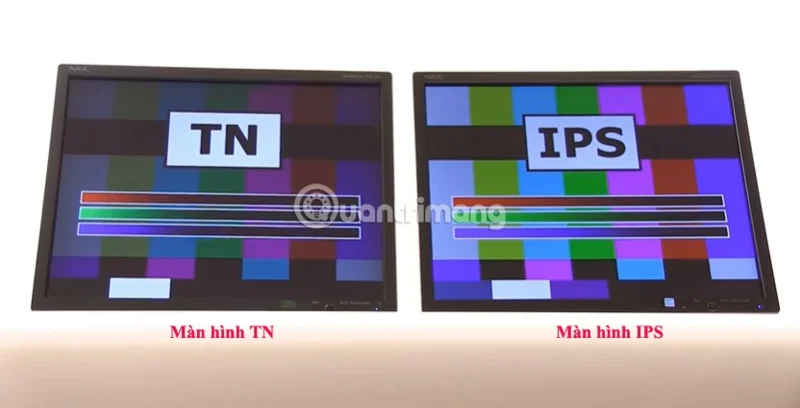
Uses of IPS screens and uses of IPS screens on LG TVs
Uses of IPS screen
Wide viewing angle
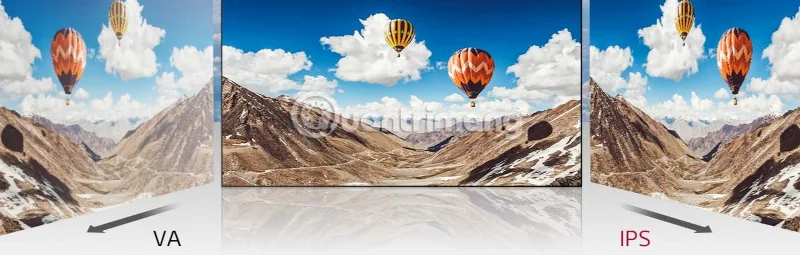
If the viewer does not sit directly in front of the TV, they can still watch TV without any change in image quality and color. No matter where you sit or if there are many people in the family, you can still see the same image and color.
True color
IPS screen reproduces natural, realistic colors, giving viewers the feeling of experiencing images like the real world. Color accuracy will not be reduced when changing viewing angles.
The screen is glare-free.
With IPS screen, users will no longer feel uncomfortable when placing the TV in a space with too much light because the image will not be blurred or dazzling but still sharp and clear.
Vivid and clear details
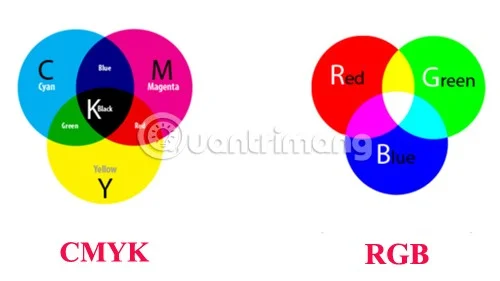
At the same resolution, IPS screens will produce sharper images than conventional screens. IPS screens have separate pixel arrangements on the panel, following the RGB color arrangement order, so they provide bright, vivid images.
Uses of IPS screen on LG TV
High durability
Equipping the TV with an IPS panel has helped the TV screen to be more durable. When you touch or even tap on the screen, you will not see the screen flash or show any traces of pixels.
Wide viewing angle
IPS displays have consistent contrast and color, maintaining vivid colors across all positions on the screen and from any angle. This allows you to enjoy LG TVs with true-to-life, vibrant colors from every seat in your home, even in brightly lit areas without glare.
Fast motion images without blur
IPS screens are capable of displaying fast-moving images smoothly without any blurring or stuttering. This allows you to comfortably watch sports programs, blockbuster action movies… with excellent image quality.
Create a spooky office cubicle with Halloween desk decor ideas that keep your workspace usable, tidy, and mindful of workplace safety.
Plan a recognizable Halloween 2026 look with pop culture costumes inspired by Spider-Man, Supergirl, Toy Story 5, Moana, Mario, and Wednesday.
Sort leftover Halloween candy safely, share or repurpose sealed treats, and choose food use or compost for pumpkins based on their condition.
Compare workplace Halloween costume choices by respect, dress code, mobility, and safety—and learn when a subtle accessory or a policy check is the better option.
Find a couples costume that fits your style, budget, and comfort level, from Addams Family classics to original inside-joke duos.
Need a last-minute high school Halloween costume? Compare 10 easy closet-based ideas by prep time, comfort, school-day practicality, and simple safety checks.
Use a simple 2026 Halloween decorating timeline for indoor décor, outdoor displays, and fresh pumpkins, with practical adjustments for weather and events.
Mix five vivid, approachable Halloween cocktails with measured recipes, simple prep tips, and an alcohol-free option for your party guests.
Find 15 office-friendly Halloween costume ideas for 2026, with practical checks for dress codes, respectful themes, comfort, and workplace safety.
Plan a fun elementary school Halloween party with easy crafts, games, inclusive treats, costume tips, and a sample 75-minute classroom schedule.








