Pop Culture Costume Ideas That Will Dominate Halloween 2026

Plan a recognizable Halloween 2026 look with pop culture costumes inspired by Spider-Man, Supergirl, Toy Story 5, Moana, Mario, and Wednesday.
In a world where distractions are everywhere, Monk Mode offers an effective way to maximize productivity and achieve personal growth. Here's how to use Monk Mode .

Have you ever found yourself struggling to focus on work or personal goals due to constant distractions? That's where Monk Mode comes in.
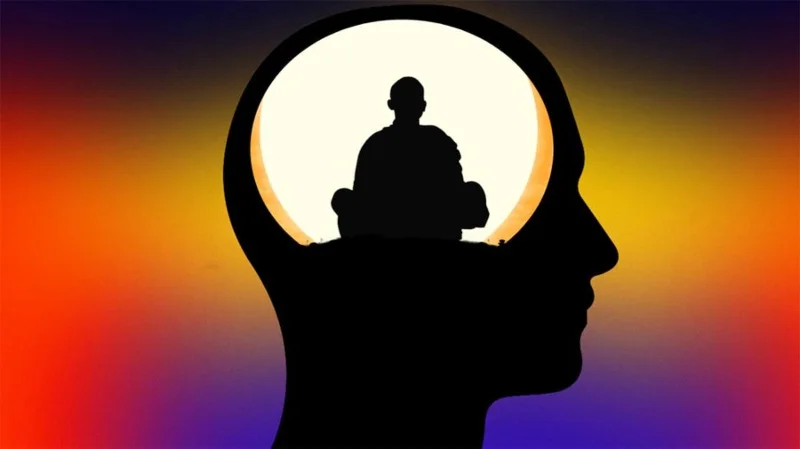
So, what is Monk Mode and how can it boost productivity? Essentially, monk mode is a mindset & approach to life where you commit to eliminating distractions and dedicating yourself to a task or project. By doing so, you enter a state of focused, undivided attention. Two factors that allow you to work effectively and efficiently towards your goals.
The benefits of monasticism include increased productivity, better time management, increased creativity, and a clearer sense of purpose. By adopting a monk mindset, you can take control of your life and achieve more than you ever thought possible.
Rules for using Monk Mode
To successfully apply the Monk Mode method to your life, you need to set certain rules to eliminate distractions, focus on your tasks, and achieve your goals.
Set goals
The first step is to set clear, measurable goals for yourself. Make sure they are achievable and realistic, but also challenging enough to push you out of your comfort zone. That way, you’ll have a clear direction and purpose for your work.
Eliminate distractions
Distractions are the enemy of deep focus and productivity. So identify what’s distracting you and eliminate it. This might mean turning off your phone, closing unnecessary tabs on your computer, or finding a quiet place to work.
Prioritize tasks
It is essential to prioritize your tasks and focus on the most important ones first. You can do this by using the “Eisenhower Matrix” or other similar methods. This will ensure that you are making progress on the most important tasks and not wasting time on less important ones.
Create a schedule
A schedule helps you plan your day and allocate time for each task. It is important to be realistic with your schedule and allow enough time for everything. You should also take breaks to recharge.
Stay focused
Ultimately, staying focused is key to Monk Mode success. Once you’ve eliminated distractions, prioritized your tasks, and created a schedule, it’s essential to stay focused on the task at hand. One way to do this is to use techniques like the Pomodoro method , which involves working in 25-minute blocks followed by short breaks.

Is Monk Mode right for you?
While monk mode can be an effective way to increase productivity and achieve your goals, it's important to consider the potential benefits and drawbacks of this approach.
Benefits of the Monk Regime
The benefits of monk mode include increased focus, productivity, and efficiency. By eliminating distractions, setting clear goals, and prioritizing tasks, you can make the most of your time and accomplish more in less time. Additionally, the sense of accomplishment and progress you feel when you reach your goals can lead to increased confidence and motivation.
Potential Limitations of Monk Mode
Monasticism can have potential drawbacks, such as increased stress, burnout, and social isolation. It is important to maintain balance and avoid neglecting other areas of your life, such as relationships, health, and leisure time. Additionally, the intense focus required in monasticism can lead to tunnel vision, which can prevent you from solving problems.
Balancing Monk Mode with Other Aspects of Life
To balance Monk Mode with other areas of your life, it’s important to set boundaries and set realistic goals. You should also take time to rest, relax, and socialize to avoid burnout and maintain your mental and emotional health. It’s also helpful to adopt a growth mindset, focusing on continuous learning and improvement in all areas of your life.
How long should I stay on Monk Mode?
Once you’ve decided that Monk Mode is right for you, it’s time to decide how long you’ll stay in it. Of course, your focus duration may vary depending on your goals, workload, and personal preferences. Ultimately, how long you spend in monk mode should be determined by your individual needs and circumstances. By finding the right balance between focus and rest, you can achieve your goals and maximize your productivity in a sustainable way.
Time frame
The duration of Monk Mode can range from a few hours to a few weeks or even a few months to a few years, depending on the project or goal you are working on. For example, if you are preparing for an exam, you might practice Monk Mode for a week or two before the exam. On the other hand, if you are working on a long-term project, you might practice Monk Mode for a few hours every day for several months.
Determine the ideal duration
To determine the ideal duration of your Monk Mode routine, consider factors such as your workload, personal goals, and energy levels. If you have a high workload and limited time, you may need to do Monk Mode for longer periods of time. Additionally, if you find it difficult to focus for long periods of time, shorter Monk Mode workouts may work better for you.
The Importance of Rest and Recovery
While Monk Mode can be an incredibly effective way to maximize your productivity and achieve your goals, it’s important to remember the importance of rest and recovery. Taking breaks and time to recharge is essential to avoiding burnout and maintaining focus over the long term.
Some examples of how to use Monk Mode
There are a number of areas in life where Monk Mode can be of significant benefit. Examples of areas where you might choose to switch to Monk Mode include:
Overall, switching to Monk Mode can be a drastic way to increase your focus and productivity, but it’s important to find a balance and avoid neglecting other important areas of your life. By setting clear goals, eliminating distractions, and maintaining balance, you can achieve great things while making the most of your time.
Plan a recognizable Halloween 2026 look with pop culture costumes inspired by Spider-Man, Supergirl, Toy Story 5, Moana, Mario, and Wednesday.
Sort leftover Halloween candy safely, share or repurpose sealed treats, and choose food use or compost for pumpkins based on their condition.
Compare workplace Halloween costume choices by respect, dress code, mobility, and safety—and learn when a subtle accessory or a policy check is the better option.
Find a couples costume that fits your style, budget, and comfort level, from Addams Family classics to original inside-joke duos.
Need a last-minute high school Halloween costume? Compare 10 easy closet-based ideas by prep time, comfort, school-day practicality, and simple safety checks.
Use a simple 2026 Halloween decorating timeline for indoor décor, outdoor displays, and fresh pumpkins, with practical adjustments for weather and events.
Mix five vivid, approachable Halloween cocktails with measured recipes, simple prep tips, and an alcohol-free option for your party guests.
Find 15 office-friendly Halloween costume ideas for 2026, with practical checks for dress codes, respectful themes, comfort, and workplace safety.
Plan a fun elementary school Halloween party with easy crafts, games, inclusive treats, costume tips, and a sample 75-minute classroom schedule.
Compare realistic side hustles for 2026 by startup cost, fees, flexibility, and income control, with current tax and scam guidance from official sources.








