When you want to connect to wifi in a public place, you will find some wifi networks with the word Guest, this is the guest network, also known as the Guest Network. In this article, we will learn more about the guest network as well as how to set up this network for the Router .
1. What is Guest Network?
- Define
Guest Network (Guest Network) is a virtual network that is separate from your wifi network , and visitors and strangers can use it for temporary access and Internet connection.
This network will restrict guests from sharing the same wifi network with you, avoiding the loss of data or important personal information.
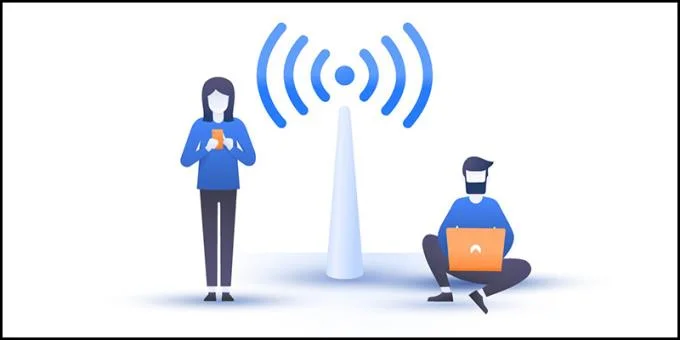
Guest networks are usually available in public places
- Principle of operation
The router will create a virtual access point that runs on a private IP range so that users can access and connect to the Internet.
2. How to set up a guest network for the Router
- Setup on Linksys Router
+ Step 1: Download Linksys Connect software
Before downloading Linksys Connect, you should note that not all Linksys modem models are compatible with this software. So, you need to know what number your modem is by looking at the sticker on the modem.
After you know the modem's number, please compare with the table below , if the number appears on the board, your modem is compatible with Linksys Connect. You just need to click on the corresponding number to download the software to your computer.
* A listing of Linksys modems compatible with Linksys Connect software
Router Type
Number
Linksys Wi-Fi Routers
E800
E900
E1000
E1200
E1500
E1550
E1700
E2000
E2500
E2100L
EA2700
E3000
E3200
EA3500
E4200
EA4500 V1
Linksys X-series Gateways
X1000
X2000
X3000
X3500
+ Step 2: Create a guest network
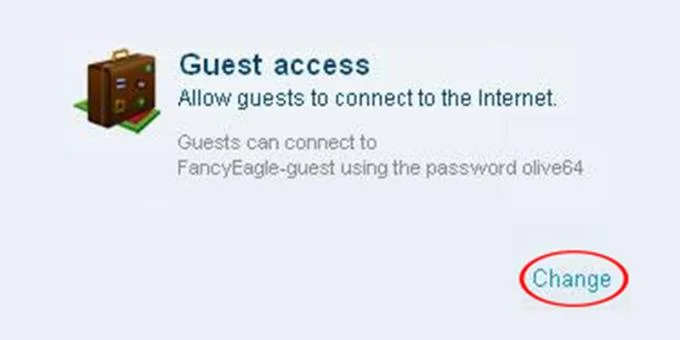
Once downloaded, start the software up> Select the Change button in the Guest access section.
![What is the Guest Network? How to set up a guest network for the Router]()
Section Guest access
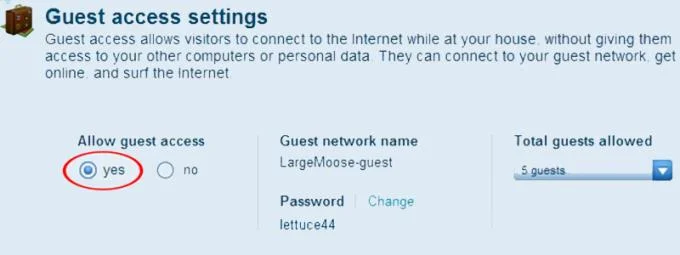
At the Guest access settings interface, you check the Yes box in the Allow guest access section.
![What is the Guest Network? How to set up a guest network for the Router]()
Allow guest access
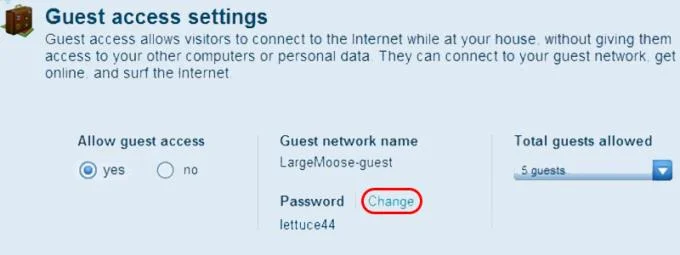
In the Guest network name section, you can change the guest network name and password by clicking the Change button .
![What is the Guest Network? How to set up a guest network for the Router]()
Change your username and password
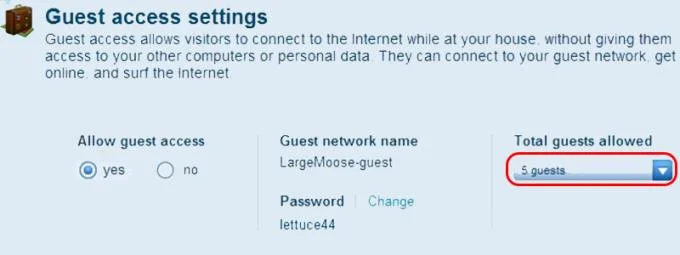
You adjust the number of visitors to the guest network at the Total guest allowed section .
![What is the Guest Network? How to set up a guest network for the Router]()
Choose the number of visitors
- Setup on D-Link Router
+ Step 1: Access IP address 192.168.1.1
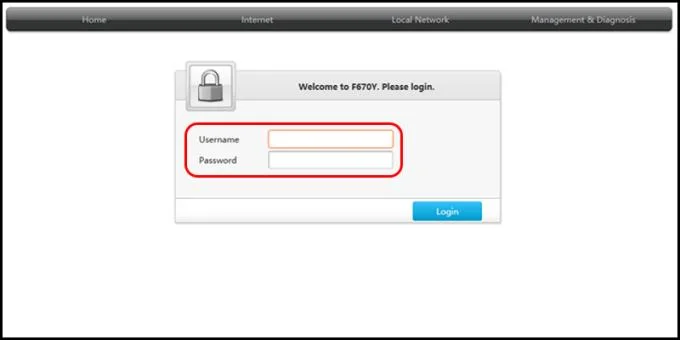
You open the web browser> Enter IP address 192.168.1.1 in the search bar> Enter username and password> Click Login .
![What is the Guest Network? How to set up a guest network for the Router]()
Enter your username and password
+ Step 2: Create a guest network
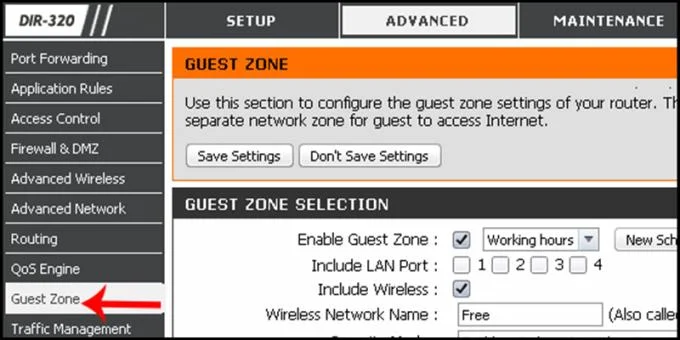
Click on ADVANCED > Select Guest Zone on the left side of the interface.
![What is the Guest Network? How to set up a guest network for the Router]()
Section Guest Zone
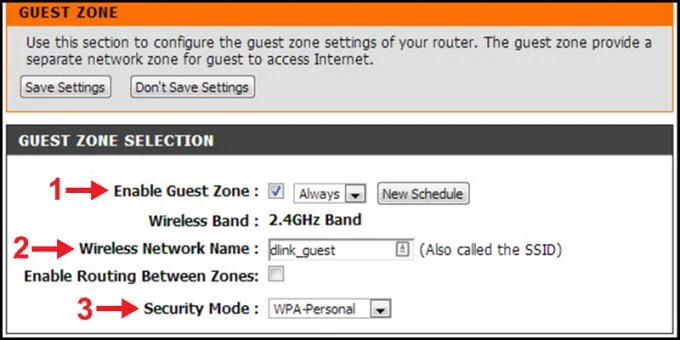
You open another network mode by checking the box Enable Guest Zone > Rename and select the network in the Wireless Network Name > Select the WPA-Personal security mode under Security Mode .
![What is the Guest Network? How to set up a guest network for the Router]()
Adjust options for the guest network
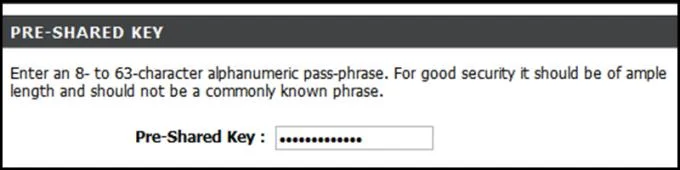
You enter the password for the network in the Pre-Shared Key > Click Save Settings to save.
![What is the Guest Network? How to set up a guest network for the Router]()
Enter the password for the guest network
- Setup on Asus Router
+ Step 1: Access IP address 192.168.1.1
You open the web browser> Enter IP address 192.168.1.1 in the search bar> Enter username and password.
+ Step 2: Create a guest network
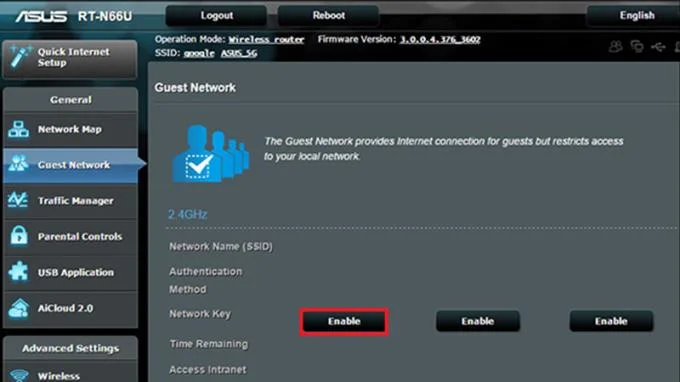
You click on the item Guest Network > Select Enable .
![What is the Guest Network? How to set up a guest network for the Router]()
Activate the guest network
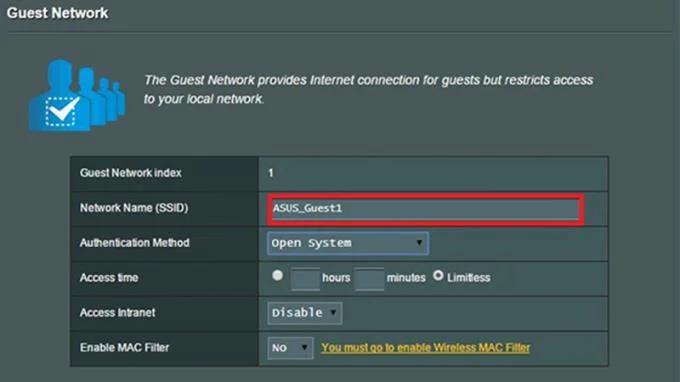
You name the guest network in the Network Name (SSID) field.
![What is the Guest Network? How to set up a guest network for the Router]()
Name the network
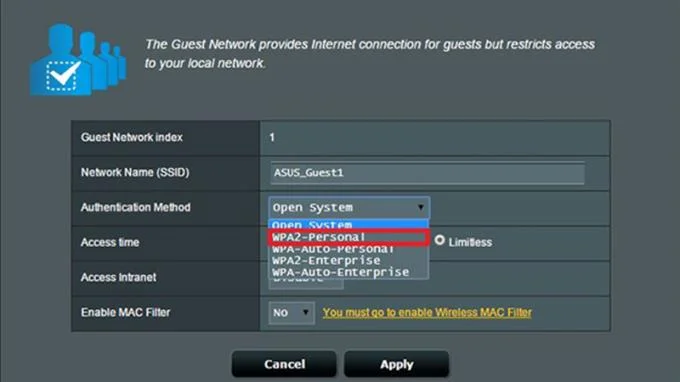
Select the WPA2-Personal security method under Open System.
![What is the Guest Network? How to set up a guest network for the Router]()
Choose a security method
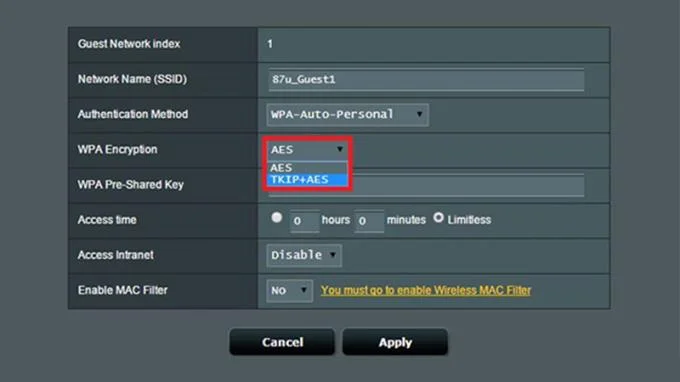
Select TKIP + AES under WPA Encryption.
![What is the Guest Network? How to set up a guest network for the Router]()
The encryption of the guest network
You enter the password in WPA Pre-Shared Key> Click Apply to save.
See also :
>>> What is the TOTOLINK Router Application? What are the outstanding features?
>>> How to install the Tether app to manage the Router on your phone
Above is the information about the guest network as well as how to create a guest network using today's popular routers. Thank you for watching and see you in the following articles.