Pop Culture Costume Ideas That Will Dominate Halloween 2026

Plan a recognizable Halloween 2026 look with pop culture costumes inspired by Spider-Man, Supergirl, Toy Story 5, Moana, Mario, and Wednesday.
What is the order to watch Attack on Titan is a question that many people are interested in. This article will tell you how many parts Attack on Titan has and how to watch it.
"Attack on Titan" (or "Shingeki no Kyojin" in Japanese) seems like a simple story at first. The setting of both Hajime Isayama's original manga and the anime adaptation is that for a century, humanity has lived behind three walls to protect themselves from the man-eating monsters, or Titans, outside. The main characters are part of an army designed to repel or attack these Titans. It's not unlike a zombie apocalypse, only much worse than usual because the zombies are kaiju-sized.
As the series continues to unfold with its twists and turns, the mythology of the series becomes much denser and the plot more complex. "Attack on Titan" has always been a war story, but over the course of its run, it transforms from a man versus monster story where the only goal is survival to a political story where humanity's greatest enemy is itself. The title of the opening chapter (episode), "To You, In 2000 Years," alludes to this larger disaster picture from the start.
Attack on Titan is considered one of the best anime series in history. However, following the entire series can be difficult for many people because of the huge amount of content. Therefore, this article will guide you in the order to follow this anime in detail.

The film is set in a world where humanity lives behind three massive walls built to protect humanity from man-eating giants called Titans. Viewers will follow Eren Yeager towards the goal of killing all Titans in the world after witnessing them destroy the walls, destroy his homeland and eat his mother.
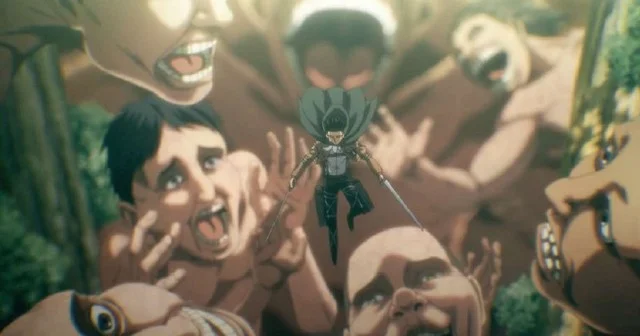
Attack on Titan not only does well in terms of content but also the graphics and sound are extremely impressive. That's why the film has attracted a large number of fans. Attack on Titan has a total of 4 parts, of which parts 3 and 4 are divided into 2 small parts. In total, this series has 87 episodes. In addition, Attack on Titan also has 7 OVAs and 4 movies. Therefore, many viewers who are new to Attack on Titan may not know where to start when they want to watch. Therefore, below will be a guide so you can watch the film in the correct order.
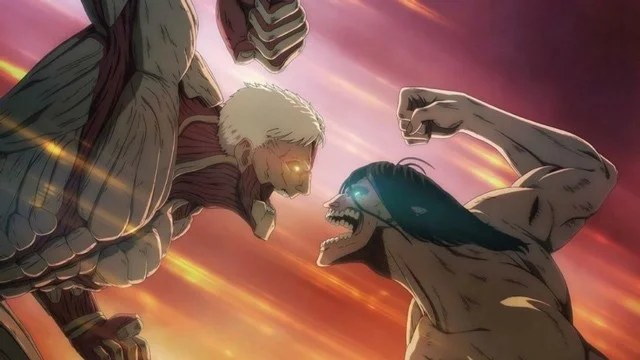
Note that this is the order of events in the anime, not the order in which the movies were released, and events and plot may differ from the manga.
| Title | Category | Release time |
| Attack on Titan Season 1 | Series | 2013 |
| Attack on Titan: Crimson Bow and Arrow | Movie | 2014 |
| Attack on Titan: Wings of Freedom | Movie | 2015 |
| Attack on Titan: Ilse's Notebook | OVA | 2013 |
| Attack on Titan: The Sudden Visitor: The Torturous Curse of Youth | OVA | 2014 |
| Attack on Titan: Distress | OVA | 2014 |
| Attack on Titan: No Regrets – Episodes One and Two | OVA | 2014 |
| Attack on Titan: Junior High | OVA | 2015 |
| Attack on Titan Season 2 | Series | 2017 |
| Attack on Titan: Wall Sina, Goodbye – One and Two | OVA | 2017 |
| Attack on Titan: The Roar of Awakening | Movie | 2018 |
| Attack on Titan Season 3 (Part 1) | Series | 2018 |
| Attack on Titan: Lost in the Cruel World | OVA | 2018 |
| Attack on Titan Season 3 (Part 2) | Series | 2019 |
| Attack on Titan: Chronicle | Movie | 2020 |
| Attack on Titan Season 4 (Part 1) | Series | 2020 |
| Attack on Titan Season (Part 2) | Series | 2022 |
Hopefully this order will help you get used to Attack on Titan easily.
Plan a recognizable Halloween 2026 look with pop culture costumes inspired by Spider-Man, Supergirl, Toy Story 5, Moana, Mario, and Wednesday.
Sort leftover Halloween candy safely, share or repurpose sealed treats, and choose food use or compost for pumpkins based on their condition.
Compare workplace Halloween costume choices by respect, dress code, mobility, and safety—and learn when a subtle accessory or a policy check is the better option.
Find a couples costume that fits your style, budget, and comfort level, from Addams Family classics to original inside-joke duos.
Need a last-minute high school Halloween costume? Compare 10 easy closet-based ideas by prep time, comfort, school-day practicality, and simple safety checks.
Use a simple 2026 Halloween decorating timeline for indoor décor, outdoor displays, and fresh pumpkins, with practical adjustments for weather and events.
Mix five vivid, approachable Halloween cocktails with measured recipes, simple prep tips, and an alcohol-free option for your party guests.
Find 15 office-friendly Halloween costume ideas for 2026, with practical checks for dress codes, respectful themes, comfort, and workplace safety.
Plan a fun elementary school Halloween party with easy crafts, games, inclusive treats, costume tips, and a sample 75-minute classroom schedule.
Compare realistic side hustles for 2026 by startup cost, fees, flexibility, and income control, with current tax and scam guidance from official sources.








