
Desk Decorating Ideas for a Spooky Office Cubicle

Create a spooky office cubicle with Halloween desk decor ideas that keep your workspace usable, tidy, and mindful of workplace safety.
People often use Adobe Express Mobile to create cool visual designs from their phones, but it lacks one key feature compared to the Adobe Express desktop browser tool.
Adobe Express Add-Ons is a great feature
Adobe Express has a lot of cool features, like Animate All, an AI text effects generator, and ways to connect to other Adobe tools. But my favorite feature is Add-Ons.
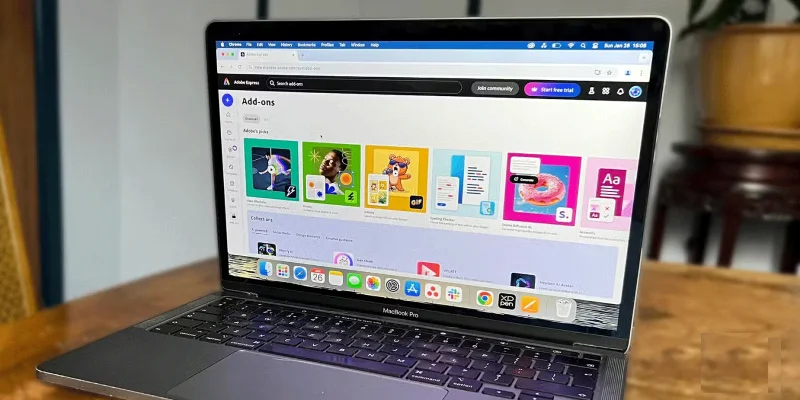
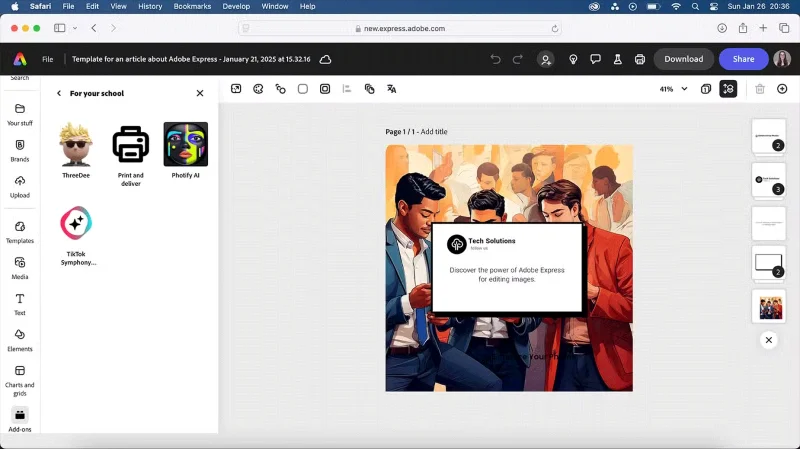
Adobe Express Add-Ons work like third-party plugins — similar to Canva Apps built into Canva . Add-Ons provide tools to enhance design, video, management, and creativity in Adobe Express in ways that the native tools can't. These additional features make Express an even better tool.
Some great Express Add-Ons include, TikTok Symphony Assistant, Google Suite integration, Accessibility Checker, Attention Insight, and Icon Generator.
Adobe Express Add-Ons are desktop-only features.
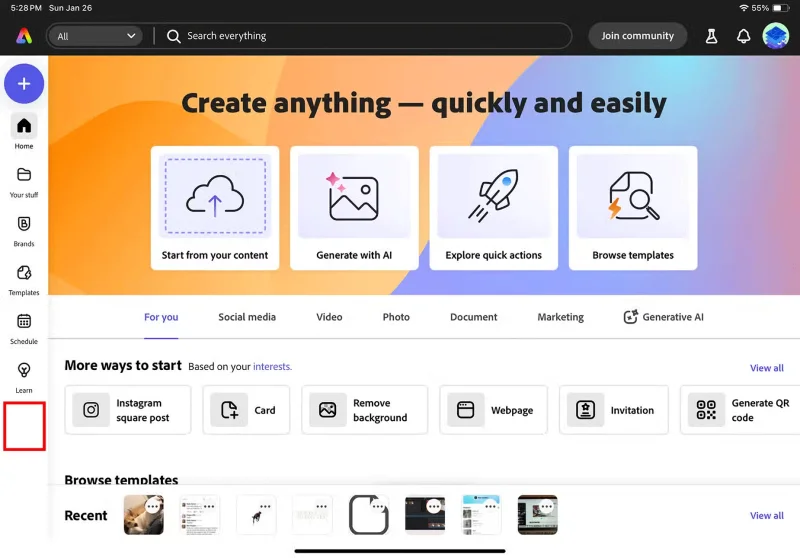
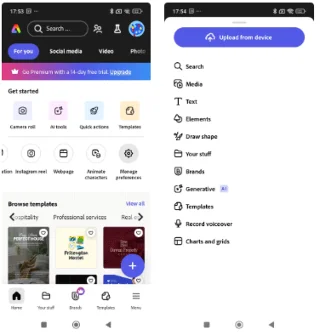
Adobe Express’s mobile app is easy to use and navigate—and has some great Adobe Firefly AI tools—but the Add-Ons menu is missing. It’s in the left-hand menu on desktop, but not available on iPhone, Android, or iPad.
Adobe Express Add-Ons are only available in the browser version. This adds complexity if any mobile design requires something that Add-Ons can benefit from. You have to open your laptop and access your work from your computer - but Adobe Express makes it easy to work across platforms. You can access your files on either your mobile device or your browser.
Canva also has a similar flaw with its mobile features; however, the Canva app is only limited on mobile devices, not completely unavailable. Adobe Express Mobile doesn't even have a menu option for Add-Ons.
The mobile apps aren't as powerful or easy to navigate as the browser or desktop apps, but Adobe Express Mobile users will at least benefit from the Add-Ons.
Add-Ons not available for all plans
Adobe Express Add-Ons are not available for all Adobe Creative Cloud plans. Depending on your plan, you will have access to all or only a limited number of add-ons. Not all add-ons are available to all subscribers.
Student, education, or business subscriptions—whether you pay for them yourself or are offered by your school or workplace—have a very limited number of add-ons. And they don't seem to be relevant to education or the workplace, either.
Anyone with a free or premium Adobe Express account that isn’t connected to a Creative Cloud subscription can access all add-ons. This means that people on education or business plans can create a new Adobe Express account to get access to all add-ons. This is incredibly inconvenient and seems pointless. Why doesn’t Adobe just allow all Creative Cloud plans to have access to all add-ons?
These issues with Add-Ons are things that would greatly improve the Adobe Express experience for everyone.
Create a spooky office cubicle with Halloween desk decor ideas that keep your workspace usable, tidy, and mindful of workplace safety.
Plan a recognizable Halloween 2026 look with pop culture costumes inspired by Spider-Man, Supergirl, Toy Story 5, Moana, Mario, and Wednesday.
Sort leftover Halloween candy safely, share or repurpose sealed treats, and choose food use or compost for pumpkins based on their condition.
Compare workplace Halloween costume choices by respect, dress code, mobility, and safety—and learn when a subtle accessory or a policy check is the better option.
Find a couples costume that fits your style, budget, and comfort level, from Addams Family classics to original inside-joke duos.
Need a last-minute high school Halloween costume? Compare 10 easy closet-based ideas by prep time, comfort, school-day practicality, and simple safety checks.
Use a simple 2026 Halloween decorating timeline for indoor décor, outdoor displays, and fresh pumpkins, with practical adjustments for weather and events.
Mix five vivid, approachable Halloween cocktails with measured recipes, simple prep tips, and an alcohol-free option for your party guests.
Find 15 office-friendly Halloween costume ideas for 2026, with practical checks for dress codes, respectful themes, comfort, and workplace safety.
Plan a fun elementary school Halloween party with easy crafts, games, inclusive treats, costume tips, and a sample 75-minute classroom schedule.








