You are using a Samsung phone and are having problems where files are stored. Read the following article to see where the downloaded file is stored on your Samsung phone? And instructions on how to find!
- This guide is referenced from the Samsung support website.
- Interface photo is taken from Galaxy Note 9 , so it may be the same or slightly different from your device (but the operation is still similar).
- If you still cannot find the downloaded files (even if they have been downloaded successfully), please contact Samsung Vietnam fanpage for the best support.
1. Where are the files (files) usually stored when downloading?
Before you browse to the downloaded files, make sure they have been downloaded successfully . To determine this, look at the notifications from the app (usually displayed under the function bar).
- Photos and videos
The image you download will be stored in the phone 's Gallery .
If you downloaded from google, the album title is Download or Download .
The images downloaded via S Beam or Bluetooth or through third-party applications such as Facebook or WhatsApp, Zalo, Messenger, Viber, ... will be saved the album name as the application name.
As for videos, all are stored in Internal Memory with the unique folder name Video .
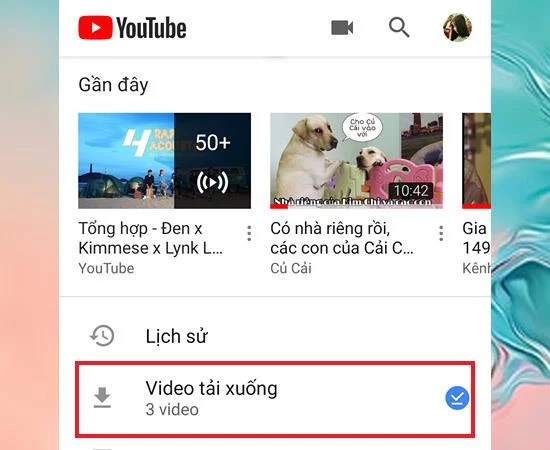
Note : Videos downloaded from Youtube will be stored in the Youtube Video Downloads folder, not completely exported to the phone.
- Music
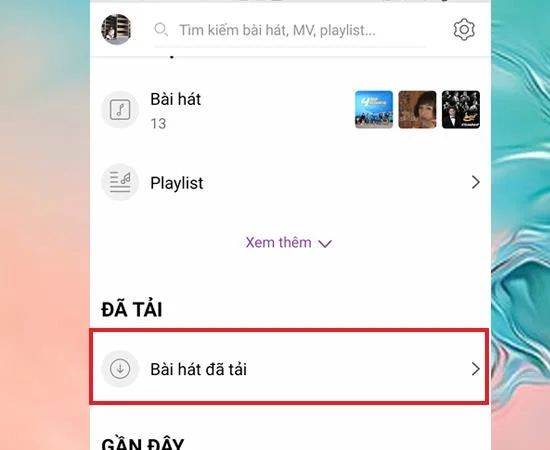
To download music to your phone, most of you have to go through a third party application like Zing MP3, My music, ... Music will be saved directly to the downloaded Songs folder (unless you copy or move move this file to another folder).
![Where are the downloaded files stored on your Samsung phone? Instructions on how to find]()
Normally, music copied from USB to phone or shared from Bluetooth will be stored in Samsung Music folder and you can change to another folder if you want.
- Document
Documents, such as PDF or Word documents, can be found in default applications such as Word, Excel, and PowerPoint in the Microsoft Apps folder .
- Other file types
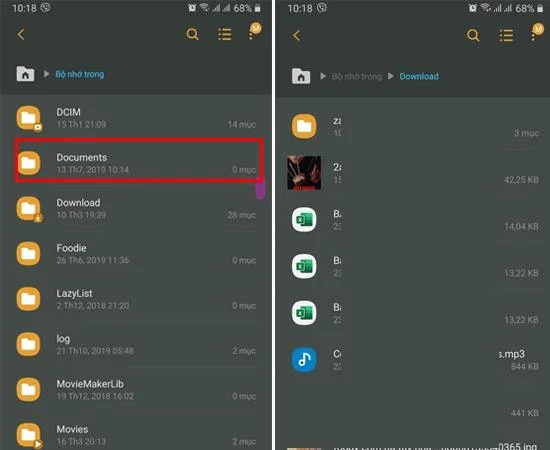
All your downloaded files can be found in your Downloads file under My Files .
2. How to find downloaded files on a Samsung smartphone
If you remember the saved file name, you can seach directly from the search bar so you can find files quickly.
Step 1: Access your File application
There are two ways for you to access your files :
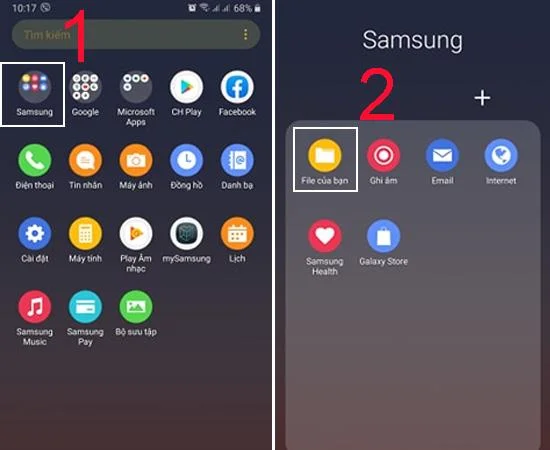
+ Method 1: On the phone screen
On the main interface of the phone, go to the Samsung folder > Choose My File .
![Where are the downloaded files stored on your Samsung phone? Instructions on how to find]()
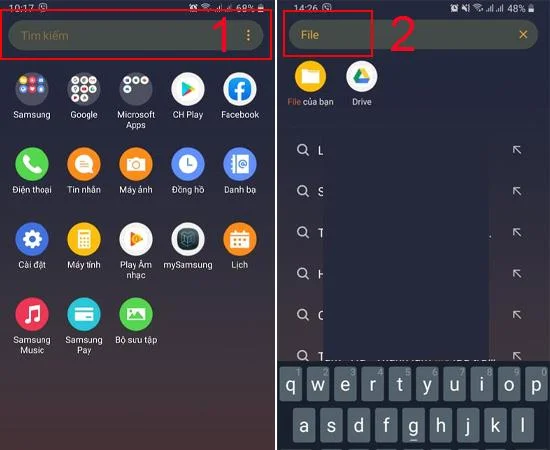
+ Method 2: On the search bar
For faster search, you can directly enter File or the full name of the File in the search bar.
![Where are the downloaded files stored on your Samsung phone? Instructions on how to find]()
- Step 2: Find the downloaded file
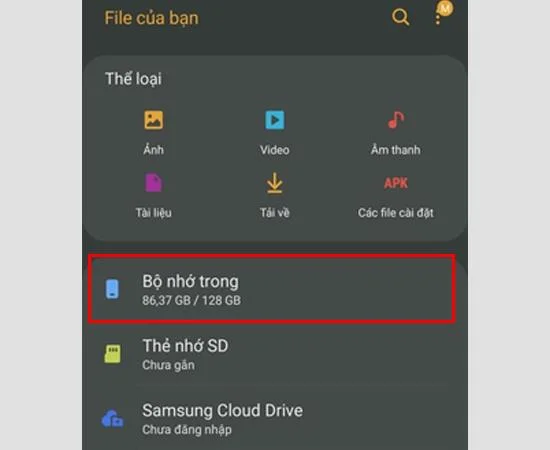
After going to your File app> Select Internal Memory.
![Where are the downloaded files stored on your Samsung phone? Instructions on how to find]()
Select Download folder > Select the file you need to find.
![Where are the downloaded files stored on your Samsung phone? Instructions on how to find]()
Thus, WebTech360 has just guided you how to find downloaded data on Samsung phones, hoping to help you.
Reference source: .
See more:
>>> Instructions on how to take screenshots of Samsung phones
>>> Check the memory on Samsung Galaxy phones