Best Halloween Costumes for Dogs: The 2026 Pet Trend Guide

Compare 2026 dog Halloween costume trends by search interest, fit, comfort, and mobility—from hot dog and shark looks to simple bandanas.
Ever opened Outlook ready to schedule a quick Microsoft Teams meeting, only to hunt for that elusive icon? You're not alone! The Microsoft Teams in Outlook integration is a game-changer for productivity, but when the icon vanishes, frustration sets in. Don't worry—this guide cuts straight to the chase with precise, actionable steps to locate the missing icon and get you back to seamless collaboration. Let's dive in and reclaim your workflow! 👍
In the latest Outlook versions (desktop, web, and new Outlook), the Teams features hide in smart spots for easy access:
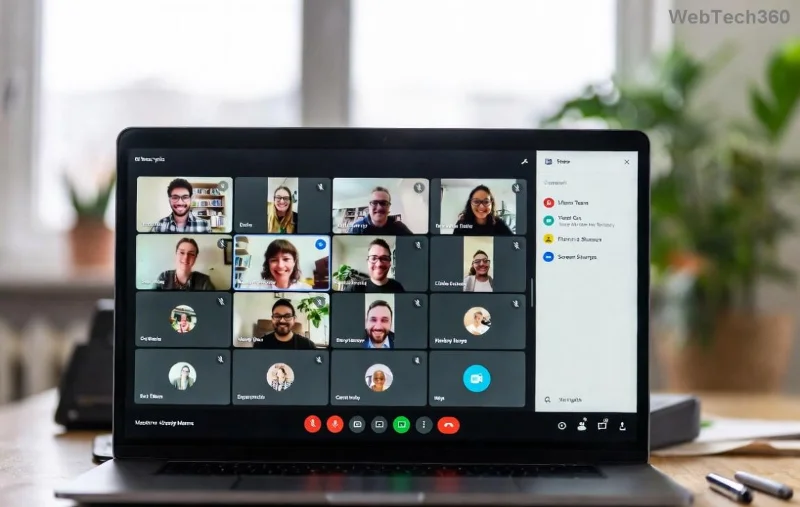
If it's missing, common culprits include disabled add-ins, updates, or ribbon customizations. Stick with us—the fix is simpler than you think!
Understanding the "why" empowers you to prevent future headaches. Here's the breakdown:
Pro Tip: A quick restart after updates often revives it. Ready to fix? Follow these steps precisely.
We'll cover Desktop Outlook first (most common), then web/mobile. No tech expertise needed—these work on the newest builds.
| Step | Action | Expected Result |
|---|---|---|
| 1. Open File Menu | File > Options > Add-ins | Add-ins Manager loads |
| 2. Manage COM Add-ins | Dropdown: COM Add-ins > Go | List appears—check Microsoft Teams Meeting Add-in for Microsoft Office |
| 3. Enable & Restart | Tick the box > OK > Restart Outlook | Teams icon appears in Home tab! 🎉 |
Still missing? Right-click the ribbon > Customize the Ribbon > Search "Teams" > Add to Home tab. Boom—custom bliss!
On Mac: Outlook > Tools > Add-ins > Enable Teams. For mobile: Update app > Permissions > Allow calendar access. Quick and painless! 😊
| Issue | Solution | Time to Fix |
|---|---|---|
| Add-in not listed | Update Teams & Outlook via Microsoft Store/File > Account > Update Now | 2 mins |
| Enterprise block | Contact IT admin for Teams licensing | Admin-dependent |
| Ribbon glitch | Window > Reset Ribbon (or safe mode: outlook.exe /safe) | 1 min |
| New Outlook switch | Toggle back via top-right slider & re-enable | 30 secs |
For official verification, check Microsoft's guide: Teams Meetings in Outlook.
Master these, and you'll wonder how you ever lived without it. If issues persist, drop a comment below—we've got your back! What's your go-to Teams feature in Outlook? Share and keep the productivity flowing. 👏
Compare 2026 dog Halloween costume trends by search interest, fit, comfort, and mobility—from hot dog and shark looks to simple bandanas.
Learn how the Gravity Falls-inspired summer Halloween works, choose a date and celebration style, and plan a low-stress Summerween party.
Plan an inclusive virtual Halloween party for remote teams with time-zone-friendly scheduling, simple games, accessible options, and a practical hosting checklist.
Explore seven Halloween team building games for the workplace, with quick rules, hybrid-friendly options, accessibility tips, and practical safety guidance.
Mix a glossy prop-only fake blood batch, choose safer products for skin and costumes, and test cleanup before Halloween night.
Create a gentle Halloween look with pastel colors, friendly ghosts, easy no-carve accents, and practical safety tips for your home.
Create a spooky office cubicle with Halloween desk decor ideas that keep your workspace usable, tidy, and mindful of workplace safety.
Plan a recognizable Halloween 2026 look with pop culture costumes inspired by Spider-Man, Supergirl, Toy Story 5, Moana, Mario, and Wednesday.
Sort leftover Halloween candy safely, share or repurpose sealed treats, and choose food use or compost for pumpkins based on their condition.
Compare workplace Halloween costume choices by respect, dress code, mobility, and safety—and learn when a subtle accessory or a policy check is the better option.








