Why Can’t I See Breakout Rooms in My Microsoft Teams Meeting?

Ever joined a Microsoft Teams meeting excited for interactive Breakout Rooms, only to stare at a blank interface? 😩 You're not alone. Breakout Rooms are a game-changer for workshops, classes, and brainstorming sessions, but they vanish mysteriously for many users. Don't worry—this guide dives straight into why you can’t see Breakout Rooms in your Microsoft Teams meeting and delivers quick, actionable fixes. Stick around, and you'll be splitting into rooms effortlessly. 👆
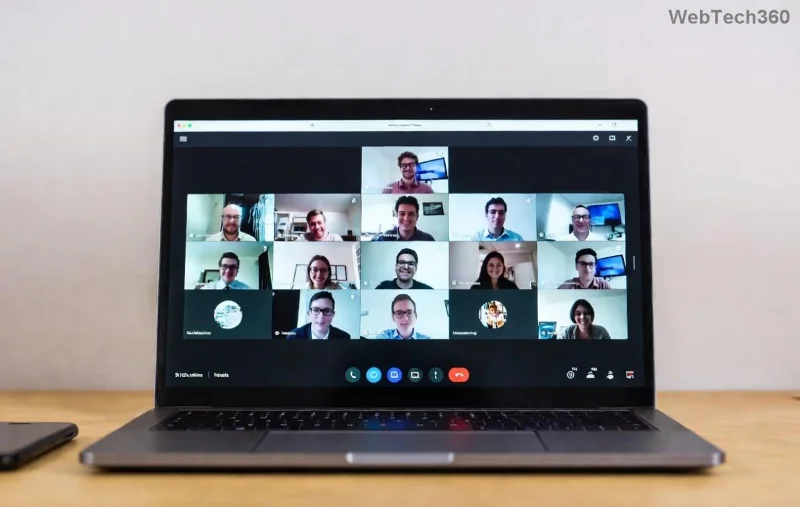
Microsoft Teams Breakout Rooms interface showing options to create and manage rooms

🚨 Top Reasons Breakout Rooms Aren't Showing in Microsoft Teams

Understanding the root cause is your first step to victory. Here are the most common culprits, backed by the latest Microsoft Teams features:

  1. 1️⃣ You're Not the Meeting Host or Co-Organizer
    Only the meeting organizer or assigned co-organizers can create, open, or manage Breakout Rooms. Participants? They wait for an invite. Pro Tip: Ask the host to promote you!
  2. 2️⃣ Breakout Rooms Not Enabled Before the Meeting
    Unlike spontaneous chats, Breakout Rooms must be set up pre-meeting via the Breakout Rooms button in the meeting options. Missed it? No rooms appear.
  3. 3️⃣ Outdated Microsoft Teams App
    Older versions lack full Breakout Rooms support. Ensure you're on the newest desktop, mobile, or web app—Microsoft rolls out enhancements frequently.
  4. 4️⃣ License or Policy Restrictions
    Free or basic accounts might miss advanced features. Education or Enterprise licenses unlock full Breakout Rooms with assignments and timers.
  5. 5️⃣ Web Browser Limitations
    The web version of Teams sometimes hides Breakout Rooms due to compatibility. Switch to the desktop app for reliability. ❌
  6. 6️⃣ Meeting Size or Settings Clash
    Large meetings (over 300) or disabled "Who can bypass lobby?" settings can block rooms. Check attendee limits.
  7. 7️⃣ Network or Device Glitches
    Firewall blocks, low bandwidth, or cache issues hide UI elements. Simple refresh often revives them. ⭐

🔧 Step-by-Step Fixes: How to Make Breakout Rooms Visible in Microsoft Teams

Ready to fix it? Follow these prioritized steps. Most users resolve the issue in under 5 minutes. Let's get those rooms popping up! 😊

Issue Quick Fix Expected Result
Not Host Click More actions > Make co-organizer (host only) Breakout Rooms button appears instantly
Not Enabled During meeting: More actions > Breakout Rooms > Create Rooms list shows with Add Room option
Outdated App Teams > Profile > Check for updates Full UI refresh with latest Breakout Rooms tools
Web Version Download Teams desktop app Seamless room management

Still stuck? Dive deeper:

  • 👆 Enable as Host: Schedule a new meeting > Breakout Rooms in the toolbar > Assign participants automatically or manually. Rooms auto-appear 10 minutes before start.
  • 💡 During Live Meeting: Click Breakout Rooms (if visible) > Open all rooms to send invites. Participants see a Join prompt.
  • 🔄 Troubleshoot Tech: Clear Teams cache (Settings > Apps > Teams > Clear cache), restart app, or test on another device.
  • 📱 Mobile Users: Ensure latest app version; swipe up for more options—Breakout Rooms hides in compact views.
Step-by-step guide to creating and managing Breakout Rooms in Microsoft Teams meetings

Advanced Tips for Seamless Breakout Rooms in Microsoft Teams

Once visible, level up your sessions:

  • Auto vs Manual Assignment: Use auto for speed; manual for custom groups (e.g., by skill level). ⭐
  • Timers & Recalls: Set countdowns and recall participants anytime—perfect for timed discussions.
  • Permissions: Hosts can allow presenters to manage rooms too. Check via Meeting options.
  • Best Practices: Limit to 5-10 per room for engagement. Pre-assign in recurring meetings for efficiency.

For official details, visit Microsoft's Breakout Rooms guide. It's your ultimate reference. 👏

FAQ: Quick Answers to Breakout Rooms Woes

Q: Why can't participants see Breakout Rooms even after creation?
A: They need a direct invite from the host. Click Open all rooms!

Q: Do guests support Breakout Rooms?
A: Yes, but only in licensed orgs. Free guests might see limited views.

Q: Fixed for large meetings?
A: Up to 50 rooms now, with 200+ participants total in latest updates.

Congrats—you're now a Breakout Rooms pro! Next time a meeting hits a snag, revisit this for that instant win. Share your success story in the comments. What's your go-to Teams hack? 🚀

Leave a Comment

Troubleshooting Microsoft Teams Code Error Redemption

Troubleshooting Microsoft Teams Code Error Redemption

Tired of Microsoft Teams "Code Error" blocking your redemption? Get proven, step-by-step Troubleshooting Microsoft Teams "Code Error" Redemption solutions. Clear cache, update, and redeem successfully—fast and easy!

How to Fix Microsoft Teams Error QSP During Installation

How to Fix Microsoft Teams Error QSP During Installation

Stuck with Microsoft Teams "Error QSP" during installation? Follow our step-by-step guide with quick fixes to resolve the issue fast. Updated for the latest Teams versions—no tech skills needed!

How to Fix Microsoft Teams Test Call Error 2026

How to Fix Microsoft Teams Test Call Error 2026

Tired of Microsoft Teams Test Call Error 2026 ruining your meetings? Discover simple, effective fixes to restore audio instantly. Step-by-step guide with expert tips for seamless Teams calls.

Solving Microsoft Teams Error 4vt9f Microphone Not Detected

Solving Microsoft Teams Error 4vt9f Microphone Not Detected

Struggling with Microsoft Teams Error 4vt9f Microphone Not Detected? Discover step-by-step fixes, from quick checks to advanced troubleshooting. Get your mic working instantly for seamless calls!

How to Fix Microsoft Teams Error I Profiles

How to Fix Microsoft Teams Error I Profiles

Frustrated by Microsoft Teams "Error I" Profiles? Follow our proven, step-by-step guide to fix it fast. Clear cache, update, reset profiles & more for seamless teamwork. Works on latest versions!

Troubleshooting Microsoft Teams Error 7ita9

Troubleshooting Microsoft Teams Error 7ita9

Struggling with Microsoft Teams Error 7ita9? Discover proven, step-by-step troubleshooting solutions for connection failures, sign-in issues, and more. Fix it quickly and resume seamless teamwork today!

How to Fix Microsoft Teams Proxy Error Settings

How to Fix Microsoft Teams Proxy Error Settings

Tired of Microsoft Teams Proxy Error blocking your meetings? Discover proven steps to fix proxy settings fast. Get seamless Teams experience with our ultimate guide. Works on Windows, Mac & latest versions!

How to Change Microsoft Teams Recording Location

How to Change Microsoft Teams Recording Location

Discover the ultimate guide on how to change Microsoft Teams recording location. Step-by-step instructions to move recordings from OneDrive or SharePoint to your desired folder, perfect for users and admins.

How to Fix Microsoft Teams Error A Startup

How to Fix Microsoft Teams Error A Startup

Struggling with Microsoft Teams "Error A" Startup? Discover step-by-step fixes, from cache clearing to reinstalls, to resolve this frustrating issue quickly and get back to seamless collaboration. Updated with the latest tips.

Solving Microsoft Teams Meeting Web App Login Problems

Solving Microsoft Teams Meeting Web App Login Problems

Struggling with Microsoft Teams meeting web app login problems? Get proven, step-by-step solutions to clear cache, fix browser glitches, and resolve account errors for seamless access. Works on latest browsers!

Where are Microsoft Teams Recordings Saved in 2026?

Where are Microsoft Teams Recordings Saved in 2026?

Unlock the exact locations where Microsoft Teams recordings are saved in 2026. Master OneDrive and SharePoint storage, easy access tips, and pro management strategies for seamless collaboration.

How to Fix Microsoft Teams Room Error on Surface Hub

How to Fix Microsoft Teams Room Error on Surface Hub

Struggling with Microsoft Teams "Room Error" on Surface Hub? Discover proven, step-by-step solutions to fix it fast—no tech expertise needed. Get seamless meetings back in minutes with our ultimate guide.

How to Fix Microsoft Teams Error E Installation

How to Fix Microsoft Teams Error E Installation

Stuck with Microsoft Teams Error E during installation? Discover proven, step-by-step fixes for Microsoft Teams "Error E" installation issues. Get back to seamless collaboration in minutes—no tech expertise needed!

Troubleshooting Microsoft Teams X Error Startup Crash

Troubleshooting Microsoft Teams X Error Startup Crash

Tired of Microsoft Teams "X Error" startup crash ruining your day? Follow our expert troubleshooting steps to resolve it fast and get back to seamless collaboration. Latest fixes included.

How to Fix Microsoft Teams Error 49dvs Connection Issue

How to Fix Microsoft Teams Error 49dvs Connection Issue

Stuck with Microsoft Teams Error 49dvs connection issue? Follow our step-by-step guide to fix it fast – clear cache, update Teams, troubleshoot network, and more for seamless collaboration. Works on Windows, Mac & web!









