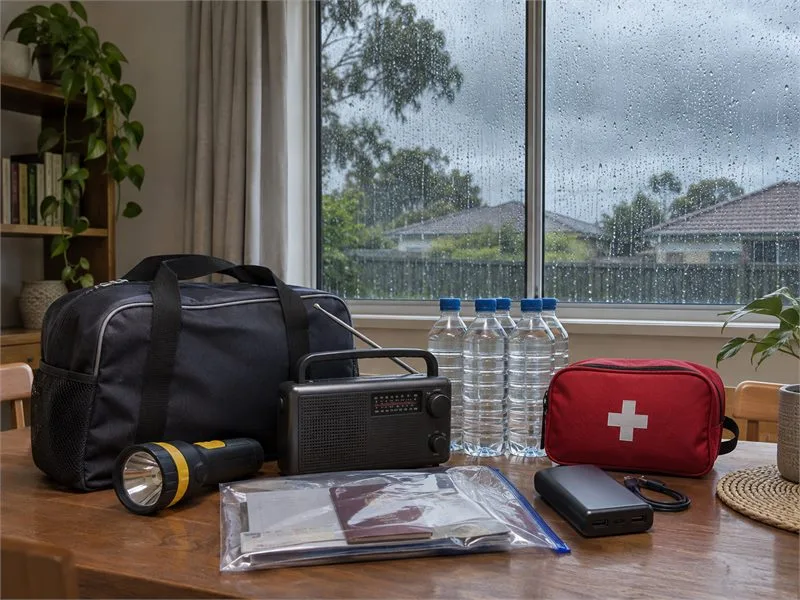
NSW Thunderstorm Update: Warning Cancelled, Storm Risk Remains | Nov. 25
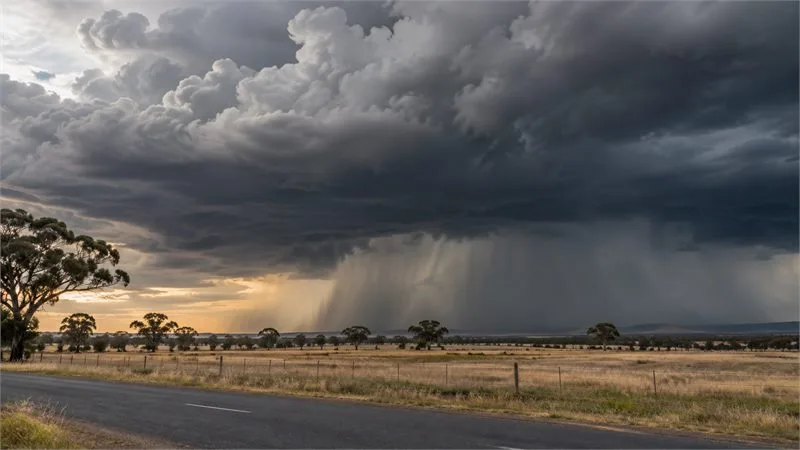
The Bureau of Meteorology’s latest NSW summary lists a cancelled severe thunderstorm warning. Storms remain possible in parts of northern and western NSW.
Information checked: 25 November 2026, 09:38 UTC (20:38 AEDT). The public Microsoft 365 status page reported all products operational on its latest refresh. That public view does not rule out an issue affecting a particular tenant, service or customer environment.
Cloud outages happen when a fault in software, hardware, networking, identity or a supporting service interrupts a workload—or when a local fault spreads through connected systems. “Code Red” is not a universal cloud-industry status category: an organisation may use it internally to signal a severe incident requiring urgent coordination. For customers, the practical questions are what is affected, what work can continue, and what recovery steps are safe.

“Code Red” usually means an organisation has escalated an incident because its severity, urgency or business impact demands immediate attention. The phrase has no single definition shared by all cloud providers. One company might reserve it for a critical customer-facing outage; another might use a different severity scale altogether.
Read the provider’s incident wording and your own incident plan instead of relying on the label. Look for the named product, affected regions, start time, latest update, customer impact and recommended actions. A status marked “degraded” can disrupt an essential workflow, while an alarming internal alert may concern only one application component.
Cloud services are made up of many dependent components. A user request might pass through a network, identity service, application, database and storage system. A problem in any link can cause slow responses, failed sign-ins or unavailable features. The underlying trigger may be physical, such as a power or network fault, or software-related, such as a faulty change, configuration error or overloaded service.
Dependencies also create a path for faults to spread. If an application cannot reach a database, it may hold connections open or send repeated requests. Those retries can consume capacity just as the database is trying to recover. Microsoft’s transient-fault guidance recommends finite retries, exponential backoff, retry budgets and circuit breakers to reduce this risk.
Some failures are confined to one resource or customer setup; others affect a zone, region or shared service. Redundancy can reduce exposure, but it does not remove every common dependency. A workload spread across zones may still rely on the same identity provider, deployment pipeline or misconfigured application release.
Start with the provider’s official public status page for broad incidents. Microsoft’s Microsoft 365 status page reports service health for consumer products and directs business and enterprise customers to check the admin centre. For Azure, Microsoft explains that its public status page focuses on wide-impact incidents, while Azure Service Health provides targeted information for affected customers, subscriptions and regions.
Compare the reported impact with your own symptoms. Check more than one user, device and network; note the error message and time; and see whether unrelated services work. If the public page is clear but your application still fails, inspect resource-level health, application logs, identity, DNS, network paths and recent configuration changes. Microsoft notes that a resource can appear healthy while a problem exists elsewhere in the application or network.
Do not infer that a service is unaffected solely because a public dashboard is green. Microsoft says it uses the public Azure status page for incidents with broad impact and sends many service communications through targeted Service Health notifications.
After service returns, verify that queued jobs completed, reconcile transactions and check for delayed side effects. Keep the incident timeline and review what would shorten recovery next time.
Choose resilience measures according to the business impact of downtime. Back up important data and practise restoring it. Where the workload requires it, design for zone or regional failure, and confirm that dependencies and data replication support the intended recovery point and recovery time. Microsoft’s availability-zone overview explains how separate zones can help workloads withstand a single-zone disruption.
Document who can declare an incident, where status updates come from, which tasks can move to manual processing, and who approves failover. Exercise those steps: a backup that has never been restored, or a secondary region that has never handled production traffic, may not deliver the expected recovery. Google Cloud’s incident-handling guidance likewise emphasises verifying the suspected impact, investigating, reporting, resolving and reviewing, alongside designing for failure and practising response.
There is no guarantee that a particular provider or architecture will avoid future outages. The useful forecast is conditional: tested failover, bounded retries, clear ownership and rehearsed manual procedures can limit the consequences if a dependency fails, while the actual cause and recovery time of any live incident depend on the affected systems and provider updates.
No universal meaning is established by the phrase. Treat it as an internal severity label unless the organisation defining it provides a specific incident scale.
The issue may be limited to your resource, tenant, configuration, network or application. Check account-specific health information and your own telemetry.
No. It can provide another recovery location when designed and tested properly, but shared dependencies, data replication, configuration faults and failover errors can still affect service.
The Bureau of Meteorology’s latest NSW summary lists a cancelled severe thunderstorm warning. Storms remain possible in parts of northern and western NSW.
Prepare for severe storms in NSW with a practical home and family checklist, warning guidance, and the right emergency contacts: 000 and SES 132 500.
Nintendo’s Ver. 1.9.0 update adds eight remixed courses, two Knockout Tour rallies, automatic race and battle replays, and gameplay fixes to Mario Kart World.
Dough Balls Pizza Place Pty Ltd entered creditors’ voluntary liquidation on 20 November. Here’s what the liquidator’s appointment and reported restaurant closures mean.
Dough Balls Pizza Place entered liquidation on Nov. 20. Learn what its closure means for gift cards, deposits, orders, and employee entitlements in Australia.
Check Microsoft 365 and Azure service health, identify whether an outage affects your business, and protect essential operations with practical continuity steps.
Understand how cloud failures spread, what “Code Red” signals, and how Australian businesses can verify an outage, limit downtime and prepare for recovery.
Nintendo’s Mario Kart World 1.9.0 update adds eight course variants, two Knockout Tour rallies and race replays, alongside gameplay fixes. See the verified patch notes.
Gatwick’s third-party AutoPay service remains unavailable after unauthorized access. See what data may be involved, what remains unknown, and what drivers can do.
NOAA warns of Thanksgiving storm risks across the East and wet weather in the West. Learn how weather can affect flights, connections and your travel plans.