Desk Decorating Ideas for a Spooky Office Cubicle

Create a spooky office cubicle with Halloween desk decor ideas that keep your workspace usable, tidy, and mindful of workplace safety.
Power Saving Mode or Low Power Mode are effective ways to increase battery life, allowing you to use your device for many hours. But leaving Power Saving Mode on all the time is not good for your phone and it can seriously affect the performance and usability of your phone.
Table of Contents
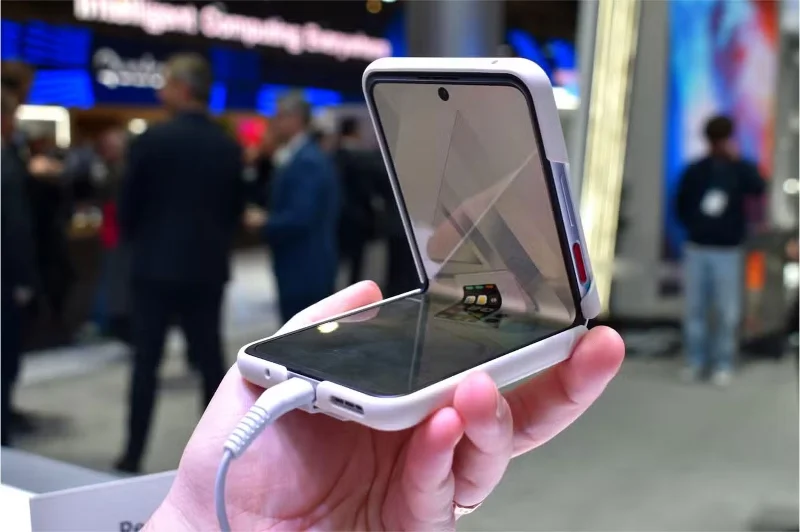
Battery saving modes don't just reduce background activity. They also limit your phone's processing power to save energy. As a result, apps may take longer to open, animations may be sluggish, and the overall experience may feel less smooth than usual.
This slowdown may not be noticeable for simple tasks like checking messages or browsing the web. But if you frequently switch between apps, scroll through video-filled social media, or edit photos, the difference becomes noticeable.
Gamers will see an even bigger impact. Many mobile games rely on stable frame rates and fast response times, both of which are affected when you switch to Battery Saver Mode (Android devices) or Low Power Mode (iOS/Apple devices), and your smartphone's performance will be limited. Even if gaming isn't a priority for you, there's no reason to put up with a slower phone all the time when it's not necessary.
Performance isn't the only thing affected by Battery Saver Mode. Many apps rely on background processes to download updates, sync data, and function normally. When those processes are slowed down, you may find that your apps don't perform as expected.
Streaming apps may suddenly stop when you switch tasks. Navigation apps may struggle to update your location in real time. Email apps may stop loading new messages until you manually open them. If you use cloud storage , you may notice delays in file syncing, making it harder to access important documents when you need them.
These restrictions can be helpful when your battery is running low, but they can also make everyday tasks less seamless. Instead of apps working automatically, you may find yourself refreshing, reopening, or troubleshooting more often than necessary.
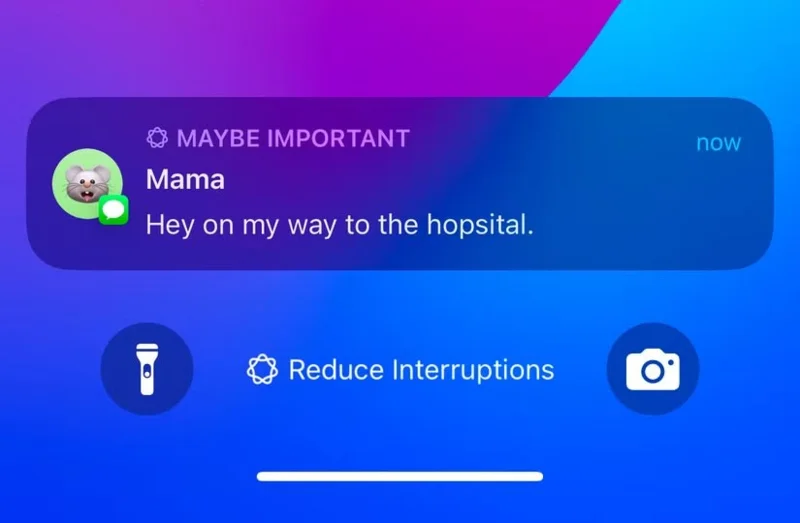
One of the biggest drawbacks of Low Power Mode is the possibility of missed or delayed notifications. Apps that rely on real-time updates, such as messaging platforms, email apps, and package tracking apps, may not notify you as quickly as you expect.
If you’re waiting for an important message or time-sensitive alert, battery saving can cause delays that keep you from getting the information you need. Sometimes high-priority notifications will still appear, but less frequent updates may be held back until you open the app. This can be especially frustrating with messaging apps like WhatsApp and Telegram , where even a few seconds of delay can cause a conversation to become out of sync.
In more critical situations, a delay in two-factor authentication codes or emergency alerts can cause real problems. Even a small delay matters when you need to access information immediately.
While Android's Battery Saver mode and iOS's Low Power Mode help save power, the actual impact on battery life isn't always noticeable. Modern smartphones are designed to manage power efficiently by adjusting app performance based on usage patterns.
In some cases, using 24/7 Power Saver mode can even be counterproductive. Manually refreshing apps, restarting background services, or dealing with sluggish performance can use more power than letting your phone run normally. Features like adaptive battery management and auto-brightness offer ways to extend battery life without the same level of disruption.
It's also important to note that phone batteries naturally degrade over time, and over-powering won't stop that process. Instead of relying on Battery Saver or Low Power Mode as a permanent fix, optimizing your charging habits and tweaking a few key settings may be a better long-term strategy.
If you constantly use battery saver mode because you're concerned about battery life, there are better ways to extend battery life without sacrificing performance.
Adjusting screen brightness, turning off features like Wi-Fi and location services when not in use, and managing individual background apps can make a significant difference.
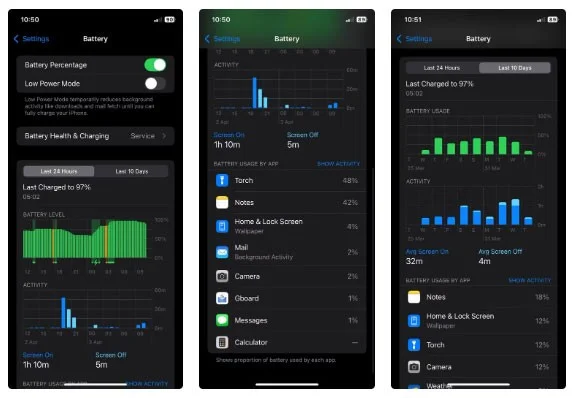
Checking your battery usage statistics can also help identify apps that are draining your battery unnecessarily. Some poorly optimized apps continue to use battery even when they are idle, and replacing them with more efficient alternatives can help extend your battery life more than leaving Battery Saver Mode on all the time.
Rather than treating Power Saving Mode as a top priority, it's best to only use it when you really need it - like when your phone is running low on battery and you need to squeeze a little extra life out of it. Your phone is designed to provide a smooth, responsive experience, and keeping it unnecessarily restrictive just means you're not getting the full value of what you paid for.
Create a spooky office cubicle with Halloween desk decor ideas that keep your workspace usable, tidy, and mindful of workplace safety.
Plan a recognizable Halloween 2026 look with pop culture costumes inspired by Spider-Man, Supergirl, Toy Story 5, Moana, Mario, and Wednesday.
Sort leftover Halloween candy safely, share or repurpose sealed treats, and choose food use or compost for pumpkins based on their condition.
Compare workplace Halloween costume choices by respect, dress code, mobility, and safety—and learn when a subtle accessory or a policy check is the better option.
Find a couples costume that fits your style, budget, and comfort level, from Addams Family classics to original inside-joke duos.
Need a last-minute high school Halloween costume? Compare 10 easy closet-based ideas by prep time, comfort, school-day practicality, and simple safety checks.
Use a simple 2026 Halloween decorating timeline for indoor décor, outdoor displays, and fresh pumpkins, with practical adjustments for weather and events.
Mix five vivid, approachable Halloween cocktails with measured recipes, simple prep tips, and an alcohol-free option for your party guests.
Find 15 office-friendly Halloween costume ideas for 2026, with practical checks for dress codes, respectful themes, comfort, and workplace safety.
Plan a fun elementary school Halloween party with easy crafts, games, inclusive treats, costume tips, and a sample 75-minute classroom schedule.








