Why should you skip the Galaxy Z Fold 6 and buy the Pixel 9 Pro Fold?

There's no denying Samsung's influence on foldable phones. However, the Galaxy Z Fold 6 only offers minor improvements, while Google's Pixel 9 Pro Fold seems to have the upper hand, which is why it's the better choice.

1. Pixel 9 Pro Fold has a more compact design

Why should you skip the Galaxy Z Fold 6 and buy the Pixel 9 Pro Fold?
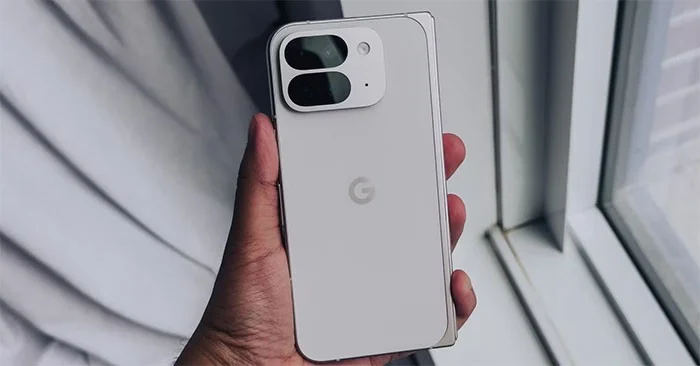
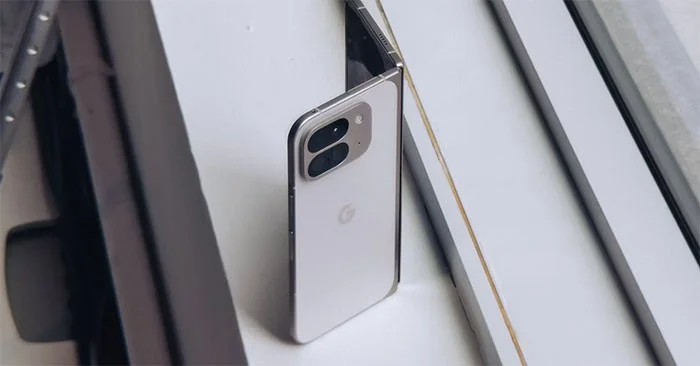
Pixel 9 Pro Fold in White

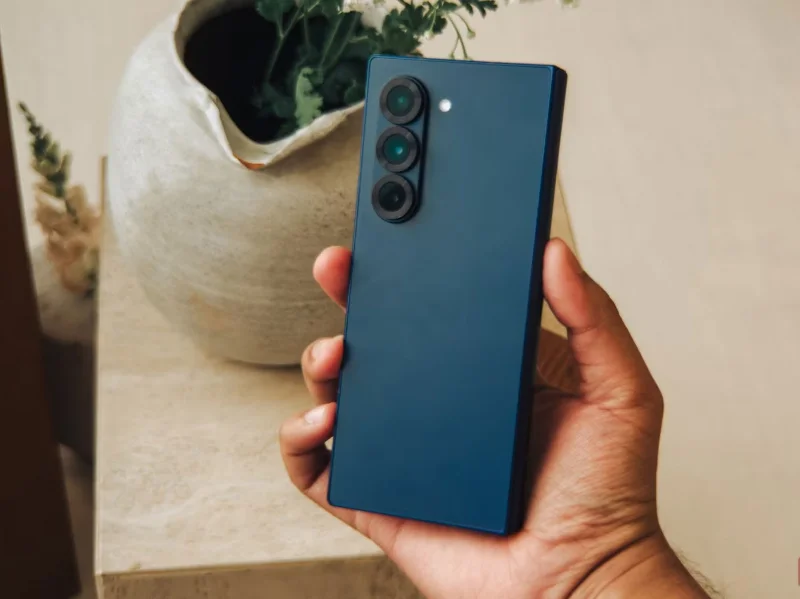
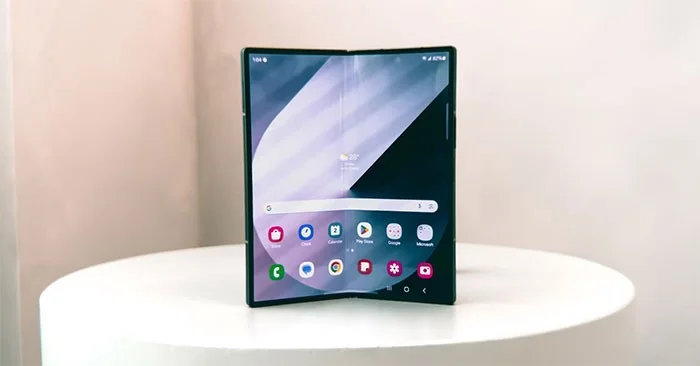
Samsung hasn't pushed the boundaries of what foldable phones can do with the Galaxy Z Fold 6. The update has tweaked the design a bit, making the device a little more usable, but it still leaves a lot to be desired, especially for compact phone enthusiasts.

The Pixel 9 Pro Fold, with its wider and lower design, makes it very easy to use. The Pixel 9 Pro Fold is also thinner than the Galaxy Z Fold 6. When unfolded, the Pixel is 5.1mm thick, while the Z Fold is 5.6mm thick, and when folded, the Pixel is 10.5mm thick, while the Z Fold 6 is 12.1mm thick.

Why should you skip the Galaxy Z Fold 6 and buy the Pixel 9 Pro Fold?
Samsung Galaxy Z Fold 6

2. Pixel 9 Pro Fold has a better camera

Why should you skip the Galaxy Z Fold 6 and buy the Pixel 9 Pro Fold?
Pixel 9 Pro Fold in White

The Pixel 9 Pro Fold and Galaxy Z Fold 6 cameras are pretty similar. First, the main camera. The Pixel 9 Pro Fold's 48MP wide-angle camera has an 82-degree field of view, which means flatter images than the 85-degree field of view on Samsung's 50MP wide-angle camera. This also means there's less of a fisheye effect with the Pixel's camera.

Then, on the ultra-wide camera, the Pixel 9 Pro Fold offers a dedicated macro mode, which means you can get closer to your subject and take multiple shots. For those who love to travel and take photos, this is a must-have option.

Finally, let's talk about the telephoto camera. The Pixel Fold's 5x optical zoom is much more appealing for image composition than the Z Fold 6's 3x optical zoom.

Why should you skip the Galaxy Z Fold 6 and buy the Pixel 9 Pro Fold?
Samsung Galaxy Z Fold 6 (navy blue)

Add to that the various software features Google has baked into its camera experience, like Top Shot and “Add Me,” and you have an experience that the Z Fold 6’s camera can’t match.

3. Pixel 9 Pro Fold will get faster updates

Why should you skip the Galaxy Z Fold 6 and buy the Pixel 9 Pro Fold?
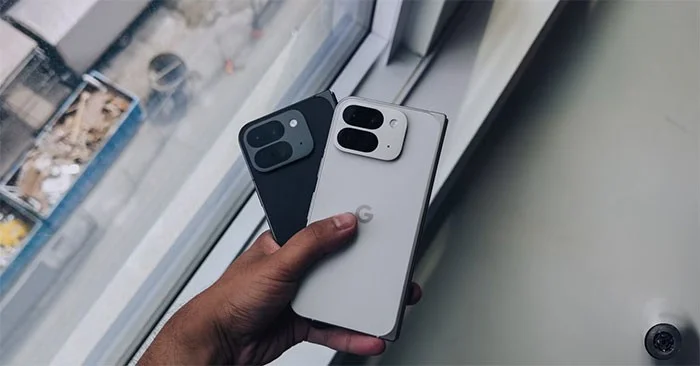
Pixel 9 Pro Fold in white and black

There's another obvious advantage to owning a Google phone. It gets faster updates than the Samsung Galaxy Z Fold 6. Many people like this aspect of the ownership experience; waiting for updates is not a pleasant experience.

When some of Android 15's best features hit compatible devices in late 2024, the Pixel 9 Pro Fold will be one of the first few to get them. With the Z Fold 6, users will have to wait weeks, if not months, before Samsung rolls out its version of OneUI.

It's worth noting, though, that both Samsung and Google offer seven years of software upgrades and security updates for their devices.

4. New Features to Expect with Pixel Drops

Why should you skip the Galaxy Z Fold 6 and buy the Pixel 9 Pro Fold?
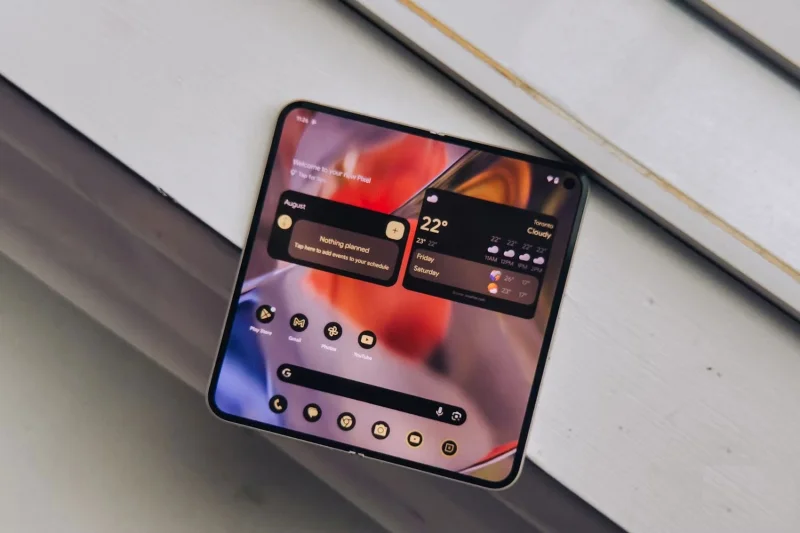
Pixel 9 Pro Fold

The final reason many people would choose the Pixel 9 Pro Fold over the Galaxy Z Fold 6 is the features Google brings to its proprietary devices over time with Pixel Feature Drops. These quarterly updates add more functionality after launch, meaning the Pixel 9 Pro Fold will get better over time, just like the Pixel 8 and Pixel 8 Pro have done since their launch in 2023.

Even at launch, the Pixel 9 Pro Fold boasts interesting features like Pixel Screenshots and Add Me. Both are AI-based features that use images in interesting ways. For example, Pixel Screenshots can remember details from screenshots and then use the Gemini Nano model to help you easily organize data, recall locations or events, and more.

With competition in the foldable phone space growing, Samsung could do more to differentiate its Z Fold series. One UI has provided the most polished multitasking experience, giving the company an advantage, but the hardware improvements have come too late.

On the other hand, Google's Pixel 9 Pro Fold brings a lot of notable changes over its predecessor - both hardware and software - bringing the fun factor that many are eagerly waiting to experience.
Leave a Comment

Causes of oil heater noise, oil leakage and no heating when in use

Causes of oil heater noise, oil leakage and no heating when in use

Oil heaters make noise, leak oil, and do not heat up. These are all problems that arise when using a heater. So what are the causes of these problems? Read our article below!

How to Assign Participants to Breakout Rooms in Microsoft Teams

How to Assign Participants to Breakout Rooms in Microsoft Teams

Master how to assign participants to breakout rooms in Microsoft Teams with this step-by-step guide. Boost meeting engagement, automate assignments, and troubleshoot like a pro for seamless virtual collaboration.

How to Fix Microsoft Teams Giá Error Pricing Update

How to Fix Microsoft Teams Giá Error Pricing Update

Struggling with Microsoft Teams "Price Error" after the latest pricing update? Discover step-by-step fixes to resolve it quickly, restore seamless collaboration, and avoid subscription headaches. Updated with the newest solutions.

Solving Microsoft Teams Background Error Transparency

Solving Microsoft Teams Background Error Transparency

Struggling with Microsoft Teams Background Error Transparency? Discover proven step-by-step fixes for blurry, glitchy virtual backgrounds. Restore perfect transparency in Teams meetings effortlessly. Updated with the latest solutions.

How to Fix Microsoft Teams Đăng nhập Error (Login)

How to Fix Microsoft Teams Đăng nhập Error (Login)

Struggling with Microsoft Teams "Đăng nhập" login error? Discover step-by-step fixes for smooth sign-in. Clear cache, update app, and more – no tech skills needed! Works on Windows, Mac, and web.

Solving Microsoft Teams Web Error 503 Service Unavailable

Solving Microsoft Teams Web Error 503 Service Unavailable

Tired of Microsoft Teams Web Error 503 Service Unavailable blocking your meetings? Discover quick, step-by-step fixes to resolve the 503 error fast – no tech skills needed! Clear cache, check status, and get back to collaborating seamlessly.

Troubleshooting Microsoft Teams Update Error 0x80070002

Troubleshooting Microsoft Teams Update Error 0x80070002

Stuck with Microsoft Teams Update Error 0x80070002? Discover proven troubleshooting steps to resolve this frustrating issue quickly and get your Teams app updated seamlessly for uninterrupted collaboration.

Solving Microsoft Teams Error AADSTS50020: User Account Conflict

Solving Microsoft Teams Error AADSTS50020: User Account Conflict

Tired of Microsoft Teams Error AADSTS50020 blocking your sign-in? Discover step-by-step fixes for user account conflicts, backed by the latest Azure AD solutions. Get back to work fast!

How to Fix Microsoft Teams Microphone Error No Sound

How to Fix Microsoft Teams Microphone Error No Sound

Tired of Microsoft Teams microphone error with no sound? Discover quick, step-by-step fixes for Teams mic not working on Windows, Mac, and more. Restore crystal-clear audio in minutes!

How to Fix Microsoft Teams Task Management Error

How to Fix Microsoft Teams Task Management Error

Tired of the Microsoft Teams "Task Management" Error disrupting your workflow? Discover proven fixes like clearing cache, updating Teams, and troubleshooting permissions to get back to seamless collaboration in minutes. Updated with the latest solutions.

How to Fix Microsoft Teams How to Teams Help Error

How to Fix Microsoft Teams How to Teams Help Error

Frustrated by the Microsoft Teams 'How to Teams' Help Error? Discover proven, step-by-step solutions to fix it quickly and restore smooth help access. Latest 2026 updates included for seamless teamwork.

Solving Microsoft Teams Room Error Syncing

Solving Microsoft Teams Room Error Syncing

Struggling with Microsoft Teams "Room Error" Syncing? This ultimate guide provides step-by-step fixes for Microsoft Teams Room Error Syncing issues, ensuring seamless meetings and quick resolutions. Updated with the latest tips.

Troubleshooting Microsoft Teams Workflows Power Automate

Troubleshooting Microsoft Teams Workflows Power Automate

Master troubleshooting Microsoft Teams Workflows Power Automate issues with step-by-step fixes for common errors. Get your automations running smoothly – no more frustration! Proven solutions for triggers, permissions, and more.

Solving Microsoft Teams Restart Error (2026)

Solving Microsoft Teams Restart Error (2026)

Struggling with Microsoft Teams "Restart Error" in 2026? Discover proven, step-by-step fixes to resolve the endless restart loop quickly. Clear cache, reset app, and more for seamless collaboration. Get back online fast!

How to Create Breakout Rooms in Microsoft Teams Before a Meeting

How to Create Breakout Rooms in Microsoft Teams Before a Meeting

Master how to create breakout rooms in Microsoft Teams before a meeting with this easy guide. Pre-assign participants, boost collaboration, and elevate your virtual sessions effortlessly.