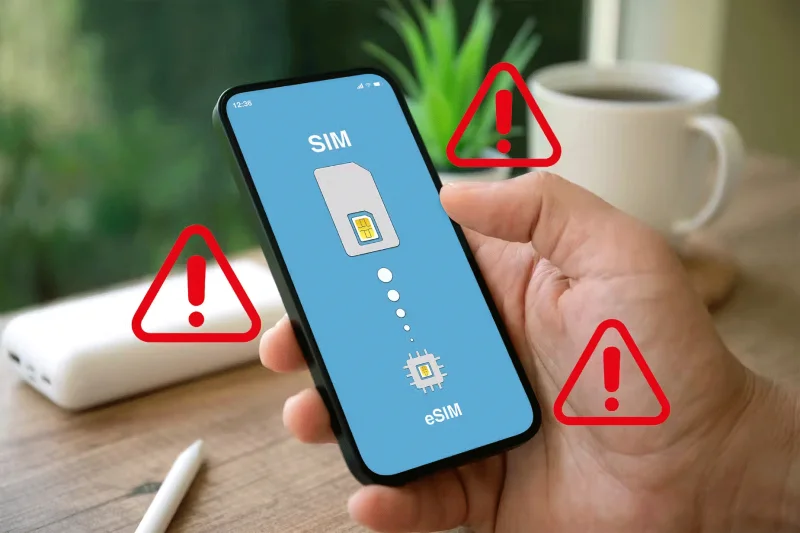
Why should you still buy a phone with a physical SIM slot?

Many phones now support eSIMs . However, the availability of this technology doesn't mean you should ignore the benefits of a phone with a physical SIM slot. There are many reasons, and here are some of the most important ones.

1. Wider device compatibility across carriers

Why should you still buy a phone with a physical SIM slot?

When it comes to device compatibility, physical SIM cards have a clear advantage over eSIMs. Not all carriers support eSIM technology, so you may be limited in your device selection if you choose an eSIM-only phone.

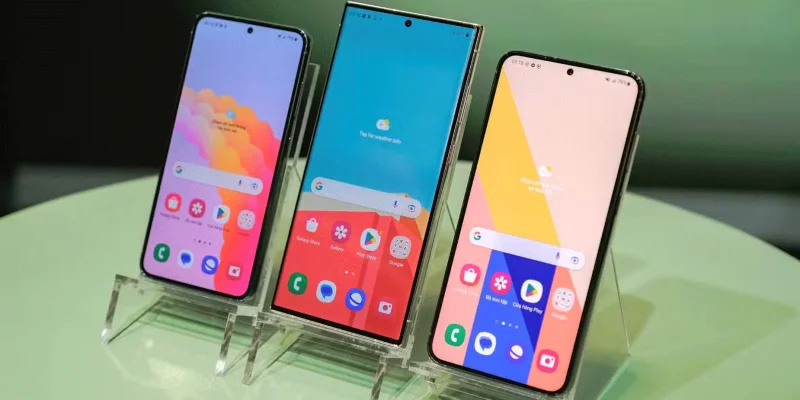
On the other hand, phones with a physical SIM slot, like the Galaxy S24 Ultra , are compatible with more carriers, giving you more freedom to choose the device that best suits your needs.

Additionally, if you keep old devices as backups or pass them on to family members, having a physical SIM slot ensures that those devices can still be used with any carrier.

2. Easily switch carriers with a physical SIM

Why should you still buy a phone with a physical SIM slot?

If you frequently switch carriers, whether to take advantage of better deals or to get better coverage, a phone with a physical SIM slot is definitely the way to go. With a physical SIM slot, you can easily swap out your old SIM for a new one from another carrier and you're good to go.

However, with eSIM-only phones, switching carriers can be a little more complicated. First, you'll need to make sure your new carrier supports eSIMs and that your phone is compatible with their network. Then, you'll need to go through the process of downloading and activating a new eSIM, which can take a while and requires a stable internet connection.

And if you travel a lot or live in an area with spotty internet coverage, this can be a real problem. With a physical SIM, you don't have to worry about any of that - just pop in your new SIM and you're good to go - no matter where you are.

Finally, if you want to keep a spare phone in case of emergency, a phone with a physical SIM slot makes it easy to quickly transfer service to that device. With an eSIM, you'll need to go through the entire activation process again, which can be a real pain in the ass.

3. Your network provider can't track you easily

Why should you still buy a phone with a physical SIM slot?

Using a phone with a physical SIM card slot gives you more control over when and how your device connects to the network. If you’re worried about your location being tracked, simply remove the SIM card. Your phone will no longer be connected to the network, making it much harder for your carrier to track your location.

Unfortunately, eSIMs are embedded directly into the device, meaning your phone is always connected to the network as long as it's turned on. This constant connection makes it easier for network providers to track your movements and activities, which can sometimes be a big concern if you value your privacy.

4. eSIM support is limited in some countries

Why should you still buy a phone with a physical SIM slot?

If you travel a lot, you might want to think twice before ditching your phone with a physical SIM slot. While eSIMs are supposed to make international travel more convenient, the reality is that many countries and carriers don't fully support them yet.

You can easily purchase a local SIM card and pop it into your device to stay connected, no matter where your adventures take you. Plus, you won’t have to worry about compatibility issues or limited eSIM support ruining your travel plans.

So whether you're a frequent traveler, a privacy-conscious user, or someone who simply values ​​the freedom to choose your carrier and device, a phone with a physical SIM slot is still the way to go. But at the same time, it's important to be aware of the potential security risks, as SIM cards can be hacked.
Leave a Comment

Fixing Microsoft Teams Vcruntime140.dll Missing Error

Fixing Microsoft Teams Vcruntime140.dll Missing Error

Tired of the frustrating Microsoft Teams Vcruntime140.dll missing error crashing your meetings? Discover proven, step-by-step fixes to resolve it fast and restore smooth teamwork. No tech skills needed!

How to Fix Microsoft Teams Undefined Error (2026)

How to Fix Microsoft Teams Undefined Error (2026)

Struggling with Microsoft Teams 'Undefined Error' (2026)? Discover proven, step-by-step fixes like clearing cache, updating the app, and more. Get back to seamless collaboration fast!

How to Disable Microsoft Teams at Startup for Better PC Performance

How to Disable Microsoft Teams at Startup for Better PC Performance

Discover simple, step-by-step methods to disable Microsoft Teams at startup and unlock better PC performance. Faster boot times, less resource drain—perfect for Windows users seeking smooth operation.

How to Fix Microsoft Teams Network Error Offline

How to Fix Microsoft Teams Network Error Offline

Stuck with Microsoft Teams "Network Error" offline? Discover proven, step-by-step solutions to fix Microsoft Teams network error offline quickly. Get back online fast—no tech skills needed!

Solving Microsoft Teams Error 4oggx

Solving Microsoft Teams Error 4oggx

Struggling with Microsoft Teams Error 4oggx? Discover proven fixes to resolve sign-in failures, crashes, and connectivity issues fast. Get back to productive calls without frustration!

How to Fix Microsoft Teams Remove Account Data Error

How to Fix Microsoft Teams Remove Account Data Error

Encountering the frustrating Microsoft Teams "Remove Account" Data Error? Discover quick, reliable fixes like clearing cache, resetting the app, and more to get back to seamless collaboration without losing data. Updated with the latest solutions.

Troubleshooting Microsoft Teams Layout Error Sidebar

Troubleshooting Microsoft Teams Layout Error Sidebar

Tired of the frustrating Microsoft Teams "Layout Error" Sidebar? Follow our proven, step-by-step troubleshooting guide with the latest fixes to get your Teams sidebar working smoothly again. No tech skills needed!

Troubleshooting Microsoft Teams Offline Error in 2026

Troubleshooting Microsoft Teams Offline Error in 2026

Stuck with Microsoft Teams offline error in 2026? Discover proven troubleshooting steps, common causes, and quick fixes to restore your connection fast. No tech skills required!

How to Fix Microsoft Teams Error M Memory

How to Fix Microsoft Teams Error M Memory

Tired of Microsoft Teams crashing with "Error M" memory issues? Follow our step-by-step guide to fix Error M in Teams, clear cache, update software, and boost performance—no tech skills required!

Step-by-Step: Setting Up Microsoft Teams Town Hall Events

Step-by-Step: Setting Up Microsoft Teams Town Hall Events

Discover the easiest step-by-step guide to setting up Microsoft Teams Town Hall events. Host massive virtual gatherings effortlessly with pro tips for seamless execution. Perfect for leaders and organizers!

How to Fix Microsoft Teams Download Error for PC

How to Fix Microsoft Teams Download Error for PC

Struggling with Microsoft Teams "Download Error" on PC? Discover proven, step-by-step fixes to resolve download failed issues quickly. Get back to seamless collaboration in minutes—no tech skills needed!

Troubleshooting Microsoft Teams Error L License

Troubleshooting Microsoft Teams Error L License

Stuck with Microsoft Teams "Error L" License error? Follow this step-by-step troubleshooting guide to resolve licensing issues quickly, restore access, and boost productivity without IT hassle. Updated with latest fixes.

Troubleshooting Microsoft Teams Video Call Freezing

Troubleshooting Microsoft Teams Video Call Freezing

Tired of Microsoft Teams video call freezing mid-meeting? Follow this proven troubleshooting Microsoft Teams video call freezing guide with quick fixes, advanced tips, and real solutions to restore smooth video instantly.

How to Fix Microsoft Teams Download Failed Due to Unexpected Error

How to Fix Microsoft Teams Download Failed Due to Unexpected Error

Frustrated by Microsoft Teams 'Download Failed Due to Unexpected Error'? Discover proven, step-by-step solutions to fix this common issue quickly and get back to seamless collaboration. Updated with the latest fixes for peak performance.

Why Did My Microsoft Teams Recording Fail? Common Reasons

Why Did My Microsoft Teams Recording Fail? Common Reasons

Frustrated because your Microsoft Teams recording failed? Uncover the top common reasons like permissions issues, storage limits, and network glitches, plus step-by-step fixes to prevent future failures and record flawlessly every time.