Leftover Halloween Candy and Pumpkins: What to Do Next

Sort leftover Halloween candy safely, share or repurpose sealed treats, and choose food use or compost for pumpkins based on their condition.
You've probably heard that every aspect of creativity is going to be obsolete because of AI. However, that's not entirely true. Manual photo editing isn't going away, even as AI advances, and here's why.
1. Photo editors will want to create their own style
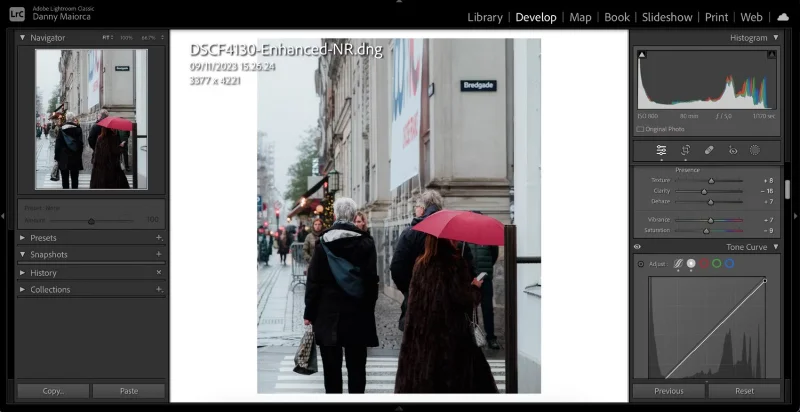
Many people who don’t know how to use tools like Lightroom often use the Auto tools more than they need to. This is great for learning how to use the software, but in the end, the photos will look similar and uninspired.
If you want to make your images look more unique, learn how to use Lightroom and Photoshop. Of course, AI will still be a part of the editing process (e.g. straightening and retouching). But make sure that about 90% of the editing is done by you for the best results.
2. Not all AI edits are created equal
These days, almost every piece of software proudly boasts about its AI capabilities. But most of these tools are just marketing gimmicks. Just because something uses AI doesn’t mean it’s good, AI is a buzzword these days, much like the overused word “low fat” in the food industry.
Some AI photo editing tools are great. For example, the Noise Reduction feature in Lightroom is worth learning how to use. However, some are a waste of time. Try every AI tool your favorite editing software has, but stick to the best ones and ignore the rest.
3. AI is very easy to detect if abused
If you're editing photos, you probably want them to look as natural as possible. One of the biggest problems with AI is that many people over-edit and it's obvious they used AI.
AI editing is fine if done in moderation, but remember not to rely on it entirely.
4. AI editing is just a supplement to manual editing
One of the most overlooked points in discussions about AI is that it is a tool, not a replacement. Too many people assume that applying AI to anything will solve a problem, but that is not true in every field, including photo editing. Human input is still needed, and there is still a role for fully manual editing.
Anyone who takes photo editing seriously will be neutral about AI. This means they may use more AI than human editing in some photos, but they may use all manual editing and no AI in others. There is no hard and fast rule about how much you should use, and even as AI develops, this will always be true. By adopting this mindset, you can benefit from AI as an artist.
AI is one of the many tools you can use to make your photos look better, but manual photo editing still has its place and always will. You should master the AI features and manual controls of your favorite photo editing software to create great photos.
Sort leftover Halloween candy safely, share or repurpose sealed treats, and choose food use or compost for pumpkins based on their condition.
Compare workplace Halloween costume choices by respect, dress code, mobility, and safety—and learn when a subtle accessory or a policy check is the better option.
Find a couples costume that fits your style, budget, and comfort level, from Addams Family classics to original inside-joke duos.
Need a last-minute high school Halloween costume? Compare 10 easy closet-based ideas by prep time, comfort, school-day practicality, and simple safety checks.
Use a simple 2026 Halloween decorating timeline for indoor décor, outdoor displays, and fresh pumpkins, with practical adjustments for weather and events.
Mix five vivid, approachable Halloween cocktails with measured recipes, simple prep tips, and an alcohol-free option for your party guests.
Find 15 office-friendly Halloween costume ideas for 2026, with practical checks for dress codes, respectful themes, comfort, and workplace safety.
Plan a fun elementary school Halloween party with easy crafts, games, inclusive treats, costume tips, and a sample 75-minute classroom schedule.
Compare realistic side hustles for 2026 by startup cost, fees, flexibility, and income control, with current tax and scam guidance from official sources.
Upgrade your home office ergonomics with current OSHA and NIOSH guidance on chair fit, monitor height, laptop setup, lighting, and movement.








