Pop Culture Costume Ideas That Will Dominate Halloween 2026

Plan a recognizable Halloween 2026 look with pop culture costumes inspired by Spider-Man, Supergirl, Toy Story 5, Moana, Mario, and Wednesday.
Winamp - the favorite music player of millions of Windows users from the 90s and early 2000s - is still trying to make a long-awaited comeback, this time as open source software.
Earlier in May, the Winamp development team announced that the source code for the Windows version of Winamp would be available to developers worldwide starting in late September 2024.
Now, that promise has come true. Winamp, the beloved media player for Windows since the late 90s, is now open source. The app's official X account has announced that an old version of Winamp released by Nullsoft is now available on GitHub, giving "retro enthusiasts and developers" a chance to explore the "inner fabric" of the iconic app. Head over to GitHub , and you'll also find all the necessary instructions on how to build the player using Visual Studio.
Winamp admits that development of the media player has "slowed down," but making the player open source will help enthusiasts keep Winamp updated and "meet current user needs."
The current version of Winamp with the mobile app is quite different from what we used to love. However, Winamp still keeps the old version of the player available to everyone. And now, with the app open source, the community can maintain the classic version of Winamp for years to come.
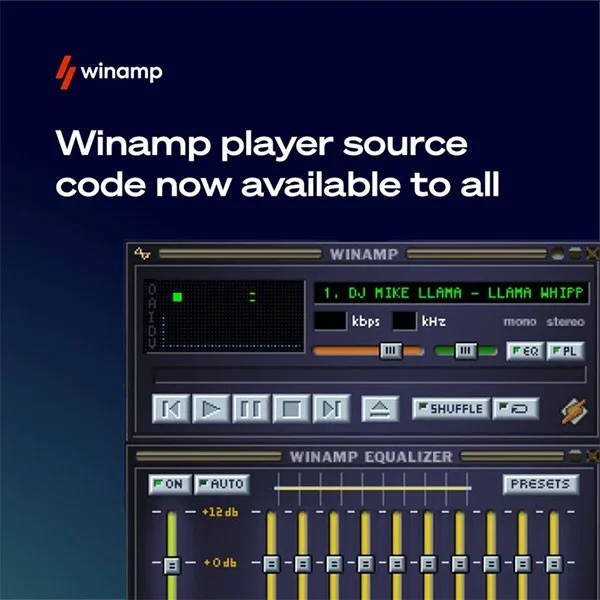
Winamp began its journey two decades ago under the Nullsoft umbrella when it was developed by Justin Frankel and Dmitry Boldyrev. The music player is known for its lightweight design, extensive customization capabilities, and comes with a variety of plugins to extend the player's functionality.
Winamp was an extremely popular multimedia player application during the late 1990s to early 2000s. However, a series of compatibility issues and the rise of rival platforms caused Winamp to gradually fade into oblivion and fall into a state of "living in limbo".
Nullsoft was later sold to AOL in 1999, and was eventually acquired by Radionomy (now LLama Group) in 2014. At the time, it was rumored that Microsoft was also in talks with AOL about buying Winamp and Shoutcast.
Although Winamp was originally developed only for Windows and Macintosh (as MacAmp), the media player now also has dedicated mobile apps for Android and iOS.
In fact, making Winamp open source isn't a new idea. A group of developers started the "Save Winamp" campaign in 2013 after AOL announced that Winamp v5.66 would be the last version of the once-popular media player. Their petition on Change.org has been signed by more than 12,000 people.
If you are not a developer and just want to "relive" the old memories of Winamp, download the latest installer from the software's official website .
Plan a recognizable Halloween 2026 look with pop culture costumes inspired by Spider-Man, Supergirl, Toy Story 5, Moana, Mario, and Wednesday.
Sort leftover Halloween candy safely, share or repurpose sealed treats, and choose food use or compost for pumpkins based on their condition.
Compare workplace Halloween costume choices by respect, dress code, mobility, and safety—and learn when a subtle accessory or a policy check is the better option.
Find a couples costume that fits your style, budget, and comfort level, from Addams Family classics to original inside-joke duos.
Need a last-minute high school Halloween costume? Compare 10 easy closet-based ideas by prep time, comfort, school-day practicality, and simple safety checks.
Use a simple 2026 Halloween decorating timeline for indoor décor, outdoor displays, and fresh pumpkins, with practical adjustments for weather and events.
Mix five vivid, approachable Halloween cocktails with measured recipes, simple prep tips, and an alcohol-free option for your party guests.
Find 15 office-friendly Halloween costume ideas for 2026, with practical checks for dress codes, respectful themes, comfort, and workplace safety.
Plan a fun elementary school Halloween party with easy crafts, games, inclusive treats, costume tips, and a sample 75-minute classroom schedule.
Compare realistic side hustles for 2026 by startup cost, fees, flexibility, and income control, with current tax and scam guidance from official sources.








