Device Links
Minecraft servers are an excellent option for players who wish to set their own rules or limit their playing circle. If you’d like to set up a server or invite friends to an existing server, you need to know your server address. But finding it isn’t that simple if you’ve never done it before.
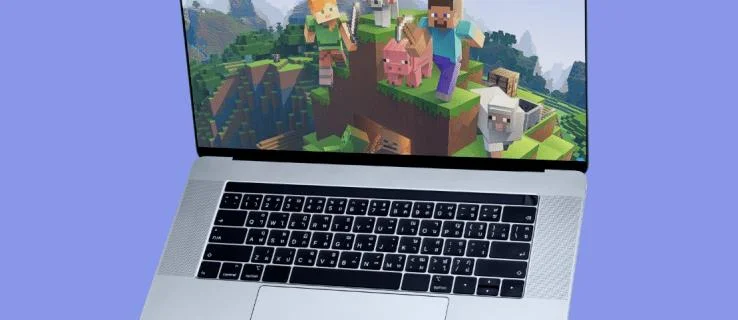
If you’re wondering where to search for your server address, we’re here to help. In this guide, we’ll explain how to find your Minecraft server address on different devices – consoles, mobile phones, iPad, and Mac. Keep reading to start playing Minecraft by your own rules.
How to Find your Minecraft Server Address on an Xbox
Your Minecraft server address is your Xbox’s Internet Protocol address or IP address. It’s a unique numerical code that helps to identify a network. Follow the step below to locate it:
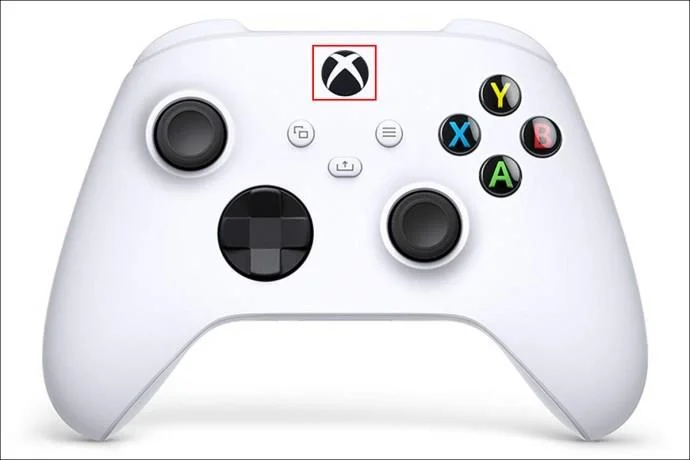
- Turn on your console and press the home button (the large “X”) on your controller.

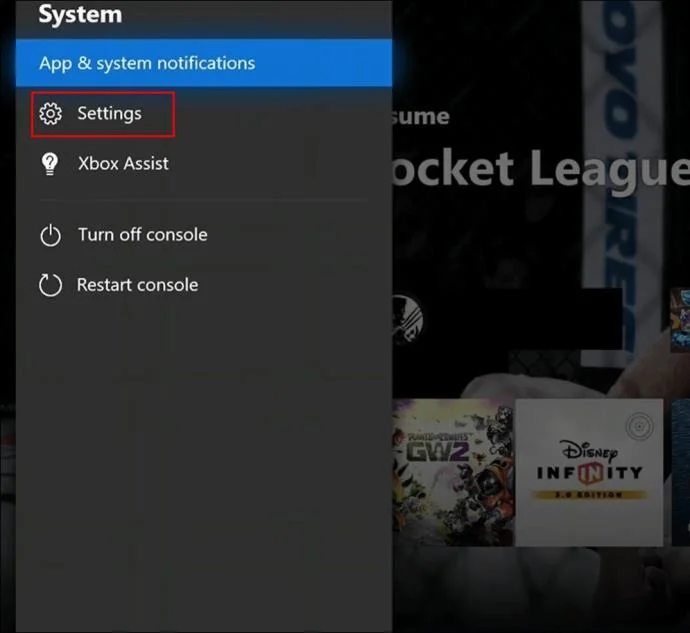
- Navigate to “Settings.”

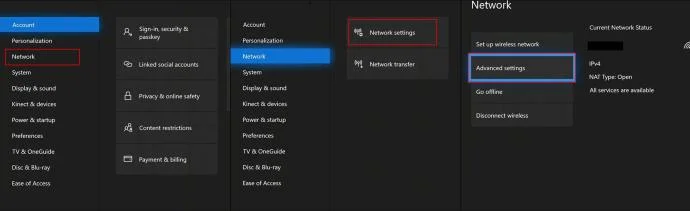
- Select “Network,” then “Network Settings,” and “Advanced Settings.”

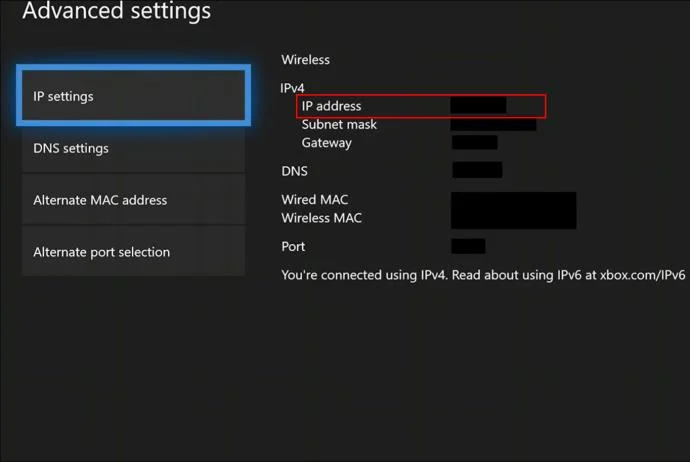
- Select “IP Settings.” You will see your IP address. Copy it or write it down and share it with friends.

How to Find your Minecraft Server Address on a PS4
Sony has made locating your PS4 IP address relatively straightforward. Follow the instructions below:
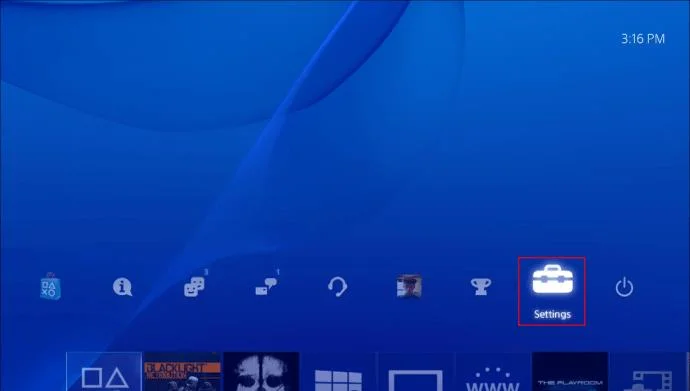
- Turn on your PS4 and press the PS logo button on your controller for the home screen.

- Navigate to “Settings.”

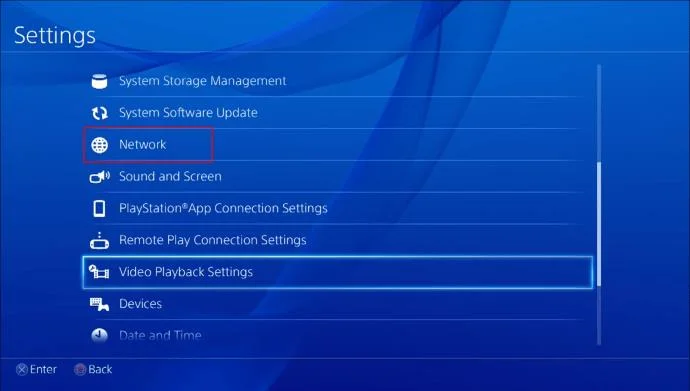
- Select “Network.”

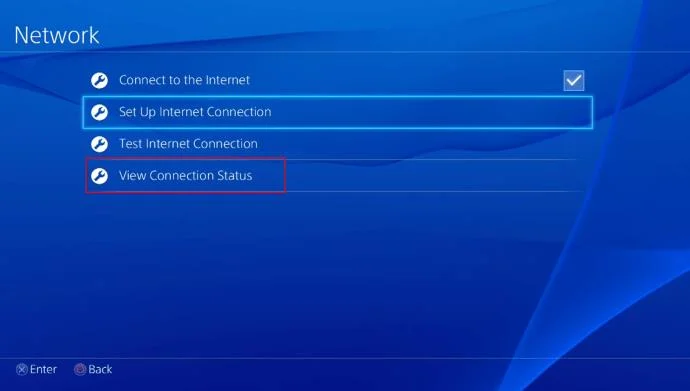
- Select “View Connection Status.”

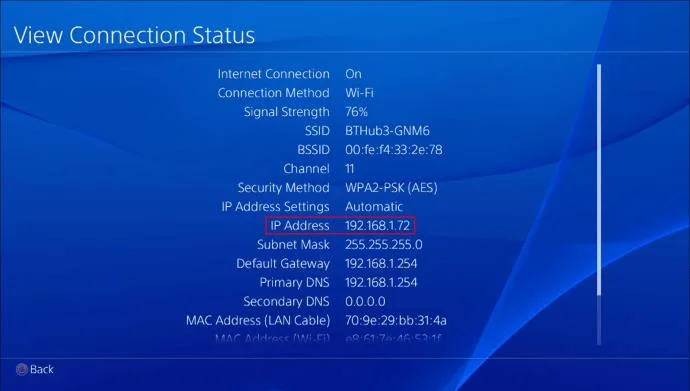
- In the “View Connection Status” menu, you’ll see your server address under “IP Address.”

How to Find your Minecraft Server Address on a Mac
Finding your IP address to create a Minecraft server is easier than it may seem at first. Follow the steps below:
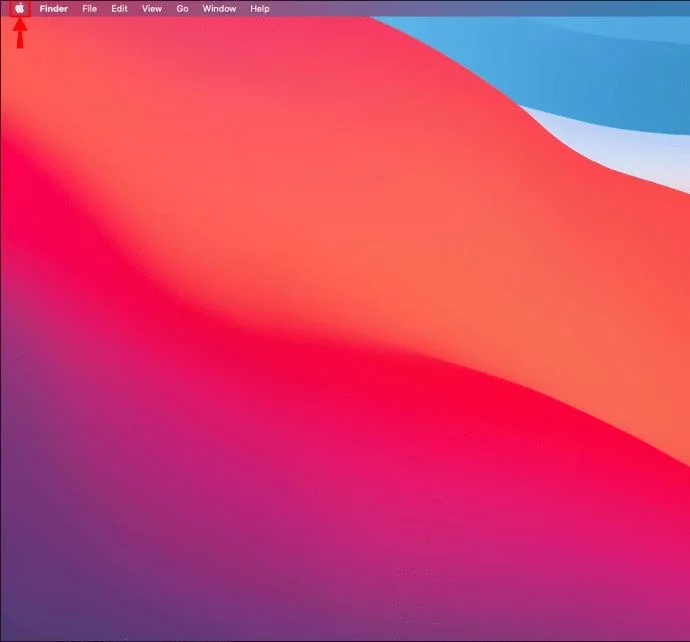
- Click the Apple icon at the upper left corner of your screen to access the menu.

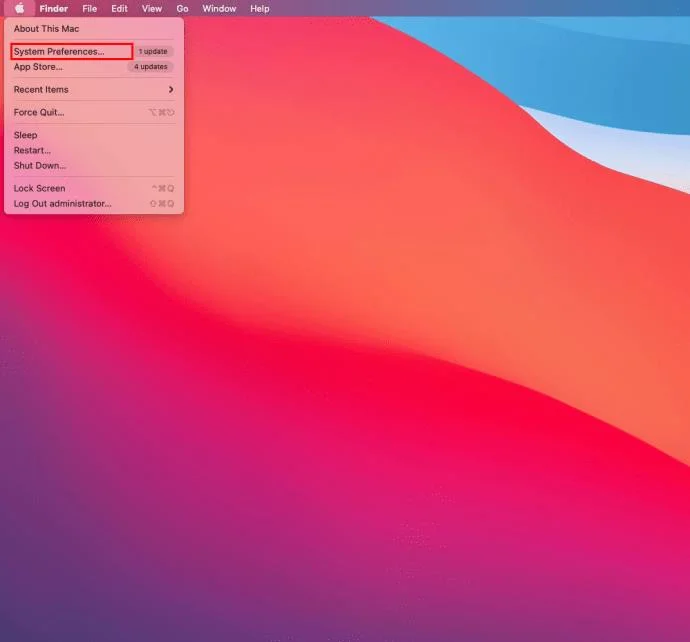
- Click “System Preferences.”

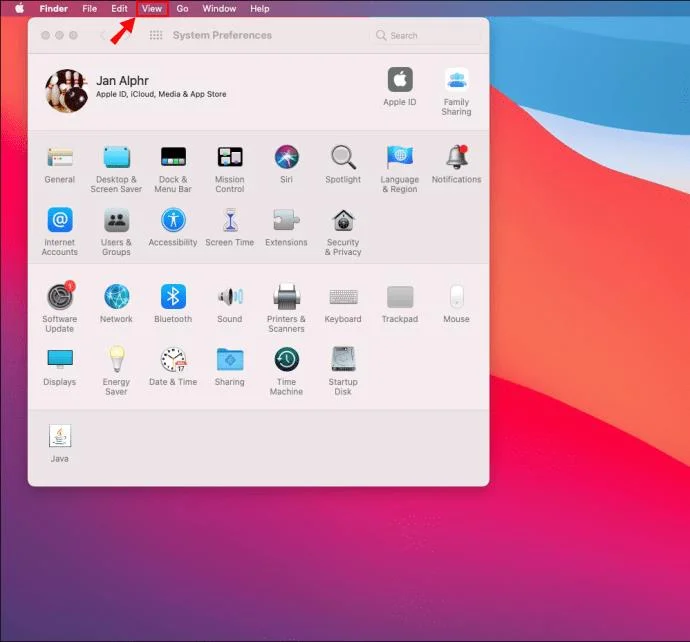
- In the “System Preferences” window, click “View.”

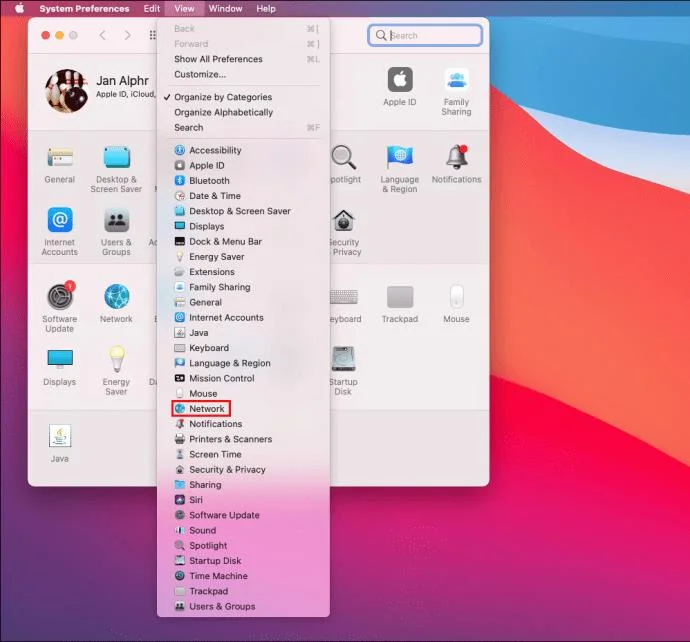
- Select “Network” from the dropdown menu.

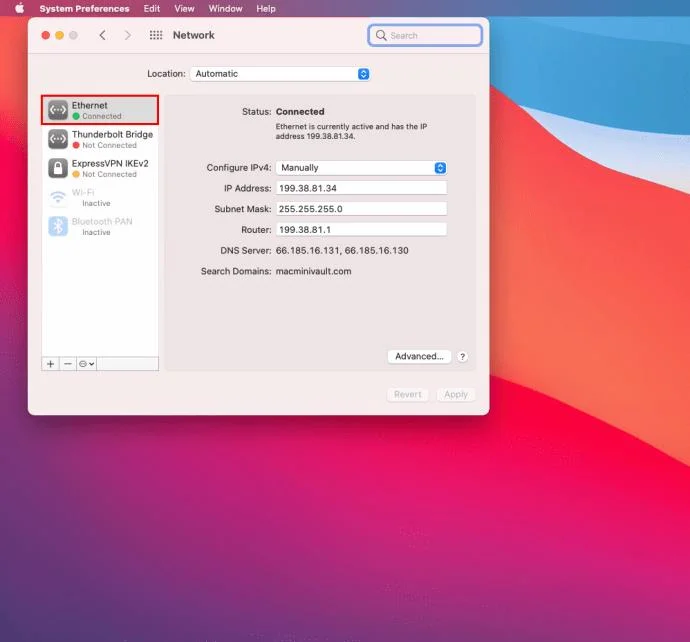
- Navigate to “Ethernet” or “Wi-Fi” from the left sidebar, depending on which type of connection you use.

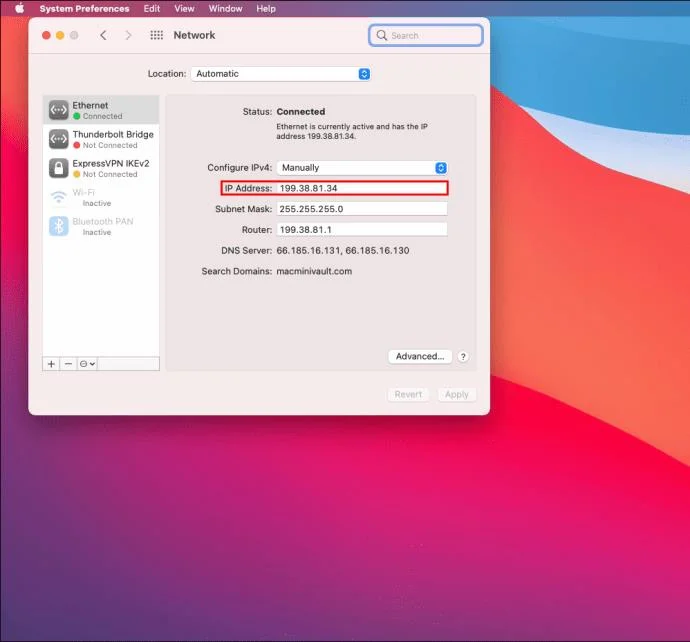
- You’ll find your IP address in the “IP Address” line.

Alternatively, you can find your IP address using a command-line utility:
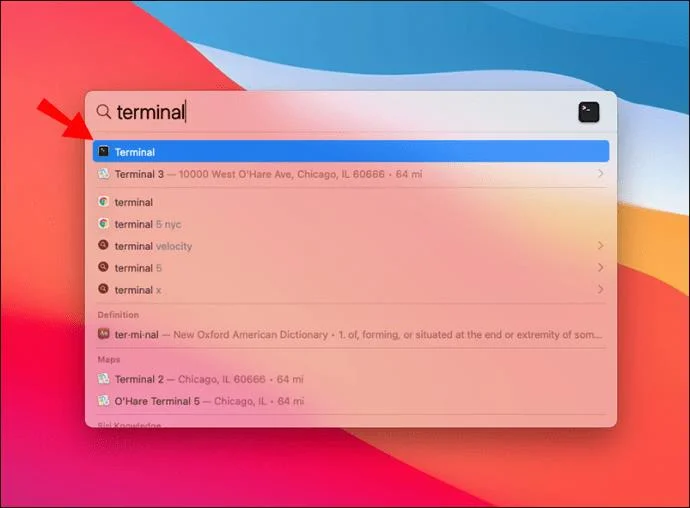
- Use the Spotlight search to find “Terminal” or find it in “Applications.”

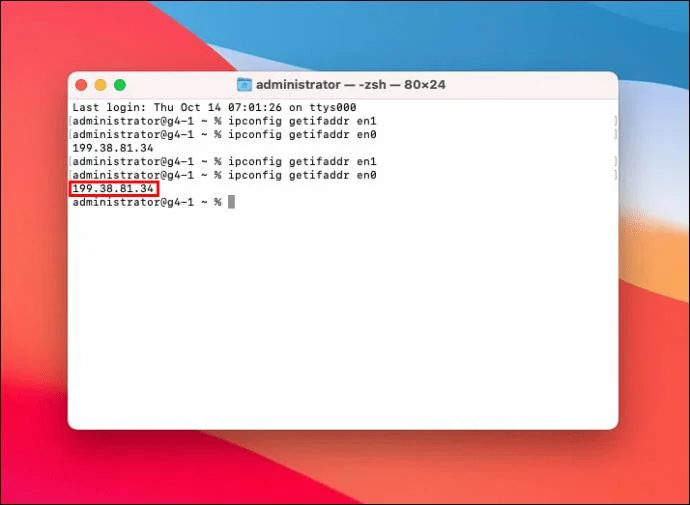
- Open the Terminal and type in “ipconfig getifaddr en1” if you use Ethernet connection and “ipconfig getifaddr en0” if you use Wi-Fi connection. Your IP address will show up instantly.

How to Find your Minecraft Server Address on an iPad
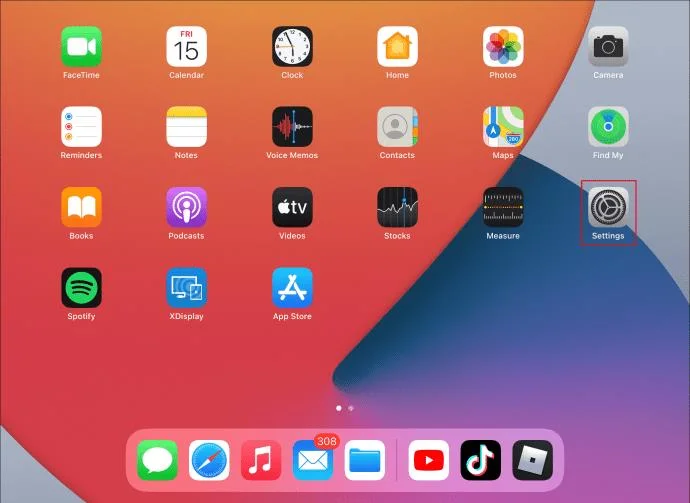
Finding your iPad IP address is a bit different from doing it on a Mac, as iPads run on the iOS mobile operating system. Here’s how to locate your IP address on an iPad:
- Open the “Settings” app.

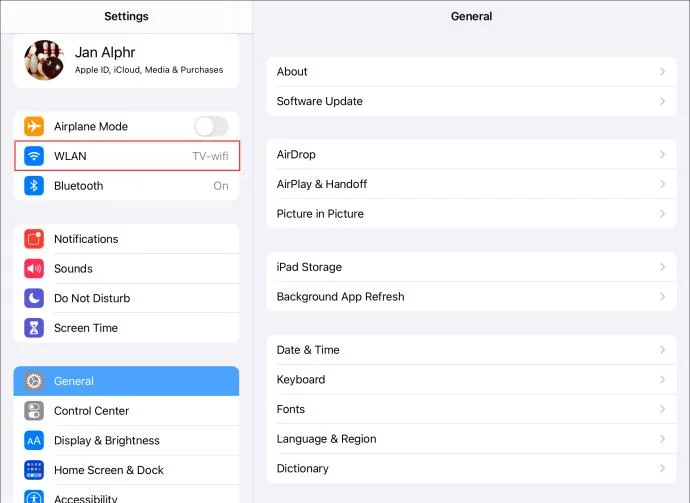
- Tap “Wi-Fi” at the top.

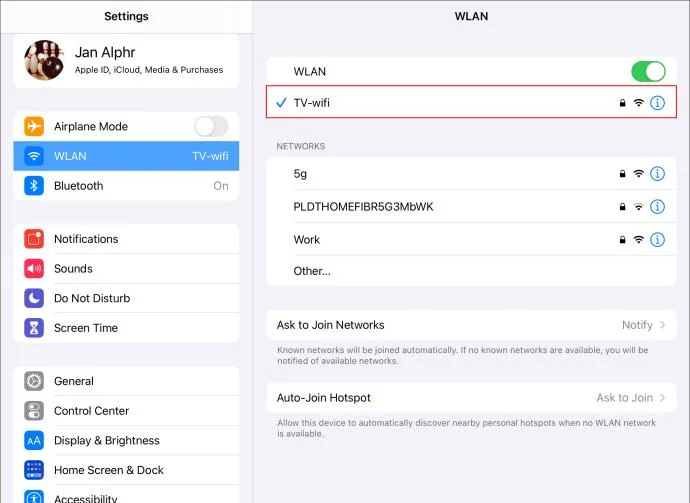
- Tap the name of your Wi-Fi network connection. Optionally, tap the “i” icon next to it.

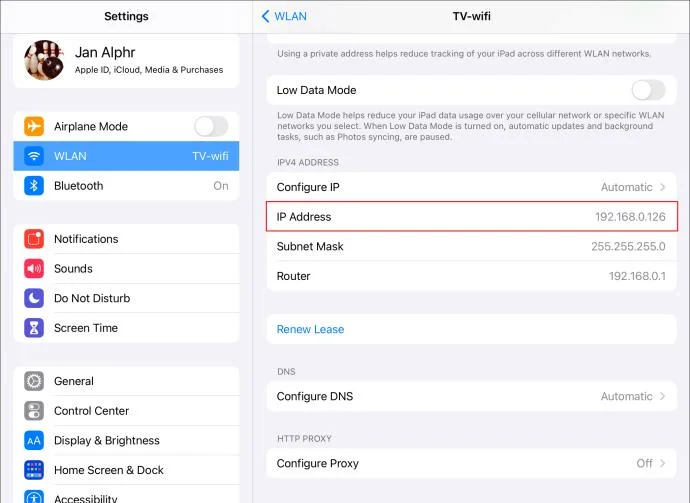
- Scroll down until the end of the page. You’ll see your IP address next to “IP Address” in the “IPV4 Address” section.

How to Find your Minecraft Server Address on a Nintendo Switch
Your Nintendo Switch IP address is your Wi-Fi network’s address. Here’s how to find it to play Minecraft on your personal server:
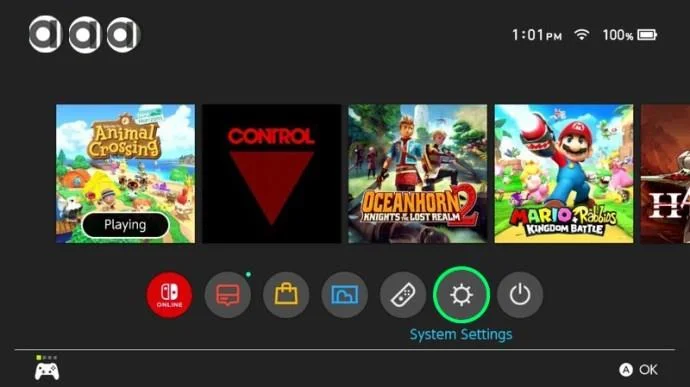
- Turn on your Nintendo Switch and select “System Settings” from the main menu.

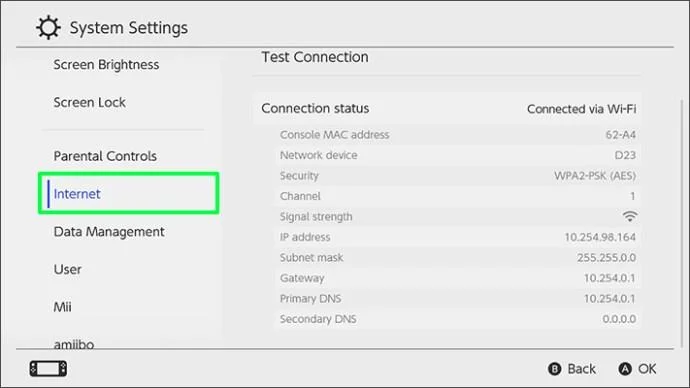
- Scroll down and select “Internet” from the left sidebar.

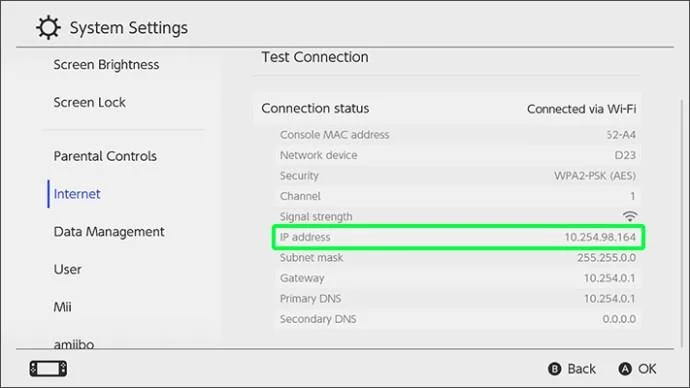
- Select “Advanced,” located at the bottom right corner of your screen. Your network’s IP address will be shown under “Properties,” next to “IPV4 Address.”

How to Find your Minecraft Server Address on an iPhone or Android
You can find your phone network’s IP address just like you can find it on your PC or a console. Here’s how to do that on an iPhone:
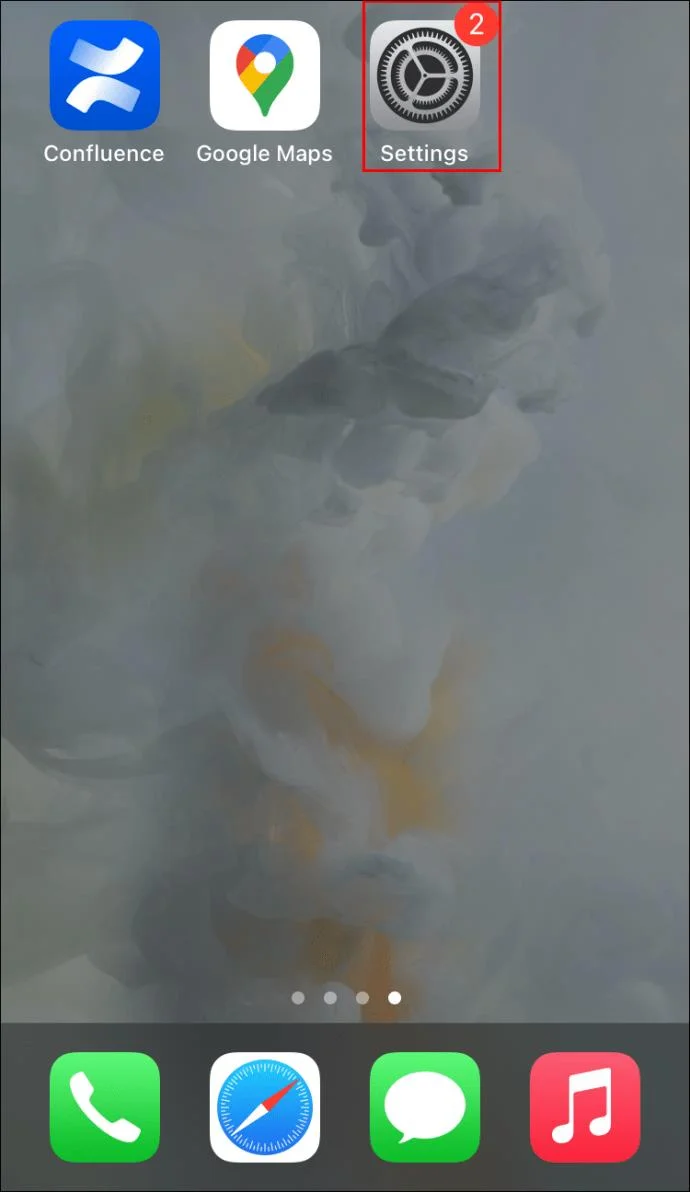
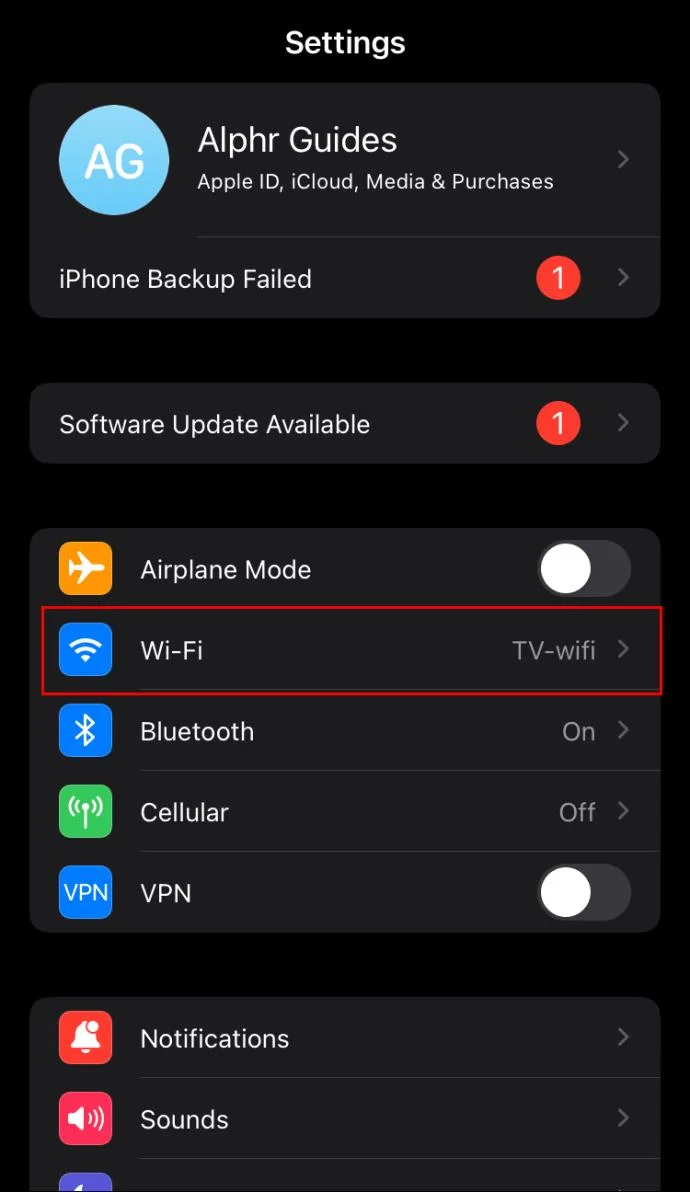
- Launch the “Settings” app.

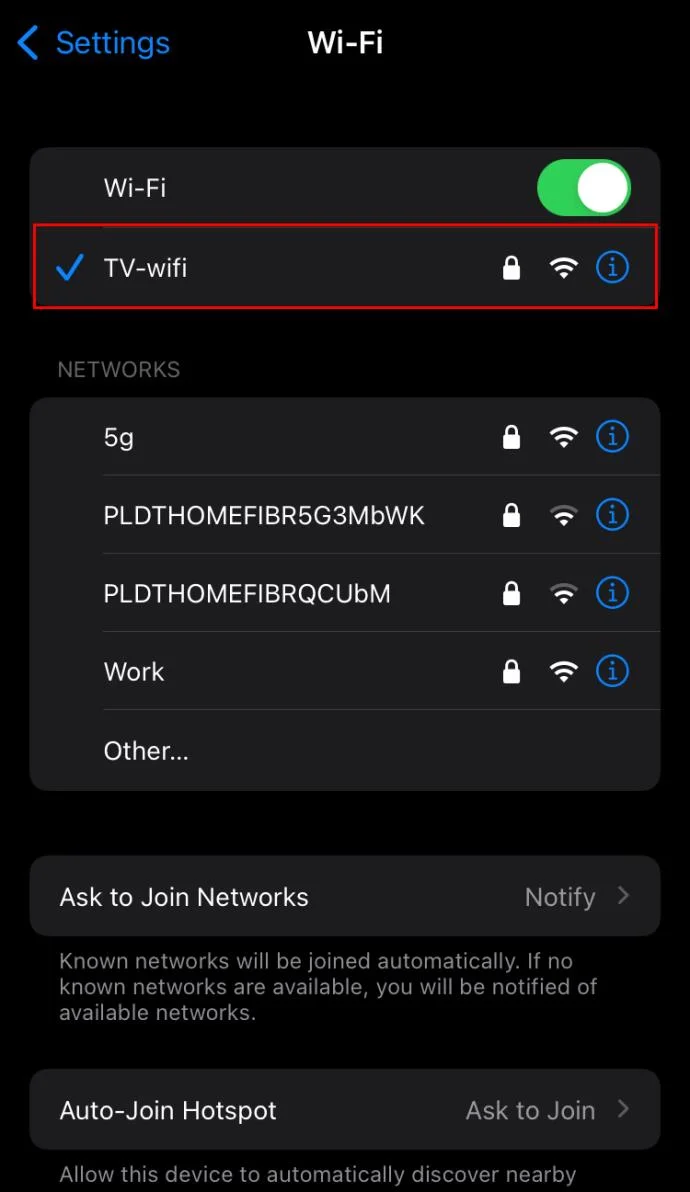
- Select “Wi-Fi” at the top of the page.

- Select the currently connected Wi-Fi network. Alternatively, tap the “i” icon next to the network’s name.

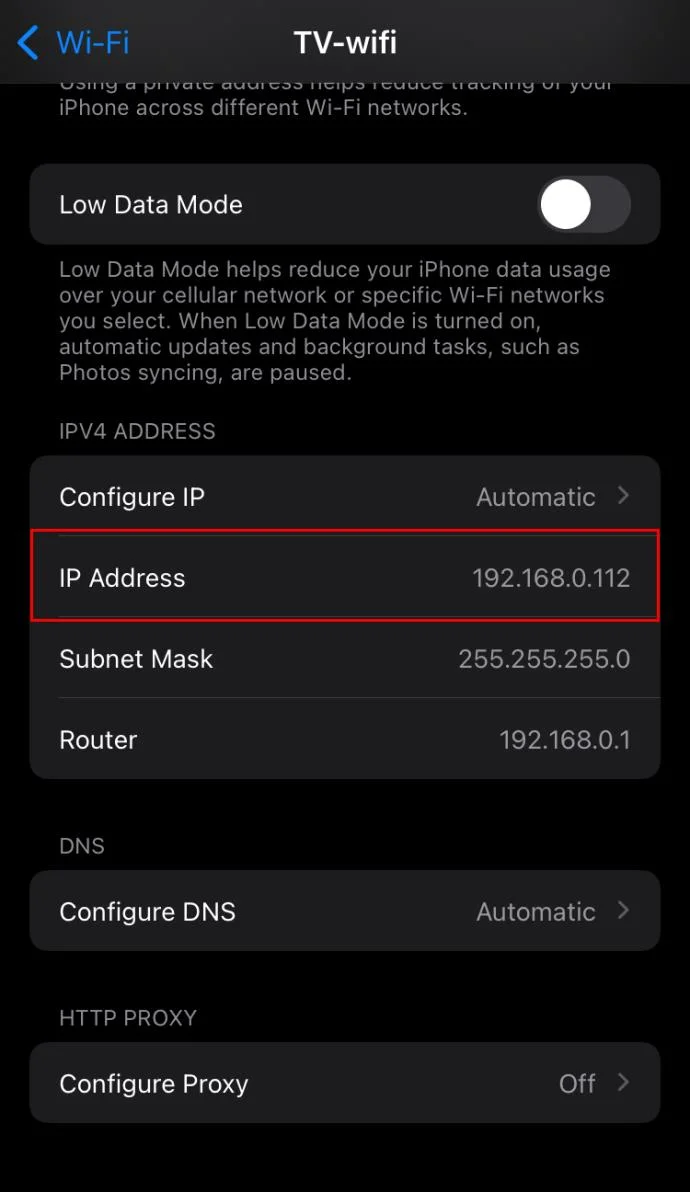
- Scroll down until the “IPV4 Address” section. Your IP address will be displayed in the “IP Address” line.

If you’re using an Android phone or tablet, the instructions are slightly different:
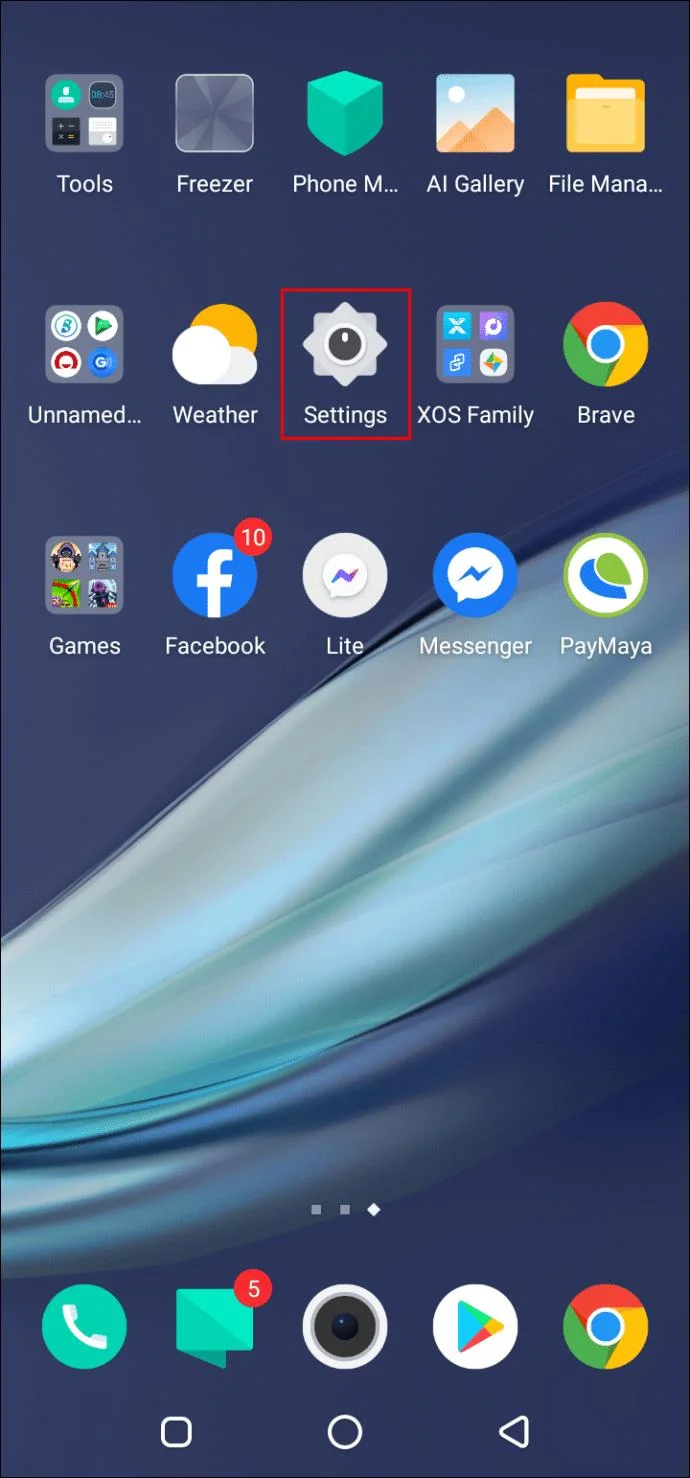
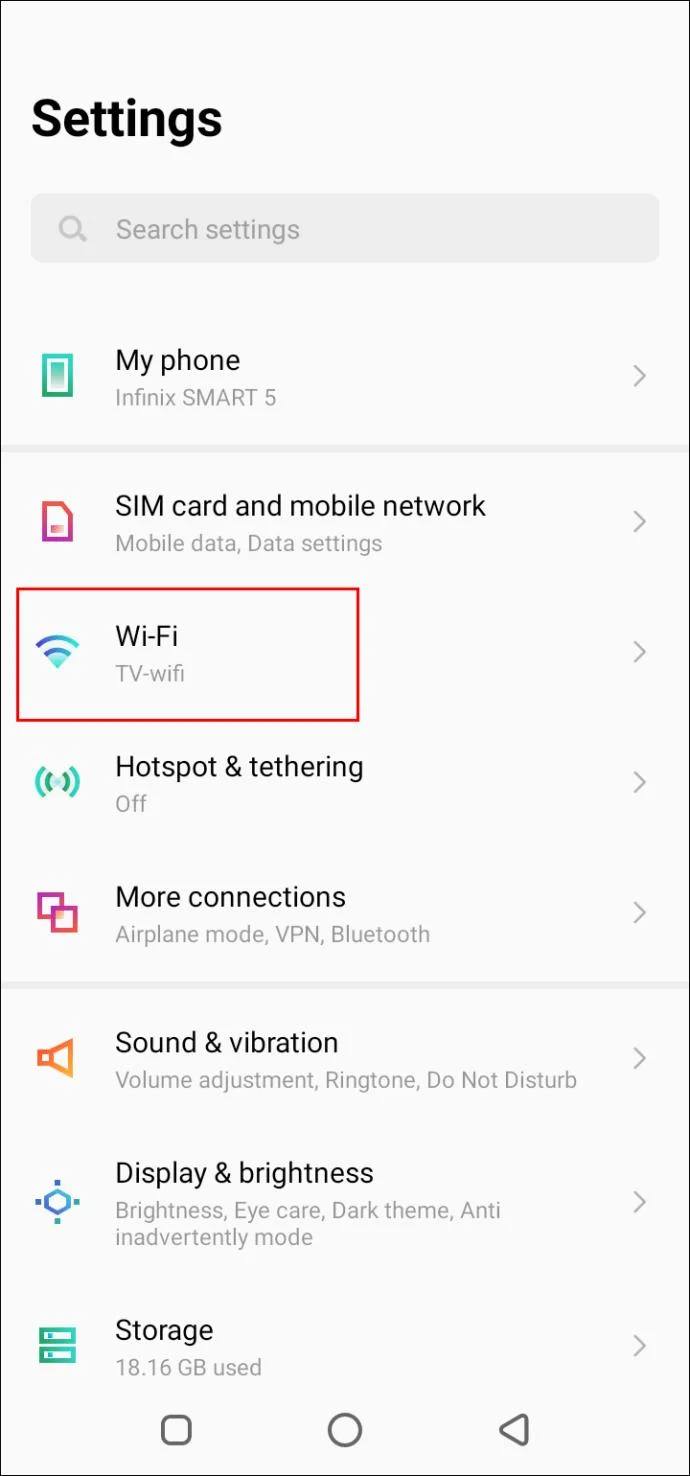
- Navigate to “Settings.”

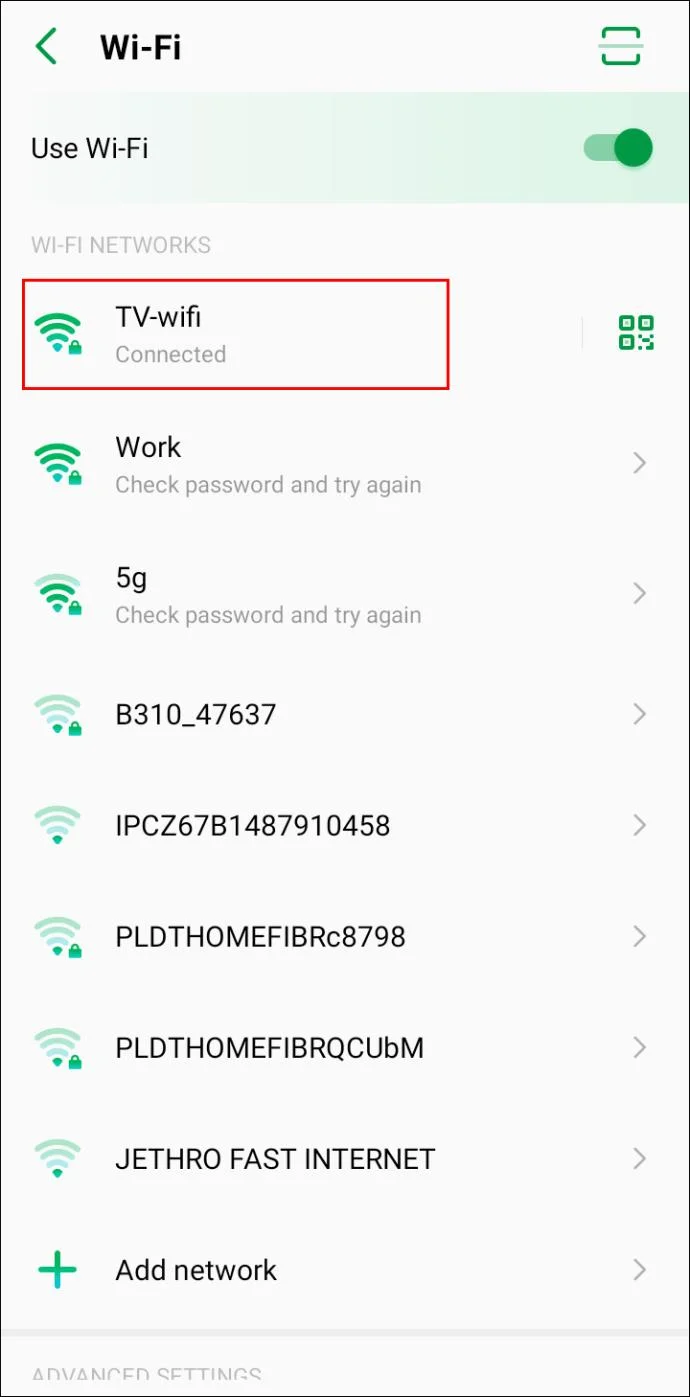
- Tap “Network & Internet,” then “Wi-Fi.”

- Tap the name of a network you’re currently connected to or connect to a network and tap its name afterward.

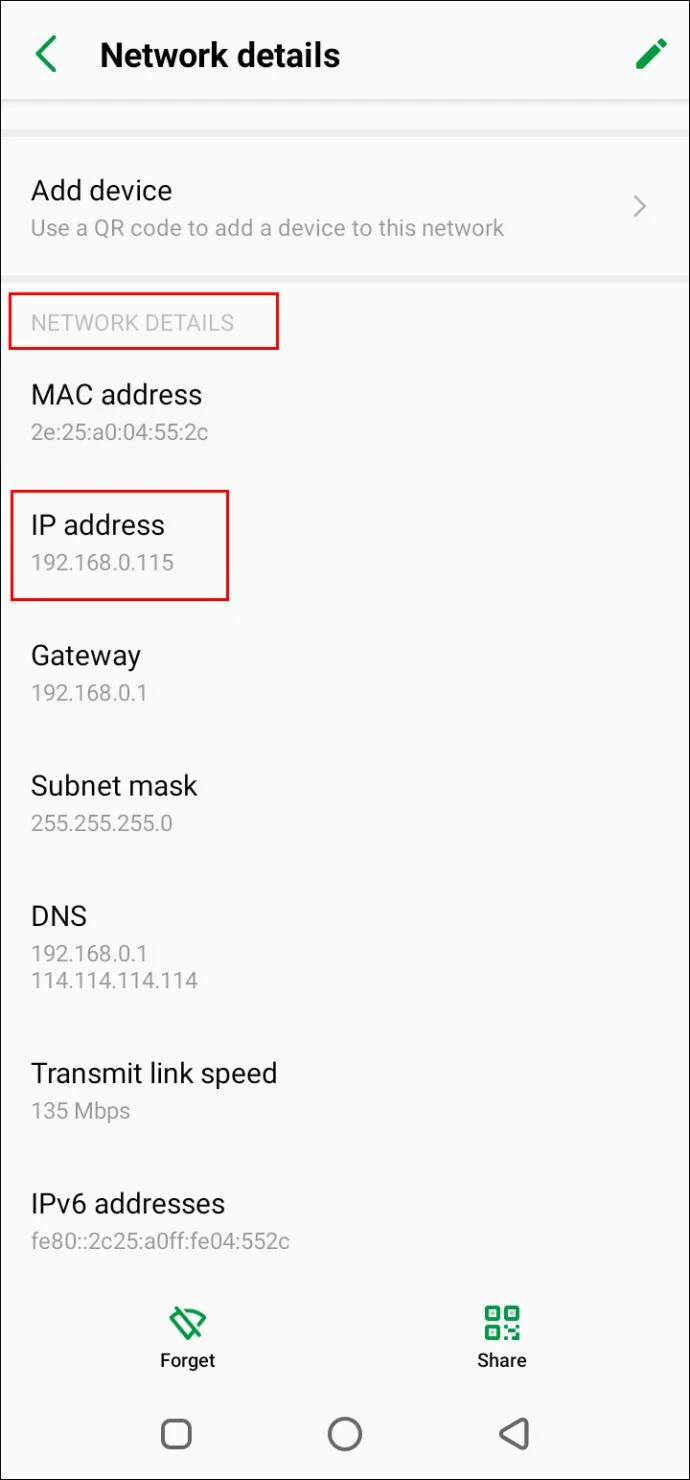
- Expand the dropdown menu under the “Advanced” section. Your IP address will be displayed under “Network Details.”

The provided instructions are for Android 10. Bear in mind that the system is updated often. Depending on the Android version and your device’s brand, the steps may differ slightly.
Additional FAQs
How Does One Connect to Someone Else’s Minecraft Server?
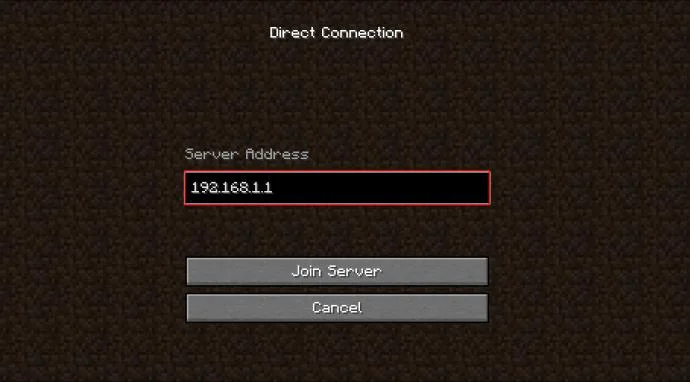
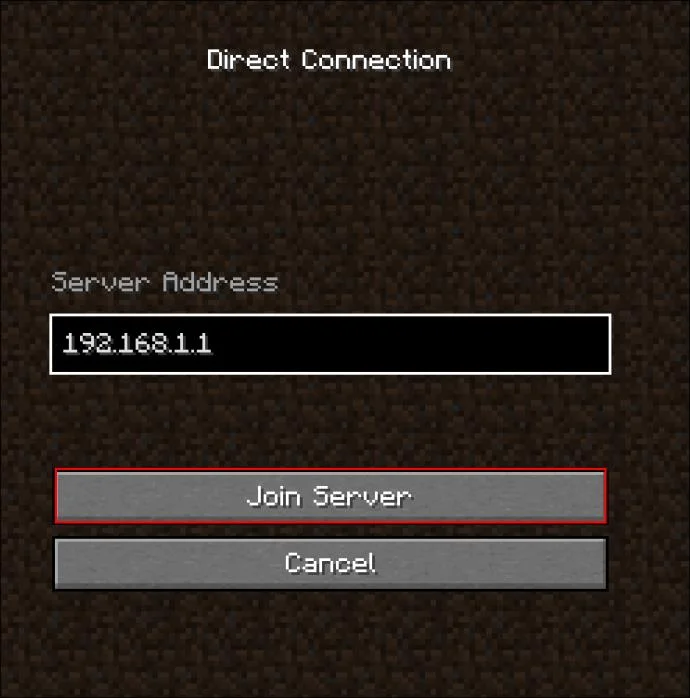
Using a network’s IP address, you can join other servers or invite your friends to join yours. Here’s how to do that:
1. Launch the game.
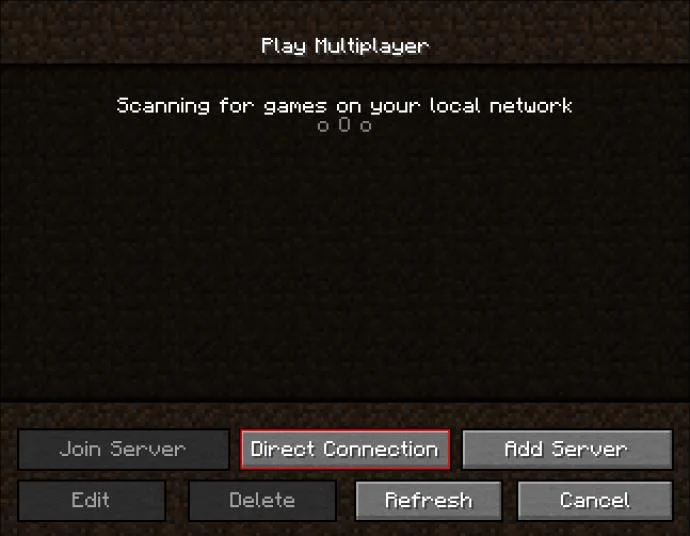
2. Click “Direct Connect.”

3. Paste the IP address of a server you wish to join. Alternatively, paste in the server’s name.

4. Click “Play.”

Set Your Rules
Hopefully, our guide has helped you find your network’s IP address. Now, you can use it to create a Minecraft server or invite your friends to join an existing server. Make sure to check out servers created by other players – some of them are extremely entertaining.
What are your favorite public Minecraft servers? Share your top picks in the comments section below.