Home
» Wiki
»
5 Examples That Prove AI Content Checkers Are Useless
5 Examples That Prove AI Content Checkers Are Useless
Whether you’re a professional writer or a student who regularly writes essays, you’re probably tired of running your work through AI content checkers and getting 100% AI-generated results. In reality, AI content checkers aren’t always reliable, and the following five examples demonstrate why.
1. The paragraph just asked AI to write
If the AI content checker is 100% accurate, then the content generated by ChatGPT should be flagged as 100% AI generated, right?
In testing, ChatGPT's content was found to be 70% to 100% AI-generated. However, after a few tries, the text generated by ChatGPT turned out to be 100% human-written.
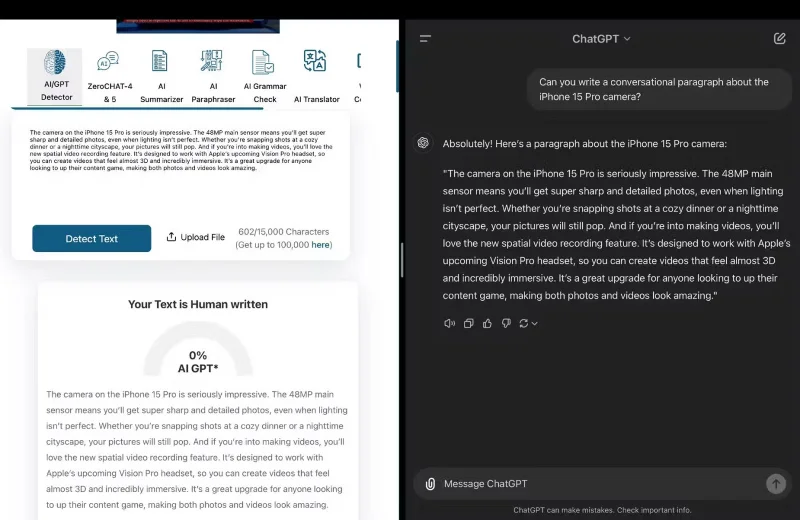
For example, the author asked ChatGPT to write a dialogue about the iPhone 15 Pro camera. The response was run through ZeroGPT, the most advanced and reliable ChatGPT, GPT4, AI content detection engine.
Sure enough, ZeroGPT reports that this text is 100% human-written.
Run a paragraph about the iPhone 15 Pro camera through ZeroGPT
So if AI-generated content can be marked as human-written, can the results be trusted in the opposite situation?
2. The United States Declaration of Independence
The United States Declaration of Independence was adopted by Congress on July 4, 1776, which means it was written nearly 250 years ago.
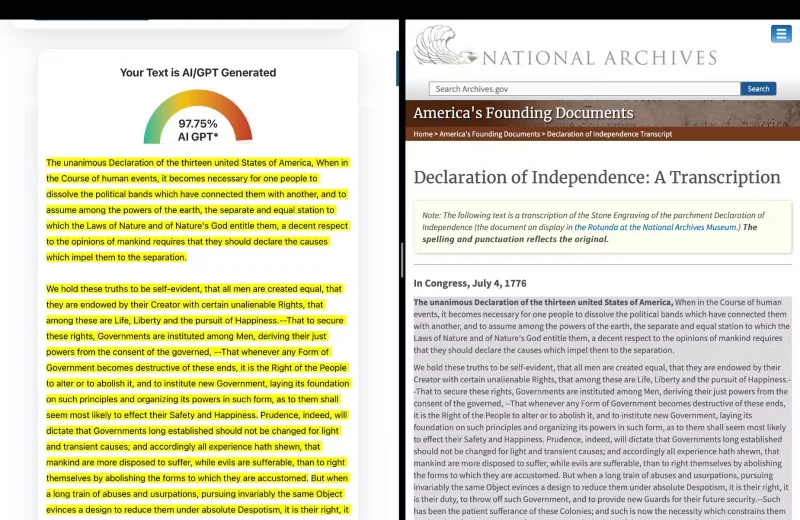
Unless Thomas Jefferson, the drafter, had the ability to time travel, there is simply no way that an AI could have written the Declaration of Independence. Interestingly, ZeroGPT thinks otherwise and claims that an AI created 97.75% of the text. How absurd!
Running the US Declaration of Independence through an AI content detection engine
3. Bible
The Hebrew Bible was completed around 100 AD, about 1,676 years before the Declaration of Independence. AI detectors, like ZeroGPT, often flag famous works of literature and historical texts as AI-generated because they influence AI models.
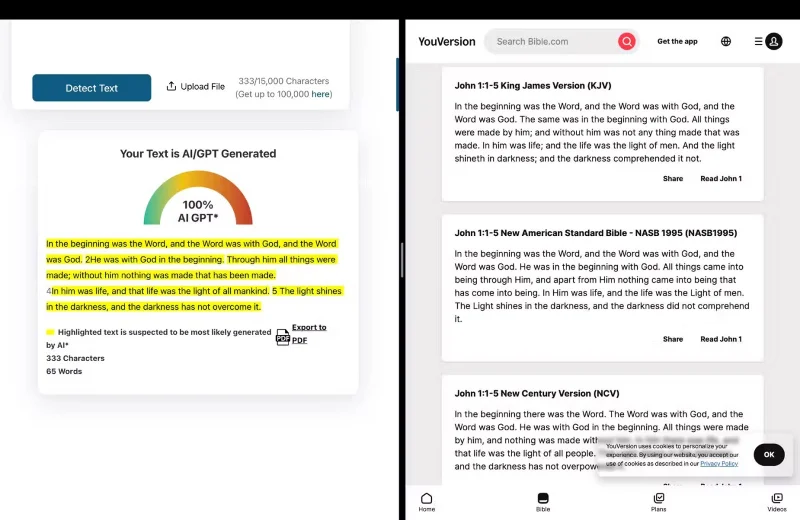
Regardless, the fact that entering text from the Bible into ZeroGPT triggers a 100% AI-generated warning proves that content detectors cannot be completely trusted.
Run the Bible through an AI detector
4. Moby Dick
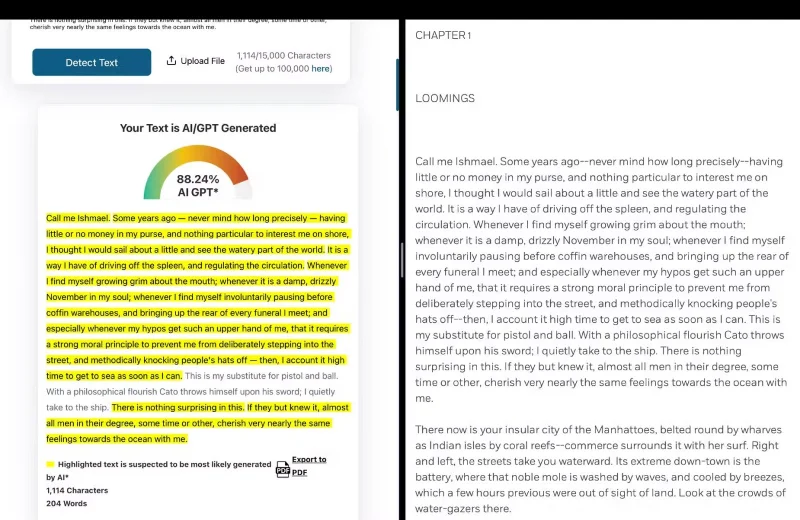
Moby-Dick, written by Herman Melville about his experiences at sea, was first published in 1851 - long before AI was invented. The author ran a famous excerpt from the first chapter through ZeroGPT and it came out to be 88.24% AI-written.
Run an excerpt from Moby Dick through an AI detector
While this result isn't exactly surprising, given that AI models are influenced by classic works of literature like this, the fact that famous text was misclassified as AI-generated still highlights an important issue and shows how unreliable content detection tools can be.
5. Apple's first iPhone press release
Sure, AI models are trained on a wide variety of texts, including classic works of literature like Shakespeare and Moby Dick. While this might explain why Moby Dick might be misidentified as AI-generated when you run it through a content checker, the idea that an Apple press release would be used to train an AI model seems absurd.
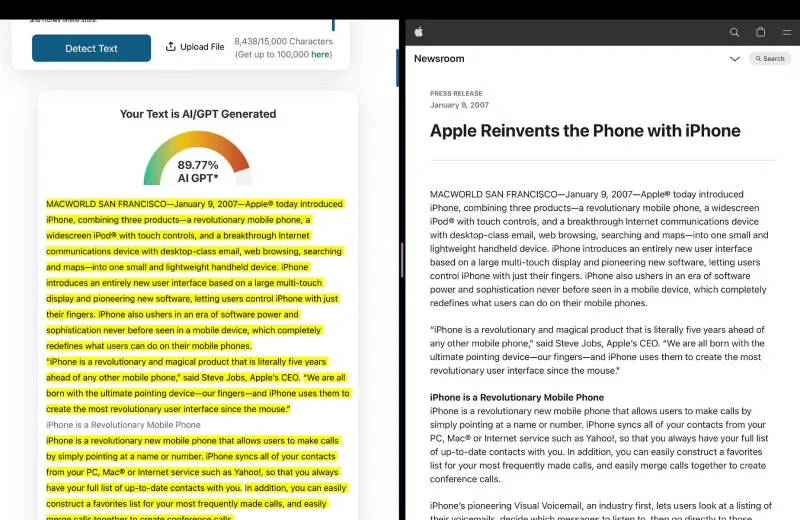
Instead of running a new Apple press release through a checker, the author searched through Apple’s news archive and found Apple’s first press release about the iPhone. The author pasted the entire press release into ZeroGPT and it found that 89.77% of the content was AI-generated.
Running Apple's First iPhone Press Release Through an AI Detection Engine
Aside from the headlines and a paragraph or two, the rest of the text is said to be AI-generated.
Overall, there are a lot of AI detection tools that you can try out. However, the bottom line is that AI content detection tools don’t work. While this makes it even harder to detect AI-generated text, it is still possible to recognize text written entirely by AI just by reading it carefully.