Leftover Halloween Candy and Pumpkins: What to Do Next

Sort leftover Halloween candy safely, share or repurpose sealed treats, and choose food use or compost for pumpkins based on their condition.
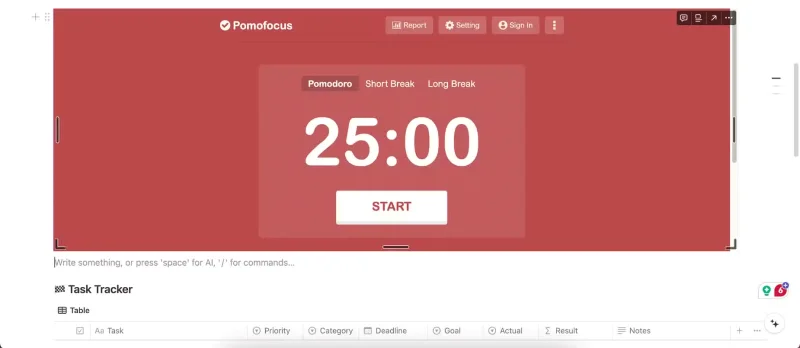
The Pomodoro Technique may seem like a golden ticket to increased productivity. However, while many people find it effective, there are downsides to the technique. In fact, some aspects of the method can hinder productivity, disrupt your workflow, or even cause additional stress.
Table of Contents
One of the biggest drawbacks to using the Pomodoro technique is that it can disrupt deep concentration. When you’re working on something that requires deep concentration, like writing, it often takes 15 to 20 minutes to reach a state of concentration. When you’re completely immersed in your writing, the last thing you want is for a timer to go off and interrupt your flow.
While the Pomodoro technique plays a role in helping to get started on a task, it often hinders the ability to maintain complete focus and productivity.
So how can you enjoy the benefits of the Pomodoro technique without disrupting your focus? The Flowtime technique is a much better alternative. Instead of setting fixed work intervals, you work for as long as you feel focused and only take breaks when you naturally reach a stopping point. It’s flexible, meaning you can work uninterrupted while you’re focused and take breaks when you need to.
The Pomodoro Technique works well for simple, repetitive tasks like replying to emails or doing research for your articles. However, it doesn’t work well for complex projects that require creativity, problem solving, or deep thinking. For projects like these, you need the flexibility to let ideas develop naturally rather than forcing yourself to think within a certain time frame.
The Getting Things Done (GTD) method may be a better solution for keeping complex projects moving. This productivity system is designed to help you capture, organize, and tackle simple and complex projects by prioritizing what needs to be done now and what can be done later.
This method is especially valuable for long-term or multi-step projects that require careful planning or multiple tasks that lead to a unified outcome.
Knowing that you only have 25 minutes to complete a segment and watching the countdown timer often makes you feel pressured to rush through tasks. Racing against the countdown timer can be counterproductive as it can encourage you to cut corners and affect the quality of your results.
Time limits can help improve your ability to focus, as they are more flexible and less stressful. Instead of working in short, stressful 25-minute blocks, time limits allow you to spend more time on specific tasks. This way, you can focus on the task at hand without worrying about your Pomodoro timer going off.
Time limits are also variable, as you can specify longer or shorter limits depending on the complexity of the task and your energy level.
Most people feel more energetic and productive at certain times of the day. Sticking to rigid work intervals like the Pomodoro Technique may not align with your natural peaks and troughs in energy. For example, forcing yourself to work for 25 minutes during low-energy periods, instead of taking longer breaks, can lead to decreased productivity and burnout.
On the other hand, 25 minutes may be too short during your high-energy periods, and having to take frequent breaks may disrupt your motivation. You can avoid burnout and be more productive with your normal rhythm—a 90- to 120-minute peak energy cycle followed by a short recovery period.
Knowing your most productive times of day and scheduling your demanding tasks accordingly can help you get more done without feeling burned out.
It's difficult to apply the Pomodoro technique in a collaborative environment with meetings, group projects, or impromptu conversations. If you work in a team or with other people, you'll always need to cut your Pomodoro session short whenever there's an interruption, which breaks the structure of the method.
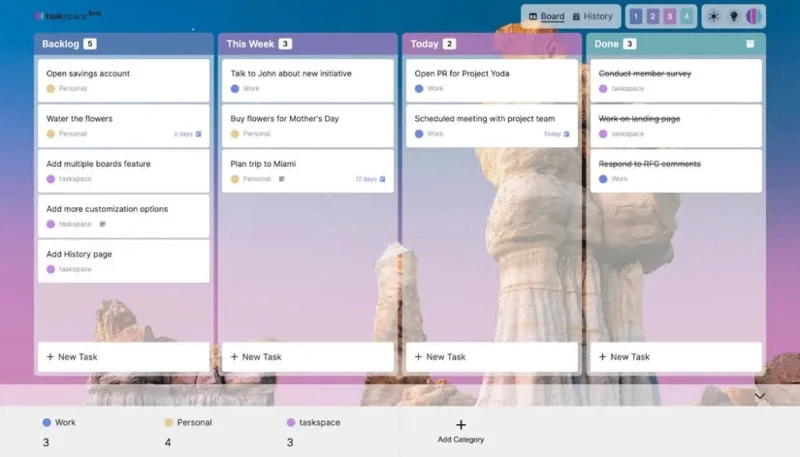
Overall, the Pomodoro technique is better suited for individual work. If you need a more collaborative productivity system, consider managing your tasks using the Japanese Kanban technique. The Kanban technique is ideal for teams because it allows you to easily track who is doing what and where each task is in the process.
While the Pomodoro Technique has its advantages, it is not a one-size-fits-all solution. It is often too rigid to accommodate a wide range of work styles and environments. Fortunately, there are many alternatives that offer flexibility and adaptability to accommodate a wide range of tasks and environments. The key is to find a method that complements your workflow rather than restricts it.
Sort leftover Halloween candy safely, share or repurpose sealed treats, and choose food use or compost for pumpkins based on their condition.
Compare workplace Halloween costume choices by respect, dress code, mobility, and safety—and learn when a subtle accessory or a policy check is the better option.
Find a couples costume that fits your style, budget, and comfort level, from Addams Family classics to original inside-joke duos.
Need a last-minute high school Halloween costume? Compare 10 easy closet-based ideas by prep time, comfort, school-day practicality, and simple safety checks.
Use a simple 2026 Halloween decorating timeline for indoor décor, outdoor displays, and fresh pumpkins, with practical adjustments for weather and events.
Mix five vivid, approachable Halloween cocktails with measured recipes, simple prep tips, and an alcohol-free option for your party guests.
Find 15 office-friendly Halloween costume ideas for 2026, with practical checks for dress codes, respectful themes, comfort, and workplace safety.
Plan a fun elementary school Halloween party with easy crafts, games, inclusive treats, costume tips, and a sample 75-minute classroom schedule.
Compare realistic side hustles for 2026 by startup cost, fees, flexibility, and income control, with current tax and scam guidance from official sources.
Upgrade your home office ergonomics with current OSHA and NIOSH guidance on chair fit, monitor height, laptop setup, lighting, and movement.








