
Make Realistic Fake Blood Without a Cleanup Surprise

Mix a glossy prop-only fake blood batch, choose safer products for skin and costumes, and test cleanup before Halloween night.
The Galaxy S25 may be Samsung's latest flagship device, but its extra features haven't convinced many people to ditch their Galaxy S23.
Table of Contents
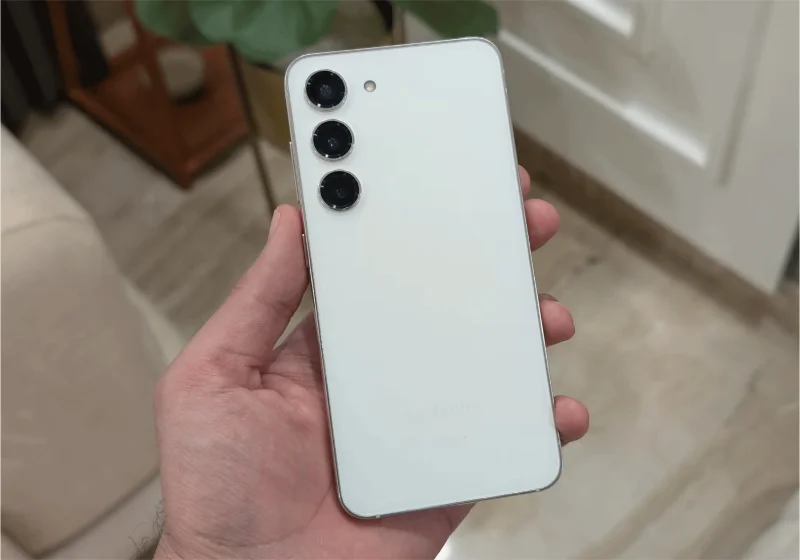
The Galaxy S25 has a 4,000mAh battery and supports 25W wired charging. While Samsung claims better battery performance with the new Snapdragon 8 Elite chipset, that's not entirely believable. The S23 supports the same wired charging speeds and has a 3,900mAh battery.
Many people might reconsider if Samsung had packed a larger battery into the same compact form factor. But an extra 100 mAh isn't very appealing.
People are also disappointed that Samsung hasn’t adopted silicon carbide (SiC) battery technology. This new design allows for larger batteries in the same form factor. Other flagship devices like the OnePlus 13 have had success with this technology, and we’re hoping Samsung will adopt it in the S25.
The biggest thing Samsung is changing is that the Galaxy S25 is the company’s first Qi2 Ready device, which means it should offer better connectivity with wireless chargers. However, even this upgrade seems minimal, as the device itself isn’t Qi2 certified. Instead, you’ll need a specific case to take advantage of the feature.
A fully Qi2-certified device or another big battery upgrade might have convinced many to switch to the S25, but it looks like we’ll have to wait at least another year.
The Galaxy S23 still feels as fast and smooth as the day you bought it. Samsung shipped the S23 with the Snapdragon 8 Gen 2, and it still handles everything you throw at it with ease.
Apps open quickly, animations are smooth, and there's no noticeable slowdown. The S25 may be more powerful on paper, but you won't notice much of a difference in real-world use.
So far, the Galaxy S23 has only received one major update – the upgrade from Android 13 to Android 14. However, with Samsung committing to five years of updates for older devices, the S23 still has plenty of time before you're forced to stop using it.
Sure, the Galaxy S25's seven years of OS upgrades sounds great, but the S23 still has four years of updates to go. That's more than enough to keep your phone fresh, making upgrading unnecessary at this point.
One of the main reasons people would want to upgrade to the S25 is because of the better camera for photos and videos. However, Samsung seems reluctant to upgrade the cameras on its base Galaxy phones, as it has kept the same camera for the second year in a row.
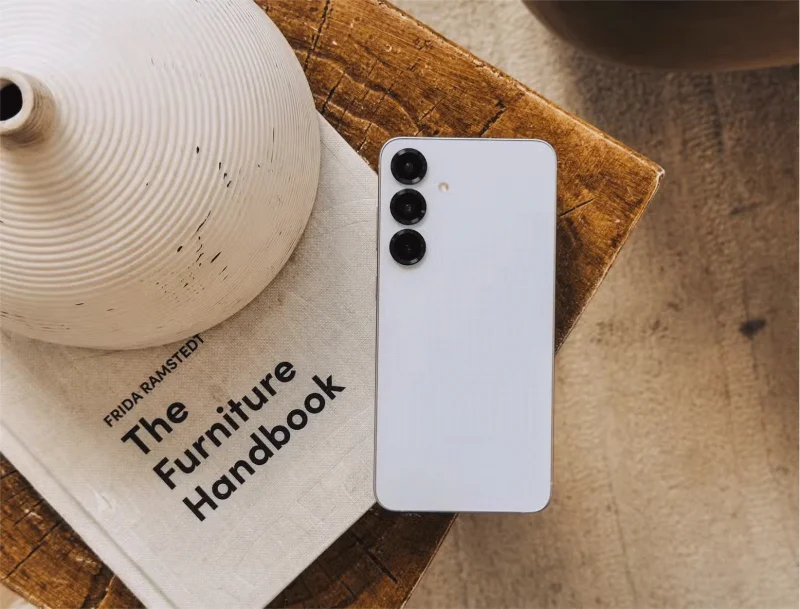
This means the Galaxy S25 has the same setup as the S23: a 50MP main camera, a 12MP ultra-wide lens, and a 10MP 3x telephoto lens. It also has the same 12MP selfie camera and can shoot up to 8K 30fps video from the rear sensors.
Samsung is promising better image processing on the S25, but without any actual hardware changes, those promises aren't enough to make people want to upgrade right now.
Like many other smartphones these days, Samsung is leaning more toward software features and changes rather than focusing on major hardware upgrades. That includes the Galaxy's new AI features, most of which will come to older devices later this year, including the Galaxy S23.
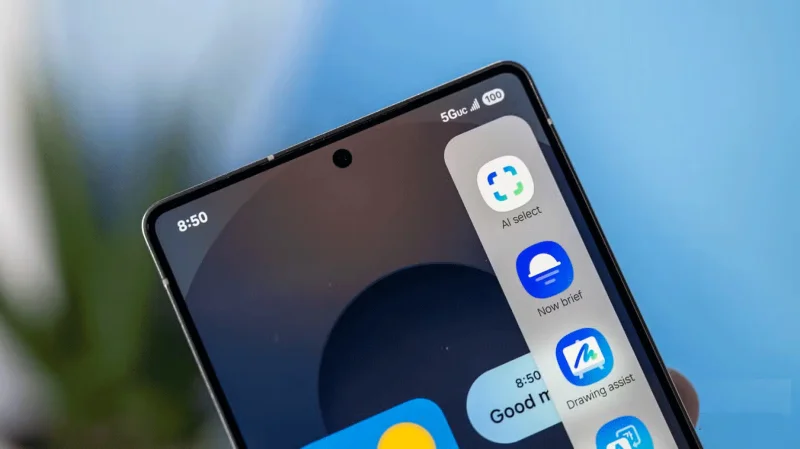
Sure, users may have to wait a little longer to take advantage of new AI features like the improved Now Bar and Circle to Search, but so far, One UI 7 seems more exciting than the Galaxy S25 .
The Samsung Galaxy S25 feels more like a tweaked version of its predecessors than an exciting upgrade. It has the same overall design and battery life as Samsung's older Galaxy devices. Plus, the AI features that make it stand out are already available on older devices via software updates.
That leaves the Galaxy S25 without any must-have features, aside from being Samsung’s first Qi2 Ready device. But that’s not enough reason to upgrade to the S23, which still handles everything you throw at it perfectly.
With minimal changes over previous generations, there’s nothing truly groundbreaking here. The Galaxy S25 is a great option for those looking for a compact Android flagship. However, if you already own a Samsung flagship that’s a year or two old, the upgrade isn’t worth it. That’s why many will stick with the Galaxy S23 and hope for something truly exciting next year.
Mix a glossy prop-only fake blood batch, choose safer products for skin and costumes, and test cleanup before Halloween night.
Create a gentle Halloween look with pastel colors, friendly ghosts, easy no-carve accents, and practical safety tips for your home.
Create a spooky office cubicle with Halloween desk decor ideas that keep your workspace usable, tidy, and mindful of workplace safety.
Plan a recognizable Halloween 2026 look with pop culture costumes inspired by Spider-Man, Supergirl, Toy Story 5, Moana, Mario, and Wednesday.
Sort leftover Halloween candy safely, share or repurpose sealed treats, and choose food use or compost for pumpkins based on their condition.
Compare workplace Halloween costume choices by respect, dress code, mobility, and safety—and learn when a subtle accessory or a policy check is the better option.
Find a couples costume that fits your style, budget, and comfort level, from Addams Family classics to original inside-joke duos.
Need a last-minute high school Halloween costume? Compare 10 easy closet-based ideas by prep time, comfort, school-day practicality, and simple safety checks.
Use a simple 2026 Halloween decorating timeline for indoor décor, outdoor displays, and fresh pumpkins, with practical adjustments for weather and events.
Mix five vivid, approachable Halloween cocktails with measured recipes, simple prep tips, and an alcohol-free option for your party guests.








