Why Did My Microsoft Teams Recording Fail? Common Reasons

Ever hit that dreaded "recording failed" message in Microsoft Teams? 😩 You're not alone. Whether it's a crucial client call or team brainstorm, a failed recording can derail your day. But don't worry—this guide dives straight into the most common reasons why Microsoft Teams recording fails and hands you simple, proven fixes. Stick around, and you'll be recording like a pro in minutes. Let's troubleshoot together!
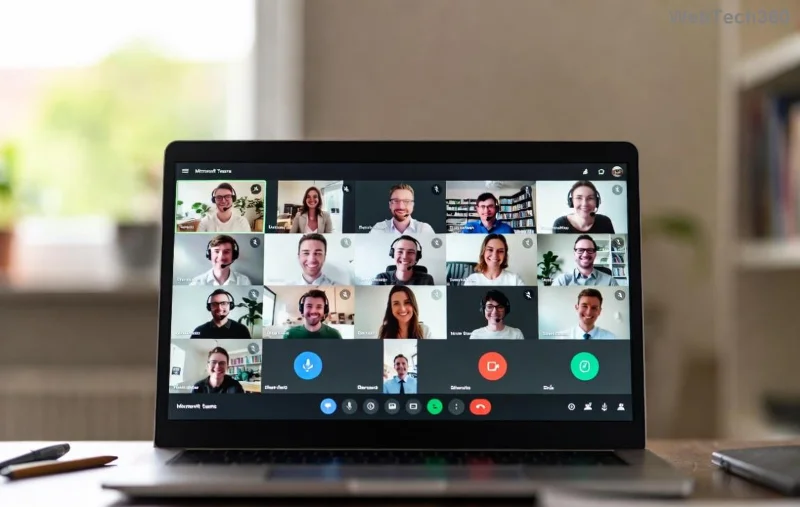
Microsoft Teams recording error screen showing failure message

🔍 Top 10 Common Reasons Your Microsoft Teams Recording Failed

We've compiled this list from real user reports and official troubleshooting data. Each reason includes symptoms, why it happens, and a fast fix. Ready? Let's go!

1️⃣ Insufficient Recording Permissions

The #1 culprit: You lack the green light to record. Only meeting organizers or specific roles (like presenters) can start recordings in many setups.

  • Symptoms: Button grayed out or "You don't have permission" error.
  • Why? Admin policies restrict it for security.
  • Quick Fix: Ask the organizer to grant permissions via Teams admin center > Meeting policies > AllowCloudRecording for your account. ✅

2️⃣ Low Storage Space on OneDrive/SharePoint

Recordings save to cloud storage. If it's full, kiss your file goodbye.

Storage Check Free Space Needed Action
OneDrive At least 5GB free Delete old files
SharePoint Team site quota Admin increases limit

Pro Tip: Check via OneDrive settings. Clears up 80% of storage fails!
Teams storage full error during recording

3️⃣ Network Instability or Poor Bandwidth

Teams needs steady internet (1.5 Mbps upload min). Jittery Wi-Fi? Recording crashes mid-way.

  • Test It: Run Teams network assessment tool in-app.
  • Fix: Switch to wired Ethernet or close bandwidth hogs like video streams. 📡

4️⃣ Outdated Teams App Version

Bugs in old versions block recording. Always update!

Fix: Help > Check for updates. Newest builds fix 90% of glitches.

5️⃣ Meeting Policy Restrictions

IT admins often disable recording org-wide.

Check: Meeting options > Who can record? If none, ping your admin. 🔒

6️⃣ Device or Browser Compatibility Issues

Web version? Edge/Chrome only. Desktop app on unsupported OS? Fail city.
Teams app update prompt for recording fix

Supported: Windows/macOS latest, iOS/Android apps. Avoid Linux web quirks.

7️⃣ Cloud Recording Limits Exceeded

Free accounts cap at short durations; enterprise has quotas.

Solution: Upgrade or split long meetings. ⭐

8️⃣ Participant or Guest Conflicts

External guests without licenses can't trigger issues, but policies block.

Fix: Record as organizer only.

9️⃣ Antivirus/Firewall Blocking

Overzealous security software interrupts.

Whitelist: Teams.exe and cloud endpoints. 🛡️

🔟 Corrupted Cache or Temp Files

Clear Teams cache: %appdata%\Microsoft\Teams > Delete contents. Restart. Magic! ✨

🛠️ Step-by-Step Teams Recording Fix Checklist

  1. Verify permissions and storage. ✅
  2. Update app and test network. 📶
  3. Restart Teams/device. 🔄
  4. Check policies with admin. 👨‍💼
  5. If all fails, Microsoft's troubleshooter.

💡 Pro Tips to Prevent Microsoft Teams Recording Fails Forever

  • Pre-meeting test recording (solo call). 🧪
  • Use local recording if cloud fails (desktop only).
  • Enable auto-archive to avoid storage woes.
  • Monitor via Teams admin center analytics.

Armed with these insights, your next Microsoft Teams recording will succeed. No more frustration—just smooth captures! Got a unique issue? Drop it in comments below—we're here to help. Share this if it saved your meeting! 👏


Leave a Comment

Why Did My Microsoft Teams Recording Fail? Common Reasons

Why Did My Microsoft Teams Recording Fail? Common Reasons

Frustrated because your Microsoft Teams recording failed? Uncover the top common reasons like permissions issues, storage limits, and network glitches, plus step-by-step fixes to prevent future failures and record flawlessly every time.

Solving Microsoft Teams Error B Connection

Solving Microsoft Teams Error B Connection

Struggling with Microsoft Teams "Error B" connection? Discover step-by-step fixes for smooth connectivity. Clear cache, check networks, and more in this ultimate guide to resolving Error B instantly.

How to Fix Microsoft Teams Application Is In A Bad State Error

How to Fix Microsoft Teams Application Is In A Bad State Error

Tired of the frustrating Microsoft Teams "Application Is In A Bad State" error crashing your meetings? Discover proven, step-by-step fixes to resolve it quickly and restore smooth teamwork. Updated with the latest solutions.

How to Check Microsoft Teams Version History and Build Number

How to Check Microsoft Teams Version History and Build Number

Discover simple steps to check your Microsoft Teams version history and build number on desktop, web, and mobile. Stay updated with the latest features and fixes effortlessly. Perfect for IT pros and everyday users.

How to Fix Microsoft Teams Uninstall Error Stuck

How to Fix Microsoft Teams Uninstall Error Stuck

Tired of Microsoft Teams "Uninstall Error" Stuck? Discover proven, step-by-step fixes to completely remove Teams from your PC. Works on latest Windows versions – no tech skills needed!

Troubleshooting Microsoft Teams Where is My Team? Error

Troubleshooting Microsoft Teams Where is My Team? Error

Facing the frustrating Microsoft Teams "Where is My Team?" error? Discover step-by-step troubleshooting tips, common causes, and quick fixes to resolve it instantly and resume seamless collaboration. Updated with the latest solutions.

How to Fix Microsoft Teams VDI Error on Virtual Machines

How to Fix Microsoft Teams VDI Error on Virtual Machines

Tired of Microsoft Teams VDI errors crashing your virtual machine calls? Get step-by-step fixes for audio glitches, video freezes, and optimization issues on Citrix, VMware, or RDP setups. Boost productivity now!

How to Fix Microsoft Teams Error AADSTS70011

How to Fix Microsoft Teams Error AADSTS70011

Struggling with Microsoft Teams Error AADSTS70011? Discover step-by-step fixes for invalid scope errors, clear cache tips, and quick authentication resets to get back to seamless collaboration in minutes. Updated with latest Teams patches.

Troubleshooting Microsoft Teams Unknown Error: Something Went Wrong

Troubleshooting Microsoft Teams Unknown Error: Something Went Wrong

Stuck with Microsoft Teams unknown error "Something Went Wrong"? Discover quick, effective troubleshooting steps to resolve it instantly. Updated with the latest fixes for seamless collaboration.

Troubleshooting Microsoft Teams Download for PC Not Working

Troubleshooting Microsoft Teams Download for PC Not Working

Is Microsoft Teams download not working on your PC? Discover proven fixes for installation errors, slow downloads, and crashes. Get Teams running smoothly in minutes with our step-by-step guide.

Solving Microsoft Teams Wiki Tab Missing Error

Solving Microsoft Teams Wiki Tab Missing Error

Tired of the frustrating Microsoft Teams Wiki Tab Missing error? Follow our proven, step-by-step guide to restore your Wiki tab instantly and boost team collaboration without hassle.

How to Fix Microsoft Teams Chat Message Failed to Send

How to Fix Microsoft Teams Chat Message Failed to Send

Tired of Microsoft Teams chat messages failing to send? Follow our expert, step-by-step guide to fix the "Failed to Send" error quickly and get back to productive chats without frustration. Proven solutions for all users.

Solving Microsoft Teams How Update Error 2026

Solving Microsoft Teams How Update Error 2026

Tired of Microsoft Teams "How Update" Error 2026 blocking your updates? Follow our proven, step-by-step solutions to resolve it fast and restore smooth teamwork. Works for latest Teams versions!

How to Use Microsoft Teams for Business: A Complete Guide

How to Use Microsoft Teams for Business: A Complete Guide

Discover how to use Microsoft Teams for business with this complete guide. Learn setup, meetings, collaboration, and pro tips to supercharge your workflow and team efficiency.

How to Record a Microsoft Teams Meeting: Step-by-Step

How to Record a Microsoft Teams Meeting: Step-by-Step

Master how to record a Microsoft Teams meeting with this simple step-by-step guide. Capture every detail effortlessly—perfect for work, training, or reviews. Updated for the latest features.







