Troubleshooting Microsoft Teams Video Call Freezing

🔧 Imagine you're in a crucial Microsoft Teams video call, sharing ideas with your team, and suddenly the video freezes. Frustrating, right? You're not alone—Microsoft Teams video call freezing is a common hiccup, but it's fixable with the right steps. This guide delivers troubleshooting Microsoft Teams video call freezing solutions that work, from quick wins to deep dives. Stick around, and you'll be back to crystal-clear calls in minutes. Let's dive in!

Common Causes of Microsoft Teams Video Call Freezing

Before fixing, understand why it happens. Top culprits include:

  • ❌ Unstable internet or low bandwidth.
  • ❌ Outdated Teams app or drivers.
  • ❌ Overloaded CPU/GPU from background apps.
  • ❌ Browser cache issues (if using web version).
  • ❌ Hardware acceleration conflicts.

Recognize these? Great—now let's crush them one by one. Start with the easiest fixes for instant relief.

Quick Fixes: Resolve Teams Video Freezing in Under 5 Minutes

1️⃣ Check Your Internet Connection
Test speed at Speedtest.net. Aim for 1.5 Mbps upload/download per participant. Restart router, switch to wired Ethernet, or close bandwidth hogs like downloads.
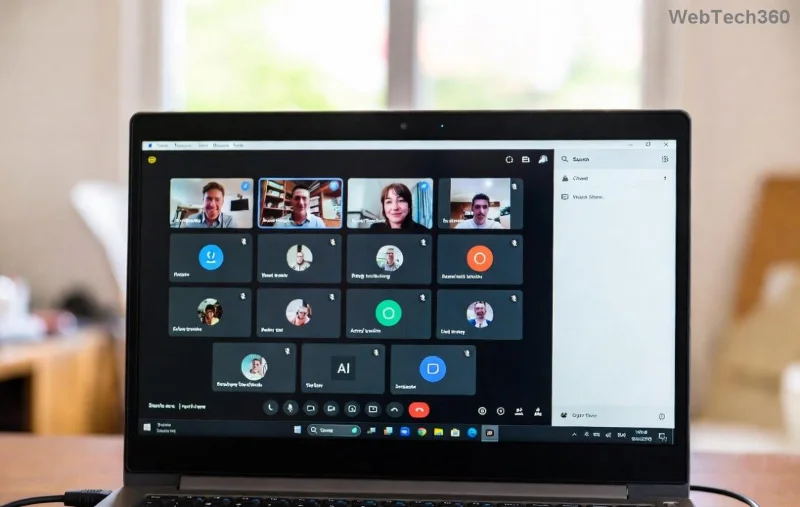
Microsoft Teams network troubleshooting screenshot showing connection status

2️⃣ Restart Teams and Your Device
Close Teams fully (Task Manager on Windows: End task for Teams.exe). Relaunch. If no luck, reboot your PC—wipes temporary glitches.

3️⃣ Switch Video Quality
In a call, click More options > Video options > Turn off HD video. Lower resolution eases the load.

These solve 70% of cases. Still freezing? Level up to advanced steps—your smooth call awaits!

Advanced Troubleshooting Microsoft Teams Video Call Freezing Steps

Update Teams and Drivers

Ensure you're on the latest Teams version: Profile > Check for updates. Outdated apps cause freezes.

Update graphics drivers:

OSSteps
WindowsDevice Manager > Display adapters > Right-click > Update driver
macOSApp Store > Updates or manufacturer site (NVIDIA/AMD/Intel)
BrowserClear cache: Ctrl+Shift+Del (Chrome)

Teams settings menu for video troubleshooting and driver updates

Disable Hardware Acceleration

Teams loves hardware acceleration, but it clashes sometimes.

  1. Teams Settings > General > Disable GPU hardware acceleration ✅.
  2. Restart Teams.

For browsers: Chrome Flags > search "hardware acceleration" > Disable.

Manage Background Processes

Task Manager (Ctrl+Shift+Esc): End non-essentials like extra browsers or VPNs. Limit to 80% CPU usage during calls.

Network and Permissions Deep Dive

✅ Firewall blocking? Add Teams exceptions:

  • Windows Defender Firewall > Allow app > Teams.exe.
  • Antivirus: Whitelist Teams.

VPN woes? Disconnect or switch servers. Use Teams' Network assessment tool: Download from Microsoft Support.

Pro Tip: Enable Teams media optimization in Admin settings for enterprise users—boosts stability.

Hardware Checks for Persistent Teams Video Freezing

Overheating? Clean vents, use cooling pad. Test webcam: Settings > Devices > Make a test call.

RAM/CPU low? Close tabs, upgrade if under 8GB RAM. macOS users: Activity Monitor > Quit energy hogs.

When Nothing Works: Next-Level Support

Log details: Call history > Failed call > Report issue. Share with IT.

Visit official help: Microsoft Teams Video Troubleshooting.

🎉 You've got this! Apply these troubleshooting Microsoft Teams video call freezing steps sequentially, and say goodbye to freezes. Seamless meetings ahead—what's your go-to fix? Drop a comment below!

Leave a Comment

Troubleshooting Microsoft Teams Video Call Freezing

Troubleshooting Microsoft Teams Video Call Freezing

Tired of Microsoft Teams video call freezing mid-meeting? Follow this proven troubleshooting Microsoft Teams video call freezing guide with quick fixes, advanced tips, and real solutions to restore smooth video instantly.

How to Fix Microsoft Teams Download Failed Due to Unexpected Error

How to Fix Microsoft Teams Download Failed Due to Unexpected Error

Frustrated by Microsoft Teams 'Download Failed Due to Unexpected Error'? Discover proven, step-by-step solutions to fix this common issue quickly and get back to seamless collaboration. Updated with the latest fixes for peak performance.

Why Did My Microsoft Teams Recording Fail? Common Reasons

Why Did My Microsoft Teams Recording Fail? Common Reasons

Frustrated because your Microsoft Teams recording failed? Uncover the top common reasons like permissions issues, storage limits, and network glitches, plus step-by-step fixes to prevent future failures and record flawlessly every time.

Solving Microsoft Teams Error B Connection

Solving Microsoft Teams Error B Connection

Struggling with Microsoft Teams "Error B" connection? Discover step-by-step fixes for smooth connectivity. Clear cache, check networks, and more in this ultimate guide to resolving Error B instantly.

How to Fix Microsoft Teams Application Is In A Bad State Error

How to Fix Microsoft Teams Application Is In A Bad State Error

Tired of the frustrating Microsoft Teams "Application Is In A Bad State" error crashing your meetings? Discover proven, step-by-step fixes to resolve it quickly and restore smooth teamwork. Updated with the latest solutions.

How to Check Microsoft Teams Version History and Build Number

How to Check Microsoft Teams Version History and Build Number

Discover simple steps to check your Microsoft Teams version history and build number on desktop, web, and mobile. Stay updated with the latest features and fixes effortlessly. Perfect for IT pros and everyday users.

How to Fix Microsoft Teams Uninstall Error Stuck

How to Fix Microsoft Teams Uninstall Error Stuck

Tired of Microsoft Teams "Uninstall Error" Stuck? Discover proven, step-by-step fixes to completely remove Teams from your PC. Works on latest Windows versions – no tech skills needed!

Troubleshooting Microsoft Teams Where is My Team? Error

Troubleshooting Microsoft Teams Where is My Team? Error

Facing the frustrating Microsoft Teams "Where is My Team?" error? Discover step-by-step troubleshooting tips, common causes, and quick fixes to resolve it instantly and resume seamless collaboration. Updated with the latest solutions.

How to Fix Microsoft Teams VDI Error on Virtual Machines

How to Fix Microsoft Teams VDI Error on Virtual Machines

Tired of Microsoft Teams VDI errors crashing your virtual machine calls? Get step-by-step fixes for audio glitches, video freezes, and optimization issues on Citrix, VMware, or RDP setups. Boost productivity now!

How to Fix Microsoft Teams Error AADSTS70011

How to Fix Microsoft Teams Error AADSTS70011

Struggling with Microsoft Teams Error AADSTS70011? Discover step-by-step fixes for invalid scope errors, clear cache tips, and quick authentication resets to get back to seamless collaboration in minutes. Updated with latest Teams patches.

Troubleshooting Microsoft Teams Unknown Error: Something Went Wrong

Troubleshooting Microsoft Teams Unknown Error: Something Went Wrong

Stuck with Microsoft Teams unknown error "Something Went Wrong"? Discover quick, effective troubleshooting steps to resolve it instantly. Updated with the latest fixes for seamless collaboration.

Troubleshooting Microsoft Teams Download for PC Not Working

Troubleshooting Microsoft Teams Download for PC Not Working

Is Microsoft Teams download not working on your PC? Discover proven fixes for installation errors, slow downloads, and crashes. Get Teams running smoothly in minutes with our step-by-step guide.

Solving Microsoft Teams Wiki Tab Missing Error

Solving Microsoft Teams Wiki Tab Missing Error

Tired of the frustrating Microsoft Teams Wiki Tab Missing error? Follow our proven, step-by-step guide to restore your Wiki tab instantly and boost team collaboration without hassle.

How to Fix Microsoft Teams Chat Message Failed to Send

How to Fix Microsoft Teams Chat Message Failed to Send

Tired of Microsoft Teams chat messages failing to send? Follow our expert, step-by-step guide to fix the "Failed to Send" error quickly and get back to productive chats without frustration. Proven solutions for all users.

Solving Microsoft Teams How Update Error 2026

Solving Microsoft Teams How Update Error 2026

Tired of Microsoft Teams "How Update" Error 2026 blocking your updates? Follow our proven, step-by-step solutions to resolve it fast and restore smooth teamwork. Works for latest Teams versions!








