
Leftover Halloween Candy and Pumpkins: What to Do Next

Sort leftover Halloween candy safely, share or repurpose sealed treats, and choose food use or compost for pumpkins based on their condition.
The Raspberry Pi Company has been releasing a slew of products since 2024, and shows no signs of slowing down in 2025. Now, you can finally buy a Raspberry Pi 5 with 16GB of memory, opening up a whole host of exciting new projects and the opportunity to use the Raspberry Pi 5 as a real desktop!
Table of Contents
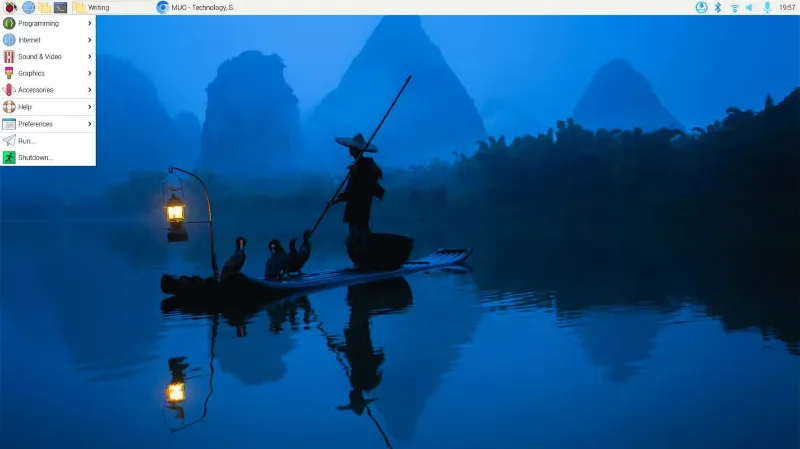
The first Raspberry Pi single-board computer, the Model B, was released in October 2012 and had 256MB of RAM. It was barely usable for practical computing, but was cheap, efficient, and customizable. The Raspberry Pi 4 Model B was the first to promise a desktop experience, but it only came with 8GB of RAM and was limited in practical use.
The Raspberry 5 16GB variant costs $120 from official Raspberry Pi retailers, a $40 increase over the 8GB variant.
The Raspberry Pi 5 with 16GB of RAM is a very strong contender for a daily driver. 16GB of RAM and a capable 2.4GHz 64-bit ARM Cortex-A76 quad-core processor means the Raspberry Pi 5 is more than capable of delivering a real desktop experience.
Finally, you can run Firefox and Chrome at the same time, run VS Code with Stack Overflow open, and stream YouTube tutorials without slowing down your computer. You can also remove Raspberry Pi OS and install a more demanding OS like Ubuntu if you like the look or need some other features.
According to Eben Upton, founder and CEO of Raspberry Pi Ltd, artificial intelligence (AI) and large language modeling (LLM) are among the expected use cases for the new 16GB variant.
Machine Learning inference tends to be computationally intensive, and the more RAM the better. While the Raspberry Pi 5 isn’t the best choice for model training, it can be used to run some small Machine Learning models for computer vision , speech recognition, and other applications. Adding specialized hardware like the Raspberry Pi Hailo kit or the Raspberry Pi AI camera opens up even more possibilities.
A Raspberry Pi 5 with 16GB of RAM can run most language models under 7 billion parameters, such as ChatGLM, OpenLLaMA, Code Llama, and Microsoft Phi-3, with enough space for other tasks.
While the Raspberry Pi 5 isn’t aimed at designers or visual artists, it can be used for simple 2D and 3D graphics design. A $120 single-board computer won’t match the performance of a full PC, but it’s fine for light design tasks and small projects. The extra onboard RAM means you can work with slightly larger files and complete projects faster than with older variants.
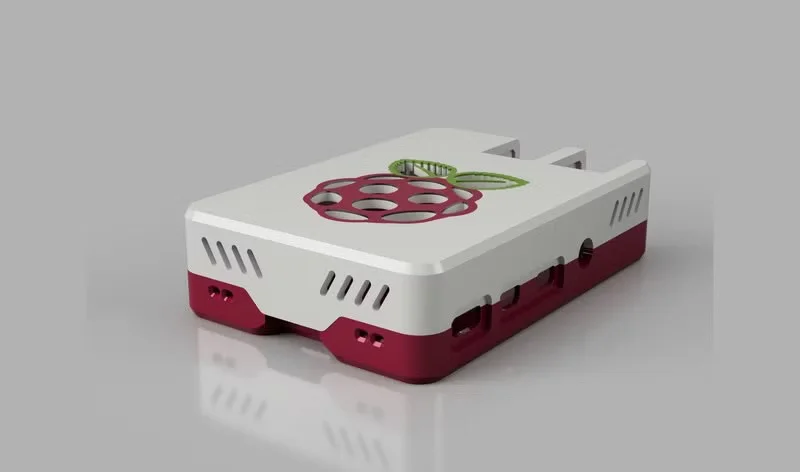
Tip : You can create 3D printed Raspberry Pi cases and enclosures using 3D modeling software on Raspberry Pi.
There are a number of 3D modeling applications available for the Raspberry Pi, including FreeCAD, OpenSCAD, BlocksCAD, and TinkerCAD. Blender is not natively supported on the Pi, but can run with some tweaks. The Raspberry Pi website has tutorials for 3D modeling and design.
The cloud is someone else's computer. For privacy, security, and even educational purposes, you should consider hosting some of the services you use regularly on your Raspberry Pi running locally.
16GB of RAM is enough to run multiple services on the same Raspberry Pi without building a cluster or using orchestration software. You can run Home Assistant, Pi-hole, Nextcloud, Jellyfin, and your personal WordPress site on a single Pi without running out of memory bandwidth.
However, self-hosting is not easy and can be a constant source of headaches. It requires a stable power source and a reliable internet connection. You will also need to perform regular backups and software updates. You will need a good amount of patience and technical expertise to troubleshoot any issues that arise.
Regardless, self-hosting is a great way to develop useful system administration skills while freeing yourself from proprietary solutions.
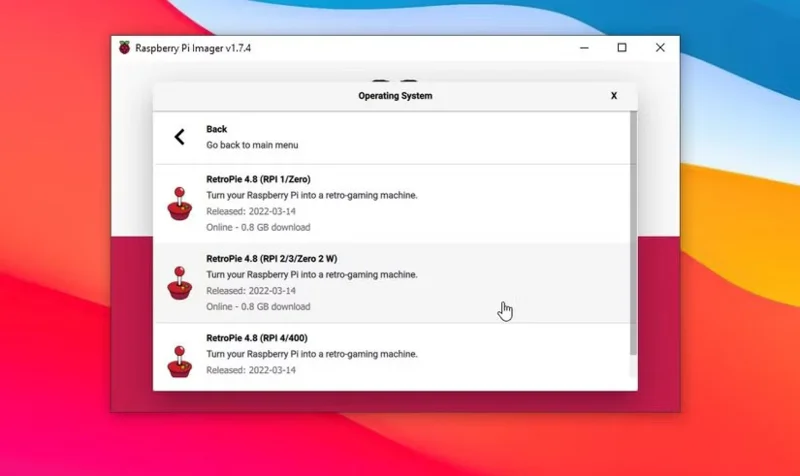
Retro gaming is very popular in the Raspberry Pi community. There are dedicated retro gaming distributions (like RetroPie) and hardware kits for the Raspberry Pi. The Raspberry Pi 5 is a step up from the Raspberry Pi 4 and can emulate more complex hardware like the Sega Saturn, GameCube, PS2, PSP, and Dreamcast.
Technically, you don’t need 16GB of RAM to run most classic games. However, it does mean that you don’t have to close other applications before playing a game on your Raspberry Pi. For classic gaming purposes, 16GB of RAM is a great feature that improves the overall experience.
With 16GB of RAM, you can run virtual machines and containers on the Raspberry Pi. You can create isolated environments for your applications and tweak things at the system level. Proxmox is an open source virtualization platform for managing virtual machines and containers. It isn't available directly for the Raspberry Pi, but with some tweaking, you can set it up through Pimox.
The 16GB Raspberry Pi will run a few virtual machines smoothly, although performance may start to degrade as resource demands increase.
Warning : Since Proxmox is not officially supported, the setup may be unstable and is not recommended for professional deployment.
Docker makes it easy to set up and manage containers on the Raspberry Pi. This is especially valuable for self-hosted services, as it ensures applications run independently without interfering with each other. It can help mitigate damage in the event of a malware attack and provides an ideal environment for exploration and experimentation.
Home surveillance isn't a project that typically requires a high-spec Raspberry Pi model, especially if you're streaming from multiple cameras. Older Raspberry Pi models make great home security cameras for that reason.
However, if you need to stream 1080p video from multiple high-resolution cameras, you may need a Raspberry Pi 5 with 16GB of RAM to handle the extra bandwidth. You can also run advanced processing like motion detection and facial recognition.
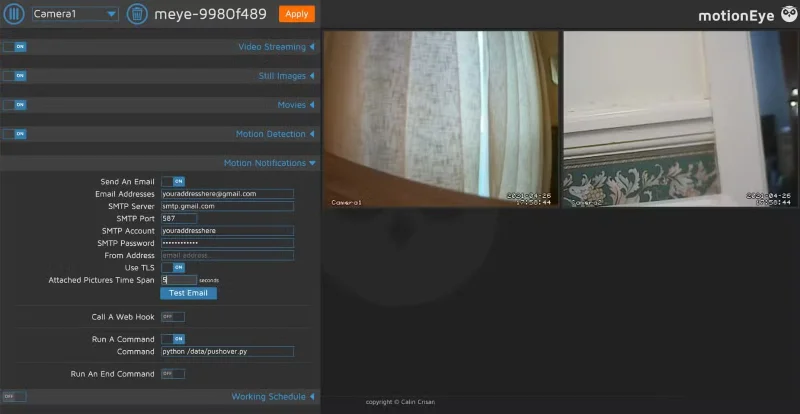
motionEye is the most popular open source surveillance software for managing multiple cameras at once. The motionEyeOS project is currently inactive, but you can run the interface directly on your Raspberry Pi OS installation.
The Raspberry Pi line has made a lot of progress in both price and performance. The Raspberry Pi 5 16GB is about 3 times more expensive than the original Model B, but it is also many times more capable. While the price increase is significant, the performance increase is well worth it.
Sort leftover Halloween candy safely, share or repurpose sealed treats, and choose food use or compost for pumpkins based on their condition.
Compare workplace Halloween costume choices by respect, dress code, mobility, and safety—and learn when a subtle accessory or a policy check is the better option.
Find a couples costume that fits your style, budget, and comfort level, from Addams Family classics to original inside-joke duos.
Need a last-minute high school Halloween costume? Compare 10 easy closet-based ideas by prep time, comfort, school-day practicality, and simple safety checks.
Use a simple 2026 Halloween decorating timeline for indoor décor, outdoor displays, and fresh pumpkins, with practical adjustments for weather and events.
Mix five vivid, approachable Halloween cocktails with measured recipes, simple prep tips, and an alcohol-free option for your party guests.
Find 15 office-friendly Halloween costume ideas for 2026, with practical checks for dress codes, respectful themes, comfort, and workplace safety.
Plan a fun elementary school Halloween party with easy crafts, games, inclusive treats, costume tips, and a sample 75-minute classroom schedule.
Compare realistic side hustles for 2026 by startup cost, fees, flexibility, and income control, with current tax and scam guidance from official sources.
Upgrade your home office ergonomics with current OSHA and NIOSH guidance on chair fit, monitor height, laptop setup, lighting, and movement.








