Apple updates AirPods Max, making these headphones really worth buying!

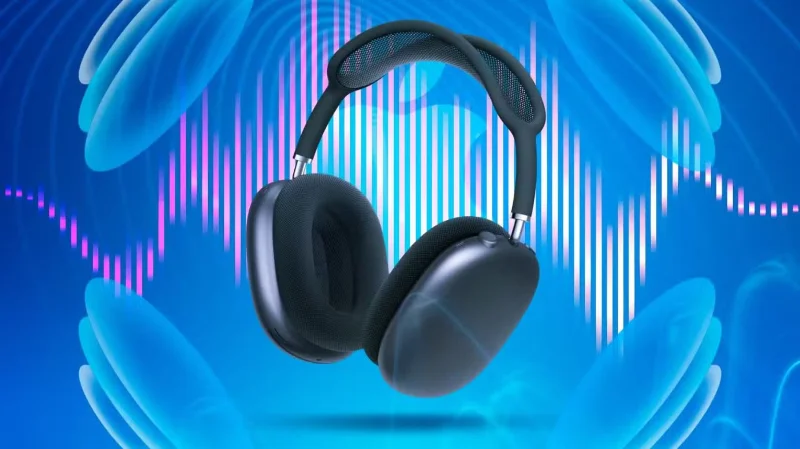
The expensive AirPods Max are actually getting better. Apple just announced that both lossless audio and ultra-low latency audio will soon be available on its premium headphones.

Highest quality sound with USB-C cable

Apple updates AirPods Max, making these headphones really worth buying!
AirPods Max

Lossless audio delivers 24-bit, 48 kHz audio output for the best possible experience. It will also expand to Personalized Spatial Audio for a more accurate and immersive experience. There are over 100 million songs in lossless audio with Apple Music .

Since regular Bluetooth connections can't handle lossless audio, you'll need to use the included USB-C cable to connect to your Apple device.

A USB-C cable is also required to unlock ultra-low latency audio. As the name suggests, this reduces latency and delivers sound on par with the built-in speakers on Macs, iPads, and iPhones.

The changes will arrive next month with a firmware update for the headphones alongside the iOS 18.4, iPadOS 18.4, and macOS Sequoia 15.4 updates from Apple.

You can buy AirPods Max from Apple and many other retailers for $549. They are available in Midnight, Starlight, Blue, Purple, and Orange.

Apple also introduced a new USB-C to 3.5m audio cable for $39, which lets you connect AirPods Max to 3.5mm audio sources like in-flight entertainment systems.

All of the new audio improvements are only available on the USB-C AirPods Max, first introduced in September 2024. The previous AirPods Max model with a Lightning connector cannot use the new features.

The addition of audio features is too little and too late.

Apple updates AirPods Max, making these headphones really worth buying!
AirPods Max USB-C in multiple color options

It’s hard to understand why Apple didn’t include lossless audio and ultra-low latency audio in the “update” version introduced in 2024. That might have been a game-changer and gotten buyers interested in the headphones. But now it’s certainly too late to make much of a difference, since both features are aimed at audio creators and gamers, not everyday, regular headphone users.

The AirPods Max have always been one of Apple’s most confusing products. First introduced in 2020, the over-ear headphones offer some great features if you’re willing to spend a little money. Now, compared to other headphones on the market, the AirPods Max don’t have much to offer. You can easily find a similar product for hundreds of dollars less.

Many people have always thought that the original AirPods Max were one of the worst things they’ve ever bought. Along with the high price, poor battery life, and no way to completely turn the earbuds off. That’s not to mention the confusing Digital Crown, the terrible case, and the bright colors that show dirt after just a short time of use.

Leave a Comment

How to Assign Participants to Breakout Rooms in Microsoft Teams

How to Assign Participants to Breakout Rooms in Microsoft Teams

Master how to assign participants to breakout rooms in Microsoft Teams with this step-by-step guide. Boost meeting engagement, automate assignments, and troubleshoot like a pro for seamless virtual collaboration.

How to Fix Microsoft Teams Giá Error Pricing Update

How to Fix Microsoft Teams Giá Error Pricing Update

Struggling with Microsoft Teams "Price Error" after the latest pricing update? Discover step-by-step fixes to resolve it quickly, restore seamless collaboration, and avoid subscription headaches. Updated with the newest solutions.

Solving Microsoft Teams Background Error Transparency

Solving Microsoft Teams Background Error Transparency

Struggling with Microsoft Teams Background Error Transparency? Discover proven step-by-step fixes for blurry, glitchy virtual backgrounds. Restore perfect transparency in Teams meetings effortlessly. Updated with the latest solutions.

How to Fix Microsoft Teams Đăng nhập Error (Login)

How to Fix Microsoft Teams Đăng nhập Error (Login)

Struggling with Microsoft Teams "Đăng nhập" login error? Discover step-by-step fixes for smooth sign-in. Clear cache, update app, and more – no tech skills needed! Works on Windows, Mac, and web.

Solving Microsoft Teams Web Error 503 Service Unavailable

Solving Microsoft Teams Web Error 503 Service Unavailable

Tired of Microsoft Teams Web Error 503 Service Unavailable blocking your meetings? Discover quick, step-by-step fixes to resolve the 503 error fast – no tech skills needed! Clear cache, check status, and get back to collaborating seamlessly.

Troubleshooting Microsoft Teams Update Error 0x80070002

Troubleshooting Microsoft Teams Update Error 0x80070002

Stuck with Microsoft Teams Update Error 0x80070002? Discover proven troubleshooting steps to resolve this frustrating issue quickly and get your Teams app updated seamlessly for uninterrupted collaboration.

Solving Microsoft Teams Error AADSTS50020: User Account Conflict

Solving Microsoft Teams Error AADSTS50020: User Account Conflict

Tired of Microsoft Teams Error AADSTS50020 blocking your sign-in? Discover step-by-step fixes for user account conflicts, backed by the latest Azure AD solutions. Get back to work fast!

How to Fix Microsoft Teams Microphone Error No Sound

How to Fix Microsoft Teams Microphone Error No Sound

Tired of Microsoft Teams microphone error with no sound? Discover quick, step-by-step fixes for Teams mic not working on Windows, Mac, and more. Restore crystal-clear audio in minutes!

How to Fix Microsoft Teams Task Management Error

How to Fix Microsoft Teams Task Management Error

Tired of the Microsoft Teams "Task Management" Error disrupting your workflow? Discover proven fixes like clearing cache, updating Teams, and troubleshooting permissions to get back to seamless collaboration in minutes. Updated with the latest solutions.

How to Fix Microsoft Teams How to Teams Help Error

How to Fix Microsoft Teams How to Teams Help Error

Frustrated by the Microsoft Teams 'How to Teams' Help Error? Discover proven, step-by-step solutions to fix it quickly and restore smooth help access. Latest 2026 updates included for seamless teamwork.

Solving Microsoft Teams Room Error Syncing

Solving Microsoft Teams Room Error Syncing

Struggling with Microsoft Teams "Room Error" Syncing? This ultimate guide provides step-by-step fixes for Microsoft Teams Room Error Syncing issues, ensuring seamless meetings and quick resolutions. Updated with the latest tips.

Troubleshooting Microsoft Teams Workflows Power Automate

Troubleshooting Microsoft Teams Workflows Power Automate

Master troubleshooting Microsoft Teams Workflows Power Automate issues with step-by-step fixes for common errors. Get your automations running smoothly – no more frustration! Proven solutions for triggers, permissions, and more.

Solving Microsoft Teams Restart Error (2026)

Solving Microsoft Teams Restart Error (2026)

Struggling with Microsoft Teams "Restart Error" in 2026? Discover proven, step-by-step fixes to resolve the endless restart loop quickly. Clear cache, reset app, and more for seamless collaboration. Get back online fast!

How to Create Breakout Rooms in Microsoft Teams Before a Meeting

How to Create Breakout Rooms in Microsoft Teams Before a Meeting

Master how to create breakout rooms in Microsoft Teams before a meeting with this easy guide. Pre-assign participants, boost collaboration, and elevate your virtual sessions effortlessly.

How to Fix Microsoft Teams Layout Error: Sidebar Missing

How to Fix Microsoft Teams Layout Error: Sidebar Missing

Tired of Microsoft Teams sidebar missing? Get instant fixes for layout errors. Step-by-step guide with latest tips to restore your Teams sidebar fast and frustration-free.









