3uTools is an application that quickly set ringtones with your favorite songs compared to iTunes.
To do this, please do the following steps:
Step 1: Download the latest 3uTools .
Step 2: Open the app and plug the iPhone cable into the computer.
Step 3: Select Ringtones.
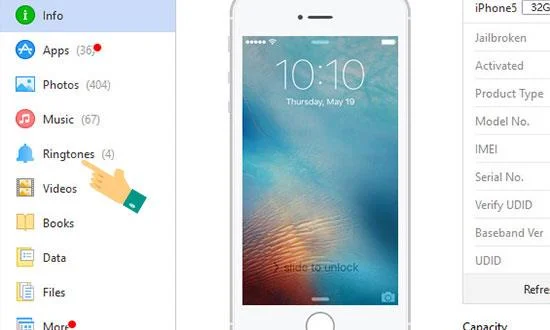
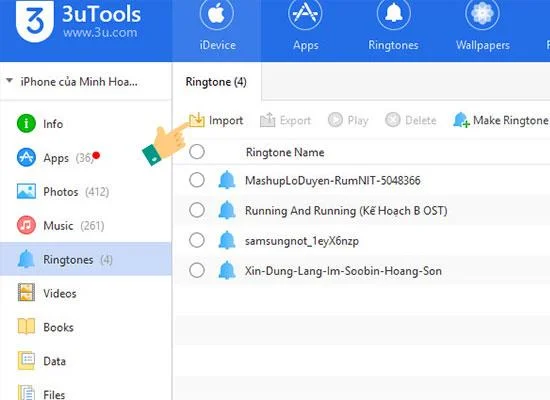
Step 4: There will be 2 options, 1 is to choose Import to set the whole song as iPhone ringtone , 2 is to choose Make Ringtone to create your own style song.
Method 1: Use the whole song as a ringtone.
Select import >> Select File.
![Set ringtones for iPhone with 3uTools]()
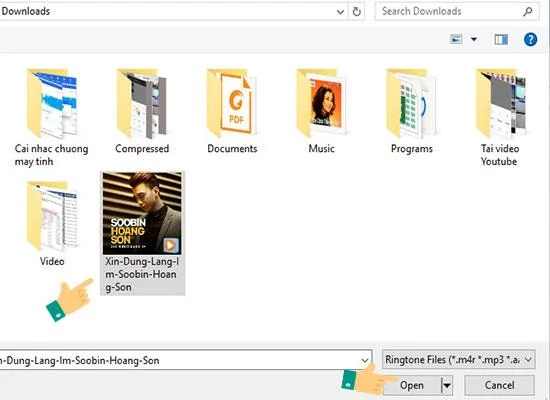
Find the songs to install >> Open >> Click OK and you're done.
![Set ringtones for iPhone with 3uTools]()
Method 2: Use Make Ringtone to create music according to your needs.
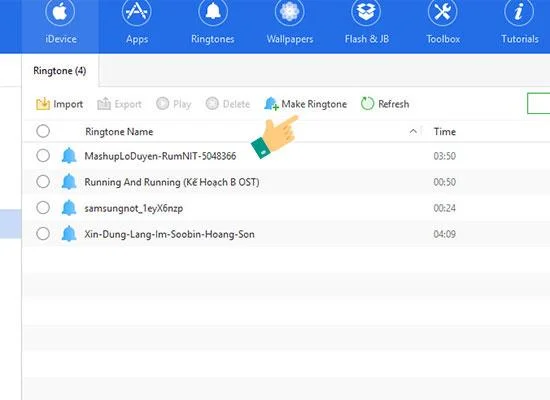
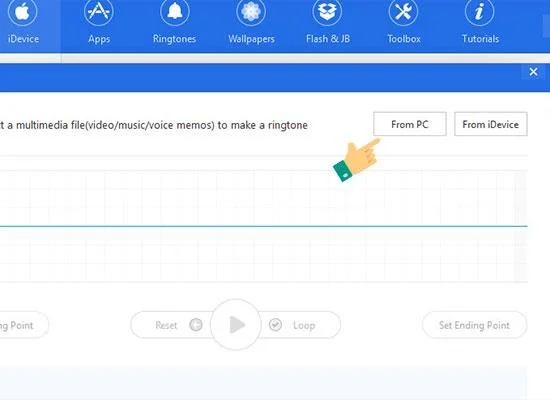
You choose Make Ringtone >> From PC.
![Set ringtones for iPhone with 3uTools]() Make Ringtone
Make Ringtone
![Set ringtones for iPhone with 3uTools]() Select From PC
Select From PC
Select the songs you need to install >> Open.
![Set ringtones for iPhone with 3uTools]()
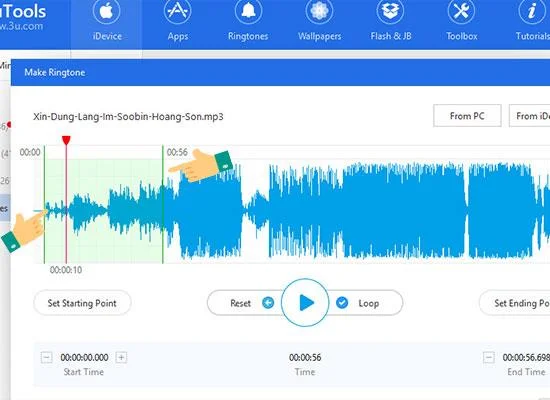
The left hand is the beginning of the song, the right hand is the song stop, you cut it as you like.
![Set ringtones for iPhone with 3uTools]()
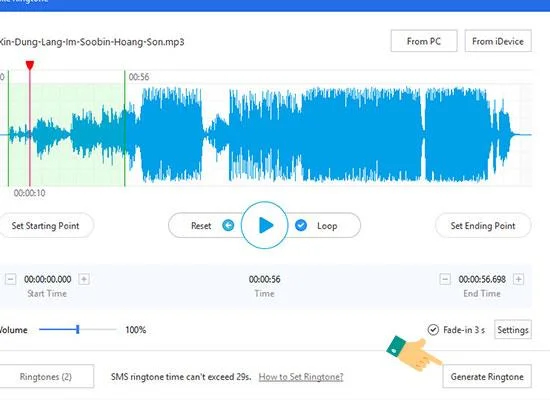
When finished cutting >> Choose Generate >> Import to idevice to export the cut music to the machine.
![Set ringtones for iPhone with 3uTools]() Select Generate Ringtone
Select Generate Ringtone
![Set ringtones for iPhone with 3uTools]() Import to iDevice
Import to iDevice
![Set ringtones for iPhone with 3uTools]() Select OK
Select OK
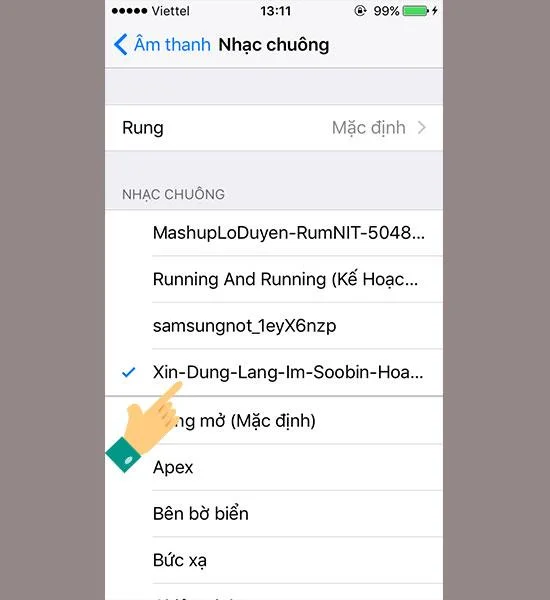
Step 5: Go to settings >> Sound on iPhone to see the song you just installed is complete.
![Set ringtones for iPhone with 3uTools]()
So I just instructed you how to set ringtones on iPhone with your favorite songs. Also you can refer to more ways to set ringtones for other iPhone in the article here .
Good luck.
You will be interested in:
>>> Copy music from computer to iPhone using 3uTools
 Make Ringtone
 Select From PC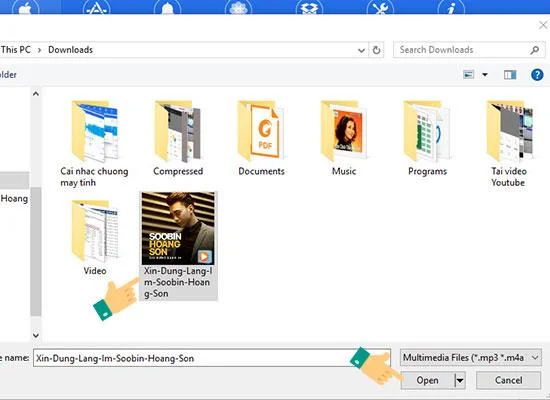
 Select Generate Ringtone
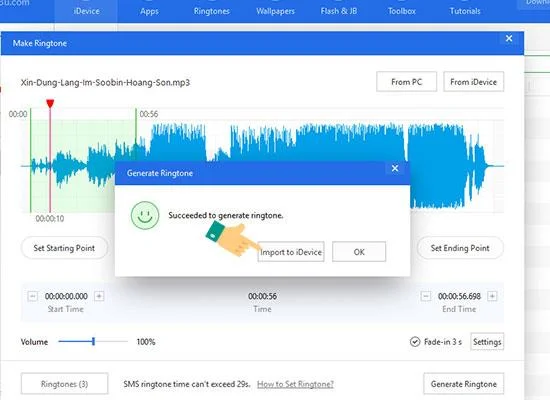 Import to iDevice
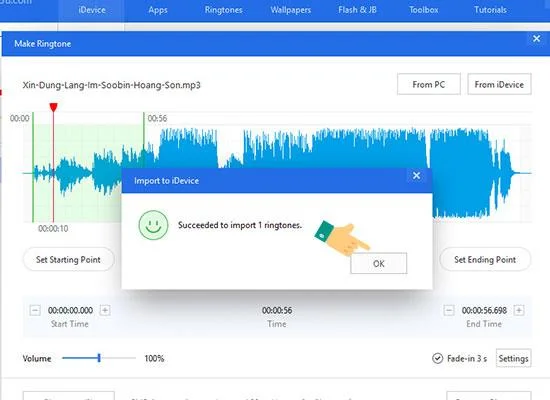 Select OK