Clean Up Old Synapse Messages and Media Without Losing Data
Use Synapse’s history and media purge APIs or retention settings to remove stale data safely, then verify completion and disk-space recovery.
As of October 10, 2026, PyPI lists Simple-Matrix-Bot-Lib 2.13.1, released March 29, 2026. The package requires Python 3.9 or newer, but Python 3.9 has reached end of life; use a maintained Python release that the package supports. The hosted project docs still identify as version 2.11.0 and warn that they are unmaintained, so this guide follows the current PyPI example for the bot API and uses the older manual only for clearly labeled configuration notes. Check the package release and metadata on PyPI. Read the project’s documentation status.
The fastest reliable setup is a dedicated Matrix user, a Python virtual environment, and a small echo bot that responds to !echo in a test room. The example is for an unencrypted room; encrypted rooms require additional setup.
Create or request a regular account on the homeserver that will run the bot. Give it a distinct username such as echo_bot; it does not need homeserver-administrator privileges. Registration may be disabled or restricted by that server, so follow its account-creation policy. Invite the account only to a private test room where it is allowed to send messages.
Use Python 3.11 or another currently supported Python branch. Although the package metadata still allows Python 3.9, Python.org marks that branch end of life as of October 31, 2025, so the package’s minimum is not a good deployment recommendation. Python.org’s Python 3.9 support notice.
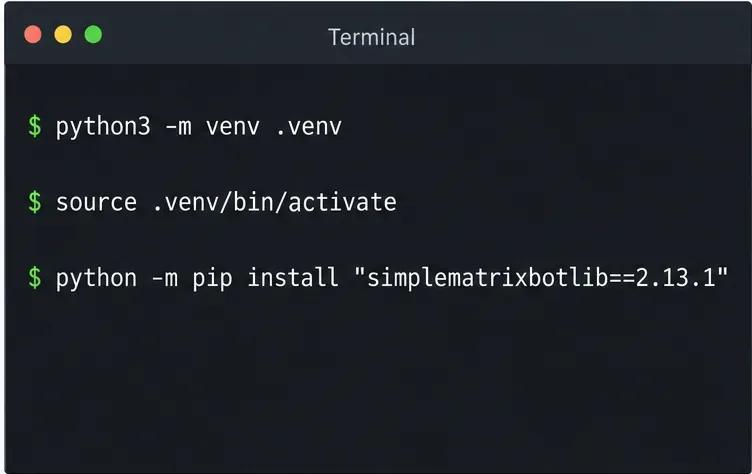
Run these commands from a new project folder. A virtual environment keeps this bot’s packages separate from other Python projects. The version pin makes the example reproducible against the latest release verified for this article; when upgrading, check the current PyPI release and its compatibility notes.
python3 --version
python3 -m venv .venv
source .venv/bin/activate
python -m pip install "simplematrixbotlib==2.13.1"
On Windows PowerShell, activate the environment with .venv\Scripts\Activate.ps1 instead of the source command. Then create a file named bot.py. PyPI’s project page documents the package name and install command, and its published example uses Creds, Bot, a message listener, and MessageMatch. See the current PyPI usage example.
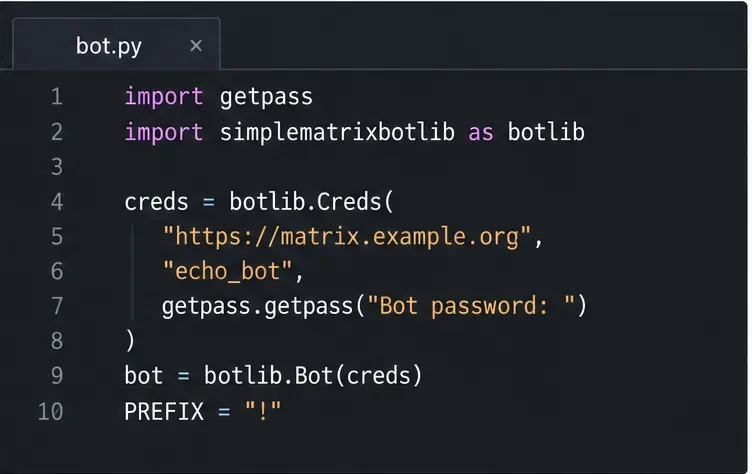
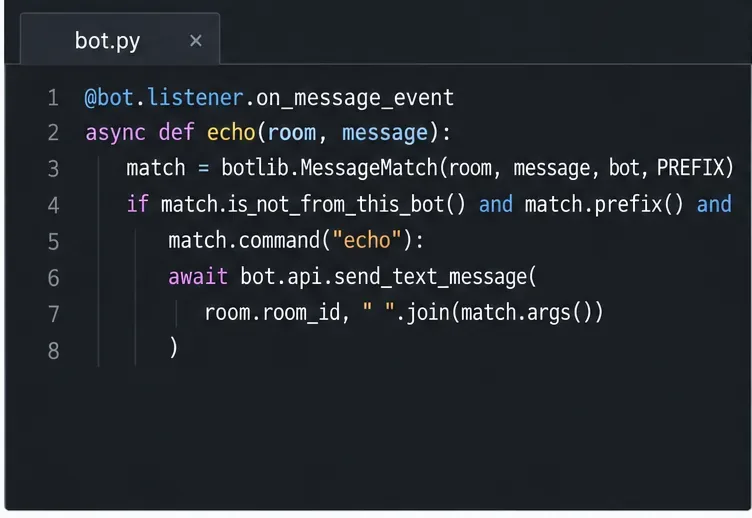
Save the following as bot.py. It prompts for the bot password at startup, so the password is not written into the source file. For unattended service deployment, read the secret from your operating system’s secret manager or a protected environment variable instead of hardcoding it. Treat any session or access-token storage created by the library as a credential: keep it private and out of version control.
import getpass
import simplematrixbotlib as botlib

creds = botlib.Creds(
    homeserver="https://matrix.example.org",
    username="echo_bot",
    password=getpass.getpass("Bot password: "),
)
bot = botlib.Bot(creds)
PREFIX = "!"

@bot.listener.on_message_event
async def echo(room, message):
    match = botlib.MessageMatch(room, message, bot, PREFIX)
    if (match.is_not_from_this_bot()
            and match.prefix()
            and match.command("echo")):
        text = " ".join(match.args())
        reply = text or "Usage: !echo <text>"
        await bot.api.send_text_message(room.room_id, reply)

bot.run()
Replace the sample homeserver URL with your server’s base URL and use the bot’s account username and password. The listener receives room messages; MessageMatch ensures it ignores its own messages and only handles the !echo command. The API call sends the remaining words back to that same room. These names and method calls follow the library’s published PyPI example. Compare with the Simple-Matrix-Bot-Lib quickstart.
From the activated virtual environment, run:
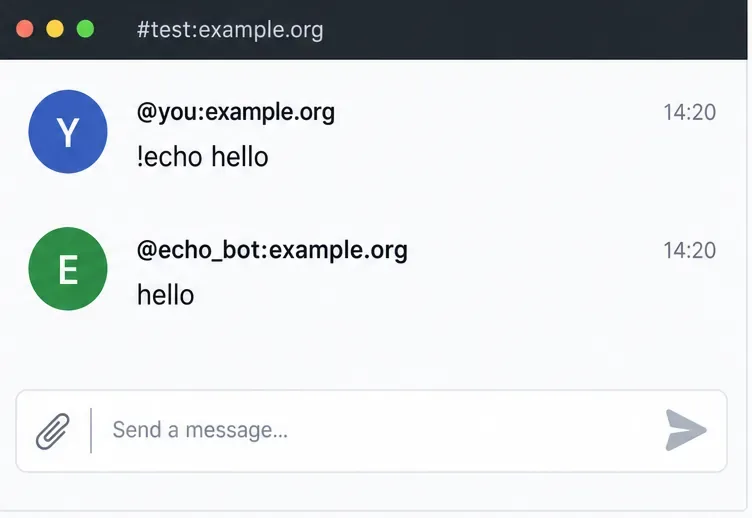
python bot.pyEnter the bot account password when prompted. In the test room, send !echo hello. A working basic bot replies hello. If it stays silent, confirm the bot account has joined that room, the user has permission to send messages there, the homeserver URL is correct, and the message starts with the exact ! prefix. Keep the process running; closing its terminal stops this simple foreground deployment.
The sample does not process end-to-end encrypted room messages. The library advertises E2EE support, but its currently hosted manual is labeled 2.11.0 and may be out of date; that manual describes extra matrix-nio[e2e] dependencies and a Config.encryption_enabled setting. Confirm the exact installation and verification steps for the version you install before enabling encryption. The older docs also expose a join_on_invite setting; invite the bot only to rooms it should access and check that setting if your deployment must control automatic room joins. Review the library’s E2EE and configuration manual.
Setup is complete when the bot remains logged in, is a member of the test room, and answers !echo hello with hello. For production, run it under a process manager and protect its password and session data.
Use Synapse’s history and media purge APIs or retention settings to remove stale data safely, then verify completion and disk-space recovery.
Install the current library, connect a dedicated Matrix account, and run a small !echo bot with safer credential handling and a clear test.
Set up three mautrix bridges with separate registrations, logins, and tests—and avoid Docker networking, account-policy, and sync surprises.
Find what is filling Synapse storage, set safe media retention, and purge remote cache without deleting files directly from disk.
Review device activity, deactivate confirmed inactive Synapse accounts through the Admin API, and learn what the optional erase flag actually removes.
Find whether PostgreSQL memory comes from query work, shared buffers, connections, or maintenance, then make targeted Synapse-safe changes.
Trace slow Matrix room joins to one remote homeserver, federation backoff, local database load, or an outbound sender queue before changing Synapse settings.
Stop open account creation on a self-hosted Synapse server, or keep sign-ups invite-only with limited-use registration tokens.
Clear Element's unverified-session warning using a trusted device or recovery key, with checks that protect your encrypted chat history.
Distinguish database lock contention from expired WebDAV locks, then choose and configure the right ownCloud 10 fix.