Clean Up Old Synapse Messages and Media Without Losing Data
Use Synapse’s history and media purge APIs or retention settings to remove stale data safely, then verify completion and disk-space recovery.
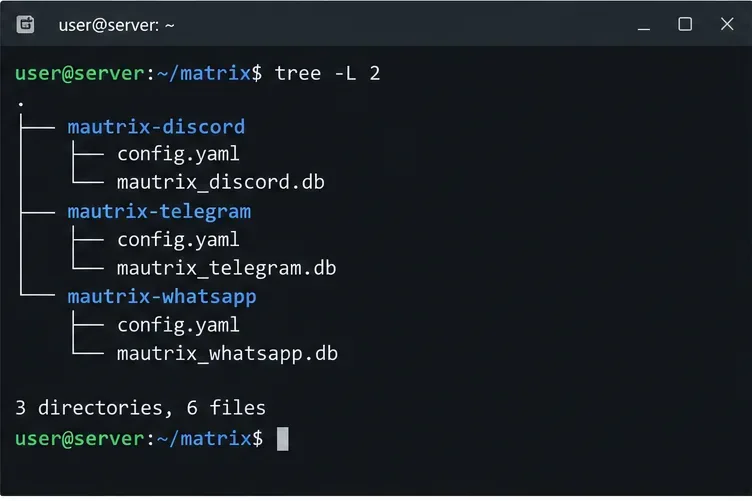
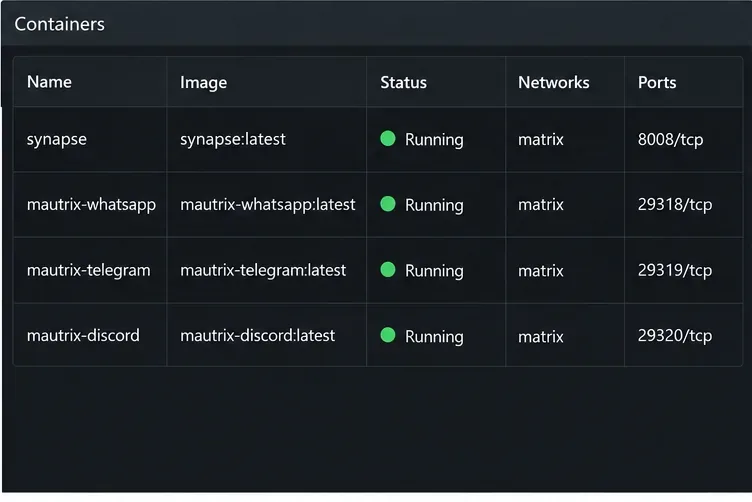
To connect WhatsApp, Telegram, and Discord, run three separate bridges, register each as an application service, and sign in through its own flow. Success means each bot reports an authenticated session and test messages travel both ways through portal rooms; a bot merely appearing online is not enough.
This is for an administrator of a homeserver that permits application services. You cannot add a self-hosted bridge to matrix.org unless its administrators offer one; use a server you control or an available hosted bridge. Project documentation was checked October 10, 2026.
These are three separate services, each with its own configuration, registration, database, and login. mautrix mainly uses puppeting: messages travel through your linked remote account and appear in Matrix as that account. A relay bot is different; choose it only if you want a shared bot identity rather than your personal account.
You need an application-service-capable homeserver, admin access, and network connectivity to each bridge. Docker is documented. Give each bridge its own data directory and choose a maintained version tag; mautrix notes that latest may track the latest commit rather than a release.
Use a separate database per bridge; a PostgreSQL server may be shared, but the database itself must not be shared with another bridge or Synapse. SQLite is an option for small instances. Decide about end-to-bridge encryption before login because enabling it later for existing portal rooms is difficult.
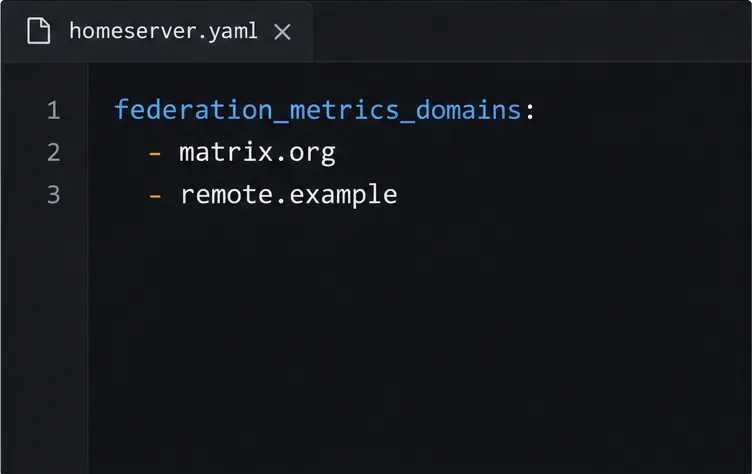
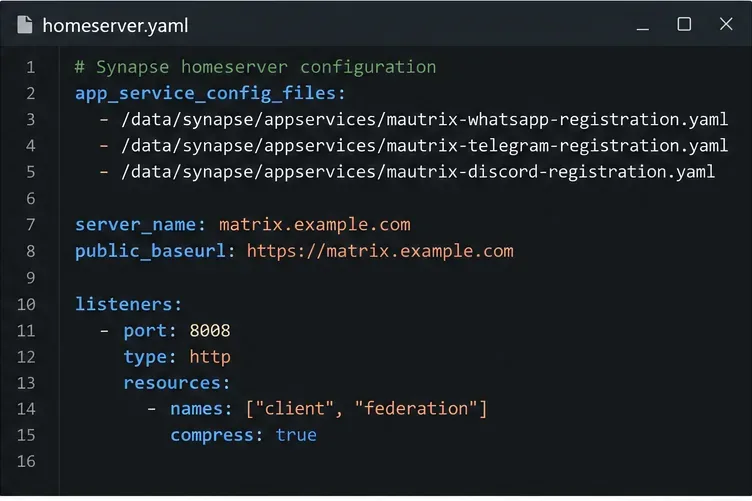
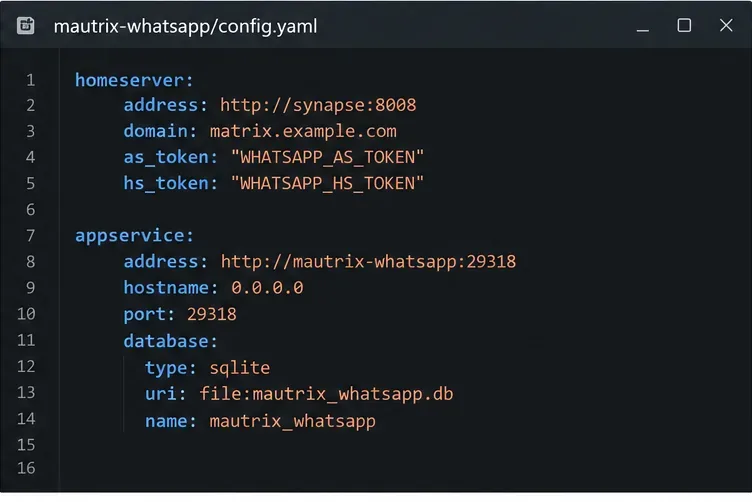
http://synapse:8008. The application-service address must point back to that bridge’s service name and listening port. localhost inside a bridge container points to that same container, not Synapse or another bridge, so it usually breaks communication. If the homeserver is outside Docker, publish or route the required bridge port instead.homeserver.yaml, add their paths under app_service_config_files, for example:app_service_config_files:
- /data/appservices/mautrix-whatsapp-registration.yaml
- /data/appservices/mautrix-telegram-registration.yaml
- /data/appservices/mautrix-discord-registration.yamlMount the registration files inside the Synapse container if Synapse runs in Docker. Restart Synapse after editing the list. A YAML typo, wrong path, unreadable mount, or mismatched bridge address can prevent registration or stop Synapse from starting. If you change registration-related bridge settings later, regenerate the relevant registration file and restart Synapse again.
Start mautrix-whatsapp and open a Matrix direct message with its bridge bot, typically @whatsappbot:your.server. Send login qr, then scan the QR code from WhatsApp’s Linked devices screen on your phone. Wait for the bot to confirm authentication; the bridge documentation says portal rooms may take about a minute to appear. WhatsApp is linked as a device, so this is not a standalone cloud account. The bridge docs say linked devices disconnect if the phone remains offline for more than two weeks. If you cannot keep the phone active, consider whether this bridge meets your reliability needs before relying on it for important chats.
Before Telegram login, create an API application at my.telegram.org/apps and put its api_id and api_hash in mautrix-telegram’s configuration. These API values let the bridge connect to Telegram’s API; they do not authenticate a Telegram account by themselves. Then message @telegrambot:your.server and use login qr, scanning it from Telegram’s mobile app under Settings, Devices, and Link Desktop Device. The code option may be delivered to an existing Telegram session rather than by SMS, and the bridge can prompt for your two-step verification password. Check the bridge’s backfill settings before login if importing older messages matters; changing expectations after portal rooms are created may be too late.
For a server, use a dedicated Discord bot, not automation of your personal account: Discord forbids self-bots and may terminate accounts. Create an application and bot in the Developer Portal, enable only the privileged intents the bridge requires and your app can obtain, then invite it with the OAuth2 bot scope and minimum channel permissions. Intent access is policy-controlled; without needed message-content or member access, some functions may not work. In Matrix, DM @discordbot:your.server and follow mautrix-discord’s bot-token login instructions. A bot does not provide the same personal-DM access as a user-account bridge.
DM each bridge bot and confirm an authenticated status. In one portal room per service, send a test message from Matrix and reply from the remote app. Verify both arrive in the right room. For groups or Discord channels, first confirm the bridge account is present and has read/post permissions. A successful login alone does not prove delivery.
If a bot is silent, check its logs for missing values, database errors, or homeserver connectivity. If login works but rooms do not appear, check portal and backfill settings. For missing Discord channel messages, check bot membership, permissions, and intent access. If Synapse fails to start, verify YAML indentation and readable registration-file mounts.
Feature support varies by bridge version and account type; calls, reactions, encrypted chats, media, and history import may differ or be unsupported. Check each bridge’s current feature list before relying on it as your only access point. Restrict access to registration files and credentials, back up bridge data securely, and revoke a linked session or token if exposed.
Use the current mautrix Docker instructions, registration guide, configuration reference, and the WhatsApp, Telegram, and Discord authentication pages for version-specific commands. Review Discord’s self-bot policy.
Use Synapse’s history and media purge APIs or retention settings to remove stale data safely, then verify completion and disk-space recovery.
Install the current library, connect a dedicated Matrix account, and run a small !echo bot with safer credential handling and a clear test.
Set up three mautrix bridges with separate registrations, logins, and tests—and avoid Docker networking, account-policy, and sync surprises.
Find what is filling Synapse storage, set safe media retention, and purge remote cache without deleting files directly from disk.
Review device activity, deactivate confirmed inactive Synapse accounts through the Admin API, and learn what the optional erase flag actually removes.
Find whether PostgreSQL memory comes from query work, shared buffers, connections, or maintenance, then make targeted Synapse-safe changes.
Trace slow Matrix room joins to one remote homeserver, federation backoff, local database load, or an outbound sender queue before changing Synapse settings.
Stop open account creation on a self-hosted Synapse server, or keep sign-ups invite-only with limited-use registration tokens.
Clear Element's unverified-session warning using a trusted device or recovery key, with checks that protect your encrypted chat history.
Distinguish database lock contention from expired WebDAV locks, then choose and configure the right ownCloud 10 fix.