Need a fast way to build polished presentations without starting from scratch in Microsoft PowerPoint? A Canva Power Point Template gives you ready-made layouts you can tweak in Canva and export straight to .pptx format. This article walks through the exact process so you can produce a finished Canva Power Point Template in under fifteen minutes.
Where to Find Ready-to-Use Canva Power Point Template Options
Canva hosts more than 100,000 presentation templates tagged for PowerPoint export. Open Canva in any browser and sign in with your account. In the search bar type “presentation” or “PowerPoint” and filter results by “Templates.” Look for designs that already match your topic—business pitch, classroom lesson, or marketing report—so you spend less time rearranging elements later.
Once you spot a layout you like, click “Use this template.” Canva automatically loads it into the editor with all text boxes and images ready for replacement. This step is where most people begin their Canva Power Point Template project.
How to Customize a Canva Power Point Template
-
Replace placeholder text and images
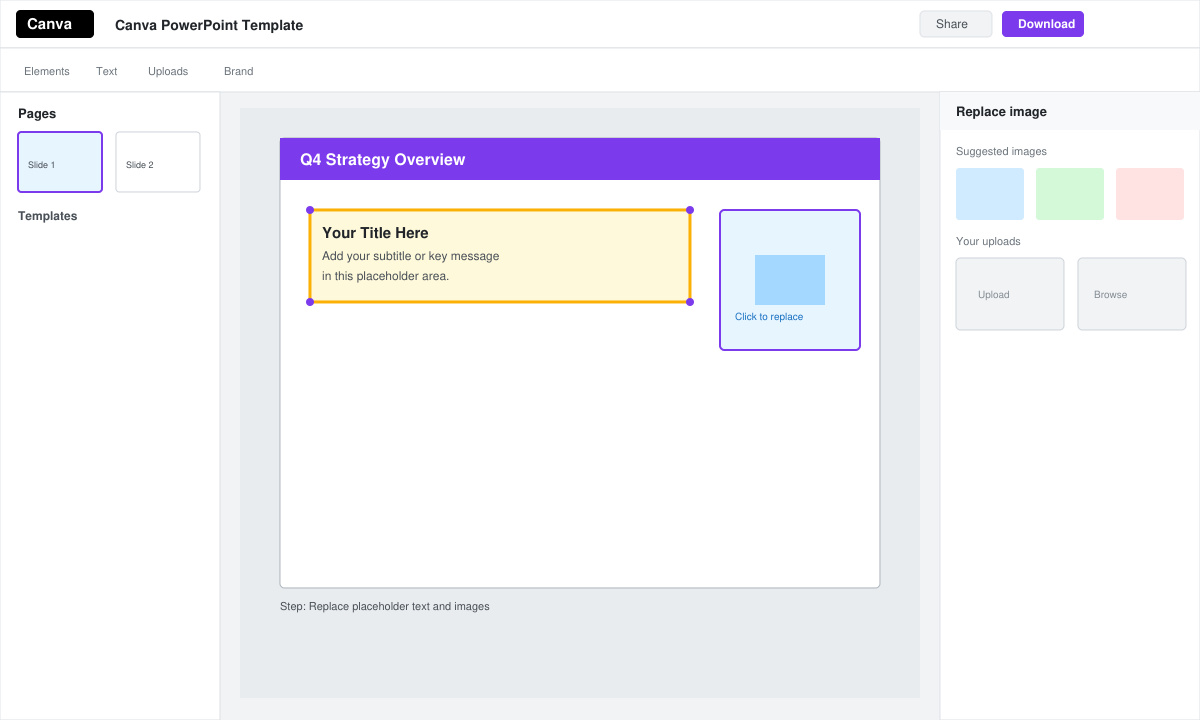
Click any text box and type your own content. To swap images, select the picture, then hit “Replace” in the top toolbar and upload your own files or choose from Canva’s free stock library. Keep brand colors consistent by using the “Brand kit” panel on the left sidebar if you have saved colors there.
-
Adjust layout and add new slides
Drag elements to new positions or use the “Resize” handles to change sizes. To insert additional slides, click the “Add page” button at the bottom of the left thumbnail panel. Duplicate an existing slide first so the new one inherits the same fonts and color scheme.
-
Check slide dimensions for PowerPoint
Go to “File” then “Page setup” and confirm the size is set to 16:9 or 4:3. This ensures the Canva Power Point Template opens correctly without stretching when you import it into Microsoft PowerPoint later.
-
Export the finished file
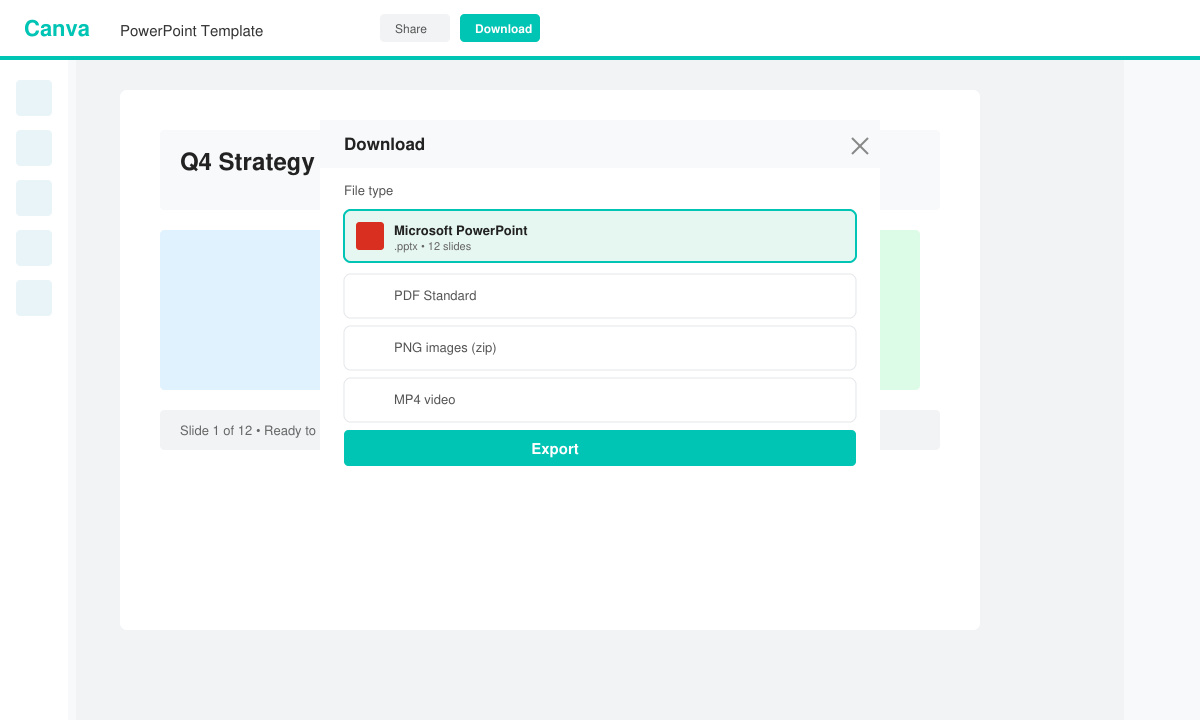
Click the “Share” button in the top right corner, then select “Download.” Choose “Microsoft PowerPoint” from the file type dropdown. Canva will generate a .pptx file that preserves fonts, animations, and layout exactly as designed.
Common Issues and Quick Fixes When Using a Canva Power Point Template
Fonts sometimes change after export because the recipient’s computer lacks the original typeface. To avoid this, select all text and switch to standard fonts such as Arial or Calibri before downloading. If animations disappear, remember that Canva only exports basic transitions; complex motion effects must be recreated inside PowerPoint itself.
Another frequent problem is oversized image files that bloat the presentation. Compress images inside Canva by selecting them and choosing “Compress” from the edit menu before exporting.
Frequently Asked Questions
Can I edit a Canva Power Point Template after exporting it?
Yes. Open the downloaded .pptx file in Microsoft PowerPoint and continue editing text, images, or layout as needed.
Does Canva keep my template private?
Templates you create stay private unless you share the design link or publish them to the Canva community.
Are there limits on how many Canva Power Point Template files I can export?
Free accounts receive a set number of downloads each month; Canva Pro removes that limit and adds extra export options.
Conclusion
Following the steps above turns any Canva Power Point Template into a finished, export-ready presentation that opens cleanly in PowerPoint.