Device Links
Roblox emotes allow you to express how you’re feeling and communicate with your fellow players during gameplay. There are plenty of animations available, from those displaying excitement to sadness, all designed to add a human element to your gameplay.

If you want to know how to use Roblox emotes, we’ll show you in this article. We’ll cover how to set up and use Roblox emotes on your computer or mobile device, and how to download free emotes. And our FAQs include what to do if the emoticon icon is not displayed in a game.
How to Use Emotes in Roblox on a PC
To set up and use emotes for Roblox play on your computer:
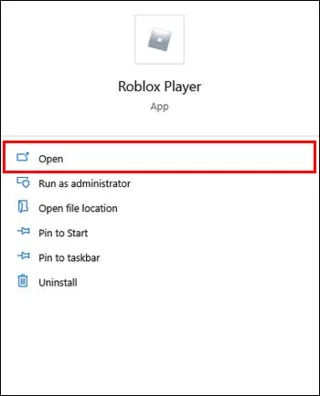
- Launch Roblox.

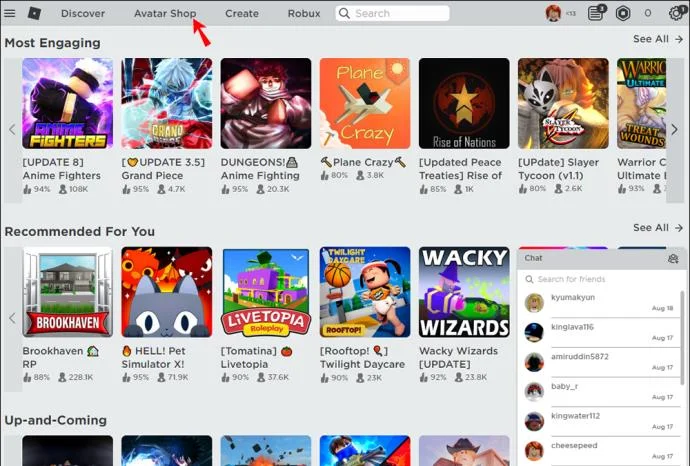
- Select “Catalog.”

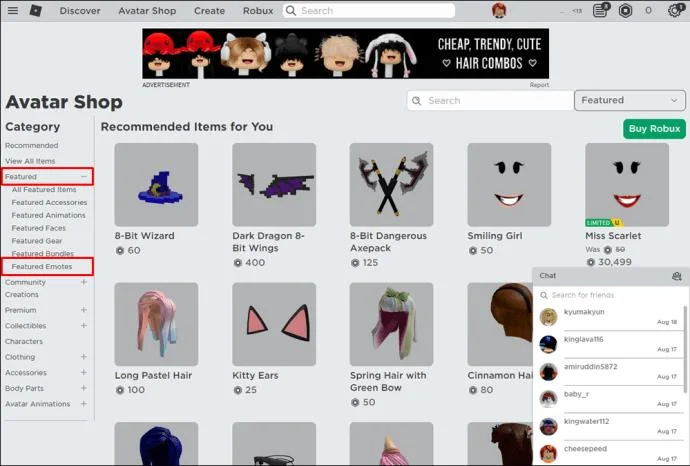
- On the left tab beneath “Featured,” select “Featured Emotes.” This will return all the free emotes you can use.

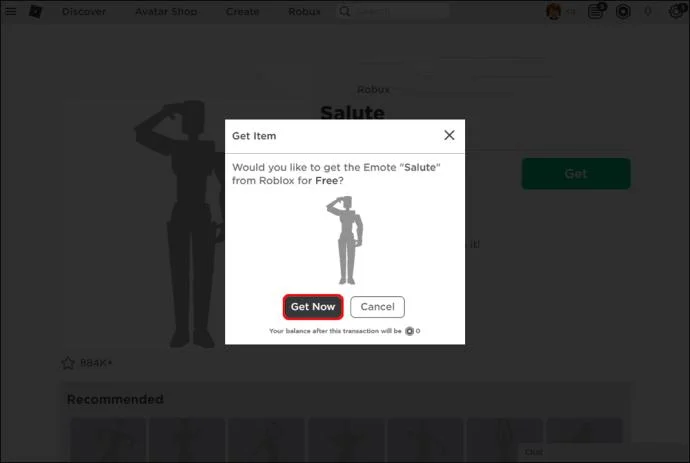
- To download emotes for free, select the “Get” button, then “Get Now” to confirm the download.

- Complete the same steps to individually download all the emotes.
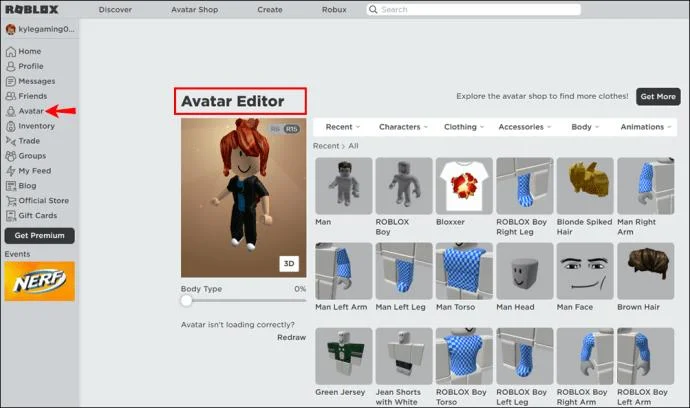
- When you have downloaded the emotes, go to the “Avatar” on the left. This brings up the “Avatar Editor” and displays the freshly downloaded emotes.

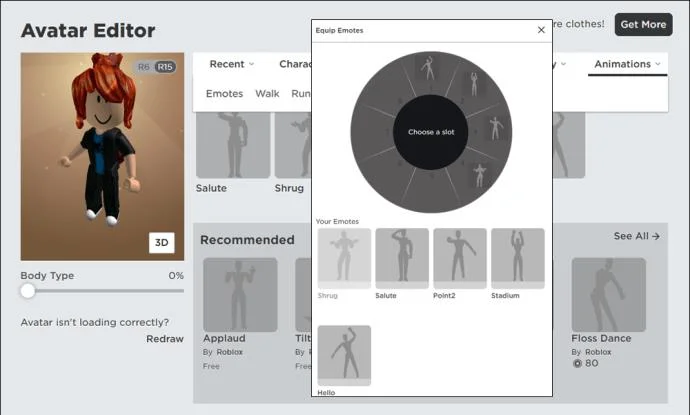
- Clicking on any emote will let you equip them. You can slot every emote from one to nine simply by selecting an emote then selecting a number you wish to assign them.

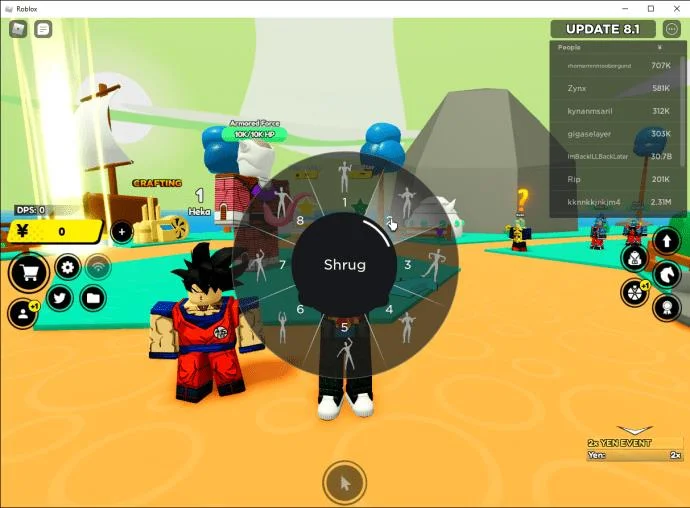
- Start a game then press the “B” button to open the emotes equipped.

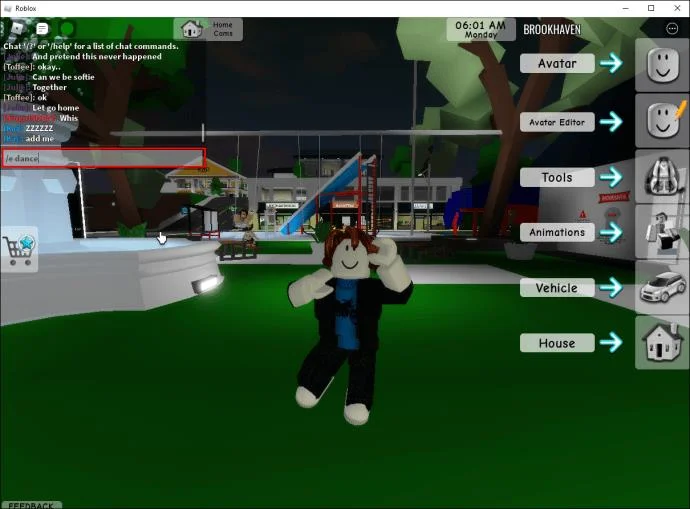
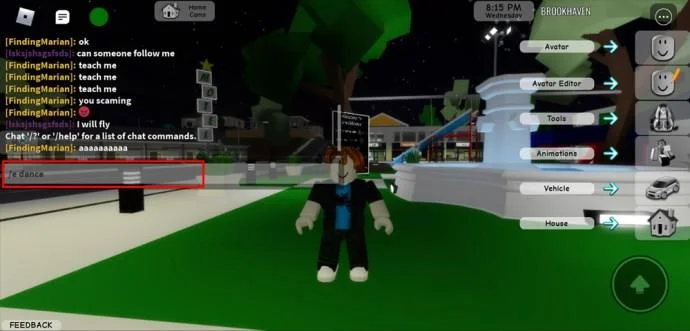
- Now to get your emotes to appear, open your chat menu and type “
/e (emoticon name)” then enter.

How to Use Emotes in Roblox on the iPhone or Android App
To set up and use Roblox emotes via your mobile device is as straightforward as it is for desktop:
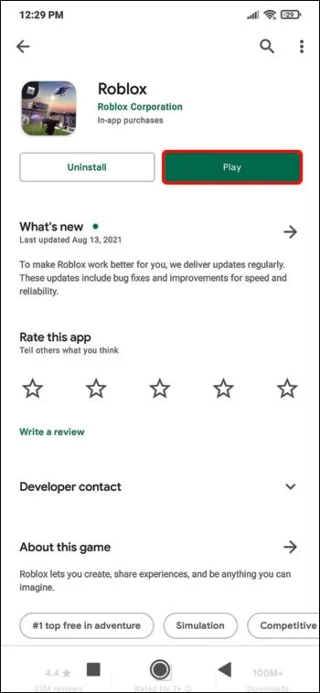
- Open Roblox.

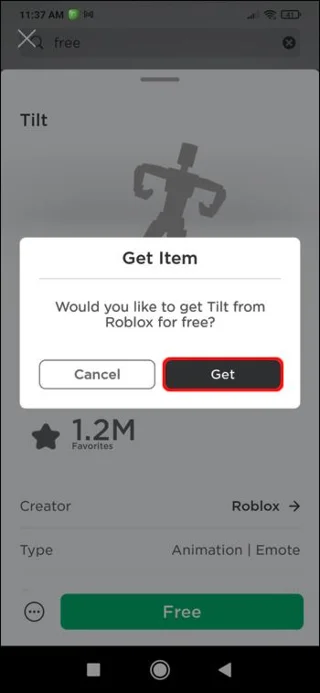
- Navigate to “Featured Emotes,” then tap “Get” to download them.

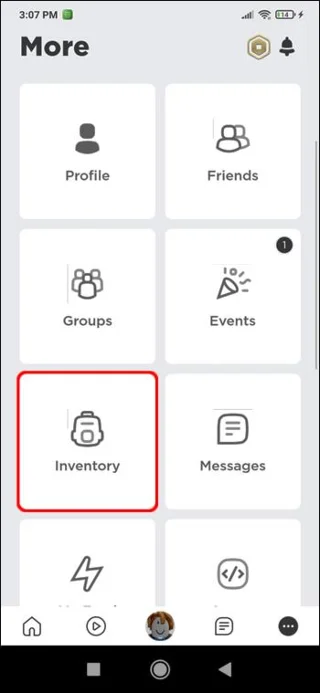
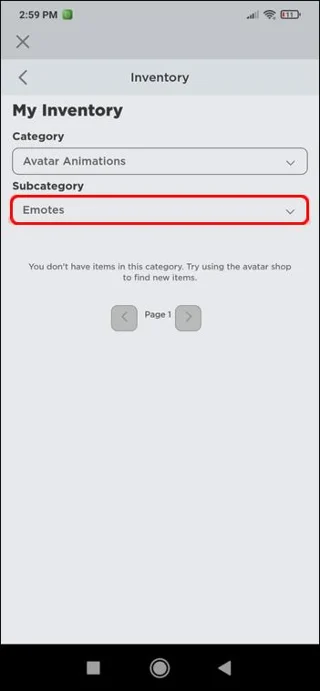
- Go to the “Inventory” section.

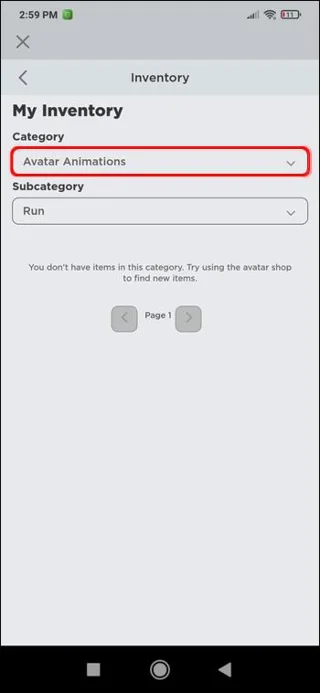
- Beneath “Category” tap the pull-down menu, then choose “Avatar Animation.”

- Choose “Emote” for the “Subcategory.”

- Tap the “Wear” option, then equip the emotes to add them to your avatar.
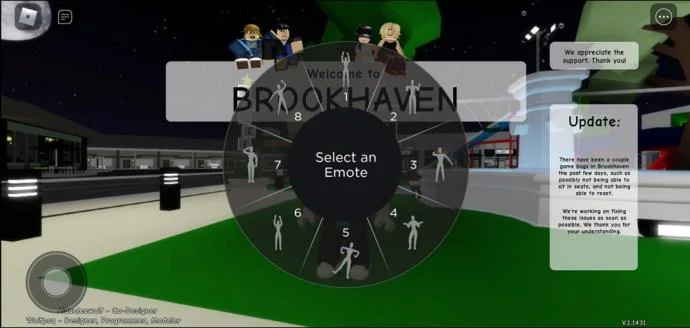
- When you enter a new game, the emotes will be added to the wheel and activated.

- To get your emotes to appear, open your chat menu and type “
/e (emoticon name)” then enter.

Additional FAQs
What are all the dnaces in Roblox?
Dancing is a popular way of expressing happiness in Roblox. There are three dances in Roblox on the default servers. If you want to dance, you type “/e dance” into the chat followed by “Enter.” For all three dance animations it’s:
• /e dance
• /e dance2
• /e dance3
What keyboard button do you press to Emote in Roblox?
To emote in Roblox, you need to open your chat menu, type “/e” and the command, then enter.
What are the different types of Roblox emotes?
Here are some of the default emotes that your Roblox avatar can perform and the commands that need to be entered into chat to activate them:
• /e wave
• /e cheer
• /e laugh
• /e point
• /e dance
• /e dance2
• /e dance3
How do I get more Roblox emotes?
A majority of emotes need to be bought before you can use them in the game. However, there are free ones available, some ready for use in the game and the others easily added:
1. Log into Roblox.
2. From the top left, click the hamburger icon then click the “Avatar” option.
3. Select “Animations” then the “Emotes” option.
4. The emotes displayed beneath the “Animations” “Emotes” section, are available for use.
5. To add the other free emotes, select “See All” beneath “Recommended.”
6. From the catalog on the left, select “Featured Emotes.”
7. Towards the end of the page, you’ll see all the free emotes available to you.
8. Click on an emote that is not available for use.
9. On the following screen, click “Get” then “Get Now” to get the free emote.
10. Once you’re done, go back to and select the “Animations” and “Emotes” options again.
11. Click “Equip Emotes.”
12. To add new emotes to the slot, select an emote then select the slot you wish to place it.
Emotional Roblox Gameplay
Roblox emotes are used to communicate and express yourself during gameplay. Not only does using them add to the shared entertainment aspect of the gameplay, but it adds an emotional human element to it.
The Roblox emoticon options available are plenty. Invoking an emote is done via the chat of a game, by entering “/e” followed by the emote command.
What do you like most about using emoticons? In general, what emoticons do you tend to use the most often? Let us know in the comments section below.