Leftover Halloween Candy and Pumpkins: What to Do Next

Sort leftover Halloween candy safely, share or repurpose sealed treats, and choose food use or compost for pumpkins based on their condition.
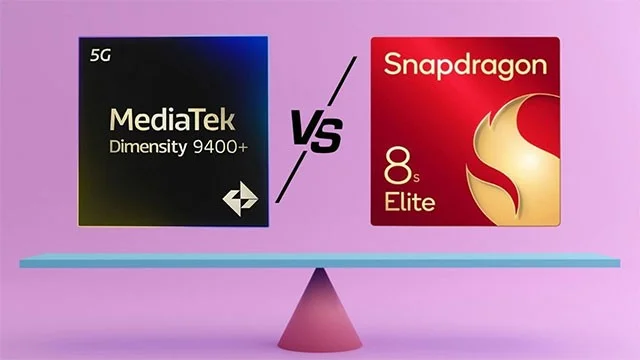
MediaTek has officially announced the Dimensity 9400 Plus as a more premium version of the regular Dimensity 9400. Its direct competitor is the Snapdragon 8 Elite, the flagship processor launched by Qualcomm last October.
Both chips are flagship SoCs manufactured on TSMC's 3nm process – specifically the N3E version – but have very different architectures, design priorities, and implementations.
The Dimensity 9400 Plus runs on ARM Cortex cores, while the Snapdragon 8 Elite uses custom-designed Oryon cores. Let's take a look at the key differences between the two chips, from the specs to the practical effects they have when installed in commercial devices.
CPU architecture and performance
The Dimensity 9400 Plus is based on Arm's latest Cortex cores and is an improved version of the standard Dimensity 9400. The chip features a Cortex-X925 core running at a maximum speed of 3.73GHz, accompanied by three Cortex-X4 cores and four Cortex-A720 cores. This is a typical big.LITTLE architecture with a strong focus on high-performance cores. In total, the chip has eight CPU cores, supported by 10MB of system-level cache (SLC) and 12MB of L3 cache.
Meanwhile, the Snapdragon 8 Elite opts for a completely custom Oryon CPU design. The cHIP uses eight second-generation Oryon cores, including two “Prime” cores clocked at up to 4.32GHz and six performance cores clocked at 3.53GHz. The architecture also has 24MB of L2 cache – double that of the Dimensity 9400 Plus.
While Qualcomm's dual-core Prime configuration theoretically offers more raw power, flagships don't need to worry too much about benchmarks. In practice, the difference is unlikely to be noticeable to most users.
GPU and gaming capabilities
In terms of GPU, the Dimensity 9400 Plus uses a 12-core Arm Immortalis-G925, which MediaTek claims brings “PC-grade features” to mobile, including hardware-based ray tracing with opacity micromap support. The GPU is said to offer 40% better power efficiency than the previous generation and effectively double the FPS for long gaming sessions.
Qualcomm uses its in-house Adreno 830 solution, which is said to deliver 40% better performance and power efficiency than the Adreno 750 used in the Snapdragon 8 Gen 3. The GPU also supports 37% improved ray tracing, even Unreal Engine 5.3, Nanite rendering, and Qualcomm's latest graphics optimization frameworks like Game Super Resolution 2.0 and Frame Motion Engine 2.0.
AI and NPU capabilities
AI is at the heart of both chips. The Dimensity 9400 Plus includes MediaTek's 890 NPU, which supports DeepSeek R1 (a large, locally running language model). The chip also integrates support for several key AI features like Mixture of Experts, Multi-Token Prediction, Multi-Head Latent Attention, and FP8 accuracy. MediaTek says the NPU offers "exceptional edge AI performance" with up to 20% inference speed and generative model improvements over the original Dimensity 9400.
Qualcomm's answer in this regard is the upgraded Hexagon NPU, which is said to be 45% faster than the previous generation and more energy efficient. The NPU includes a 6-core vector engine and an 8-core scalar engine, designed to support multi-modal generative AI on the device.
In fact, the AI capabilities of both chips haven’t been widely benchmarked publicly. Until we see direct comparisons using real AI processes—like camera support, voice recognition, or on-device assistants—the differences will remain theoretical.
Camera and ISP
Both SoCs support camera sensors up to 320MP and can shoot 8K video at 60fps. MediaTek integrates the Imagiq 1090 ISP with HDR video support across the entire zoom range and Smooth Zoom for smoother transitions in video recording. Qualcomm's Spectra AI ISP takes a more AI-centric approach, offering real-time segmentation, extreme low-light photography, and video tools like semantic relighting and object removal.
Qualcomm is also bringing support for Truepic's cryptographic seal, a privacy- and trust-focused feature that could appeal to journalists and creators who need to verify the authenticity of photos.
Connect
Both chipsets support Wi-Fi 7 and Bluetooth 6.0, but the Snapdragon 8 Elite has the edge in modem performance. It includes the Snapdragon X80 5G modem, which offers download speeds of up to 10Gbps, and satellite connectivity via Snapdragon Satellite. Qualcomm also advertises a more advanced AI-based location engine and dual-SIM capabilities with global 5G multi-SIM support.
MediaTek integrates the BeiDou GNSS system with a 60% speed increase over the Dimensity 9400, and the Bluetooth range is extended to 8km for direct phone-to-phone connections. These are specialized advantages that may be important for specific regions or use cases, but they don't fundamentally change the connectivity equation for most users.
Memory, storage and display
Both chips support LPDDR5X RAM, with the Dimensity 9400 Plus offering peak memory speeds of 10,667 Mbps. The Snapdragon 8 Elite doesn't boast such aggressive memory speed figures, but it does pair it with the same LPDDR5X specs and UFS 4.0 storage.
In terms of displays, the Dimensity chip supports up to WQHD+ resolutions at 180Hz and is designed for tri-fold displays via tri-port MIPI support. In contrast, the Snapdragon 8 Elite can drive QHD+ displays at up to 240Hz and supports 8K external displays – a specification that is more suitable for future mobile-desktop hybrid designs.
Summary
There's no overwhelming winner here – both chips are very powerful, deeply optimized, and designed to power flagship devices through 2025.
The Snapdragon 8 Elite has an edge in CPU benchmark performance, a better integrated AI ecosystem for a more user-aware experience, and a balanced gaming and photography system. It's a safe bet for high-end flagships and gaming phones looking for every advantage.
The Dimensity 9400 Plus, while not leading in raw CPU speed, offers an extremely efficient GPU, smart integration with next-generation AI models like DeepSeek R1, and notable innovations in satellite and peer-to-peer communications. It also has the potential to appear in a wider variety of devices thanks to MediaTek's extensive OEM partnerships.
Overall rating:
For most consumers, the decision won’t be about which chip is better on paper. It will depend on the devices they’re used in, the thermal design, and how OEMs optimize performance. As always, specs don’t tell the whole story. But they’re still worth considering.
Sort leftover Halloween candy safely, share or repurpose sealed treats, and choose food use or compost for pumpkins based on their condition.
Compare workplace Halloween costume choices by respect, dress code, mobility, and safety—and learn when a subtle accessory or a policy check is the better option.
Find a couples costume that fits your style, budget, and comfort level, from Addams Family classics to original inside-joke duos.
Need a last-minute high school Halloween costume? Compare 10 easy closet-based ideas by prep time, comfort, school-day practicality, and simple safety checks.
Use a simple 2026 Halloween decorating timeline for indoor décor, outdoor displays, and fresh pumpkins, with practical adjustments for weather and events.
Mix five vivid, approachable Halloween cocktails with measured recipes, simple prep tips, and an alcohol-free option for your party guests.
Find 15 office-friendly Halloween costume ideas for 2026, with practical checks for dress codes, respectful themes, comfort, and workplace safety.
Plan a fun elementary school Halloween party with easy crafts, games, inclusive treats, costume tips, and a sample 75-minute classroom schedule.
Compare realistic side hustles for 2026 by startup cost, fees, flexibility, and income control, with current tax and scam guidance from official sources.
Upgrade your home office ergonomics with current OSHA and NIOSH guidance on chair fit, monitor height, laptop setup, lighting, and movement.








