You can definitely build muscle strength in your middle age. Here are some daily muscle-building exercises that are good for your 40s .
Research shows that women start losing muscle mass in their 30s, but the loss is slow and gradual, and most don't notice it until they're in their 40s or 50s. That's when they discover that things that used to come easy to them - walking up a flight of stairs, putting a suitcase in an airplane's overhead bin, opening a bottle of ketchup - are no longer as easy. The good news is that not only can we slow down the loss of muscle, but we can also continue to build muscle and get stronger with the following exercises.
The best muscle rejuvenation exercises
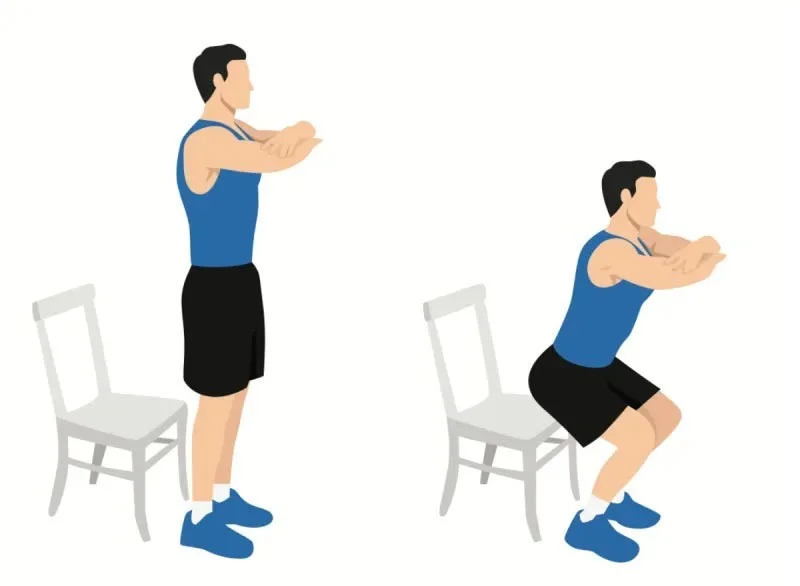
Squat sit down, stand up
Step by step instructions
Start by finding a sturdy chair or bench. Stand in front of the chair with your feet shoulder-width apart. Sit down slowly and with control. Then stand up. Done!
Number of sets and repetitions to perform each day
This is entirely dependent on where you start. Ideally work up to 10 reps for 3 sets.
Why is this exercise particularly effective for maintaining muscle strength?
- Squatting simulates the action of sitting down and standing up and everyone wants to be able to sit down and stand up - without support - throughout their lives.
- This exercise challenges your quads, glutes, even your core and a little balance. It's a basic functional movement.
How to adjust based on current fitness level
- The beauty of the squat is the many variations you can use to make the exercise easier or harder. If it's too difficult at first, you can push yourself off the arms of the chair and work your way up to sitting and standing without using your arms.
- If you find it easy to do 10 reps 3 times, you can make the exercise more difficult by adding dumbbells.
Push-ups

Step by step instructions
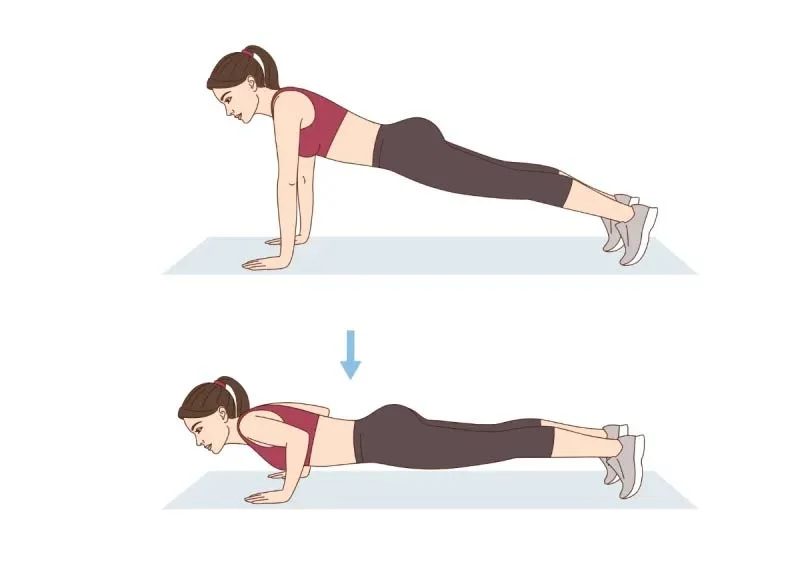
Push-ups can be performed in a variety of ways to activate different muscles with varying intensities, but the general movement pattern remains the same.
With your body in a plank position, place your hands slightly wider than shoulder-width apart and slowly lower your body as low as possible before pushing through your hands to return your body to the starting position.
Number of sets and repetitions to perform each day
The number of repetitions and sets depends entirely on your fitness level when you start. Aim for three sets of 10 repetitions each.
As you progress, consider doing each set of 10 in a different position, perhaps 10 wall pushups, 10 chair pushups, and 10 knee pushups.
Why is this exercise particularly effective for maintaining muscle strength?
Push-ups are an extremely effective push-up that works almost your entire upper body with the added benefit of working your core.
How to adjust based on current fitness level
The key to understanding how to progress push-ups is to realize that the greater the angle of your body relative to the floor, the more difficult it becomes. So, for beginners, you can start with push-ups against a wall. Once you feel comfortable and safe with those, you can progress to handstand push-ups on a bench, bed, or chair. Once you feel comfortable, move on to knee push-ups on the floor, and once you have mastered that, you are ready for a full push-up with your feet and hands on the floor and your body in a plank position.
Plank

Simple step-by-step instructions
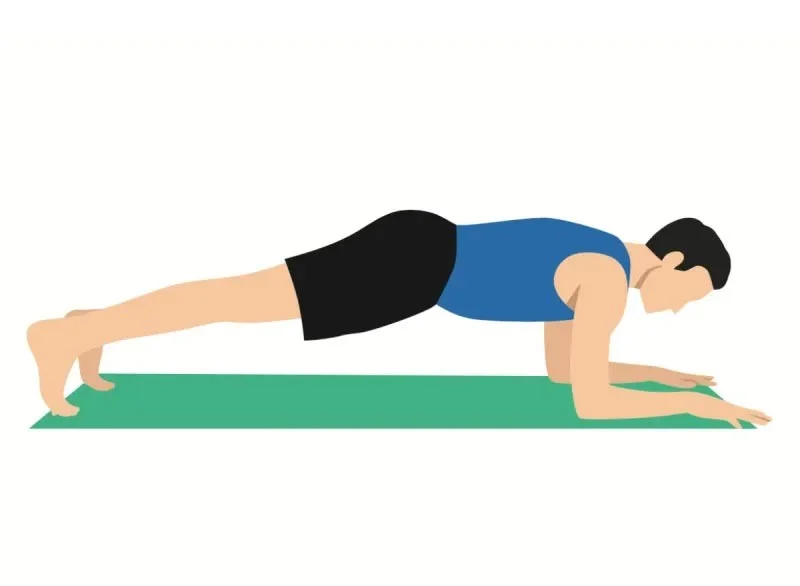
Start lying face down. Place your elbows and forearms on the floor directly under your shoulders and lift your body off the ground, keeping your entire body as flat and straight as possible.
Hold this position for as long as is comfortable. Lower yourself back down to the ground. Rest for about 30 seconds and repeat.
Number of sets and repetitions to perform each day
It depends on the individual, but you should start with 3 sets, holding each set for a comfortable amount of time, gradually increasing to at least 30 – 60 seconds per set.
Why is this exercise particularly effective for maintaining muscle strength?
This is a core stabilization exercise, using most of the core and back muscles, along with the legs and glutes.
How to adjust based on current fitness level
You can start from a kneeling position for ease and increase the hold time for more challenge.
Dumbbell Bench Press

Simple step-by-step instructions
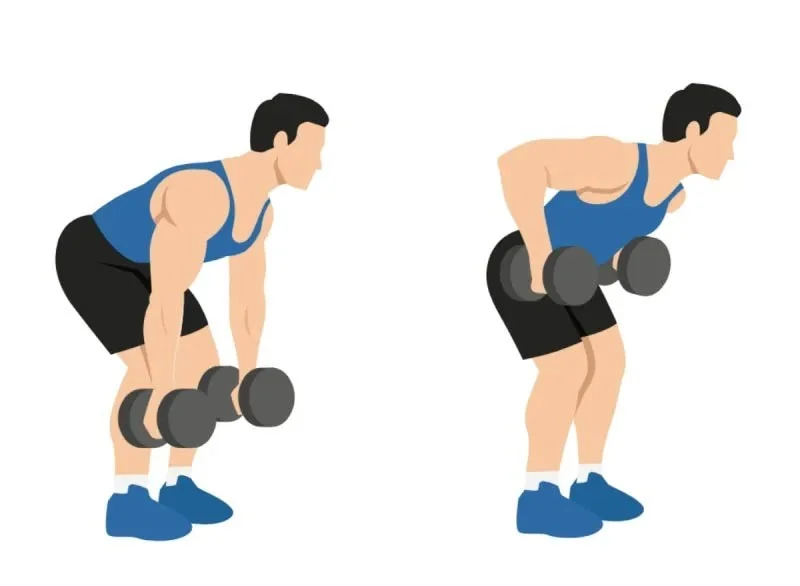
- Start standing with your feet hip-width apart, knees slightly bent, and a dumbbell in each hand.
- Bend at the hips so that your upper body is tilted toward the ground.
- Balance on your feet and pull the weight up, keeping your elbows close to your body. As you do this, think of using your upper back as if you were trying to grip a pencil between your shoulder blades.
- Lower the weight slowly and with control, then repeat.
Number of sets and repetitions per day
As always, this depends on your fitness level, but try to work up to 8 reps of 3 sets with a difficult weight.
Why is this exercise particularly effective for maintaining muscle strength?
This is a complex pull that works your upper back, arms, and core stabilizers, providing multiple benefits.
How to adjust based on current fitness level
Simply reduce the number of repetitions, reduce the weight, or both.
Walking - with slope

Simple step-by-step instructions
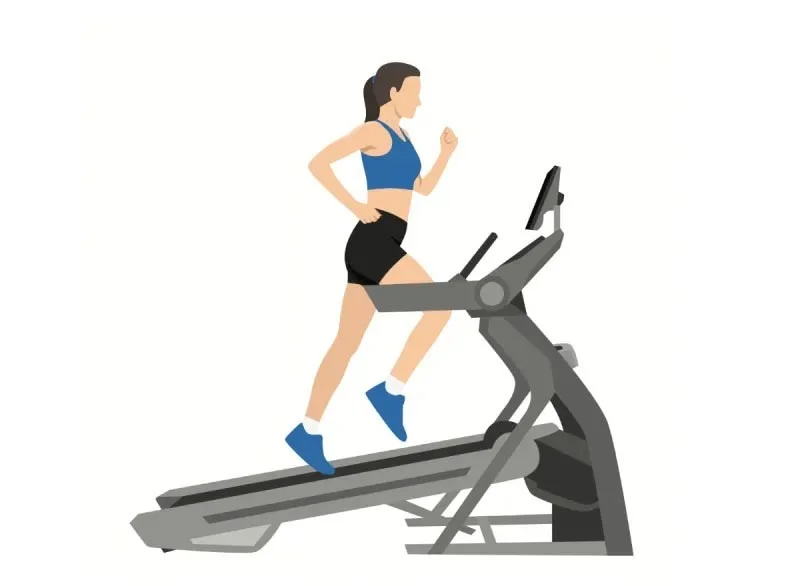
- Before you walk, stand still for a moment and check your posture. Make sure your shoulders are over your hips, your hips are over your feet, and imagine there is a string from the top of your head pulling you up. This is the posture you should try to maintain throughout your walk.
- Take a moment to tighten your abs. Pro tip: To do this, extend your arms and imagine someone is throwing a heavy beach ball towards your belly button and on the count of three, imagine you are catching the ball. You should feel your abs engage.
- Finally, as you begin, try to keep your feet parallel to each other like train tracks, neither turned in nor out.
Number of sets and repetitions to perform each day
You can and should walk almost every day.
How far should you walk? Research shows that you get the most benefit at 8,800 steps a day (a little less than the arbitrary 10,000 steps we often hear). That doesn’t mean more isn’t better, but if your focus and goal is longevity, you’ll see diminishing returns after 8,800 steps. So at the very least, aim for 8,800 steps a day.
Why is this exercise particularly effective for maintaining muscle strength?
Walking is a full body workout. Not only are you moving weight through space, your core muscles are activated to keep you upright and tall, your leg muscles are providing power, and your arms are moving in opposition to your legs. Everything works perfectly together.
How to adjust based on current fitness level
There are a number of ways to increase the intensity and benefits of walking. Here are five:
- Increase your distance. Walk more.
- Pick up the pace. Walk faster.
- Add incline. Walking uphill, no matter how small or large, challenges your body in different ways. It also helps transfer some of the intensity to your glutes and hamstrings and increases the cardiovascular benefits of walking.
- Add intervals. Interval training is extremely effective for increasing cardiovascular endurance and increasing calorie burn. There are many ways to do this but the principle is simple; increase your speed for a period of time (30 seconds to 2 minutes) then slow down to let your system recover and then do it again. Start adding intervals slowly and make them a part of your walking routine.
- Add weight. Adding a weight pack to your walk is one of the most effective ways to increase the difficulty of your workout. You can easily do this by throwing a few books in your backpack or investing in a backpack or plate holder that allows you to safely add weight.