Lien Quan Mobile has a friend feature for us to expand our friends in the game, interact with people to have a more interesting gaming space. However, not everyone likes the friend feature on Lien Quan Mobile when being bothered, or the friend list on Lien Quan Mobile is full, you can block friends on Lien Quan Mobile. Below are instructions for blocking friends on Lien Quan Mobile.
Instructions to block friends on Lien Quan Mobile
Step 1:
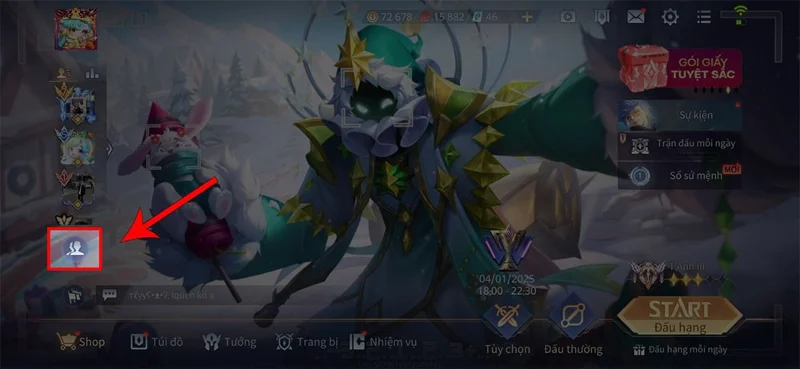
At the interface on Lien Quan Mobile, users click on the friend icon in the lower left corner of the main interface.
Step 2:
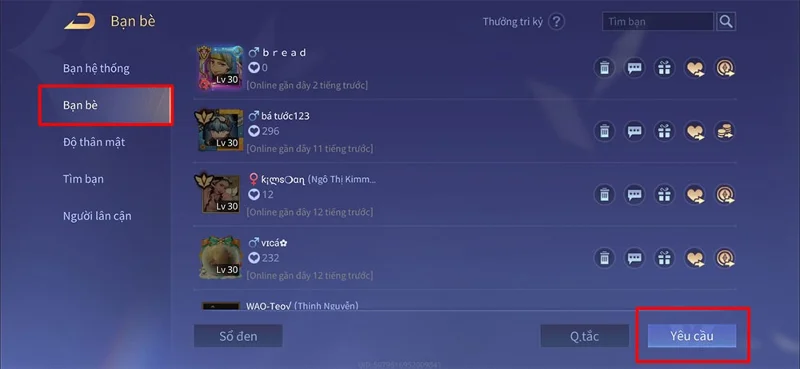
Switch to the new interface, users click on Friends and then click on Request to open the friend invitation inbox management section on Lien Quan Mobile to adjust.

Step 3:
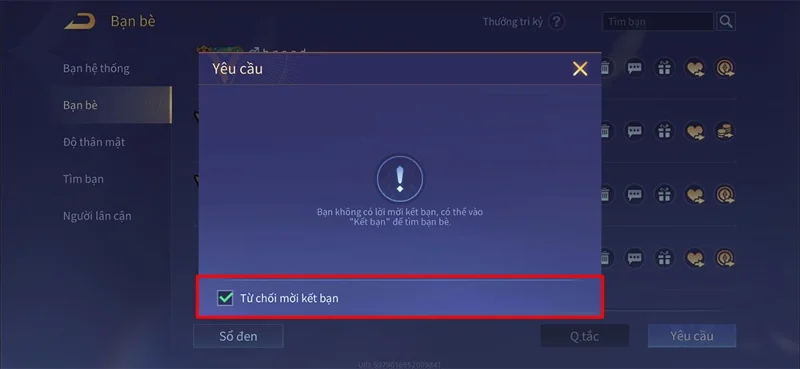
In the interface that appears next, we need to check the box Decline friend requests to not receive any friend requests on Lien Quan Mobile.

So after turning on the friend request blocking feature on Lien Quan Mobile, we will not be bothered by any more friend requests.