Pop Culture Costume Ideas That Will Dominate Halloween 2026

Plan a recognizable Halloween 2026 look with pop culture costumes inspired by Spider-Man, Supergirl, Toy Story 5, Moana, Mario, and Wednesday.
What is a brand manual? Why is it important to build a consistent brand manual? Let's find out together!
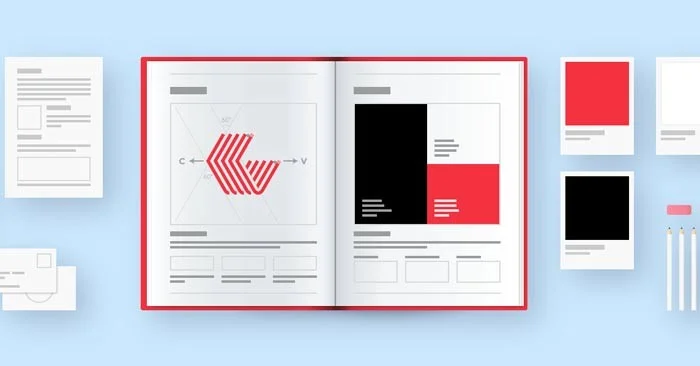
Without defining your brand identity, you can only grow and expand your overall brand presence to a certain extent. After all, consumers see between 6,000 and 10,000 ads a day, and only a fraction of those will stick with your target audience – no matter how good your social media strategy is. The key to building a strong brand is having a cohesive brand voice and infusing your unique brand personality into every element of your communications & marketing.
The best way to define your brand and make it easy for others to copy is to create a visual branding & management playbook. By combining all aspects of your corporate identity into a single brand book, you can save time, empower everyone to create and tell your brand story.
What is a brand manual?
Your brand identity guide includes everything a creative needs to match the look, feel, and values of your brand, including assets like logos or hex codes, along with instructions on how to use them correctly. Most companies share their brand identity guide as a presentation or website, and maintenance falls under the purview of brand management.
You can use Canva Teams to manage your branding and collaboration easily, as well as future-proof your design system.
A basic brand guide that includes brand identity principles, can be an internal or external document that serves as a tool for your team and an inspiration for others.
Brand identity guidelines should include:
Brand management guidelines are often part of a brand communications kit, used to facilitate working with the press and media. If you want to increase your visibility as an executive, professional headshots with branded backgrounds or other public relations materials can be helpful.

Basic principles of branding
A memorable brand doesn’t have to be complicated. It just needs to connect with the right audience. Frank Body has grown their beauty brand into a passionate following by sticking to core values — being honest, not taking themselves too seriously, and making people feel comfortable with simple skincare products. Because the company’s founders fit their target demographic, they learned how to connect with customers on social media, tap into new trends, and grow their business online.
The key principles of good branding are building relationships with your audience, establishing trust, being consistent, and maintaining core brand values.
Be prepared to evolve and upgrade as your audience or product changes. Brand refreshes are necessary to stay relevant and they provide an opportunity to build reputation.
How to develop brand identity elements for marketing
Don't make the mistake many new marketers and brand strategists make – choose a style and elements that you like.
Why is this a mistake? Because it’s not about what you like, it’s about what your target audience likes and what they engage with. Before you start writing any pen or writing instrument, you need to identify your target audience and understand where you stand in the market compared to your competitors. Use data to build your brand, and remember, you can always change as you learn what works.
During this initial exploration, think about ways you can stand out from the crowd and leverage your competitive differentiation.
Identify target audience
Identifying your ideal target audience or buyer persona is a huge part of building a successful digital marketing strategy. Start by exploring who engages most with your content, what your best users or customers look like, and who your best customer advocates are. Then, look for common threads. Are your best customers all enterprise brands? Or small owner-operated organizations that have been around for 10+ years?
When in doubt, ask your sales team, your target audience, or your customer service rep. The clearer you can get a picture of your ideal customer, the more effective (and less expensive) your marketing efforts will be.
Set goals for your brand
Brand awareness can be a bit vague to measure, which is why clear brand goals can help keep your team on track. Strategic brand goals might include:
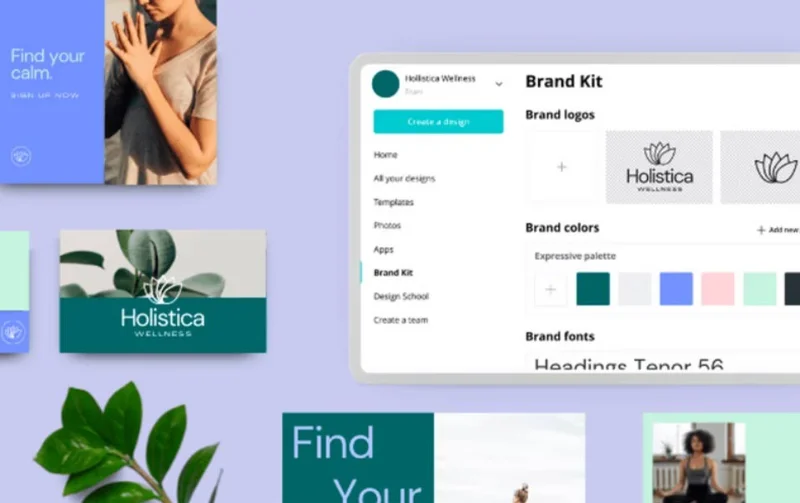
Get everything your creatives need in one streamlined location. With Canva Teams, you can create multiple Brand Kits with branded color palettes, fonts, elements, templates, and real-time collaboration features.
Plan a recognizable Halloween 2026 look with pop culture costumes inspired by Spider-Man, Supergirl, Toy Story 5, Moana, Mario, and Wednesday.
Sort leftover Halloween candy safely, share or repurpose sealed treats, and choose food use or compost for pumpkins based on their condition.
Compare workplace Halloween costume choices by respect, dress code, mobility, and safety—and learn when a subtle accessory or a policy check is the better option.
Find a couples costume that fits your style, budget, and comfort level, from Addams Family classics to original inside-joke duos.
Need a last-minute high school Halloween costume? Compare 10 easy closet-based ideas by prep time, comfort, school-day practicality, and simple safety checks.
Use a simple 2026 Halloween decorating timeline for indoor décor, outdoor displays, and fresh pumpkins, with practical adjustments for weather and events.
Mix five vivid, approachable Halloween cocktails with measured recipes, simple prep tips, and an alcohol-free option for your party guests.
Find 15 office-friendly Halloween costume ideas for 2026, with practical checks for dress codes, respectful themes, comfort, and workplace safety.
Plan a fun elementary school Halloween party with easy crafts, games, inclusive treats, costume tips, and a sample 75-minute classroom schedule.
Compare realistic side hustles for 2026 by startup cost, fees, flexibility, and income control, with current tax and scam guidance from official sources.








