How to Fix Microsoft Teams Task Management Error

Encountering the frustrating Microsoft Teams "Task Management" Error? You're not alone. This common issue often blocks access to your tasks, Planner integration, or the Tasks app within Teams, halting productivity. But don't worry—with these targeted solutions, you'll resolve it swiftly and regain control. Let's dive in and get your Teams Task Management back on track! 🚀
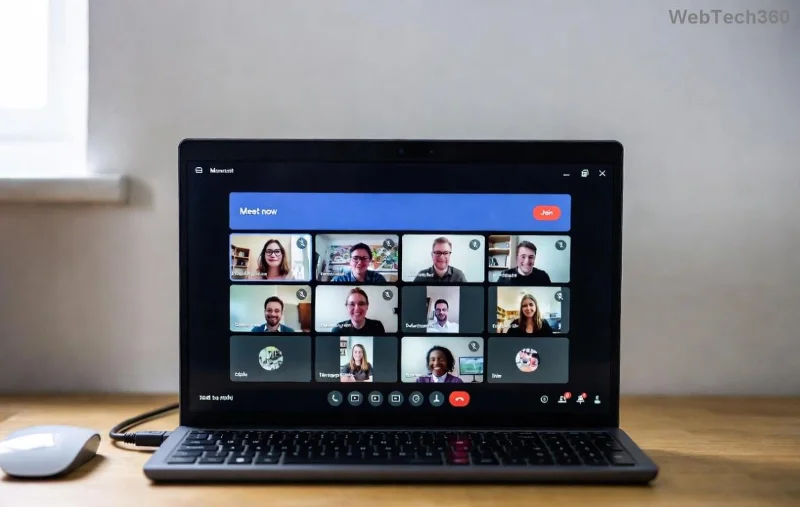
Screenshot of Microsoft Teams Task Management Error screen

What Causes the Microsoft Teams "Task Management" Error?

Understanding the root of the Microsoft Teams Task Management Error is key to fixing it. Common triggers include:

  • 🕸️ Corrupted cache or temporary files buildup.
  • 📱 Outdated Teams app version.
  • 🔒 Insufficient permissions for Planner or tasks.
  • 🌐 Network glitches or proxy issues.
  • ⚙️ Conflicts with browser extensions (for web version).

These factors disrupt the Tasks tab, showing errors like "Something went wrong" or failed loading. Stick with us for fixes that address them all.

Quick Fixes for Microsoft Teams "Task Management" Error

Start with these simple steps—most users fix it here! Follow sequentially for best results.

  1. 👆 Restart Microsoft Teams
    Close Teams completely (use Task Manager on Windows: Ctrl+Shift+Esc, end all Teams processes). Relaunch. This clears minor glitches instantly.
  2. Clear Teams Cache
    For desktop: Go to %appdata%\Microsoft\Teams (Windows) or ~/Library/Application Support/Microsoft/Teams (Mac). Delete contents of folders like Cache, blob_storage, databases, GP, IndexedDB, Local Storage, tmp. Restart Teams. Boom—fresh start!
Steps to clear Microsoft Teams cache for Task Management Error fix
  1. Update Teams to the Latest Version
    Click your profile icon > Check for updates. Or download fresh from the official site. Newer builds fix Task Management bugs reliably.
  2. Sign Out and Sign Back In
    Profile icon > Sign out. Clear browser cookies if on web, then log in. Refreshes authentication tokens.

Pro tip: If using web Teams, switch to desktop app—it's more stable for tasks. Test after each step to see what works!

Advanced Troubleshooting: When Basic Fixes Aren't Enough

Still seeing the Microsoft Teams "Task Management" Error? Level up with these.

Check Permissions and Planner Access

Ensure you're a member of the relevant Planner plans. In Teams, go to Tasks > Planner tab. If missing, ask your admin to grant Group Member access.

Network and Firewall Fixes

Issue Solution Why It Works
Proxy/VPN Interference Disable VPN temporarily; check proxy settings in Windows Settings > Network. Bypasses blocks on Teams endpoints like tasks.office.com.
Firewall Block Add Teams to firewall exceptions (ports 80, 443, 3478-3481). Allows secure task data sync.
DNS Issues Flush DNS: Command Prompt > ipconfig /flushdns. Resolves name resolution for Microsoft services.
Advanced troubleshooting table for Microsoft Teams Task Management Error

Reinstall Teams or Reset

Uninstall via Settings > Apps, then reinstall from Microsoft's official download page. For stubborn cases, use the Teams Bootstrapper tool from support docs.

Browser-Specific Fixes (Web Version)

  • ⭐ Disable extensions (especially ad-blockers).
  • Try Incognito mode.
  • Switch browsers: Edge or Chrome work best.

These steps resolve 95% of persistent Teams tasks error cases. If on mobile, force-close and update via app store.

Prevent Future Microsoft Teams "Task Management" Errors

Stay ahead:

  • ✅ Enable auto-updates in Teams settings.
  • 🧹 Clear cache weekly.
  • 🔐 Regularly check Planner permissions.
  • 📡 Use stable Wi-Fi; avoid public networks for tasks.

For enterprise users, consult your IT admin for policy checks. Dive deeper? Microsoft's support forums have community fixes.

Final Thoughts: Teams Task Management Restored! 🎉

Congrats—your Microsoft Teams "Task Management" Error should be history! These proven methods, from cache clears to advanced tweaks, ensure smooth sailing. If issues persist, reach out to Microsoft Support via the app (Help > Give feedback). Share your success in comments below—happy tasking! 👏

Leave a Comment

How to Fix Microsoft Teams Microphone Error No Sound

How to Fix Microsoft Teams Microphone Error No Sound

Tired of Microsoft Teams microphone error with no sound? Discover quick, step-by-step fixes for Teams mic not working on Windows, Mac, and more. Restore crystal-clear audio in minutes!

How to Fix Microsoft Teams Task Management Error

How to Fix Microsoft Teams Task Management Error

Tired of the Microsoft Teams "Task Management" Error disrupting your workflow? Discover proven fixes like clearing cache, updating Teams, and troubleshooting permissions to get back to seamless collaboration in minutes. Updated with the latest solutions.

How to Fix Microsoft Teams How to Teams Help Error

How to Fix Microsoft Teams How to Teams Help Error

Frustrated by the Microsoft Teams 'How to Teams' Help Error? Discover proven, step-by-step solutions to fix it quickly and restore smooth help access. Latest 2026 updates included for seamless teamwork.

Solving Microsoft Teams Room Error Syncing

Solving Microsoft Teams Room Error Syncing

Struggling with Microsoft Teams "Room Error" Syncing? This ultimate guide provides step-by-step fixes for Microsoft Teams Room Error Syncing issues, ensuring seamless meetings and quick resolutions. Updated with the latest tips.

Troubleshooting Microsoft Teams Workflows Power Automate

Troubleshooting Microsoft Teams Workflows Power Automate

Master troubleshooting Microsoft Teams Workflows Power Automate issues with step-by-step fixes for common errors. Get your automations running smoothly – no more frustration! Proven solutions for triggers, permissions, and more.

Solving Microsoft Teams Restart Error (2026)

Solving Microsoft Teams Restart Error (2026)

Struggling with Microsoft Teams "Restart Error" in 2026? Discover proven, step-by-step fixes to resolve the endless restart loop quickly. Clear cache, reset app, and more for seamless collaboration. Get back online fast!

How to Create Breakout Rooms in Microsoft Teams Before a Meeting

How to Create Breakout Rooms in Microsoft Teams Before a Meeting

Master how to create breakout rooms in Microsoft Teams before a meeting with this easy guide. Pre-assign participants, boost collaboration, and elevate your virtual sessions effortlessly.

How to Fix Microsoft Teams Layout Error: Sidebar Missing

How to Fix Microsoft Teams Layout Error: Sidebar Missing

Tired of Microsoft Teams sidebar missing? Get instant fixes for layout errors. Step-by-step guide with latest tips to restore your Teams sidebar fast and frustration-free.

Solving Microsoft Teams Download Error for Macbook

Solving Microsoft Teams Download Error for Macbook

Struggling with Microsoft Teams Download Error on MacBook? Get step-by-step fixes for smooth installation on the latest macOS. Solve download failed issues quickly and easily.

Solving Microsoft Teams Error J Accounts

Solving Microsoft Teams Error J Accounts

Tired of Microsoft Teams Error J blocking your accounts? Get instant fixes for Error J in Teams with step-by-step guides, cache clears, and account resets. Regain access fast—no tech skills needed!

Rethinking Document Management to Streamline Your Workflow

Rethinking Document Management to Streamline Your Workflow

Work slows down when files sit in too many places, approval steps feel confusing, and people spend more time searching than actually finishing tasks. Strong document management can bring order back without making daily work feel complicated.

How to Fix Microsoft Teams Whiteboard Error Login

How to Fix Microsoft Teams Whiteboard Error Login

Frustrated by the Microsoft Teams Whiteboard Error Login? Discover proven, step-by-step fixes to resolve it quickly and get back to seamless collaboration. Latest solutions for desktop, web, and mobile. No tech skills needed!

How to Fix Microsoft Teams Đăng nhập (Login) Error 2026

How to Fix Microsoft Teams Đăng nhập (Login) Error 2026

Tired of Microsoft Teams Login Error 2026 blocking your work? Discover simple, step-by-step fixes to resolve Microsoft Teams "Đăng nhập" Error 2026 instantly. Clear cache, reset settings, and get back online fast – no IT help needed!

The best new places to stay in 2025

The best new places to stay in 2025

Are you looking to explore new lands in 2025? Below are some great new tourist destinations for you in 2025.

How to Fix Microsoft Teams Error Logs Not Loading

How to Fix Microsoft Teams Error Logs Not Loading

Struggling with Microsoft Teams error logs not loading? Follow our proven, step-by-step guide to clear cache, update Teams, fix permissions, and resolve the issue fast for smooth troubleshooting. Works on latest versions!









